 DanilGOE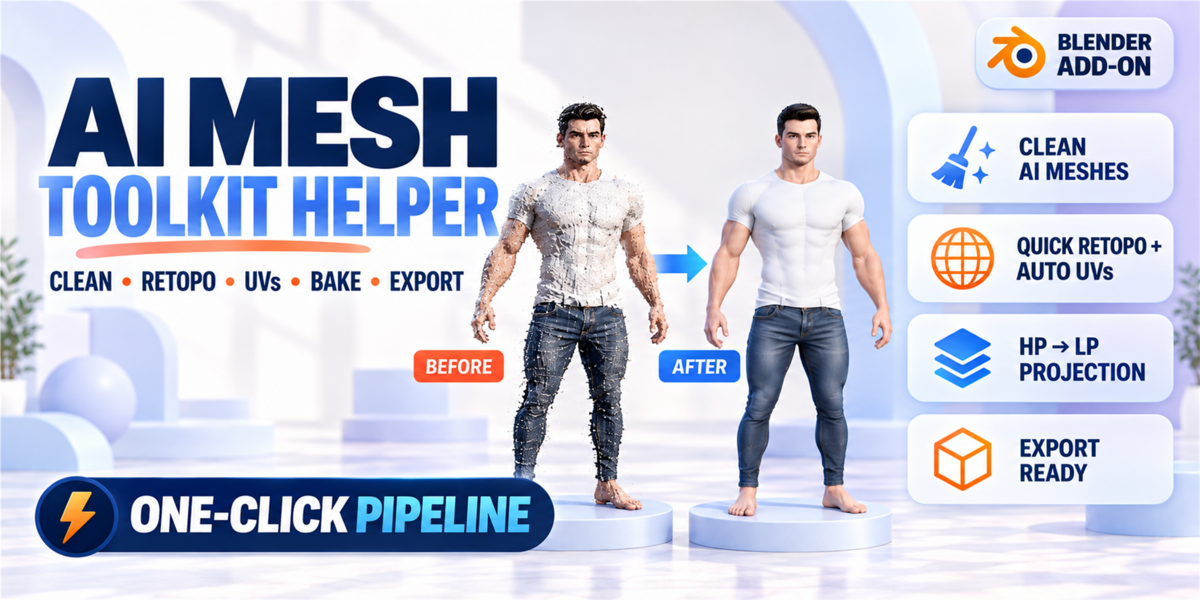


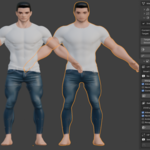
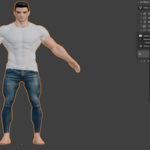
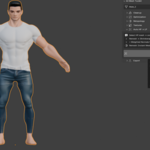
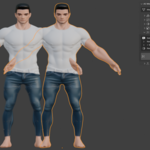
Mesh Prep Studio
by danil goe · Blender 4.0+ · Category: Addons / Mesh
Clean, optimize and bake imported meshes — ready for your next step.
🎯 What is Mesh Prep Studio?
Imported meshes from AI generators (Meshy, Tripo3D, CSM, Rodin), photogrammetry scans or other external sources often arrive in poor condition: millions of triangles, broken normals, no UV maps, non-manifold geometry. Cleaning them up manually is slow and tedious.
Mesh Prep Studio automates the most repetitive parts of this process from inside a single Blender 4.x N-panel: mesh cleanup, polygon reduction, retopology base, UV unwrapping, texture baking and export. The result is a cleaner, lighter mesh with UVs and baked textures — ready to be used as a starting point for further work or export.
Note: This addon automates cleanup and baking workflows. The voxel-remeshed retopology base is suitable for baking and rendering. For animation-ready or hero-character topology, manual retopology on top is recommended.
|
★ Auto HP→LP Pipeline — Full Bake in One Click Select your source mesh. Click one button. In one automated pass: 1. Duplicates mesh → creates a clean retopology base via Voxel Remesh 2. Generates a complete UV layout (Smart Project + Pack) 3. Bakes Albedo and Normal maps from source onto the new mesh using Cycles 4. Connects baked textures into a Principled BSDF material node tree
Result: a lighter mesh with UV map and baked textures — ready for rendering, further editing, or export as a starting point for your pipeline. |
⚙️ Feature Overview
1 — Mesh Cleanup (Fix Mesh)
Single-click cleanup for imported meshes:
✔ Merge duplicate / overlapping vertices
✔ Remove loose geometry (verts, edges without faces)
✔ Fill boundary holes automatically
✔ Recalculate normals (consistent inside/outside)
✔ Remove zero-area degenerate faces
✔ Apply Shade Smooth + Smooth by Angle (Blender 4.x native method)
✔ Quick Error Removal — lighter pass, no normal changes
2 — Polygon Reduction
Reduce face count on heavy meshes without destroying the silhouette:
✔ Set exact Target Face count — live preview shows current / target / reduction %
✔ Preserve Boundary and Preserve UV Seams options
✔ Optional X-axis symmetry decimation
✔ Non-destructive Preview mode: modifier added but not applied until you confirm
3 — Retopology Base
Creates a cleaner quad/tri mesh from the source using Blender's native Voxel Remesh:
✔ Uses obj.data.remesh_voxel_size + bpy.ops.object.voxel_remesh() — correct Blender 4.x API
✔ Laplacian smooth passes after remesh for better edge flow
✔ Mirror X before remesh for symmetrical results
✔ Source mesh is always preserved — retopo creates a separate object
The resulting mesh is suitable for baking, rendering and as a base for further retopology. It is not a substitute for manual retopology in animation pipelines.
4 — UV Unwrap
|
Smart Project |
Best for organic / character shapes |
|
Angle Based |
Best for hard-surface / mechanical |
|
Conformal |
Minimal distortion, good for characters |
|
Allow Island Rotation |
Tighter packing, better texel use |
|
Normalize Texel Density |
Equal texel density across all islands |
|
Correct Aspect |
Prevents stretch on non-square textures |
|
Custom Island Margin |
Set padding between UV islands (0–0.1) |
5 — Texture Baking
✔ Albedo / BaseColor
✔ Normal Map
All maps saved as PNG next to your .blend file. Bakes with Cycles — GPU or CPU.
6 — HP→LP Texture Projection (manual)
Already have your own low-poly mesh? Select source + target (active) and project textures in one click. Adjustable ray distance for accurate projection results.
7 — Export
✔ FBX — for Unity, Unreal Engine
✔ GLB — for Godot, web, Three.js (optional texture embed)
✔ OBJ — universal / legacy workflows
✔ Apply transforms, triangulate, clean naming, set origin — all optional
✔ One-click Export Now button in the N-panel
🔄 Typical Workflow
|
Step 1 |
Import your mesh (FBX / GLB / OBJ from any source) |
|
Step 2 |
Fix Mesh — remove errors, normals, loose geo |
|
Step 3 |
Smart Reduce — bring to a manageable face count |
|
Step 4 |
Auto HP→LP — retopo base + UV + baked textures in one pass |
|
Step 5 |
Review result in Material Preview |
|
Step 6 |
Export in your preferred format |
📋 Compatibility
|
Blender Version |
4.0 and above (4.1 / 4.2 LTS / 4.3 / 4.4 tested) |
|
OS |
Windows, macOS, Linux |
|
Baking Engine |
Cycles — GPU recommended, CPU fallback |
|
Before Baking |
Save your .blend file — required for PNG output paths |
|
Python Dependencies |
None — uses Blender's built-in Python only |
❓ FAQ
Does this produce animation-ready topology?
No. The Voxel Remesh creates a clean mesh suitable for baking, rendering and as a starting point for further work. For rigging or animation, manual retopology on the resulting base is needed.
Why does baking require a saved .blend file?
Blender needs a file path to save the baked PNG images. Press Ctrl+S before baking — the addon shows an error message if the file is not saved.
Which mesh sources does it work with?
Any mesh imported into Blender: Meshy, Tripo3D, CSM, Rodin, Luma Genie, photogrammetry scans, or any FBX / GLB / OBJ file.
What is the difference between Fix Mesh and Remove Errors?
Fix Mesh is a full deep-clean — it merges doubles, fills holes, recalculates normals and applies shade smooth. Remove Errors is a lighter pass that only removes duplicate faces and loose geometry, without touching normals or shading.
🏷️ Tags
mesh cleanup • retopology • remesh • decimation • uv unwrap • bake • normal map • fbx export • glb • low poly • sculpt • blender 4 • optimization • workflow • meshy • tripo • scan cleanup • poly reduction
Mesh Prep Studio · by danil goe · Blender 4.0+
Questions? Contact the creator via the Superhive marketplace message system.
-
$22
For 1 individual user. Includes all features and content.
-
$44
For 1 user working for a business or client. Includes all features and content.
-
$88
For up to 10 users in one studio or company. Includes all features and content.
Have questions about this product?
Login to message
Discover more products like this
Sculpt uv retopology remesh decimation game ready optimization cleanup meshy Workflow addon unwrap