 ZEG
ZEG



Installation & Setup (5-Minute Guide)
Getting started is quick and easy:
Install the Addon
Download the.zipfile after purchase. In Blender, go toEdit > Preferences > Add-ons, click Install, and select the downloaded file.Enable It
Locate AI Shortcuts in your addons list and check the box to enable it.Get a Gemini API Key
This addon is powered by Google's Gemini AI. Get a free API key from Google AI Studio. The free tier is generous and covers heavy daily use.Enter Your Key
In the AI Shortcuts preferences, paste your API key into the designated field.You're Ready!
The AI Shortcuts panel now appears in your 3D View sidebar (pressNto open it).
How to Use: From Thought to Tool in Seconds
Creating your own custom tool has never been easier:
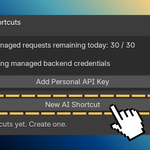
Click "New AI Shortcut"
Opens the creation dialog.-
Describe Your Tool
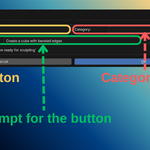
Title: Give your tool a short name (e.g., "Rock Generator").
Category (Optional): Group tools for workflow clarity (e.g., "Modeling," "Lighting").
Prompt: Clearly describe what you want the tool to do. The more specific, the better.
Generate!
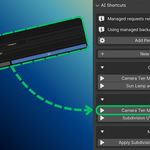
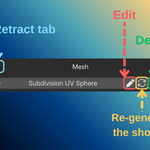
Click OK. A new disabled button appears in your sidebar with "(Generating...)" status. Blender won’t freeze—you can keep working while the AI builds your tool.Use Your New Tool!
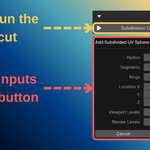
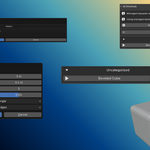
In seconds, the button becomes active. Click it to run your custom operator. If adjustments are needed (e.g., size, count), the AI often adds a popup dialog for settings.
Have questions about this product?
Login to message

Discover more products like this
ai Blender 3D shortcuts tool Shortcut vibe coding shortcuts buttons gemini