 Melisa


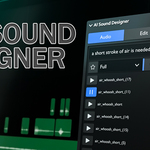
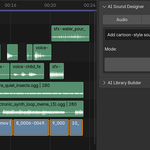
AI Sound Designer
Let AI score your edit. It watches your silent video, works out which sounds the scene needs, and auto-places a full soundtrack from your own library, all inside Blender's VSE.
Auto-Score · AI Library Search · One-Prompt Drop · AI Library Builder
AI Sound Designer turns Blender's Video Sequence Editor into an intelligent audio post-production studio. Select your silent video strips and the add-on renders a preview and sends it to Google Gemini, which watches the footage, understands what's happening on screen, and works out which sounds it needs: music, ambience, designed SFX, Foley, dialogue and animal cues, all timed to the action. It then reaches into your own folder of audio files and drops matching sounds onto the timeline automatically, never overlapping a clip, placed with sub-frame precision, ready to render.
No SDKs, no pip installs, no ffmpeg setup. Everything runs from Blender's bundled Python, in one tidy panel in the sidebar.
Four tools, one sidebar
Everything lives in the AI Sound Designer panel in the VSE sidebar (N). Each tab is independent, so use the AI when you want it and browse manually when you don't.
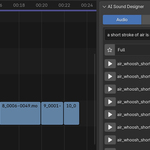
Smart Library Browser
A fast, searchable browser for your entire sound collection, with instant preview and one-click placement. Works with or without AI.
- Tag & filename search with relevance scoring
- AI search ranks matches from precise to related
- Preview any sound without adding it to the timeline
- Favorites: star sounds and filter to just your picks
- Multi-select category + duration filters
- Load more paging for huge libraries
One-Prompt Sound Drop
Type what you want in plain language, like "cartoon jump sound", pick a target length, and the AI finds the best match in your library and drops it right at the playhead.
- Natural-language to library match in one click
- Duration target favors sounds of the right length
- Category filter narrows the search pool
- Lands on a free channel automatically, with no overlaps
AI Auto-Score
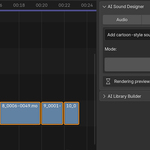
Select your video strips, describe the vibe (for example "I need to voice a video in a cartoon style"), and hit Run. The AI watches your silent footage, reads what's happening on screen, and builds a complete, cinematic sound score to bring it to life.
- Renders a preview so every VSE effect (trim, speed, reverse, transform, color) is baked in, so the AI sees exactly what the viewer will
- Generates timed cues for music · ambience · SFX · Foley · voice · animals
- Style prompt steers the creative direction per project
- Mode dropdown limits scoring to chosen library folders
- Can include existing audio on your timeline and mix around it
- Writes a full decision log of every match it made
Build Your Tagged Library
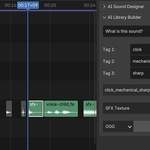
Drop raw sounds on the timeline, let the AI listen and name them, then save them into your library with clean, matcher-ready tags. A bell automatically becomes bell_metallic_resonant.wav.
- Fill with AI: Gemini listens to the clip and auto-tags it
- Live filename preview from your tag slots
- Save to any category folder you create (Music, SFX, Voice, or custom themes)
- Add/remove tag slots; edit every tag by hand before saving
- Export in OGG, WAV, FLAC, MP3 and more
- Library index updates instantly, with no full rescan
From timeline to soundtrack in four steps
Built to fit a real edit
Pure-Python REST calls. No SDKs, no pip, no separate ffmpeg install. Paste a Gemini API key and you're running.
Scans every strip on the timeline so audio never lands on top of video or another sound. Sub-frame offsets keep hits perfectly on the beat.
Use any folder structure and any category names. The dropdowns adapt to your library, whether that's Music, Foley, Minecraft, Horror, or whatever you build.
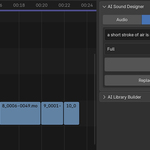
Don't like a placed sound? Select it and "Replace" swaps in a similar alternative from the same category instantly.
Pick separate Gemini models for deep video scoring and fast text search, balancing quality against cost and speed.
A decision log records every cue, match and skip, so the AI is a collaborator you can inspect, not a black box.
Plays nicely with your files
Reads
Exports