 a.lbos
Albos Camera
Cinematic bokeh for Cycles
Albos Camera is a custom camera system for Blender's Cycles renderer that unlocks a wide range of bokeh customization settings.
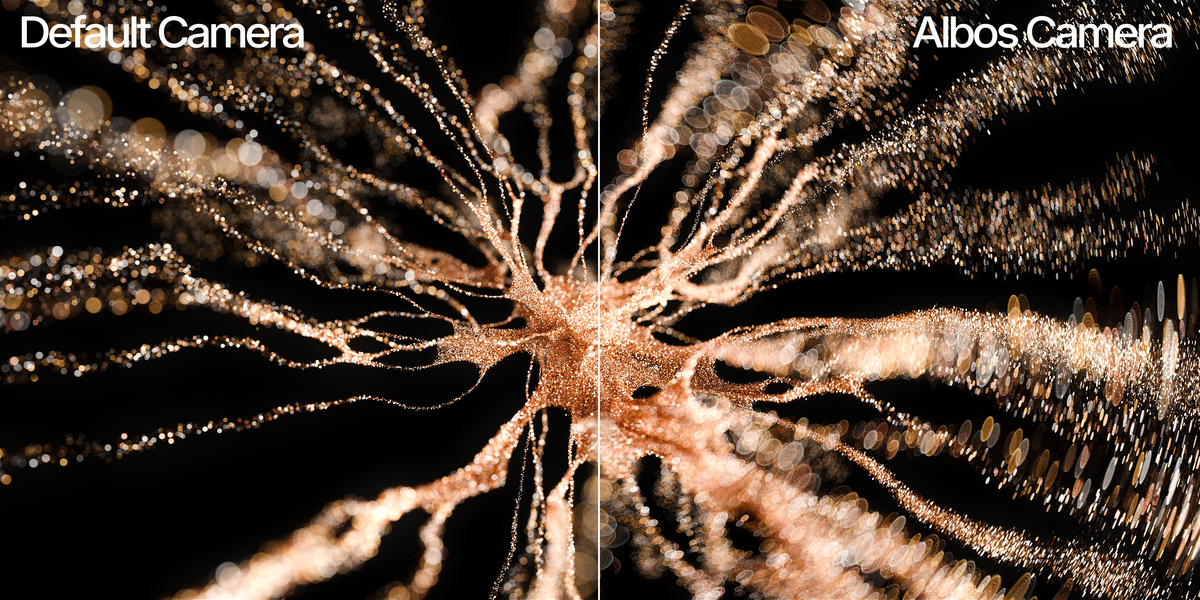
Cycles renders beautiful light, but its lens is basic. You get an f-stop, a blade count and a rotation — and every out-of-focus highlight comes out as the same flat, evenly-lit disc.
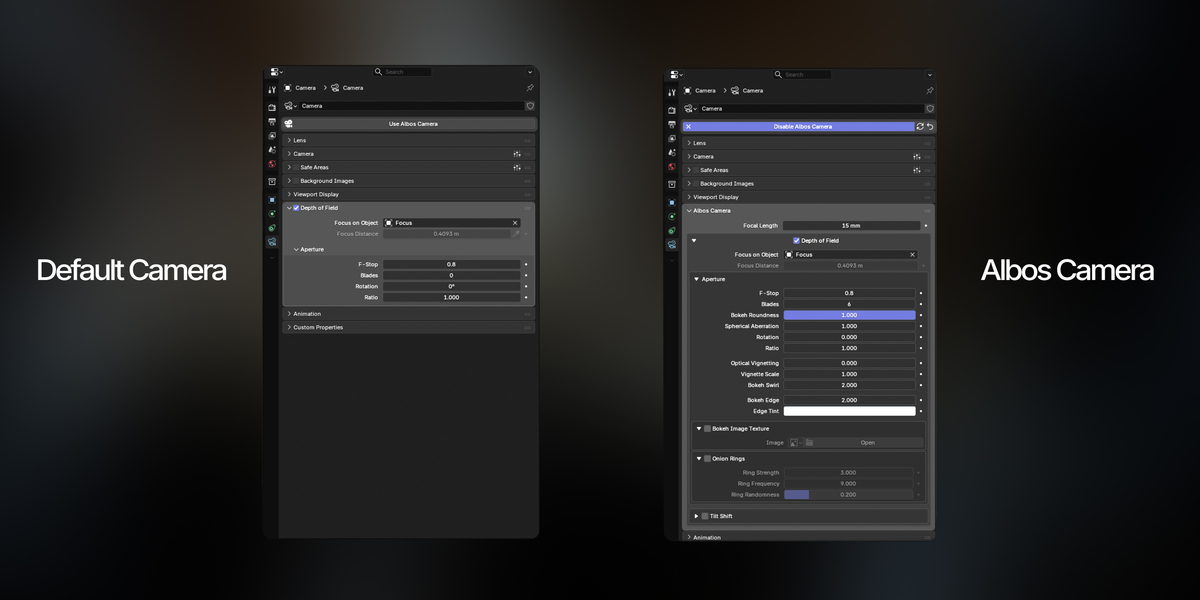
Inspired by the controls found in Octane, V-Ray and Redshift, Albos Camera brings that same level of control to your depth of field — in one panel, in Camera Properties, with no extra objects in your scene and nothing done in post.
The controls you've been missing
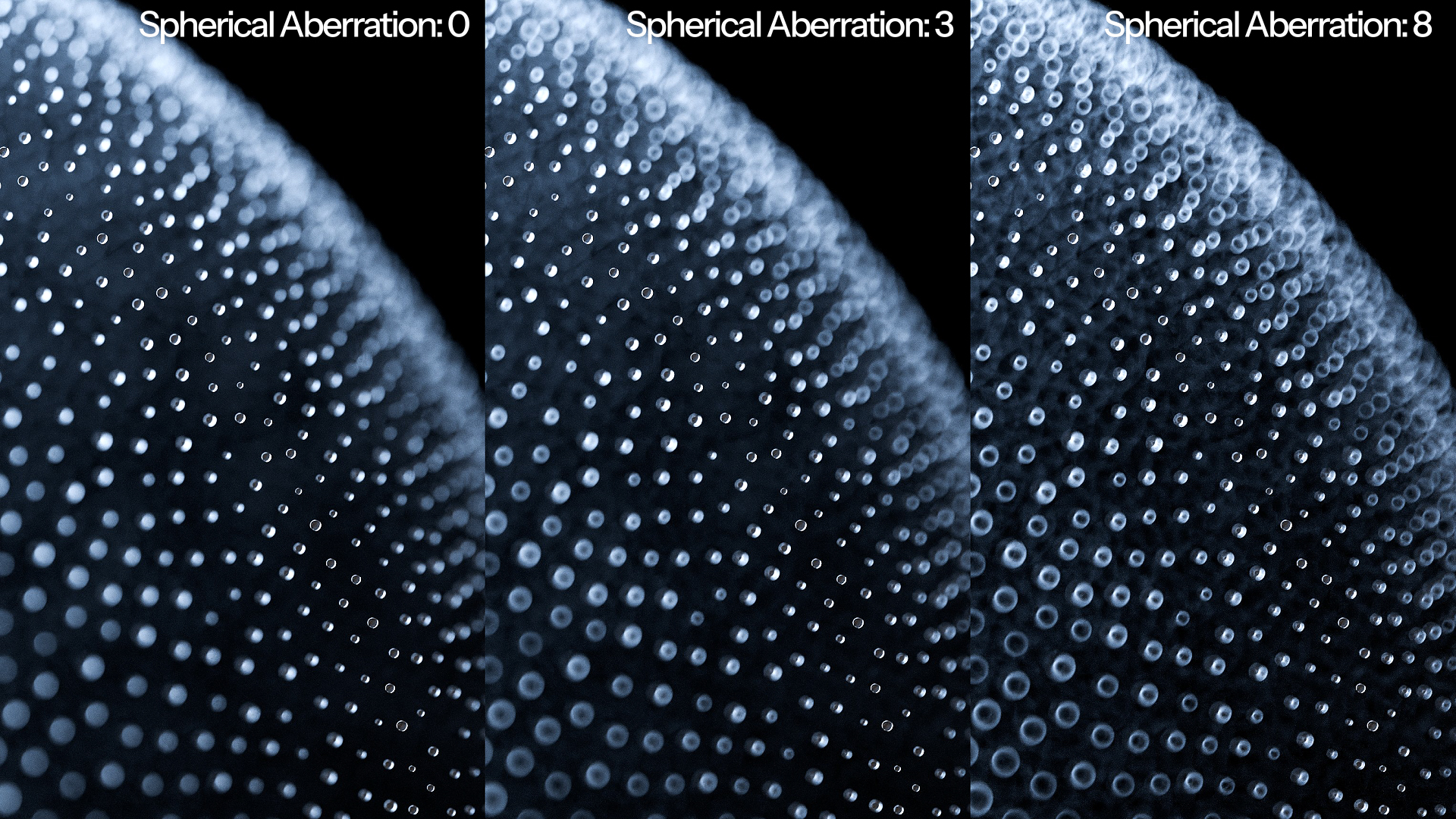
Spherical Aberration
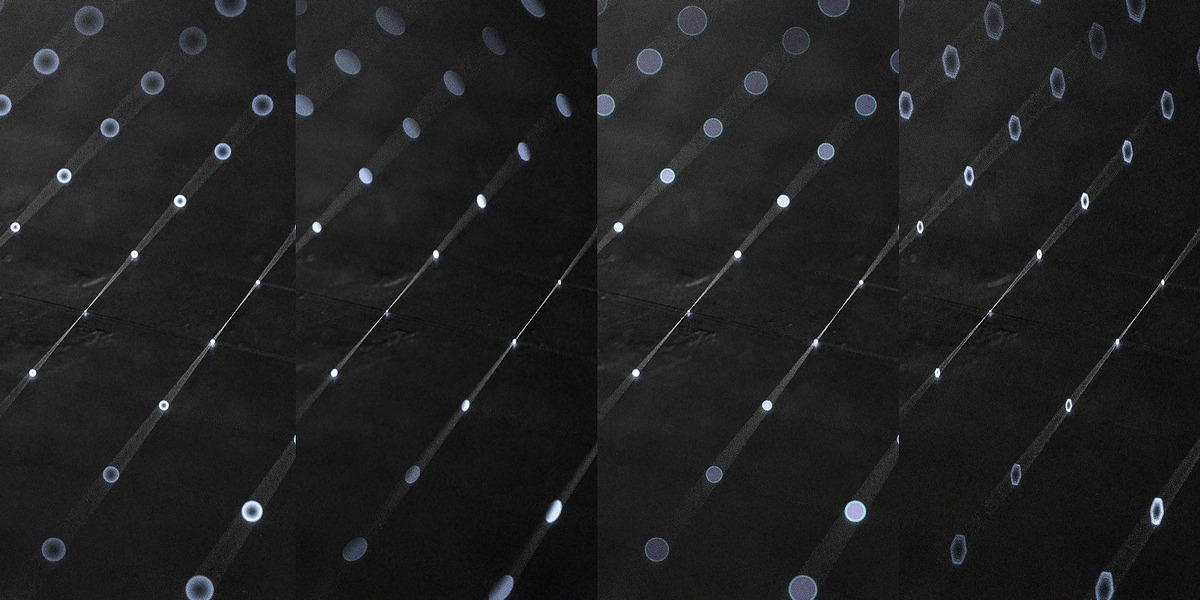
Inspired by Redshift's spherical aberration control and V-Ray's bias control. A smooth gradient from the centre of the bokeh to its rim — the soap-bubble look of a fast lens wide open.
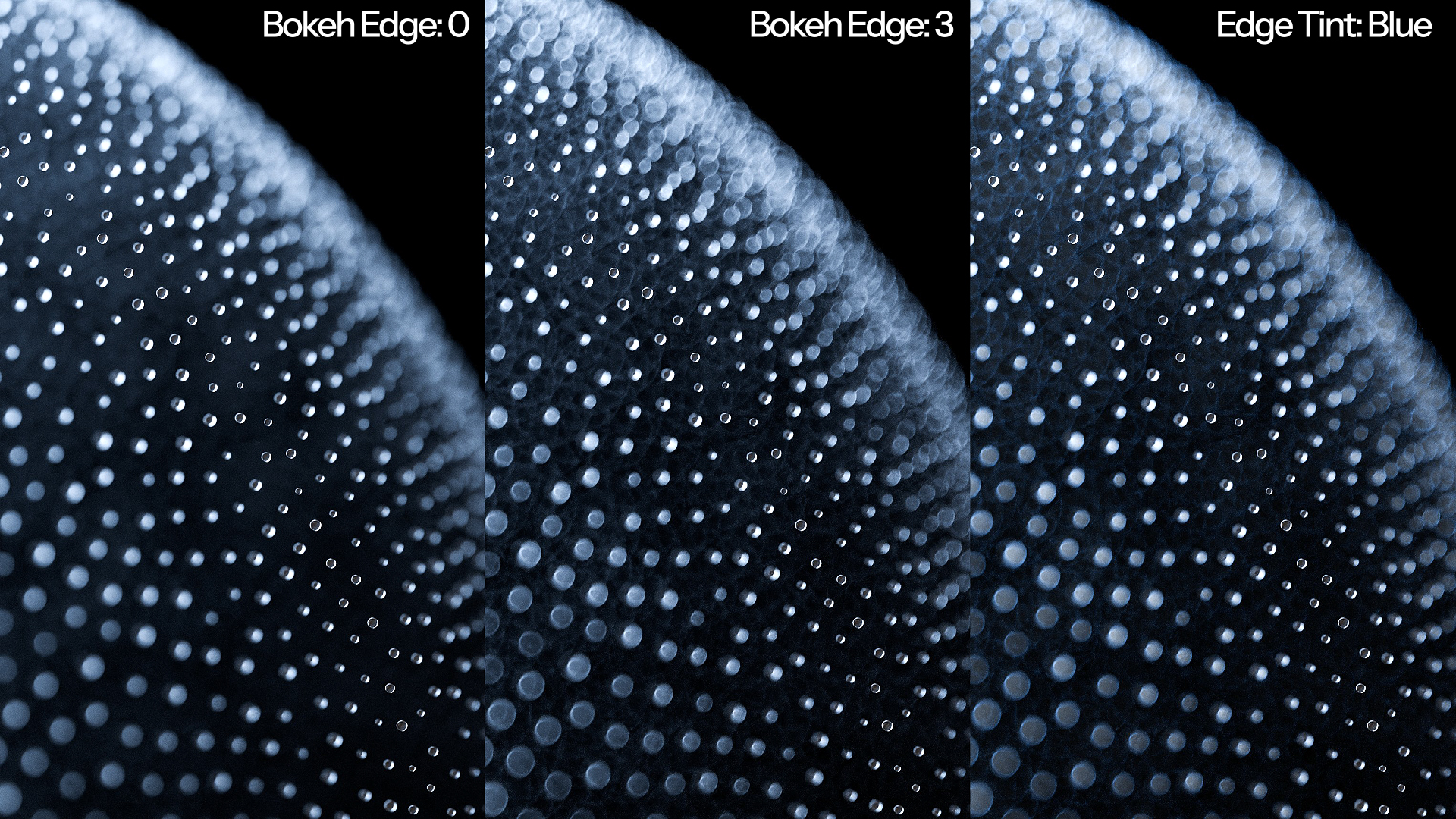
Bokeh Edge
Inspired by Octane's aperture edge control. Pushes brightness to the rim of the disc without darkening the centre, from a soft glow all the way to a hard hairline.
Bokeh Roundness
Inspired by Octane's aperture control, which uses Reuleaux polygons to form the aperture shape rather than a simple flat-sided polygon. Blend continuously from a straight-sided polygon to a perfect circle, with everything in between.
Optical Vignetting and Vignette Scale
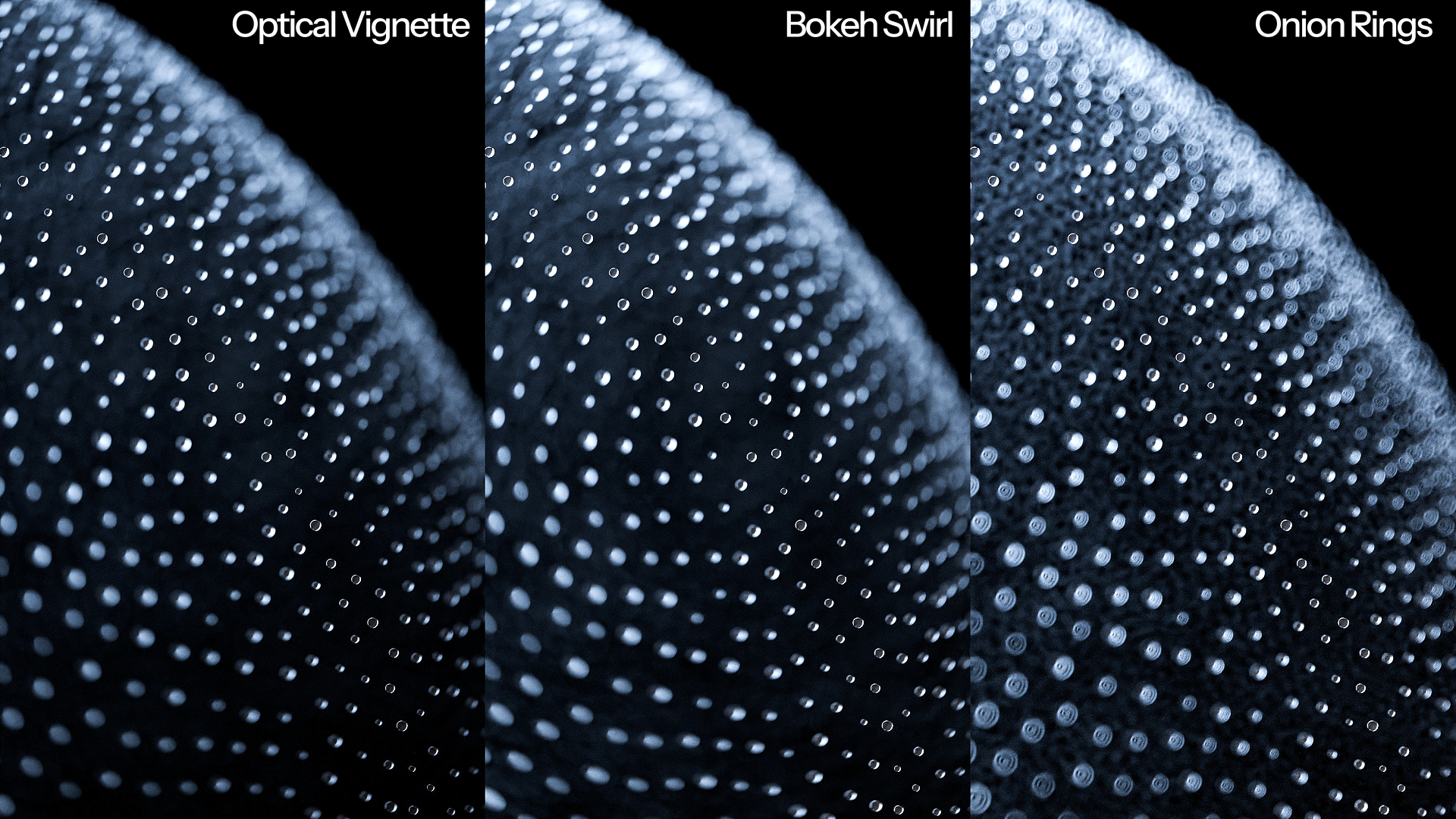
Inspired by Octane's Universal camera settings. True cat-eye bokeh — the lens barrel crops the aperture off-axis, so highlights toward the frame edges become crescents and the corners fall off naturally. A second control sets the size of the barrel opening, from a subtle squeeze to a hard cut.
Custom Image Bokeh
A feature found in pretty much every other renderer, and now in Cycles. Use any image as your aperture — hearts, stars, custom mattes, or a photograph of real bokeh.
Plus a full set of additional controls
Bokeh Aspect Ratio
Anamorphic oval bokeh, without changing the overall amount of blur.
Bokeh Swirl
The Petzval and Helios look — an artifact of field curvature combined with optical vignetting. Discs stretch tangentially toward the frame edges, making the whole background appear to rotate around your subject.
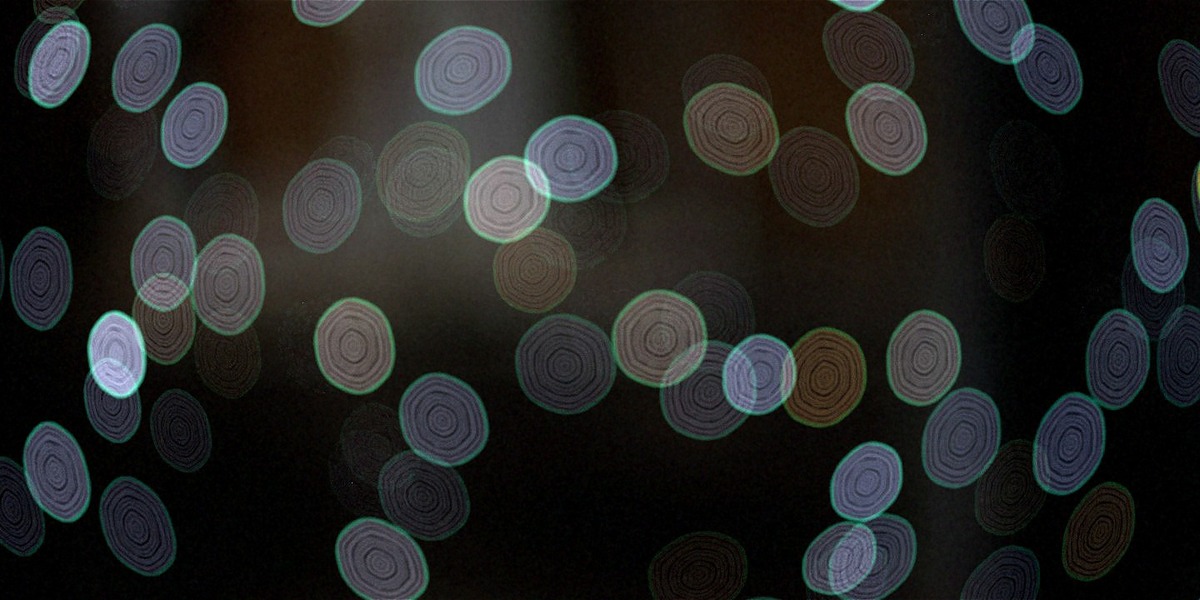
Onion Rings
The concentric ringing of aspherical lens elements, with adjustable frequency, strength and irregularity. Clean and mechanical, or organic and imperfect.
Bokeh Edge Tint
Tint the edge fringe of the bokeh any colour. Exposure and hue are normalised automatically, so a coloured rim never casts over your render.
Tilt Shift
True Scheimpflug tilt that rotates the plane of sharp focus, not a blur applied afterwards. Lay focus along a tabletop so an entire receding surface is sharp at f/1.8, or tilt the other way for the miniature effect. Plus lens shift for architectural verticals.
Built like a real lens, not a filter
Everything happens where a lens actually works: at the moment each camera ray is generated. Nothing is faked in post, nothing is blurred after the fact.
That has real consequences for your work:
Bokeh shapes are genuine. Blades, roundness and vignetting produce actual aperture geometry, so highlights occlude, overlap and clip the way real ones do.
Tilt is real focus, not blur. Objects on the tilted plane are genuinely sharp, because every aperture sample converges there.
F-Stop is physically accurate. f/2.8 gives the same depth of field as Blender's native camera at any focal length — no recalibrating between lenses.
Exposure never drifts. Change blades, roundness, edge, tint or bokeh shape and your image brightness stays put. Shape and exposure are independent, exactly as on a real lens.
Made for production
Your .blend files are self-contained
The shader is embedded inside the scene, so a file set up with Albos Camera renders correctly on any machine — a render farm node, a colleague's workstation, a different operating system — even with the add-on not installed there. Nothing to deploy across a farm, no paths to fix, no missing-asset errors.
One clean panel
Everything sits in Camera Properties, with Blender's native depth of field controls folded in so there's a single place to work. The specialist features are tucked behind an advanced toggle until you want them.
Non-destructive
Disable the camera and your settings are remembered. Re-enable and they come straight back. A reset button returns everything to factory defaults whenever you want a clean slate.
Requirements
Please read this before purchasing.
Please read this before purchasing.
Albos Camera is built on Cycles' Custom Camera (OSL) feature, which carries one hardware limitation:
| Blender | 4.5 LTS, 5.0, 5.1, or 5.2 LTS |
| Render engine | Cycles only (not EEVEE) |
| Render device | CPU or NVIDIA OptiX only |
OSL camera shaders do not run on CUDA, HIP (AMD), oneAPI (Intel) or Metal (Apple Silicon). On those devices a Custom Camera renders black. This is a limitation of Cycles itself and affects every OSL-camera add-on, not just this one.
- NVIDIA users: set your render device to OptiX rather than CUDA.
- Mac, AMD and Intel GPU users: render on CPU.
Because the bokeh is computed per camera ray rather than faked afterwards, renders are somewhat slower than Blender's default camera. The defaults are the fast path; the heavier features are optional and clearly marked.
What's included
- The Albos Camera extension — drag-and-drop install, no dependencies
- Full documentation covering every control
- Free updates
Released under GPL-3.0-or-later.