 a.lbos
Albos Camera — Documentation
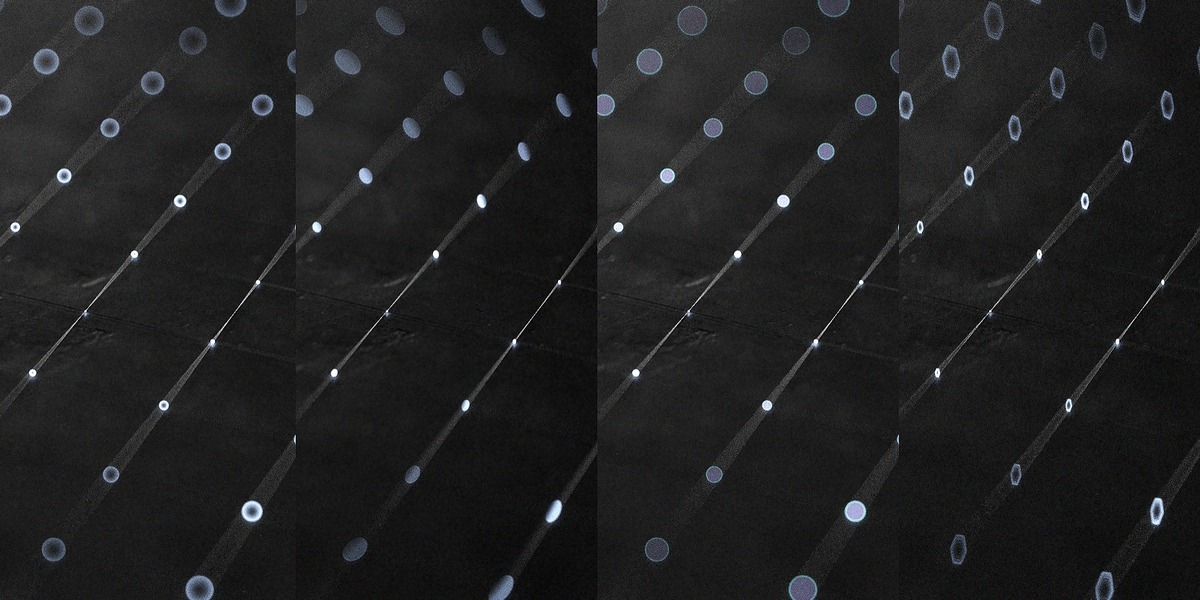
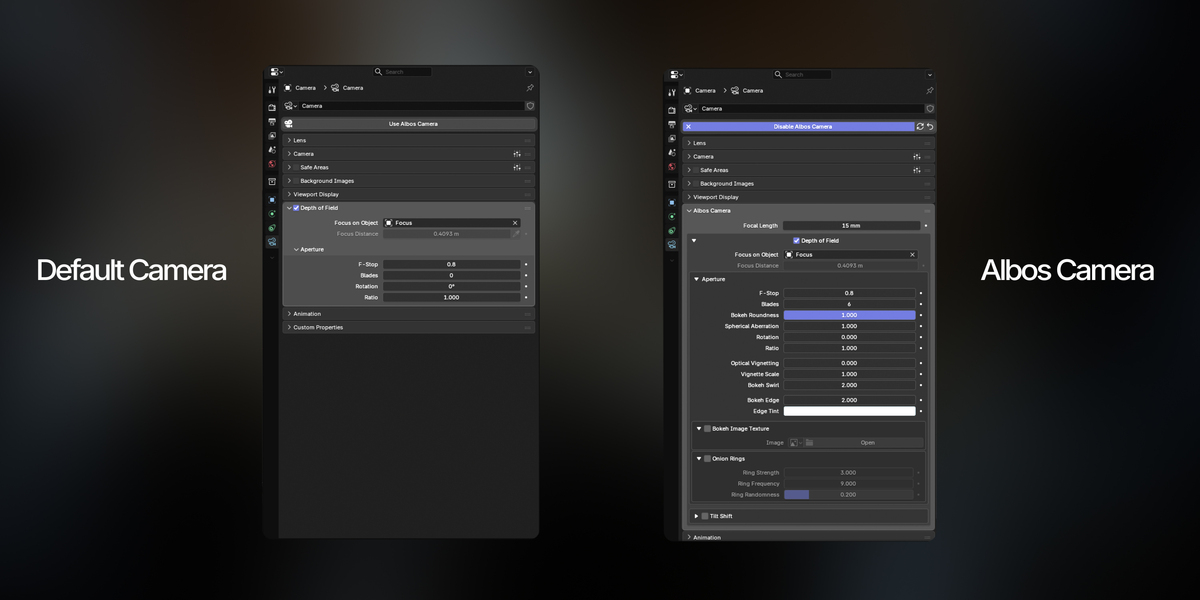
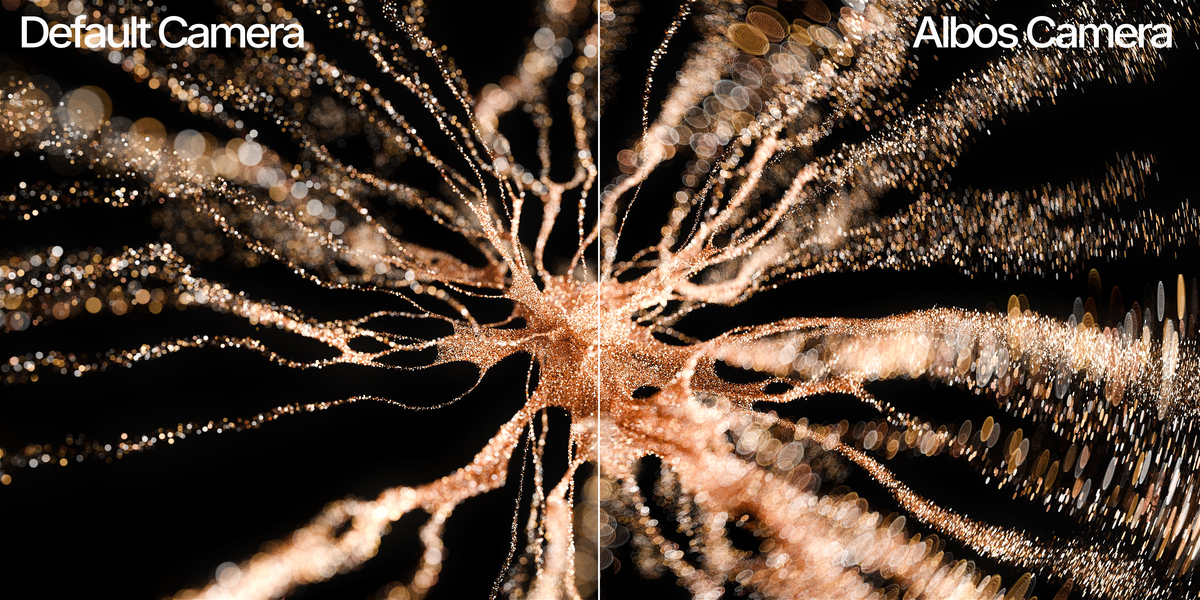
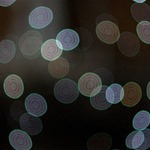
Advanced depth of field and bokeh shaping for Blender's Cycles renderer. Albos Camera replaces Blender's lens model with a physically-based one, giving you the bokeh controls found in Octane, Redshift and V-Ray — spherical aberration, aperture edge, cat-eye vignetting, blade shaping, anamorphic squeeze, swirl, onion rings, tilt-shift and custom bokeh image textures — all from a single panel in Camera Properties.
Requirements
Please read this section before purchasing. Albos Camera is built on Cycles' Custom Camera (OSL) feature, which has a hardware limitation that is not ours to change.
| Blender | 4.5 LTS, 5.0, 5.1, or 5.2 LTS |
| Render engine | Cycles only (not EEVEE) |
| Render device | CPU or NVIDIA OptiX only |
OSL camera shaders do not run on CUDA, HIP (AMD), oneAPI (Intel) or Metal (Apple Silicon). On those devices a Custom Camera renders black. This is a Cycles limitation that affects every OSL-camera add-on, not a bug in Albos Camera.
-
NVIDIA users: set your device to OptiX in
Preferences → System, not CUDA. - Mac / AMD / Intel GPU users: render on CPU.
You do not need to enable the "Open Shading Language" checkbox in Render Properties. That option is for OSL material nodes and switches your whole scene onto a slower shading system. Leave it off.
Installation
Albos Camera ships as a Blender extension.
- Download
albos_camera_extension.zip. Do not unzip it. - Drag the
.zipstraight onto the Blender window and confirm the install dialog.
Alternatively: Edit → Preferences → Add-ons → ▼ → Install from Disk…
To uninstall, use the Uninstall Albos Camera button in Edit → Preferences → Add-ons → Albos Camera. Uninstalling never touches your .blend files — camera settings are stored inside each scene and return if you reinstall.
Quick start
- Set the render engine to Cycles.
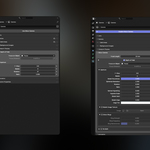
- Select a camera and open Camera Properties (the green camera icon).
- Click Use Albos Camera at the top of the panel.
- Set Focal Length, pick a Focus on Object or Focus Distance, and open the Aperture section.
That's it. Activation sets sensible defaults: Depth of Field on, F-Stop 1.8, Ratio 1.0, and Blender's own aperture Blades to 0 (Albos Camera generates the aperture shape itself, so leaving Blender's blade count active would apply the shape twice).
Three buttons sit at the top of the panel:
| Button | What it does |
|---|---|
| Disable Albos Camera | Returns to a standard perspective lens. Your settings are remembered and restored if you re-enable. |
| Refresh Shader (↻) | Recompiles the shader, keeping every value. Use this if a render or viewport ever goes black. |
| Reset to Defaults (↺) | Returns every Albos parameter to its factory value. |
Control reference
Focal Length
Default 50 mm · range 1–5000 mm
Drives both the viewport and the render together, so what you frame is what you get.
Depth of Field
Standard Blender controls, kept in one place:
- Depth of Field — master on/off. All bokeh shaping requires this.
- Focus on Object — track focus to an object. Overrides Focus Distance.
- Focus Distance — manual focus distance.
Aperture
| Control | Default | Range | What it does |
|---|---|---|---|
| F-Stop | 1.8 | — | Physically accurate: matches Blender's native camera at every focal length. |
| Blades | 6 | 0–16 | Aperture blade count. 0–2 gives a perfect circle, 3+ a polygon. Only visible when Bokeh Roundness is below 1. |
| Bokeh Roundness | 1.0 | 0–1 | Rounds the polygon's flat sides outward into arcs. 0 = straight-sided polygon, 1 = perfect circle. Exposure stays constant as you change it. |
| Rotation | 0° | — | Rotates the aperture shape. |
| Ratio | 1.0 | — | Anamorphic squeeze. 2.0 stretches bokeh vertically, 0.5 horizontally, without changing overall blur. |
| Spherical Aberration | 1.0 | 1–10 | Redshift-style bokeh power. 1 = flat disc; 2–3 = soft edge glow; 10 = a hard soap-bubble rim with a dark centre. |
Optical Vignetting and Swirl
Two different optical effects that combine freely.
| Control | Default | Range | What it does |
|---|---|---|---|
| Optical Vignetting | 0 | 0–20 | Cat-eye bokeh. Models the lens barrel cropping the pupil off-axis, so discs toward the frame edges lose a crescent from their outer side and the corners darken naturally. |
| Vignette Scale | 1.0 | 0.1–3.0 | Size of the barrel opening relative to the aperture. Below 1 it crops even at frame centre; above 1 vignetting begins further out. Changes bokeh shape, not exposure. |
| Bokeh Swirl | 0 | 0–2 | Petzval / Helios swirl. Deforms rather than crops — discs stretch tangentially toward the frame edges, making the whole field appear to rotate. |
The distinction matters: Optical Vignetting cuts the bokeh, Bokeh Swirl stretches it. Use both together for vintage lens character.
Bokeh Edge
| Control | Default | Range | What it does |
|---|---|---|---|
| Bokeh Edge | 0 | 0–50 | Octane-style aperture edge. Pushes brightness to the rim without darkening the centre — the gradient is added to the flat disc rather than replacing it. Low values give a broad glow; high values a bright hairline rim. |
| Edge Tint | White | — | Colours the rim. Exposure and hue are normalised per channel, so a coloured edge brightens the rim without casting colour over your render. |
Bokeh Edge and Spherical Aberration are complementary: SA darkens the centre as it brightens the rim, Bokeh Edge keeps the centre lit. They can be used together.
At the very top of the Bokeh Edge range the rim becomes extremely bright and extremely thin. That concentrates a lot of energy into very few samples, which can produce noise or fireflies. If a render looks speckled at high Bokeh Edge, ease the value back or raise your sample count.
Advanced settings
Three further sections are hidden by default to keep the panel clean. Enable them in Edit → Preferences → Add-ons → Albos Camera → Show advanced settings.
Bokeh Image Texture
Take the aperture shape from an image instead of the blade settings — hearts, stars, custom mattes, photographed bokeh.
Enabling it replaces Blades, Bokeh Roundness, Spherical Aberration, Bokeh Edge, Edge Tint and Onion Rings (those controls grey out). Rotation, Ratio, Bokeh Swirl and Optical Vignetting still apply. With the toggle on but no image assigned, the aperture is a plain flat disc.
Brightness is normalised automatically, so a dark image changes the bokeh shape without darkening your render.
Performance: the image is baked into the shader, and shapes with large black areas discard camera rays, which increases noise. Expect longer renders than the computed bokeh. Recompiling after an image change takes a moment.
Onion Rings
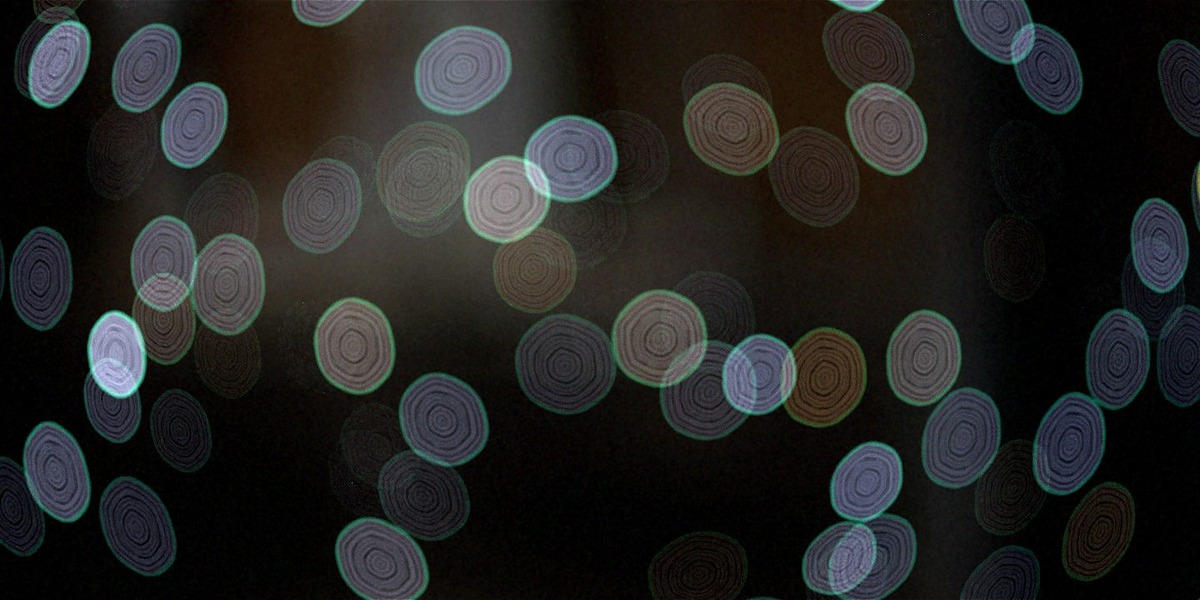
Concentric rings inside out-of-focus highlights, as seen in aspherical lenses.
| Control | Default | Range |
|---|---|---|
| Ring Strength | 3.0 | 0–10 |
| Ring Frequency | 9.0 | 1–100 |
| Ring Randomness | 0.35 | 0–1 |
Randomness at 0 gives clean evenly-spaced rings; at 1 the spacing, thickness and overlaps become organic and irregular.
Performance: this is the most expensive feature in the add-on — it evaluates fractal noise for every camera ray. Leave it off for shots that don't need it.
Tilt Shift
| Control | Default | Range |
|---|---|---|
| Shift X / Shift Y | 0 | ±2 (soft) |
| Tilt X / Tilt Y | 0° | ±85° |
Shift is perspective correction — it moves the frame without tilting the camera, for architectural verticals. It mirrors Blender's native shift, so viewport and render match.
Tilt is true Scheimpflug: it rotates the plane of sharp focus rather than blurring in post. Lay the focus plane along a tabletop so an entire receding surface is sharp at f/1.8, or tilt the other way for the miniature effect.
Tilt needs Depth of Field enabled and gets stronger with wider apertures. Small angles are subtle by nature — try 60–80° to see it clearly.
Tilt is render-only. Blender's viewport uses a standard perspective projection and cannot display a rotated focus plane, so you will only see tilt when you render (F12). Shift is visible in the viewport normally.
Sharing files and render farms
Your .blend files are self-contained. The shader is embedded inside the scene, so a file set up with Albos Camera renders correctly on any machine — a render farm node, a colleague's workstation, a different operating system — even with the add-on not installed there.
The only requirement is the one from the Requirements section: render nodes must use CPU or OptiX. A node set to CUDA or HIP will render black no matter what.
Files saved with older versions of the add-on update themselves automatically when opened. If a camera ever shows a "Shader is older than the installed add-on" warning, click Refresh Shader and re-save.
Performance notes
Albos Camera renders somewhat slower than Blender's built-in camera. Most of the difference is not shader arithmetic but sampling noise: shaping the bokeh varies the brightness across the aperture, so Cycles' adaptive sampling needs more samples to converge.
Roughly, in order of cost:
- Onion Rings — by far the most expensive. Off by default.
- Bokeh Image Texture — cost scales with how much of the image is black.
- Spherical Aberration / Bokeh Edge — moderate; the higher the value, the more contrast across the aperture and the more samples needed.
- Blades, Roundness, Ratio, Vignetting, Swirl — close to free.
Defaults are the fast path. Leaving the advanced sections disabled costs nothing.
Troubleshooting
My render is completely black. Almost always the render device. Check Preferences → System — OSL cameras need CPU or OptiX, not CUDA, HIP or Metal. If the device is already correct, click Refresh Shader.
"Use Albos Camera" says the Custom lens type is unavailable. The render engine isn't set to Cycles, or this Blender build doesn't expose Cycles' Custom Camera. Set the engine to Cycles and try again.
The bokeh doesn't look like the settings I chose. Blender's own Blades setting in the native Depth of Field panel must be 0 — Albos Camera generates the shape itself. Activation sets this automatically, but it's worth checking if you've edited it by hand.
My settings disappeared. Disabling and re-enabling preserves everything. If a scene was made with a much older version, click Refresh Shader rather than disabling and re-enabling.
Tilt does nothing. Tilt is render-only — press F12. It also needs Depth of Field enabled, and is much more visible at wide apertures and larger angles (60–80°).
Renders are noisy at high Bokeh Edge. A very thin, very bright rim concentrates energy into few samples. Lower the value or raise your sample count.
Compatibility
| Blender | 4.5 LTS · 5.0 · 5.1 · 5.2 LTS |
| Engine | Cycles |
| Devices | CPU, NVIDIA OptiX |
| Not supported | EEVEE, CUDA, HIP, oneAPI, Metal |
| Platforms | Windows, macOS, Linux (CPU rendering on macOS) |
Support
Questions, bug reports and feature requests: [your support email / contact page]
Albos Camera is released under GPL-3.0-or-later.
Have questions about this product?
Login to message
| Blender Extension Compatible | Yes |
| Sales | 10+ |
| Published | 3 months ago |
| Blender Version | 4.5 - 5.2 |
| Extension Type | Add-on |
| Render Engine Used | Cycles |
| License | GPL |
Discover more products like this
redshift-camera camera custom optical vignetting lens octane-camera aperture OSL bokeh bokeh effects