 Dani K Daniel



Here's a 500-word product page description:
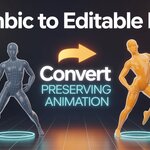
Alembic to Editable Mesh
Convert Alembic cache files to fully editable meshes while preserving 100% of your animation data.
The Problem
Working with Alembic caches in Blender means your mesh is locked and non-editable. Need to add details, fix intersections, or modify geometry? You're stuck choosing between losing your animation entirely or going back to the source software. Not anymore.
The Solution
Alembic to Editable Mesh is a powerful Blender addon that seamlessly converts your Alembic meshes into fully editable geometry with shape key-based animation that matches your original cache frame-by-frame. No animation loss. No compromises.
Key Features
🎯 One-Click Conversion
Simple interface accessible from the 3D View sidebar. Select your Alembic object, click "Convert to Editable Mesh," and you're done.
🎬 Frame-Perfect Animation
Your animation is converted to shape keys with keyframes, ensuring every frame matches the original Alembic cache exactly. No interpolation errors, no drift, no approximations.
⚙️ Flexible Options
- Use scene frame range or define custom start/end frames
- Frame step control to optimize performance
- Full undo support
- Progress feedback during conversion
🎨 Fully Editable Results
Once converted, your mesh is completely editable—add geometry, apply modifiers, sculpt details, retopologize, UV unwrap, or paint weights. Everything works exactly as you'd expect.
How It Works
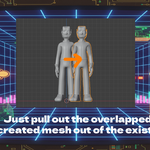
The addon captures your Alembic mesh data frame by frame, creates a new editable mesh object with shape keys for each frame, and automatically keyframes the animation. The result? A fully editable mesh that moves exactly like your original cache.
Perfect For
- VFX Artists: Edit cached simulations without re-simulating
- Character Animators: Adjust cloth or hair caches freely
- Technical Artists: Clean up simulation artifacts
- Game Developers: Optimize cached animations for real-time engines
- Motion Designers: Add creative modifications to dynamic content
Use Cases
Cloth Simulation Edits – Fix intersections or add details to cached cloth without re-simulating.
Hair & Fur Adjustments – Modify grooming caches without returning to grooming tools.
Fluid Simulation Tweaks – Add geometry details or clean up messy fluid meshes while keeping motion intact.
Character Deformation – Edit muscle systems or deformation caches without losing performance capture data.
Asset Optimization – Reduce polycount on cached assets while maintaining animation fidelity.
Technical Details
- Blender Version: 2.80+ (compatible with 3.x and 4.x)
- Animation System: Shape key-based with automatic keyframing
- Performance: Efficient frame-by-frame baking with memory cleanup
- Installation: Simple one-file addon installation
Getting Started
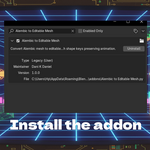
- Download and install the addon via Blender's Preferences
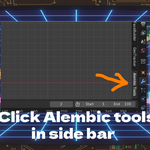
- Open the sidebar (N key) → "Alembic Tools" tab
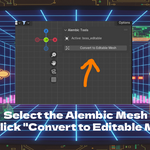
- Select your Alembic mesh object
- Click "Convert to Editable Mesh"
- Adjust settings if needed and click OK
- Edit your mesh freely with preserved animation!
What You Get
Complete Blender addon with user-friendly interface, comprehensive documentation, and free updates for new Blender versions.
Stop losing animation. Start editing freely.
Created by Dani K Daniel