Alium Enhanced Sci-Fi Corporate Identity Collection
 SirCharles.DESIGN


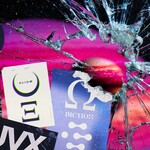
INSTALLATION & SETUP
Quick Start (3 Steps to Get Creating)
1. Download & Extract
- Download your ALIUM ENHANCED package from your SuperHive Market library
- Extract the ZIP file to a location you'll remember (we recommend: Documents/3D Assets/ALIUM_ENHANCED/)
- Keep all resolution folders and vector files organized together
2. Choose Your Format
- EPS Vectors - Infinite scalability, full color customization, print-ready (50 raw decals)
- 4K PNG - High-resolution renders, close-ups, hero assets (50 raw decals)
- 2K PNG - Standard game dev, real-time applications, VR/AR (50 raw decals)
- 1K PNG - Mobile games, performance-critical projects, UI overlays (50 raw decals)
- Styled Stickers - Pre-weathered, full-color variations ready to use (25 bonus stickers)
3. Import into Your Software
- Navigate to your chosen format/resolution folder
- Import files directly into your project
- Reference the folder structure guide below for easy navigation
You're ready to build ancient-future corporations!
FILE STRUCTURE & ORGANIZATION
Root Directory Layout
ALIUM_ENHANCED/
├── sc_ALIUM - EPS/
│   └── sc_ALIUM - VECTOR.eps (contains all 50 raw decals)
├── sc_ALIUM - PNGs/
│   ├── sc_ALIUM - 1K/
│   │   ├── ALIUM - 1 - 1K.png
│   │   ├── ALIUM - 2 - 1K.png
│   │   ├── ...
│   │   └── ALIUM - 50 - 1K.png (50 raw decals)
│   ├── sc_ALIUM - 2K/
│   │   ├── ALIUM - 1 - 2K.png
│   │   ├── ...
│   │   └── ALIUM - 50 - 2K.png (50 raw decals)
│   ├── sc_ALIUM - 4K/
│   │   ├── ALIUM - 1 - 4K.png
│   │   ├── ...
│   │   └── ALIUM - 50 - 4K.png (50 raw decals)
│   └── sc_ALIUM - STICKERS/
│       ├── ALIUM - 1 - STICKERS.png
│       ├── ...
│       └── ALIUM - 25 - STICKERS.png (25 styled stickers)
├── License_Agreement.pdf
└── README.txt
Simple Organization:
- One master vector file containing all 50 raw design elements
- 50 corporate identity decals (raw/unstyled) provided in three resolutions (1K, 2K, 4K)
- 25 bonus styled stickers with weathering, wear, and aging effects (full-color PNG only)
- All files numbered sequentially for easy browsing
Naming Convention
All assets follow a simple numbered naming pattern: ALIUM - [Number] - [Resolution].png
Examples:
- ALIUM - 1 - 4K.png (raw decal)
- ALIUM - 25 - 2K.png (raw decal)
- ALIUM - 50 - 1K.png (raw decal)
- ALIUM - 1 - STICKERS.png (styled sticker)
- ALIUM - 25 - STICKERS.png (styled sticker)
Vector File:
- sc_ALIUM - VECTOR.eps (contains all 50 raw decals in editable vector format)
- Note: The 25 styled stickers are NOT included in the EPS file
This naming system allows you to:
- ✓ Quickly browse all decals sequentially
- ✓ Easy to preview and select
- ✓ Find specific elements by number
- ✓ Simple integration into any workflow
- ✓ Choose between raw decals or styled stickers
THE ANCIENT-FUTURE CORPORATE IDENTITY COLLECTION
Understanding Your ALIUM ENHANCED Assets
50 Raw Design Elements (Main Collection)
These are your foundation building blocks—clean, unstyled decals provided as raw PNG files and editable vectors. Think of these as your blank canvas for creating custom corporate identities.
What's Included:
- Corporate Identity Elements: Parent marks, holding company identifiers, organizational badges
- Labels & Technical Marks: Data labels, technical identifiers, system badges, protocol marks
- Icons & Symbols: Functional icons, directional markers, status indicators, classification symbols
- Compositional Variations: Different layouts, arrangements, and configurations of identity elements
- Typographic Treatments: Corporate wordmarks, departmental designations, division identifiers
Key Characteristics:
- Clean, raw PNG format (no pre-applied styling)
- Infinite customization through vector files
- Design your own color schemes and treatments
- Create faction-specific variations
- Build complete custom corporate identity systems
Provided in:
- ✓ 1K, 2K, 4K PNG formats
- ✓ EPS vector format (fully editable)
- ✓ Alpha transparency for easy compositing
- ✓ Ready for your custom styling
25 Styled Stickers (Bonus Content)
These are ready-to-use, pre-styled variations that incorporate and remix elements from the main 50 decals. Think of these as instant environmental detail—just drop them into your scene for immediate ancient-future corporate atmosphere.
What Makes Them Special:
- Full-color PNG files with rich styling
- Authentic weathering and wear effects
- Age and deterioration applied
- Scratches, fading, and environmental damage
- Immediately usable without additional work
Perfect For:
- Quick scene dressing and environmental detail
- Adding instant authenticity to props and surfaces
- Background corporate presence
- Layered accumulation of signage
- Worn equipment and aged facilities
- Post-apocalyptic or abandoned locations
Key Characteristics:
- Pre-styled and ready to use
- Leverage designs from the main 50 decals
- Full-color with weathering effects built-in
- NOT included in vector EPS file
- PNG format only
- Alpha transparency included
Use When:
- You need instant, believable weathered signage
- Building aged or deteriorated environments
- Adding quick background corporate detail
- Creating layered, accumulated branding
- Don't have time for custom weathering
Collection Overview: Complete Corporate Identity System
This comprehensive collection gives you everything needed to build believable sci-fi corporate ecosystems—from clean, customizable foundation elements to instantly usable weathered stickers.
Corporate Identity Types Included in the 50 Raw Decals:
Mega-Corporation Elements
- Primary corporate identity marks and symbols
- Holding company identifiers
- Conglomerate parent brand elements
- Ancient space agency marks
- Governmental organization symbols
- Authority and power indicators
Division & Departmental Identifiers
- Organizational badges and labels
- Research & development markers
- Security and enforcement division marks
- Specialized sector identifiers
- Internal classification systems
- Departmental designation elements
Technical & Data Labels
- System identification marks
- Data network and protocol labels
- Communication system badges
- Infrastructure identifiers
- Technical specification labels
- Operating system markers
Functional Icons & Symbols
- Directional and wayfinding icons
- Status and classification symbols
- Warning and caution markers
- Access and security level indicators
- Functional system icons
- Universal sci-fi symbology
Compositional Variations
- Different layout arrangements
- Alternative compositions of core elements
- Varied typographic treatments
- Modular identity components
- Scalable design systems
The 25 Styled Stickers Advantage
Each styled sticker takes elements from the 50 raw decals and presents them with:
- Authentic Aging: Realistic wear patterns based on material type and exposure
- Environmental Damage: Scratches, scuffs, fading, and deterioration
- Color Variation: Natural color shifts from weathering and sun exposure
- Layered Detail: Multiple levels of damage and wear
- Instant Authenticity: No additional work needed—place and done
Best For:
- Quick environmental storytelling
- Equipment and prop labeling with history
- Abandoned or deteriorated facilities
- Post-conflict or disaster zones
- Background accumulation of corporate presence
- Aged spacecraft and vehicles
- Industrial wear and tear
- Decades or centuries of use showing through
ANCIENT-FUTURE DESIGN PRINCIPLES
The Temporal Corporate Aesthetic
Classical Foundations:
- Geometric Precision: Based on classical proportions and sacred geometry
- Symmetry and Balance: Timeless design principles that transcend eras
- Typographic Sophistication: Elegant letterforms that bridge ancient and future
- Hierarchical Clarity: Clear information architecture and visual order
- Enduring Symbolism: Icons and marks that feel both ancient and advanced
Futuristic Execution:
- Technical Integration: Modern/future technology aesthetics
- Digital Optimization: Designed for screens, holograms, and projections
- Material Sophistication: Suggests advanced materials and manufacturing
- Systematic Thinking: Part of larger corporate identity ecosystems
- Evolutionary Design: Feels like centuries of refinement and evolution
The Synthesis: Ancient-future corporate identities suggest corporations that have existed for hundreds or thousands of years, continuously evolving while maintaining core identity. These marks feel simultaneously timeless and cutting-edge—exactly what's needed for believable temporal sci-fi world-building.
ASSET COMBINATION STRATEGIES
Working with Raw Decals vs. Styled Stickers
Raw Decals (50 Main Elements) - Your Customization Foundation
Use these when you want:
- Complete control over colors and styling
- Faction-specific corporate color schemes
- Clean, pristine corporate presentation
- Modern or newly-maintained facilities
- Custom weathering to match your specific needs
- Print-quality materials at any resolution
- Holographic or illuminated signage
Workflow:
- Import vector EPS into Illustrator/Inkscape
- Customize colors for your corporate factions
- Add your own effects (glow, metallic, etc.)
- Export at desired resolution
- Apply to your 3D scenes
Styled Stickers (25 Bonus Elements) - Instant Environmental Detail
Use these when you want:
- Immediate weathered, authentic appearance
- Quick environmental dressing
- Background corporate accumulation
- Aged or deteriorated locations
- Post-conflict or abandoned areas
- Layered signage showing years of use
- Fast iteration and scene building
Workflow:
- Select appropriate sticker
- Place directly in scene
- Adjust scale and position
- Done—weathering and detail included
Creating Believable Temporal Corporations
The Corporate Ecosystem Approach: Real future corporations will have complex identity systems spanning multiple divisions, products, and services. Build authentic corporate ecosystems by combining raw decals and styled stickers strategically.
Example: Interstellar Mega-Corporation
- Parent Identity: Custom-colored raw decal (building facades, official docs)
- Research Division: Specialized variation of raw decal (laboratory facilities)
- Security Division: Raw decal with custom treatment (checkpoints, uniforms)
- Aged Facilities: Styled stickers for old installations
- New Construction: Clean raw decals for modern facilities
- Technical Systems: Data labels and system markers (terminals, networks)
- Weathered Equipment: Styled stickers on old machinery
Example: Ancient Space Agency
- Agency Identity: Main organizational mark from raw decals (spacecraft, facilities)
- Mission Divisions: Custom colored variations (vehicles, uniforms)
- Historical Sites: Styled stickers showing decades of service
- Modern Installations: Clean raw decals for current operations
- Technical Systems: Network and protocol identifiers (equipment)
- Decommissioned Assets: Heavy weathering with styled stickers
Example: Planetary Colony Corporation
- Colonial Authority: Governing corporate identity (government buildings - clean raw decals)
- Infrastructure Services: Utility markers (power, water, transport - mix of clean and weathered)
- Old Quarter: Styled stickers showing original settlement age
- New Development: Fresh raw decals for expansion zones
- Technical Networks: Data and communication systems (terminals)
- Maintenance Areas: Weathered stickers on industrial equipment
Asset Hierarchy in Designs
Establish Corporate Visual Priority:
- Primary Corporate Identity (30%) - Clean raw decals, custom colored
- Division/Department Marks (25%) - Variations of raw decals
- Technical/System Labels (20%) - Data labels and functional marks
- Weathered Background (15%) - Styled stickers for environmental depth
- Functional Icons (10%) - Wayfinding and status indicators
Temporal Mixing Strategy:
- New Construction: 80% raw decals (clean), 20% styled stickers (minimal wear)
- Maintained Facilities: 60% raw decals, 40% styled stickers (moderate age)
- Aging Infrastructure: 40% raw decals, 60% styled stickers (visible wear)
- Abandoned/Derelict: 20% raw decals, 80% styled stickers (heavy deterioration)
This creates authentic corporate complexity with appropriate age and maintenance levels.
SOFTWARE-SPECIFIC WORKFLOWS
BLENDER (Standard Workflow)
Method 1: Direct Image Texture (Raw Decals)
- Select your object and enter Edit Mode
- Add a new material in the Shading workspace
- Add an Image Texture node
- Load your chosen ALIUM raw decal PNG
- Connect to a Mix Shader to blend with base material
- Adjust placement using UV coordinates or texture mapping nodes
- Customize color using Color Ramp or Hue/Saturation nodes
Method 2: Direct Image Texture (Styled Stickers)
- Follow same process as above
- Styled stickers already include color and weathering
- No additional styling needed—place and done
- Perfect for quick environmental detail
Method 3: Using as Decal with Shrinkwrap
- Add a plane (Shift+A > Mesh > Plane)
- Scale to approximate decal size
- Apply material with decal texture (raw or styled)
- Add Shrinkwrap modifier targeting your model
- Position plane over desired surface area
- Adjust Shrinkwrap offset for perfect surface placement
Vector Workflow (Raw Decals Only):
- Import EPS file into vector software (Illustrator, Inkscape)
- Customize colors to match corporate color scheme
- Add your own effects (metallic, glow, gradients)
- Export as PNG at desired resolution
- Import custom PNG into Blender
Pro Tip: Use vector files of the 50 raw decals to create custom color variations for different corporations, factions, or temporal periods. The 25 styled stickers are already pre-colored and weathered, so use those when you want instant aged detail without customization.
BLENDER WITH KIT OPS
Setup:
- Install KIT OPS addon (https://gum.co/kitops)
- Create an ALIUM_ENHANCED KPACK folder in your KIT OPS library
- For each decal you want quick access to:
- Create simple planes with raw decal materials OR styled sticker materials
- Export as FBX/OBJ to your KPACK folder
- Refresh KIT OPS library
Strategic Setup:
- Clean Corporate Section: Planes with raw decals for new/maintained areas
- Weathered Section: Planes with styled stickers for aged areas
- Mix and match based on your scene needs
Usage:
- Select your building, vehicle, or prop
- Open KIT OPS INSERT menu
- Browse to your ALIUM ENHANCED KPACK
- Click decal/sticker to instantly place on surface
- Adjust using KIT OPS scaling and rotation tools
Installation Tutorial: https://youtu.be/05LkAZBZIn0
Custom PNG Tutorial (For importing your own PNG files): https://youtu.be/eM9MaKLVE2k?si=rBTJMC2OXfuOuXqD&t=230
Advantages:
- Instant placement with mouse click
- Real-time visual feedback
- Non-destructive workflow
- Easy repositioning and scaling
- Perfect for rapid sci-fi environment building
- Mix clean and weathered assets effortlessly
BLENDER WITH DECALMACHINE
Setup:
- Install DECALmachine addon
- Navigate to DECALmachine preferences
- Add ALIUM ENHANCED folder as a decal library
- DECALmachine will automatically recognize all PNG files (raw decals AND styled stickers)
Usage:
- Select your model (building, spacecraft, vehicle)
- Activate DECALmachine (default: D key)
- Browse your ALIUM ENHANCED library
- Choose raw decal for clean application or styled sticker for weathered look
- Click to project onto surface
- Asset automatically wraps around geometry
Installation Tutorial: https://youtu.be/iKNtCkGOWvY
Advanced Features:
- Parallax mapping for depth
- Automatic UV handling
- Smart surface wrapping around complex shapes
- Decal stacking for layered corporate branding
- Mix clean raw decals with weathered stickers in same scene
- Perfect for spacecraft and vehicle branding showing age and use
Pro Workflow:
- Layer styled stickers OVER raw decals for complex weathering
- Use raw decals for main identity, styled stickers for wear
- Create believable age through strategic layering
UNITY
Import:
- Create Assets/Textures/ALIUM_ENHANCED/ folder structure
- Drag asset folders into Unity project
- Unity automatically imports all PNG files as textures
- Organize raw decals separately from styled stickers for easy access
Usage Method 1: UI Elements
- Use raw decals as UI sprites for clean interface branding
- Perfect for in-game computer screens and terminals
- Ideal for menu systems and HUD corporate identifiers
- Use styled stickers for "damaged screen" or "old terminal" effects
Usage Method 2: Decal Projector (URP/HDRP)
- Create new Decal Projector
- Assign raw decal for clean surfaces or styled sticker for weathered surfaces
- Position projector on building/surface
- Adjust projection size and angle
- Layer multiple decals for complex branding and age
Usage Method 3: Standard Shader
- Create new material
- Assign asset to Albedo texture slot
- Enable transparency (Rendering Mode: Transparent)
- Apply to plane positioned on surface
- Perfect for building facades and signage
Vector Import (Raw Decals Only):
- Import EPS files into Adobe Illustrator or Inkscape
- Customize colors for your corporate factions
- Export as PNG at your target resolution
- Import custom PNG into Unity
Styled Stickers Note: The 25 styled stickers are PNG only and come pre-weathered. Use them directly without further processing for instant aged detail.
UNREAL ENGINE
Import:
- Drag PNG files into Content Browser
- Unreal automatically creates Texture assets
- Organize in Content/Textures/ALIUM_ENHANCED/ structure
- Separate folders for raw decals vs styled stickers recommended
Usage Method 1: Deferred Decals (Primary Method)
- Create new Material with Domain set to "Deferred Decal"
- Add Texture Sample node with your ALIUM asset (raw or styled)
- Connect RGB to Base Color
- Connect Alpha to Opacity
- Place Decal Actor on building/surface
- Assign material and adjust projection
- Perfect for large-scale environmental branding
Raw Decals: Create clean, modern corporate environments
Styled Stickers: Add instant weathered, aged detail
Usage Method 2: Widget/UMG
- Use raw decals in UI widgets as images for clean interfaces
- Use styled stickers for "damaged" or "old tech" UI aesthetics
- Perfect for in-world screens and terminals
- Create corporate interface systems
Vector Workflow (Raw Decals Only):
- Process EPS files in vector editor first
- Create faction-specific color variations
- Export at desired resolution for Unreal
- Allows complete corporate color customization
Pro Tip: Create master materials with color parameters for easy faction/corporation variants using raw decals. Use styled stickers as-is for weathered areas. Combine both in the same scene for age variation.
SUBSTANCE PAINTER
Import:
- Create custom smart material or drag onto surface
- Raw decals can be color-customized in Substance
- Styled stickers retain their weathered appearance
Usage with Raw Decals:
- Create new Fill layer
- Add raw ALIUM decal to the layer's alpha channel
- Adjust blend mode for desired effect
- Add your own color and material properties
- Add emission for illuminated corporate signage
- Use projection tools for complex surfaces
Usage with Styled Stickers:
- Import styled sticker directly
- Already includes weathering, wear, color
- Place as-is for instant aged detail
- No additional processing needed
- Perfect for quick environmental detailing
Advanced Workflow:
- Start with raw decal as base
- Apply your custom colors and materials
- Layer styled stickers on top for complex age
- Add additional dirt and grime around edges
- Create illuminated/holographic variations
- Build material presets for consistent branding
Vector Integration (Raw Decals Only):
- Import EPS to Illustrator, customize corporate colors
- Export customized PNG into Substance Painter
- Allows faction-specific branding systems
- Create entire corporate visual identities
Pro Workflow:
- Use raw decals for hero assets requiring custom colors
- Use styled stickers for background props and quick detail
- Layer both for complex, believable age and wear
ADOBE ILLUSTRATOR (Vector Editing)
Primary Use Case for ALIUM ENHANCED:
Opening EPS Files (Raw Decals Only):
- Open EPS file directly in Illustrator
- All 50 raw decal elements are fully editable vectors
- Modify colors, scale, and arrangements
- Combine elements to create custom variations
- Export as PNG at any resolution needed
Important Note: The 25 styled stickers are NOT included in the EPS file. They are PNG-only pre-styled bonus content.
Customization Workflow:
- Change colors to create corporate faction variants
- Combine elements from multiple raw decals
- Add gradients, effects, or custom modifications
- Create holographic or illuminated versions
- Export at 4K, 8K, or higher for future-proofing
- Build complete corporate identity systems
Best For:
- Creating faction-specific color variations
- Developing corporate brand guidelines
- Combining elements for custom corporations
- Generating ultra-high-resolution exports
- Creating print materials and presentations
- Building modular identity systems
Styled Stickers: These are final PNG files with weathering baked in. Open them in Photoshop if you need to edit, but they're designed to be used as-is.
ADOBE PHOTOSHOP/GRAPHIC DESIGN
Direct Usage:
- Open/Place PNG files directly (raw decals or styled stickers)
- Alpha transparency automatically recognized
- Use as layers in compositions
- Raw decals can be recolored using adjustment layers
- Styled stickers retain weathering—use as-is
Best For:
- Concept art and pre-visualization
- UI mockups with corporate branding
- Marketing materials and presentations
- World-building documentation
- Style guides and brand systems
- Faction identity development
Advanced Techniques with Raw Decals:
- Use blend modes for holographic effects
- Apply layer styles for illuminated signage
- Color adjustment layers for faction variants
- Build corporate identity mood boards
- Generate faction comparison sheets
Advanced Techniques with Styled Stickers:
- Layer multiple stickers for accumulated signage
- Adjust opacity for faded weathering
- Use blend modes to integrate with backgrounds
- Create aged environmental storytelling
- No additional weathering needed
BEST PRACTICES & PRO TIPS
Resolution & Format Management
When to Use Vectors (EPS) - Raw Decals Only:
- When creating custom corporate color schemes
- When you need faction-specific variations
- When you need resolution above 4K
- For print materials and presentations
- When combining multiple elements
- For developing complete brand systems
- When you want complete customization control
Note: The 25 styled stickers are NOT available as vectors. They are pre-styled PNG files.
When to Use 4K PNG (Raw Decals):
- Large building facades and signage
- Hero spacecraft and vehicle branding
- Close-up corporate identification
- High-resolution renders
- VR applications
- Cinematic productions
- When you want to add custom colors/effects later
When to Use 4K PNG (Styled Stickers):
- Same as above, but for pre-weathered, aged detail
- When you want weathering to be clearly visible
- Closeup props with authentic wear
- Hero aged equipment and machinery
When to Use 2K PNG:
- Standard game development (raw decals and styled stickers)
- Real-time environments
- General environmental branding
- Most sci-fi visualization
- Balance of quality and performance
When to Use 1K PNG:
- Small interface elements (raw decals)
- Distant environmental details (styled stickers)
- Mobile games
- Performance-critical applications
- Background corporate presence
Color Customization Strategy
Creating Corporate Factions (Raw Decals):
- Import EPS into vector editor (50 raw decals only)
- Develop distinct color palettes for each corporation/faction
- Consider color psychology (trust = blue, power = red, technology = cyan)
- Export each faction variant as separate PNG sets
- Build corporate identity guidelines for consistency
Styled Stickers Note: The 25 styled stickers come pre-colored with weathering effects. Use these as-is for instant aged detail. If you need custom colors with weathering, start with raw decals and add your own weathering in Substance Painter or Photoshop.
Temporal Period Variations:
- Ancient Period: Use styled stickers heavily—weathered, faded colors, aged appearance
- Classical Period: Mix raw decals (custom colors) with moderate styled sticker use
- Contemporary: Primarily raw decals with custom clean colors
- Far Future: Raw decals with holographic/luminescent custom treatments
Environmental Context:
- Earth-based: Raw decals with conventional corporate colors
- Mars Colonies: Raw decals with red-shifted palettes, styled stickers for dust/wear
- Space Stations: Raw decals with high-tech colors, minimal styled stickers (maintained)
- Abandoned Locations: Heavy styled sticker use, minimal raw decals
Scale and Placement Strategy
Environmental Corporate Branding:
Mega-Corporations:
- Building Facades: Massive scale (10-50 meters) - raw decals for clean modern buildings
- Corporate Towers: Dominating skyline presence - raw decals custom colored
- Aged Facilities: Same locations but use styled stickers instead for abandoned/old look
- Spacecraft: Hull identification (2-20 meters) - raw decals for active, styled stickers for derelict
- Vehicles: Side panels (0.5-2 meters) - mix based on age and maintenance
Division Marks:
- Facility Entrances: 1-5 meters
- Departmental Areas: 0.5-2 meters
- Uniforms/Equipment: 5-20 cm (raw decals for active personnel, styled stickers for damaged gear)
- Signage and Wayfinding: 0.3-1 meter
Technical & Data Labels:
- System Panels: 10-50 cm
- Equipment Labels: 5-20 cm
- Data Terminals: 10-30 cm
- Use raw decals for functioning systems, styled stickers for damaged/old equipment
Layering Strategy:
- Base Layer: Raw decals for main corporate identity
- Mid Layer: Raw decals for divisions and departments
- Detail Layer: Technical labels and data marks
- Aged Layer: Styled stickers showing wear, old signage, accumulated history
Authenticity & Realism for Sci-Fi Projects
The Raw vs. Styled Decision Matrix:
Use Raw Decals When:
- ✓ Building is new construction or well-maintained
- ✓ Corporation is actively present and powerful
- ✓ Area is high-security or prestigious
- ✓ You need specific faction colors
- ✓ Equipment is current-generation
- ✓ Location shows wealth and power
Use Styled Stickers When:
- ✓ Building is decades or centuries old
- ✓ Area is abandoned or poorly maintained
- ✓ Showing post-conflict or disaster zones
- ✓ Equipment is damaged or derelict
- ✓ Want instant environmental storytelling
- ✓ Background accumulation of old signage
- ✓ Industrial or frontier locations
Mix Both When:
- ✓ Showing gentrification or urban renewal (old styled stickers with new raw decals)
- ✓ Corporate acquisition (old company styled stickers, new company raw decals)
- ✓ Partial renovation (styled stickers on old sections, raw decals on new)
- ✓ Different maintenance levels in same facility
- ✓ Historical layers of corporate control
World-Building Depth:
- Multiple corporations create realistic competition (use raw decals with faction colors)
- Show market consolidation through acquisitions (old styled stickers, new raw decals)
- Indicate corporate territories through branding dominance
- Suggest centuries of corporate evolution (layer styled stickers showing historical presence)
Environmental Integration:
- Pristine branding on new construction (raw decals, custom colors)
- Weathered on old facilities (styled stickers)
- Damaged/partial in conflict zones (styled stickers, damaged placement)
- Holographic projections in advanced areas (raw decals with glow effects)
Common Pitfalls to Avoid
✗ Using only raw decals everywhere: Everything looks brand new ✓ Solution: Mix raw decals (new areas) with styled stickers (old areas) for temporal depth
✗ Using only styled stickers everywhere: Everything looks abandoned ✓ Solution: Use raw decals for active corporate presence, styled stickers for history
✗ Random placement: Decals without logical placement ✓ Solution: Consider corporate ownership, function, age, and maintenance
✗ Wrong tool for the job: Custom coloring styled stickers, or not customizing raw decals ✓ Solution: Raw decals = customizable, Styled stickers = pre-weathered final
✗ Ignoring the vector file: Using only PNGs when you need custom colors ✓ Solution: Import EPS, customize colors, export your own variants
✗ Scale inconsistency: Elements too large or small for context ✓ Solution: Reference real-world corporate branding scales
✗ Single time period: All signage same age ✓ Solution: Layer styled stickers (old) with raw decals (new) for temporal complexity
✗ No hierarchy: Parent and division marks used interchangeably ✓ Solution: Respect organizational structure in branding application
PROJECT-SPECIFIC WORKFLOWS
GAME DEVELOPMENT
Sci-Fi World-Building Implementation:
Phase 1: Define Factions (Raw Decals)
- Define 3-7 major corporations/factions
- Assign color schemes to each corporation
- Import EPS file into Illustrator/Inkscape
- Create color variants for each faction
- Export custom PNG sets for each faction
- Import into game engine
Phase 2: Environmental Application (Mix Both)
- New/maintained areas: Use your custom raw decal variants
- Old/abandoned areas: Use styled stickers
- Mixed areas: Layer both strategically
- Create prefabs for efficient placement
- Build texture atlases combining both types
Optimization Checklist:
- ✓ Use texture atlases combining raw decals and styled stickers
- ✓ Implement LOD for distant environmental branding
- ✓ Compress textures appropriately for platform
- ✓ Profile UI draw calls and optimize
- ✓ Use lower resolution for background presence
- ✓ Create material instances for faction color variants
World-Building Organization:
- Separate raw decals by faction/corporation (after color customization)
- Keep styled stickers in universal "aged detail" library
- Organize by location type (urban, industrial, residential)
- Maintain corporate identity documentation
- Create mixing rules for temporal complexity
ARCHITECTURAL VISUALIZATION
Future Commercial Spaces:
New Development (Raw Decals):
- Apply corporate branding to building facades
- Use custom colors matching project theme
- Show mixed-use developments with multiple corporations
- Create believable commercial districts
- Display corporate ownership and territory
Retrofitted or Historical (Mix Both):
- Styled stickers for original structure's age
- Raw decals for new corporate tenants
- Show renovation and urban renewal
- Create temporal layers of development
Presentation Strategy:
- Develop fictional corporations for speculative projects (raw decals)
- Create brand guidelines for client presentation
- Show temporal evolution of corporate identity
- Build complete visual ecosystems
- Use styled stickers to show "before" state
FILM & ANIMATION
Set Dressing and World-Building:
Pre-Production Planning:
- Establish 3-5 main corporate entities
- Create color variants using raw decals in vector editor
- Export faction-specific PNG sets
- Keep styled stickers as universal aged detail library
Production Application:
- Modern/wealthy locations: Custom colored raw decals
- Historical/poor locations: Styled stickers showing age
- Mixed locations: Layer both strategically
- Hero props: High-res custom raw decals
- Background props: Styled stickers for quick dressing
Continuity Requirements:
- Document corporate color schemes and guidelines
- Maintain consistent application across shots
- Create asset libraries separating raw vs styled
- Build reference guides for production team
- Note which areas use raw decals vs styled stickers
CONCEPT ART & DESIGN
Rapid World Development:
Color Script Phase (Raw Decals):
- Quickly establish corporate factions
- Create visual differentiation through custom colors
- Build mood boards with corporate themes
- Generate style guides for production
- Develop faction identity documentation
Environmental Detail Phase (Styled Stickers):
- Add instant aged detail to concepts
- Show temporal depth quickly
- Create believable weathering without manual work
- Build environmental storytelling layers
Client Presentations:
- Create compelling fictional corporations (raw decals)
- Build complete brand identities with custom colors
- Show environmental application examples
- Use styled stickers to demonstrate age and use
- Generate marketing-style presentations
TROUBLESHOOTING
Problem: I want to change the colors on the styled stickers
Explanation: The 25 styled stickers are pre-colored, pre-weathered PNG files—they're designed to be used as-is. They are NOT included in the vector EPS file.
Solutions:
- Use the 50 raw decals from the EPS file instead
- Customize colors in Illustrator/Inkscape
- Add your own weathering in Substance Painter or Photoshop
- Export your custom version
Remember: Raw decals = customizable foundation, Styled stickers = ready-to-use finished detail
Problem: Elements look too modern or don't fit sci-fi aesthetic
Causes:
- Colors too conventional (using raw decals without customization)
- Not considering futuristic context
- Missing temporal sophistication
Solutions for Raw Decals:
- Import EPS and customize colors for sci-fi palette (cyans, teals, purples)
- Add subtle glow or holographic effects in your 3D software
- Consider material presentation (metal, glass, light)
- Apply emission for illuminated signage
Solutions for Styled Stickers:
- Already styled—use in appropriate aged contexts
- Pair with clean raw decals for contrast
- Place on appropriate surfaces (old equipment, aged buildings)
Problem: Vector files won't open or edit properly
Issue Scope: Only the 50 raw decals are available as vectors. The 25 styled stickers are PNG-only.
Solutions:
- Use Adobe Illustrator (native EPS support)
- Try Inkscape (free, open-source alternative)
- Use Affinity Designer (affordable option)
- Re-download if corrupted
- Convert to SVG using online converter if needed
Remember: If you're trying to edit a styled sticker, you'll need to use Photoshop or similar raster editor—they're not in the vector file.
Problem: Corporate branding looks flat or unconvincing
Causes:
- Using only raw decals (too clean everywhere)
- Using only styled stickers (too weathered everywhere)
- No dimensional depth
- Missing environmental integration
Solutions:
- Mix both types: Raw decals for main identity, styled stickers for age/wear
- Add subtle emission for illuminated elements
- Apply appropriate weathering based on location type
- Vary placement and scale naturally
- Use proper projection on curved surfaces
- Layer styled stickers to show accumulated history
- Use raw decals with custom colors for hero/clean areas
Problem: Everything looks brand new OR everything looks abandoned
Diagnosis:
- Using only raw decals = everything pristine
- Using only styled stickers = everything aged
Solutions:
-
Strategic mixing is key:
- New buildings: 80% raw decals, 20% styled stickers
- Maintained areas: 60% raw decals, 40% styled stickers
- Aging infrastructure: 40% raw decals, 60% styled stickers
- Abandoned locations: 20% raw decals, 80% styled stickers
- Show maintenance priorities through selective use
- Indicate wealth through clean raw decals
- Show poverty/abandonment through heavy styled sticker use
TECHNICAL SPECIFICATIONS
File Format Details
PNG Format (Both Raw Decals and Styled Stickers):
- Bit Depth: 8-bit per channel
- Color Space: sRGB
- Channels: RGBA (Red, Green, Blue, Alpha)
- Compression: Lossless PNG compression
Raw Decals (50 elements):
- Clean, unstyled presentation
- Provided in: 4K, 2K, 1K resolutions
- Also available as EPS vectors
Styled Stickers (25 elements):
- Full-color, pre-weathered presentation
- PNG format ONLY (not in EPS file)
- Include wear, aging, weathering effects
- Ready to use without modification
EPS Vector Format (Raw Decals Only):
- Adobe Illustrator EPS format
- Contains all 50 raw decal elements
- Editable vector paths
- Infinite scalability
- RGB color modes
- Compatible with all major vector editors
- Does NOT include the 25 styled stickers
Alpha Channel:
- Pure transparency workflow
- No pre-multiplied alpha
- Clean edge anti-aliasing
- Perfect for overlay and environmental application
- Both raw decals and styled stickers include alpha
Resolution Specifications
| Format | Count | Dimensions | File Size (avg) | Best Use Cases |
|---|---|---|---|---|
| EPS Vector | 50 | Infinite | 100-500 KB | Custom colors, print, ultra-high res |
| Raw Decals 4K | 50 | 4096 x 4096 | 3-8 MB | Hero assets, customizable detail |
| Raw Decals 2K | 50 | 2048 x 2048 | 800 KB - 2 MB | Standard game dev, real-time |
| Raw Decals 1K | 50 | 1024 x 1024 | 200-600 KB | UI, small elements, background |
| Styled Stickers | 25 | Varies | 3-9 MB | Instant weathered detail |
Total Collection:
- 50 raw design elements (3 PNG resolutions + EPS vector)
- 25 styled sticker variations (PNG only)
- 75 total assets
Total Collection Size:
- Complete package (all formats): ~500MB
- Vector files only (50 raw decals): ~380MB
- 4K PNG (50 raw decals): ~10MB
- 2K PNG (50 raw decals): ~3MB
- 1K PNG (50 raw decals): ~1MB
- Styled Stickers (25 stickers): ~85MB
System Requirements
Minimum:
- 4GB RAM
- 4GB free storage
- Graphics card with 1GB VRAM
- Any software supporting PNG textures
- Vector editor for EPS customization (optional)
Recommended:
- 16GB+ RAM
- 6GB+ free storage
- Modern graphics card with 4GB+ VRAM
- SSD for faster asset loading
- Adobe Illustrator or Inkscape for vector editing
ADDITIONAL RESOURCES
Video Tutorials
KIT OPS Integration:
KPACK Installation: https://youtu.be/05LkAZBZIn0
Custom PNG Tutorial: https://youtu.be/eM9MaKLVE2k?si=rBTJMC2OXfuOuXqD&t=230
DECALmachine Integration:
Installation & Usage: https://youtu.be/iKNtCkGOWvY
Recommended Reading:
- Sci-Fi World-Building Best Practices
- Corporate Identity Design Principles
- Environmental Storytelling Through Branding
- Game Environment Art Fundamentals
- Speculative Design and Future Aesthetics
- Material and Texture Weathering Techniques
SUPPORT & CONTACT
Need Help?
Technical Support:
[email protected]
- File/download issues
- Software compatibility questions
- Technical troubleshooting
- Vector editing assistance
- Questions about raw decals vs styled stickers
License Questions:
[email protected]
- Usage rights clarification
- License upgrades
- Commercial use questions
General Inquiries:
[email protected]
- Feature requests
- Custom asset requests
- Feedback and suggestions
- Partnership opportunities
Response Time: Typically within 24-48 hours
QUICK REFERENCE CHECKLIST
First-Time Setup
- ☐ Download and extract ZIP file
- ☐ Understand the difference: 50 raw decals (customizable) + 25 styled stickers (pre-weathered)
- ☐ Identify which formats you'll need (vector for customization, PNGs for direct use)
- ☐ Import into your primary software
- ☐ Test both raw decals and styled stickers to understand workflow
- ☐ Save your license documentation for reference
Starting a Sci-Fi World-Building Project
- ☐ Define 3-7 major corporations/factions for your world
- ☐ Use EPS vector file to create custom color variants (raw decals only)
- ☐ Export faction-specific PNG sets at needed resolutions
- ☐ Keep styled stickers as universal aged detail library
- ☐ Choose resolution based on application
- ☐ Document corporate identity systems
- ☐ Plan where to use clean (raw) vs weathered (styled) assets
Environmental Branding Workflow
- ☐ Identify location type and maintenance level
- ☐ New/wealthy areas: Use custom colored raw decals
- ☐ Old/poor areas: Use styled stickers
- ☐ Mixed areas: Layer both strategically
- ☐ Apply parent corporate marks to major structures
- ☐ Add division marks to specialized facilities
- ☐ Include technical labels on systems and equipment
- ☐ Layer styled stickers for historical accumulation
- ☐ Test visibility and readability from multiple angles
Quality Check
- ☐ Appropriate mix of raw decals and styled stickers
- ☐ Corporate hierarchy respected in branding
- ☐ Scale appropriate for context
- ☐ Color schemes consistent within factions (raw decals)
- ☐ Placement follows logical ownership patterns
- ☐ Weathering varies appropriately (using styled stickers)
- ☐ Temporal depth visible (old vs new signage)
- ☐ Visual differentiation between corporations clear
- ☐ Performance optimized for target platform
LEARNING PATH SUGGESTIONS
Beginner: Understanding the Two Asset Types
- Explore the 50 raw decals in the PNG folders
- Open the EPS file to see editable vectors
- Examine the 25 styled stickers
- Understand when to use each type
- Practice basic placement on simple surfaces
Intermediate: Custom Faction Development
- Import EPS into vector editor
- Create 2-3 distinct color schemes using raw decals
- Export custom faction variants
- Apply to 3D scenes
- Mix with styled stickers for age variation
- Build corporate territories
Advanced: Complete Temporal Ecosystems
- Develop full corporate identity systems
- Create hierarchical branding structures
- Layer raw decals (clean) with styled stickers (aged)
- Show temporal evolution through strategic mixing
- Build maintenance level variations
- Establish complex multi-corporation worlds
- Optimize for production pipelines
FINAL TIPS FOR SUCCESS
The Two-Part System Advantage
ALIUM ENHANCED gives you complete flexibility through its two-part system:
50 Raw Decals = Your Creative Foundation
- Customize colors for any faction or corporation
- Create clean, modern corporate environments
- Export at any resolution using vectors
- Build complete custom identity systems
- Show wealth, power, and active corporate presence
25 Styled Stickers = Your Instant Authenticity
- Pre-weathered and ready to use
- Add immediate temporal depth
- Show age, wear, and history effortlessly
- Perfect for background detail and quick dressing
- Create believable environmental storytelling
The Ancient-Future Corporate Approach
These assets represent sophisticated temporal corporations—entities that bridge classical design principles with futuristic execution. When building sci-fi worlds, you're not just placing decals; you're establishing the visual language of civilizations, showing corporate evolution across centuries, and creating believable hierarchies of power and organization.
Key Principles:
- Temporal Sophistication: Use raw decals for "now," styled stickers for "then"
- Hierarchical Clarity: Parent/division/technical relationships are clear
- Color Psychology: Faction identities through strategic use of raw decal colors
- Environmental Logic: Raw decals where maintained, styled stickers where aged
- Evolutionary Design: Layer both types to show centuries of development
Strategic Mixing Formula:
- New construction → 80% raw decals, 20% styled stickers
- Maintained facilities → 60% raw decals, 40% styled stickers
- Aging infrastructure → 40% raw decals, 60% styled stickers
- Abandoned locations → 20% raw decals, 80% styled stickers
Remember:
- Raw decals are your customizable foundation—use vectors for faction colors
- Styled stickers are instant environmental authenticity—use as-is
- Real future worlds need BOTH clean and aged elements
- Mix strategically based on wealth, maintenance, and story needs
- The 25 styled stickers are NOT in the EPS file (PNG only)
Most Importantly: Experiment and world-build! Use the vector files to create custom corporate factions that perfectly match your narrative. Develop complete identity systems. Test different color schemes. Layer styled stickers to show accumulated history. These assets are tools—customize them, combine them, mix them, and make them tell the stories your worlds demand.
Document Version: 2.0
Last Updated: October 2025
Product: ALIUM ENHANCED - Sci-Fi Corporate Identity Collection
Contents: 50 Raw Design Elements + 25 Styled Stickers (75 Total Assets)
© 2025 SirCharles.DESIGN. All rights reserved.
-
$25
$25 Total (Base Price) ✅ Personal projects and portfolio work ✅ Educational and skill development ✅ Non-commercial creative exploration ✅ Ancient-future corporate identity systems ✅ All resolution options (4K, 2K, 1K, EPS) ✅ Cross-platform compatibility
-
$40
$40 Total ($15 additional) ✅ Everything in Personal License plus: ✅ Client projects and commercial design work ✅ Professional asset sales and digital art ✅ Architectural visualization presentations ✅ Unlimited commercial use
-
$55
$55 Total ($30 additional) ✅ Everything in Commercial License plus: ✅ Team and multi-user applications ✅ Large-scale commercial projects ✅ Studio use with full liability protection ✅ Environmental corporate branding deployment
Have questions about this product?
Login to message
| Dev Fund Contributor | |
| Published | 12 months ago |
| Blender Version | 2.6x - 4.5 |
| Render Engine Used | Arnold, Blender-Internal, Blender-Game-Engine, Cycles, Eevee, Freestyle, Luxrender, Mental-Ray, Octane, Vray, Yafaray |
| Misc Data | Low-High-Resolution |
| License | Royalty Free |
Discover more products like this
aged kitops branded aliens decals scifi Stickers blender kit ops sircharles sircharles.design alien weathered