Alium Enhanced Sci-Fi Corporate Identity Collection
 SirCharles.DESIGN


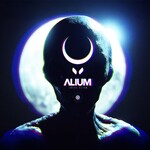
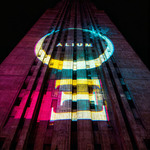
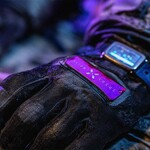
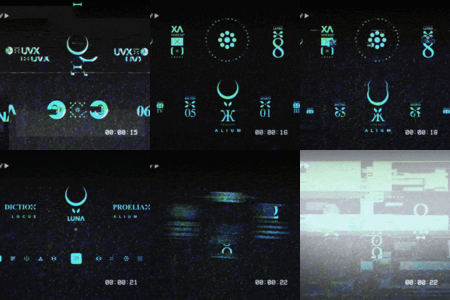
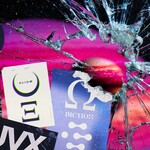
Yes! ALIUM ENHANCED decals work seamlessly with KIT OPS.
Installation & Usage:
First, check out this video for importing custom PNG files into KIT OPS: https://youtu.be/eM9MaKLVE2k?si=uZPFZlLcMUCU1SRo&t=230
KPACK installation instructions: https://youtu.be/05LkAZBZIn0
Using KIT OPS, simply drag and drop your decal directly on your model. Add colors and materials including a grunge transparency layer using simple sliders.
Download a copy of KIT OPS for FREE at https://gum.co/kitops
KIT OPS Benefits:
- Instant decal placement on any surface
- Real-time material adjustments
- Non-destructive workflow
- Perfect for rapid prototyping and iteration
- Mix raw decals (clean) with styled stickers (weathered) effortlessly
Absolutely! ALIUM ENHANCED is fully compatible with DECALmachine.
Installation & Usage:
Check out this video to see how to install and use the decals for DECALmachine: https://youtu.be/iKNtCkGOWvY
Wrap your decals around corners, bevels and organic shapes with ease. DECALmachine's advanced projection handles complex surfaces automatically.
DECALmachine Advantages:
- Advanced surface wrapping technology
- Handles curved and organic surfaces
- Professional-grade decal projection
- Industry-standard workflow integration
- Layer clean raw decals with weathered stickers for complex age effects
ALIUM ENHANCED uses industry-standard PNG and EPS vector formats, making it compatible with:
- Blender (with or without addons)
- Unity (standard texture pipeline and material systems)
- Unreal Engine (material workflow and decal systems)
- Substance Painter (advanced material authoring)
- Cinema 4D (material editor and rendering)
- Adobe Creative Suite (Illustrator for vectors, Photoshop for PNGs)
- Inkscape (free vector editing for raw decals)
- Any 3D software that supports PNG textures
All assets are organized with professional naming conventions for easy integration into any workflow.
It depends on how you plan to use the assets:
Personal License ($25) - Choose this if you're:
- Creating portfolio pieces or personal projects
- Learning and developing your skills
- Working on non-commercial creative work
- A student or hobbyist
Commercial License ($45) - Choose this if you're:
- A freelancer or small business owner
- Creating work for paying clients
- Selling digital art, games, or products incorporating these assets
- Monetizing content (YouTube, Twitch, courses, etc.)
- Under $2M annual revenue AND under 25 employees
Enterprise License ($65) - Choose this if you're:
- A team or studio requiring multi-user access
- Working on large-scale commercial projects
- Over $2M annual revenue OR over 25 employees
- Need comprehensive liability protection
- Requiring unlimited enterprise deployment
Yes! If your business grows or your needs change:
- Personal → Commercial: Pay the $20 difference
- Personal → Enterprise: Pay the $40 difference
- Commercial → Enterprise: Pay the $20 difference
Contact support at [email protected] for upgrade assistance.
The Commercial License allows extensive commercial use, including:
✅ Client Projects: Paid work for clients
✅ Product Sales: Create and sell up to 10,000 end products
✅ Digital Art: Sell artwork incorporating assets
✅ Print-on-Demand: Unlimited use on platforms like Etsy, Redbubble, Society6
✅ Content Creation: Monetized YouTube videos, Twitch streams, online courses
✅ Game Development: Indie games and commercial game projects
✅ Marketing Materials: Business websites, social media, advertising
✅ NFTs & Blockchain: Create and sell digital collectibles
✅ Architectural Visualization: Commercial renders and presentations
✅ Film & Animation: Commercial productions and sci-fi world-building
Limitations:
❌ Cannot resell or redistribute the raw asset files
❌ Cannot use in AI training datasets
❌ Must upgrade to Enterprise License if you exceed $2M revenue or 25 employees
No attribution required across all license tiers! You're free to use the assets in your work without crediting the source. However, we always appreciate when creators choose to share where they got their assets!
It depends on your license:
- Personal License: Personal use only (not for team projects)
- Commercial License: Team use within your single legal entity (employees and contractors working on your projects)
- Enterprise License: Full team and multi-user applications with unlimited deployment across your organization
You receive:
- 50 raw design elements (corporate identity decals) in clean, unstyled format
- 25 styled weathered stickers with full-color aging and wear effects
- 75 total assets for complete sci-fi world-building
- Four format options for raw decals: EPS Vector files (infinite scalability), 4K PNG (4096x4096), 2K PNG (2048x2048), 1K PNG (1024x1024)
- PNG format for styled stickers with authentic weathering and full-color presentation
- PNG format with alpha transparency for perfect overlay and compositing
- Professional organization with clear naming conventions and folder structure
- Complete license documentation for your tier
- Instant download - no waiting
50 Raw Decals (Main Collection):
- Clean, unstyled PNG files ready for customization
- Provided in 1K, 2K, 4K resolutions AND vector EPS format
- Design your own color schemes and faction variants
- Mix of logos, labels, icons, and compositional variations
- Perfect for clean, modern corporate environments
- Fully customizable through vector editing
- Your foundation for creating custom corporate identities
25 Styled Stickers (Bonus Content):
- Full-color PNG files with pre-applied weathering effects
- Include wear, tear, aging, scratches, and fading
- Ready to use immediately without additional work
- Remix and incorporate elements from the main 50 decals
- NOT included in the vector EPS file (PNG only)
- Perfect for aged, deteriorated, or abandoned environments
- Instant environmental authenticity
Use raw decals when you want complete control and customization. Use styled stickers when you want instant weathered detail. Mix both strategically for the most believable sci-fi worlds.
The 50 raw decals include a diverse range of sci-fi corporate identity elements:
Corporate Identity Elements:
- Mega-corporation parent marks and symbols
- Holding company identifiers
- Space agency and governmental badges
- Authority and organizational markers
Labels & Technical Marks:
- Data labels and system identifiers
- Technical specifications and protocol marks
- Infrastructure and network badges
- Operating system markers
Icons & Symbols:
- Functional icons and indicators
- Directional and wayfinding markers
- Status and classification symbols
- Universal sci-fi symbology
Compositional Variations:
- Different layout arrangements
- Alternative configurations
- Modular identity components
- Varied typographic treatments
The 25 styled stickers take elements from the main collection and present them with authentic weathering, wear, and aging effects for instant environmental detail.
Choose based on your project needs:
EPS Vector (Infinite Resolution) - Raw Decals Only:
- When you need to create custom faction color schemes
- Print materials and large-format output
- Resolution above 4K requirements
- Creating completely custom corporate identities
- Future-proofing your assets
- Building modular identity systems
4K (4096x4096):
- High-resolution renders and close-up shots
- Large building facades and signage
- Hero spacecraft and vehicle branding
- VR applications where users get close to assets
- Maximum detail and flexibility
- Both raw decals and styled stickers available
2K (2048x2048):
- Standard game development workflows
- Real-time environmental branding
- General 3D visualization
- Balance of quality and performance
- Both raw decals and styled stickers available
1K (1024x1024):
- Mobile games and web applications
- Small UI elements and distant details
- Performance-critical applications
- Background corporate presence
- Both raw decals and styled stickers available
Pro Tip: Import the EPS vector file for the 50 raw decals first to create your custom faction color schemes. Export those at your target resolution. Then use the styled stickers as-is for weathered areas.
ALIUM ENHANCED assets are designed as individual graphic elements rather than tileable textures. They work best when:
- Applied to specific surfaces as corporate branding and identification
- Used for sci-fi world-building and environmental storytelling
- Layered to create complex corporate ecosystems
- Combined with your existing materials and textures
- Positioned strategically to show ownership and territory
They're meant to enhance your surfaces with authentic sci-fi corporate identity detail, not replace base textures.
Yes! Modification options depend on the asset type:
Raw Decals (50 elements) - Extensive Customization:
- Full customization available through vector EPS files
- Change colors, scale, and compositions freely
- Create faction-specific color schemes
- Combine elements to create custom variations
- Export at any resolution needed
- Build complete custom corporate identity systems
Styled Stickers (25 elements) - Limited Modifications:
- Provided as final PNG files with weathering baked in
- Can be composited and layered in your software
- Opacity, placement, and blending adjustments allowed
- Best used without extensive modification to preserve weathering authenticity
What you cannot do:
❌ Resell or redistribute the original or modified asset files
❌ Extract and share them as standalone assets
❌ Use them to train AI/ML systems
The complete ALIUM ENHANCED package includes all formats and resolutions:
- Complete package (all formats): ~500MB
- Vector files only (50 raw decals): ~380MB
- 4K PNG (50 raw decals): ~8MB
- 2K PNG (50 raw decals): ~3MB
- 1K PNG (50 raw decals): ~1MB
- Styled Stickers (25 stickers): ~85MB
Yes! The PNG format with alpha transparency works in any workflow:
- PBR Workflows: Use as decal maps in your PBR shader setup (works great with roughness/metallic workflows)
- Non-PBR Workflows: Works perfectly as diffuse/albedo decals or overlay textures
- Decal Systems: Perfect for game engine decal projectors and material overlays
The assets are color and alpha information - you control how they integrate into your specific material pipeline. Raw decals can be fully customized for any material response, while styled stickers come with pre-applied weathering that suggests surface interaction.
Yes! Both Commercial and Enterprise licenses support game development:
- Commercial License: Perfect for indie games, small studio projects, and sci-fi games within the revenue/team size limits
- Enterprise License: Ideal for AAA studios, large-scale games, and unlimited commercial distribution
Both licenses allow unlimited copies of games to be distributed. ALIUM ENHANCED is specifically designed for sci-fi world-building, space games, cyberpunk environments, and any project requiring authentic futuristic corporate branding.
ALIUM ENHANCED is specifically designed for:
- Sci-fi open-world games
- Space exploration and simulation games
- Cyberpunk and futuristic city games
- Colony management and strategy games
- First-person sci-fi shooters
- Spaceship and vehicle games
- Post-apocalyptic sci-fi environments
- Any game requiring believable futuristic corporations
The dual nature (raw decals + styled stickers) allows you to show both pristine corporate power and deteriorated abandoned facilities in the same game world.
Use Raw Decals (50 elements) When:
- Building is new construction or well-maintained
- Corporation is actively present and powerful
- Area is high-security or prestigious
- You need specific faction colors
- Equipment is current-generation
- Location shows wealth and power
- You want complete customization control
Use Styled Stickers (25 elements) When:
- Building is decades or centuries old
- Area is abandoned or poorly maintained
- Showing post-conflict or disaster zones
- Equipment is damaged or derelict
- Want instant environmental storytelling
- Background accumulation of old signage
- Industrial or frontier locations
- Quick scene dressing needed
Mix Both When:
- Showing gentrification (old stickers + new raw decals)
- Corporate acquisition (old company stickers, new company raw decals)
- Partial renovation (stickers on old sections, raw decals on new)
- Different maintenance levels in same facility
- Creating believable temporal complexity
Build Complete Corporate Ecosystems:
- Define 3-7 Major Corporations for your world
- Create Faction Color Schemes using vector EPS file for raw decals
-
Establish Corporate Territories:
- New/wealthy districts: Custom colored raw decals (80%)
- Mixed districts: Balance of raw decals (60%) and styled stickers (40%)
- Old/poor districts: Heavy styled sticker use (80%)
-
Show Corporate Hierarchy:
- Parent company: Large-scale raw decals on headquarters
- Divisions: Variations of raw decals on specialized facilities
- Technical systems: Data labels from raw decals
- Historical presence: Styled stickers showing decades of accumulated signage
-
Layer Temporal Depth:
- Old styled stickers from previous corporate owners
- Mid-layer raw decals from current corporations
- Fresh raw decals on new construction
This creates worlds that feel lived-in, evolved, and authentic.
Follow Strategic Placement Logic:
Consider Ownership:
- Who owns this building/area?
- Apply their corporate marks prominently
- Show division marks for specialized areas
- Add technical labels to systems and equipment
Consider Age & Maintenance:
- Wealthy areas = clean raw decals (new, maintained)
- Poor areas = heavy styled stickers (old, neglected)
- Industrial zones = mix showing wear and function
- Abandoned zones = styled stickers dominate
Consider Scale:
- Large building facades: 10-50 meters (raw decals for clean, stickers for aged)
- Facility entrances: 1-5 meters
- Equipment labels: 10-50 cm (technical marks from raw decals)
- Vehicle sides: 0.5-2 meters
Consider Hierarchy:
- Primary corporate identity (30%) - Main parent company
- Division marks (30%) - Organizational structure
- Technical labels (20%) - System identifiers
- Weathered background (15%) - Historical accumulation (styled stickers)
- Functional icons (5%) - Wayfinding and status
The documentation includes extensive authenticity and realism guidelines.
Absolutely! Layering is key to authenticity:
Effective Layering Strategies:
- Base Layer: Primary corporate identity from raw decals (custom colors)
- Mid Layer: Division and department marks from raw decals
- Technical Layer: System labels and data marks
- Aged Layer: Styled stickers showing wear, old signage, history
- Detail Layer: Additional styled stickers for accumulated grime and damage
Example Layering:
- Start with clean parent company raw decal (blue faction color)
- Add division mark raw decal (same blue, smaller scale)
- Apply technical system labels (data protocols)
- Layer OLD corporate styled sticker (previous owner, faded)
- Add small weathered styled stickers around edges (years of accumulation)
This creates depth, history, and believability—showing corporate evolution, acquisitions, and decades of use.
Establishing Visual Territory:
Dominant Corporation Area:
- 60-80% of visible branding from one corporation
- Large-scale parent company raw decals on major structures
- Custom faction colors consistently applied
- Clean, well-maintained appearance using raw decals
- Division marks showing organizational depth
Contested or Transitional Area:
- Mix of 2-3 corporate presences
- Old styled stickers from previous owner (faded, damaged)
- New raw decals from current owner (clean, prominent)
- Visible layers showing corporate succession
- Strategic placement showing takeover patterns
Frontier or Abandoned Area:
- Heavy use of styled stickers (multiple old corporations)
- Faded, weathered corporate marks showing age
- Minimal fresh branding
- Accumulated signage layers telling history
- Use raw decals sparingly for still-functioning systems
This creates authentic corporate landscapes with clear visual communication of power, control, and temporal change.
Color Strategy for Believable Corporations:
Step 1: Define Faction Identity
- What does this corporation represent?
- Military/Security = Dark blues, green, grays, reds
- Technology/Innovation = Cyans, teals, whites
- Industrial/Manufacturing = Oranges, yellows, blacks
- Luxury/Premium = Purples, golds, deep blues
- Medical/Scientific = Whites, greens, blues
Step 2: Create Color Palette
- Primary color (60%): Main corporate identity
- Secondary color (30%): Accents and divisions
- Tertiary color (10%): Technical marks and details
Step 3: Apply Consistently
- Use vector EPS file to customize all raw decals
- Export faction-specific PNG sets
- Maintain color consistency across all applications
- Use same colors for divisions (varied intensities)
Step 4: Differentiate Factions
- Ensure competing corporations have distinct colors
- Avoid similar palettes for rival factions
- Use color psychology to reinforce faction identity
- Test visibility and contrast in your environments
The documentation includes detailed color customization workflows for creating complete corporate identity systems.
Absolutely! These assets are perfect for:
- Speculative architecture and futuristic buildings
- Sci-fi commercial space visualization
- Corporate headquarters and facilities
- Space station and colony interiors
- Futuristic urban development proposals
- Conceptual design presentations
- Mixed-use futuristic developments
Use raw decals for clean, modern corporate presentation or mix with styled stickers to show facility age and history.
Yes! The Commercial and Enterprise licenses support:
- Commercial film and TV production
- Animated series and features (sci-fi, cyberpunk)
- Visual effects and compositing
- Set extension and environment enhancement
- Sci-fi world-building for any production
- Music videos with futuristic aesthetics
- Commercial advertising with sci-fi themes
Perfect for adding authentic corporate branding and environmental storytelling to any sci-fi production.
Yes! Both Commercial and Enterprise licenses explicitly permit:
- Creating and selling NFTs incorporating the assets
- Blockchain-based digital collectibles
- Cryptocurrency project branding
- DeFi and Web3 applications
- Metaverse environments and virtual worlds
Important: The assets must be incorporated into your creative work - you cannot mint the raw asset files themselves as NFTs.
Absolutely! The Commercial and Enterprise licenses support content creation:
- Monetized Videos: YouTube Partner Program, sponsored content, ad revenue
- Live Streaming: Twitch Partner, stream overlays, broadcast graphics
- Online Courses: Selling tutorials and educational content (3D modeling, game development, sci-fi design)
- Subscription Content: Patreon, membership sites, premium content
Perfect for gaming content creators, 3D artists, sci-fi designers, and world-building educators.
Yes! These assets are excellent for:
- Sci-fi environment concept art
- Game level design mockups
- Film pre-visualization and storyboarding
- Style guides and mood boards
- Client presentations for futuristic projects
- World-building documentation
Quickly establish authentic sci-fi corporate atmosphere in your concept work. Use raw decals with custom colors for faction development, and styled stickers for showing environmental age and history.
Raw Decals (50 elements):
- EPS format (Adobe Illustrator compatible, fully editable vectors)
- PNG format with alpha transparency (three resolutions: 4K, 2K, 1K)
- sRGB color space
- Infinite scalability via vectors
Styled Stickers (25 elements):
- PNG format ONLY with alpha transparency
- Full-color pre-weathered presentation
- Not included in vector EPS file
- Ready to use as-is
All PNG files include clean alpha channels for perfect compositing and overlay work.
Using Vector Files (Raw Decals Only):
- Open the EPS vector file in Adobe Illustrator, Inkscape, or Affinity Designer
- Select the raw decal elements you want to customize
- Change colors to match your faction/corporation color scheme
- Consider color psychology:
- Blue = Trust, technology, reliability
- Red = Power, aggression, urgency
- Green = Growth, military, environmental
- Cyan/Teal = Advanced technology, futuristic
- Purple = Luxury, mystery, innovation
- Export customized versions as PNG at your desired resolution (1K, 2K, 4K, or higher)
- Import custom PNG files into your project
The documentation includes detailed color customization workflows for various software packages.
Note: The 25 styled stickers cannot be color-customized via vectors since they're not included in the EPS file. They're designed to be used as-is with their pre-applied weathering and colors.
No, the 25 styled stickers are PNG-only.
Only the 50 raw decals are included in the vector EPS file. The styled stickers are pre-styled, pre-weathered bonus content provided as final PNG files with full-color weathering effects baked in.
This is intentional—the styled stickers are designed as ready-to-use environmental detail, not as customizable foundation elements. Their value comes from the authentic weathering, wear, and aging already applied.
If you need custom colors or variations, use the 50 raw decals from the vector file and apply your own weathering in Substance Painter or your 3D software.
The styled stickers are designed to be used as-is.
The 25 styled stickers come pre-colored with full weathering effects baked into the PNG files. They are NOT included in the vector EPS file, which means they're not as easily customizable as the raw decals.
If you need custom colors with weathering:
- Start with the 50 raw decals in vector EPS format
- Customize colors to match your faction/corporation
- Export as high-resolution PNG
- Add your own weathering in Substance Painter, Photoshop, or your 3D software
The styled stickers are best for:
- Quick environmental dressing with pre-weathered detail
- When you need instant aged authenticity
- Background corporate accumulation
- Situations where pre-colored weathered assets work perfectly
Yes! ALIUM ENHANCED is perfect for VR/AR:
- Use higher resolutions (4K) since users get closer to environmental details
- Apply raw decals with custom colors to buildings and facilities at real-world scale
- Use styled stickers for instant aged detail in virtual environments
- Create believable sci-fi corporate worlds with proper branding
- Mix clean raw decals (new areas) with weathered stickers (old areas)
- Layer both types for temporal depth and authenticity
The documentation includes specific guidelines for VR/AR implementation and scale considerations.
The standard restrictions apply:
❌ Cannot be used in ways that promote hate speech, violence, or discrimination
❌ Cannot be used to create misleading or fraudulent content
❌ Cannot be used for malicious purposes
❌ Must comply with applicable laws and regulations
Beyond these ethical and legal boundaries, you have broad creative freedom for sci-fi games, films, architectural visualization, and world-building projects.
We're here to help!
- Technical Support: [email protected]
- License Questions: [email protected]
- General Inquiries: [email protected]
Response time is typically within 24-48 hours.
Due to the digital nature of the product, all sales are final. However, if you experience technical issues with the download or files, contact [email protected] and we'll resolve the issue promptly.
We recommend viewing the preview images and product specifications carefully before purchasing to ensure the product meets your needs.
ALIUM ENHANCED is a complete collection. Future sci-fi corporate identity expansions or themed variations may be released as separate products or expansion packs.
Existing customers will be notified of new releases that complement ALIUM ENHANCED, with potential upgrade paths or bundle pricing for those who want to expand their sci-fi asset library.
Yes! Check out the product gallery for rendered examples showing both raw decals and styled stickers applied to spacecraft, buildings, facilities, and various sci-fi environments. These examples demonstrate the versatility and professional quality of the collection, showing how to mix clean and weathered assets for believable temporal depth.
✨ Dual Asset System: 50 customizable raw decals PLUS 25 pre-weathered styled stickers for complete flexibility
✨ Ancient-Future Aesthetic: Design bridges classical principles with futuristic execution for timeless sophistication
✨ Complete Corporate Ecosystems: Build believable sci-fi corporations with logos, labels, icons, and technical marks
✨ Vector Customization: Full EPS vector files for the 50 raw decals allow infinite color customization and scalability
✨ Instant Authenticity: 25 styled stickers provide ready-to-use weathered detail without additional work
✨ Flexible Resolution Options: 4K, 2K, and 1K versions plus vectors for any project scale
✨ Clear Commercial Licensing: Transparent, fair licensing that supports your business growth
✨ Universal Compatibility: Works with all major 3D software, game engines, and creative applications
✨ Strategic World-Building: Designed specifically for creating believable temporal sci-fi corporate presence
✨ Professional Quality: 75 assets with meticulous attention to detail and authentic sci-fi design language
If your question isn't answered here, reach out to us:
📧 General Questions: [email protected]
📧 License Clarification: [email protected]
📧 Technical Support: [email protected]
We're committed to ensuring you have everything you need to create authentic sci-fi worlds with ALIUM ENHANCED!
-
$25
$25 Total (Base Price) ✅ Personal projects and portfolio work ✅ Educational and skill development ✅ Non-commercial creative exploration ✅ Ancient-future corporate identity systems ✅ All resolution options (4K, 2K, 1K, EPS) ✅ Cross-platform compatibility
-
$40
$40 Total ($15 additional) ✅ Everything in Personal License plus: ✅ Client projects and commercial design work ✅ Professional asset sales and digital art ✅ Architectural visualization presentations ✅ Unlimited commercial use
-
$55
$55 Total ($30 additional) ✅ Everything in Commercial License plus: ✅ Team and multi-user applications ✅ Large-scale commercial projects ✅ Studio use with full liability protection ✅ Environmental corporate branding deployment
Have questions about this product?
Login to message
| Dev Fund Contributor | |
| Published | 12 months ago |
| Blender Version | 2.6x - 4.5 |
| Render Engine Used | Arnold, Blender-Internal, Blender-Game-Engine, Cycles, Eevee, Freestyle, Luxrender, Mental-Ray, Octane, Vray, Yafaray |
| Misc Data | Low-High-Resolution |
| License | Royalty Free |
Discover more products like this
aliens kitops branded sircharles.design sircharles weathered alien Stickers scifi aged blender kit ops decals