AlphaForge
 GPolygon Design


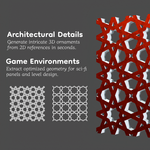
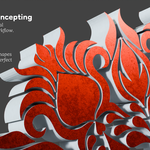
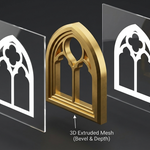
Q: Can I use the generated meshes in Unreal Engine or Unity?
A: Absolutely. Because AlphaForge generates real, optimized geometry rather than relying on Blender-specific modifiers, you can export the results directly as FBX or OBJ files for seamless integration into your game engine of choice.
Q: How does AlphaForge differ from a standard Displacement workflow?
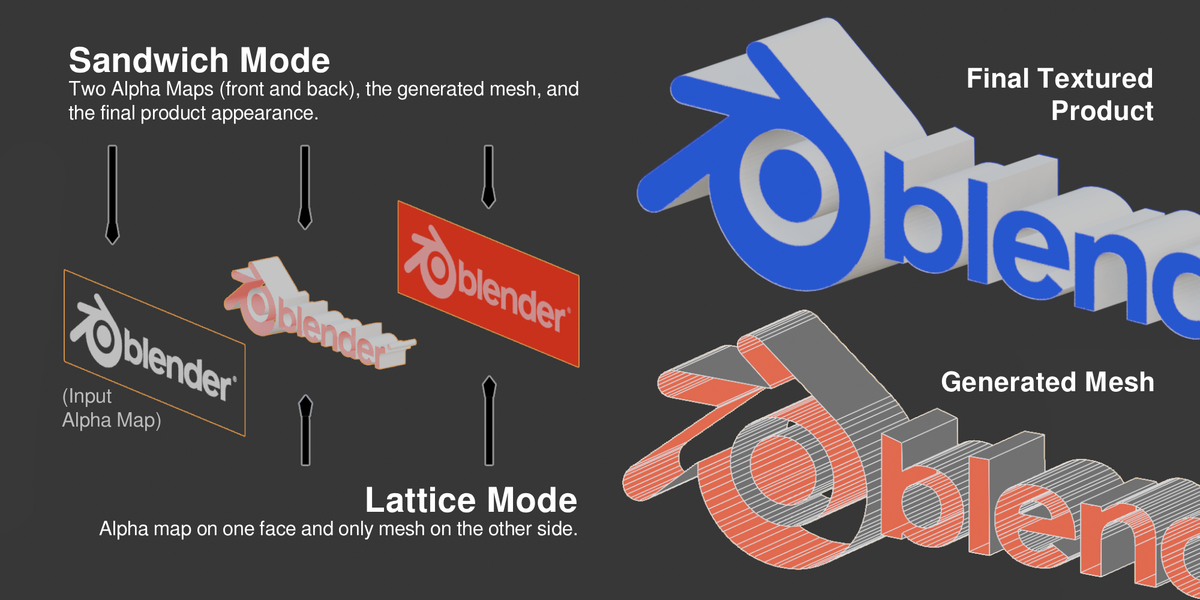
A: Displacement requires a highly subdivided, dense mesh to look good, which ruins scene performance. AlphaForge uses a custom contour.py and builder.py algorithm to trace the exact pixel boundaries of your image. It generates a clean, standalone vector-based 3D mesh with optimized topology, completely independent of heavy modifiers.
Q: Does AlphaForge only work with transparent PNGs, or can I use Black & White JPGs?
A: It supports both. The Auto channel mode detects whether your file has a genuine Alpha transparency channel or is a high-contrast Black & White image (JPG, BMP, TIFF, WebP). You can also manually switch to Grayscale (B&W) or invert the mask with a single click.
Q: How are materials assigned to generated panels?
A: Sandwich panels automatically create a dual-material setup: Material slot 0 retains your original transparent glass/alpha shader for front and back caps, while Material slot 1 assigns a clean opaque PBR material with auto-unwrapped UVs for the extrusion walls.
Q: Where can I get support or report a bug?
A: If you encounter any issues or have feature requests, please reach out via the "Ask a Question" button on this page or contact our support directly. We actively update our tools based on user feedback.
Q: What is the "Channel: Auto (Alpha / B&W)" setting?
A: It allows for flexibility. If you have a PNG with a transparent background, the add-on reads the alpha channel. If you have a solid JPEG (like a traditional black-and-white ZBrush alpha), it automatically reads the luminance values. You don't need to manually prep your images in Photoshop beforehand.
Q: Why does my generated mesh look too dense or too simplified?
A: Lower the Sharp Corners angle value. This tells the algorithm to treat tighter angles as hard creases rather than smooth curves.
$10
Have questions about this product?
Login to message
| Blender Extension Compatible | Yes |
| Dev Fund Contributor | |
| Published | about 2 months ago |
| Blender Version | 4.2 - 5.2 |
| Extension Type | Add-on |
| Render Engine Used | Cycles, Eevee |
| License | GPL |
Discover more products like this
game assets ornament alpha to mesh 3d modeling hard surface topology Trim Sheet procedural 2d to 3d mesh-generator architecture gpolygon