Andra Uv Rename
 Angles Of Dice


What does UV Renamer actually do?
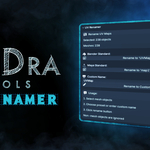
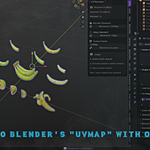
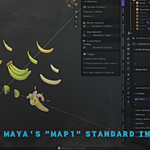
UV Renamer renames the UV maps on your mesh objects. It doesn't modify your UV coordinates, unwrapping, or geometry - only the name of the UV map itself. This is useful when you need consistent naming conventions for pipelines, exports, or cross-software compatibility (like switching between Blender's "UVMap" and Maya's "map1" standards).
Does this work on multiple objects at once?
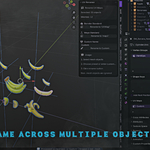
Yes! That's the main benefit. Select as many mesh objects as you want (1, 10, 100, or more) and UV Renamer will rename all their UV maps simultaneously with one click. This is a massive time-saver when working with large scenes or asset libraries.
Which UV map gets renamed?
UV Renamer operates on the first UV map in each object's UV layers list. This is typically the primary/default UV map that most objects use for texturing. If you need to rename secondary or additional UV maps, you'll need to use Blender's built-in UV Maps panel in Object Data Properties.
Will this affect my UV unwrapping or coordinates?
No, absolutely not. UV Renamer only changes the name of the UV map - it never touches your actual UV coordinates, island placement, or unwrapping work. Your UVs remain exactly as you created them. This is a completely non-destructive operation.
What Blender versions are supported?
UV Renamer works with Blender 2.93 and all newer versions, including Blender 3.x and 4.x (tested up to 4.5). If you're using an older version of Blender, the addon may not install properly.
Can I use custom names, or just "UVMap" and "map1"?
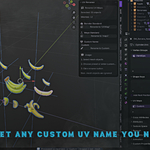
You can use any custom name you want! The addon includes quick buttons for Blender standard ("UVMap") and Maya standard ("map1"), but it also has a Custom Name field where you can type any name up to 64 characters. This is perfect for studio pipelines with specific naming requirements like "UV_Lightmap", "UV_Diffuse", etc.
What happens if I select non-mesh objects like cameras or empties?
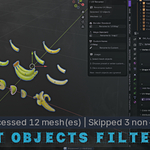
UV Renamer automatically skips non-mesh objects and reports how many were skipped. For example: "Processed 10 mesh(es) | Skipped 3 non-mesh". This means you can safely select your entire scene without worrying about errors - the addon only processes mesh objects that can have UV maps.
What if some of my objects don't have UV maps?
The addon will skip objects without UV maps and report them in the operation result. For example: "Processed 5 mesh(es) | 2 without UVs". This actually helps you identify which objects in your selection need to be UV unwrapped, making it a useful diagnostic tool.
Can I undo a rename operation?
Yes! UV Renamer fully supports Blender's undo system. Just press Ctrl+Z (or Cmd+Z on Mac) to undo the rename operation and restore the previous UV map names. Redo works too (Ctrl+Shift+Z).
Where do I find the UV Renamer panel?
Open the 3D Viewport, press N to show the sidebar (if it's not already visible), then click the Edit tab. The UV Renamer panel will be there. If you can't find it, make sure the addon is enabled in Edit → Preferences → Add-ons.
$1
Have questions about this product?
Login to message
| Blender Extension Compatible | Yes |
| Published | 10 months ago |
| Blender Version | 2.92 - 4.5 |
| Extension Type | Add-on |
| Render Engine Used | Cycles |
| License | GPL |
Discover more products like this
batch mesh uv rename fbx pipeline automation Export organisation Blender utility tools maya