Animated Glowing Potions - Set X5
 Surrealisium


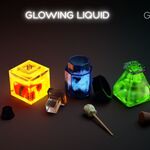
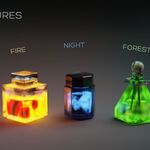
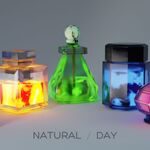
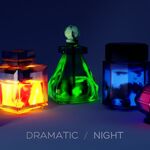
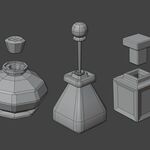
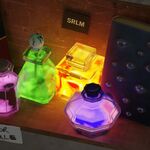
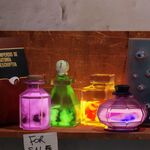
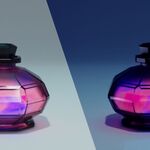
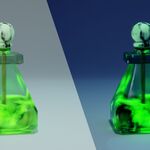
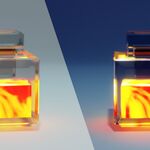
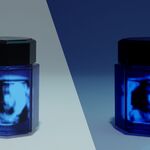
How do I start the liquid animation?
The animation is activated automatically. Simply open the .blend file and press the "Play" button on the Blender timeline. The animation is generated via a perpetual Shader Driver (based on scene time) and does not require manual keyframing or rigging.
Can I modify the speed or color of the liquid?
Yes. The included User_Guide.pdf details a simple process for customizing the liquid's movement speed, the intensity of the glow, and the potion's base color without breaking the node setup.
Does the Driver work in other software or game engines (Unity/Unreal)?
No, not directly. The Driver is an advanced and specific functionality of Blender’s node system. However, the exported files (.FBX, .GLB) include the base mesh, PBR textures, and a static animation base so you can rebuild the effect in your engine using an emission shader or a simple movement script.
Are PBR textures included for each bottle?
Yes. All necessary PBR texture maps (BaseColor, Normal, Roughness, etc.) for the bottle caps and corks are included in the Textures folder within each individual potion folder, and they are used in the Game-Ready exports.
Do I need the Cycles file or the Eevee file?
Both files contain the exact same model and animation.
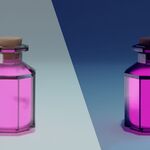
▪︎ Use the _Cycles.blend file if you are looking for the highest quality ray-tracing renders.
▪︎Use the _Eevee.blend file if you need maximum viewport performance or are using it for a real-time scene.
Have questions about this product?
Login to message
| Dev Fund Contributor | |
| Published | 12 months ago |
| Blender Version | 3.6 |
| Render Engine Used | Cycles, Eevee |
| Misc Data | Uvs-Unwrapped, Animated, Normal-Mapped, Textured |
| License | Royalty Free |
Discover more products like this
magic-potion Alchemy Vials Glowing Potion 3d assets pbr-textures Animated Bottle Animated Potions game-prop fantasy prop liquid animation PBR Asset Set game ready asset