 Animates



Installation
Installing the Animates Free addon
Once downloaded you can directly drag the zipped folder (do no unzip) into the Blender window, from there it will automatically install after pressing ok.
Or click through Edit, Preferences –
then Install from Disk in the top right of that window.

Key Features
1. Header Keys
Designed for workflow efficiency, holding Shift increases selections, holding Cntrl reverses that tool's function, mostly...sometimes Alt comes into play -
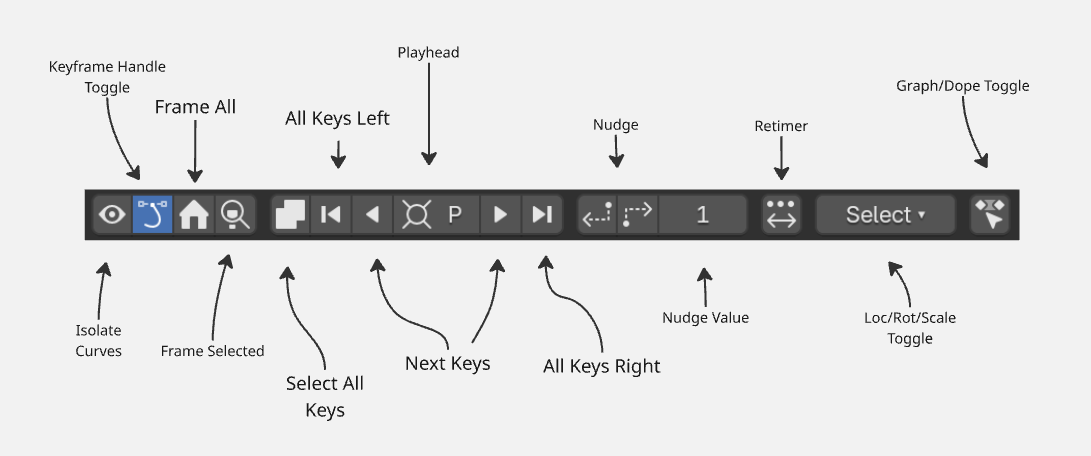
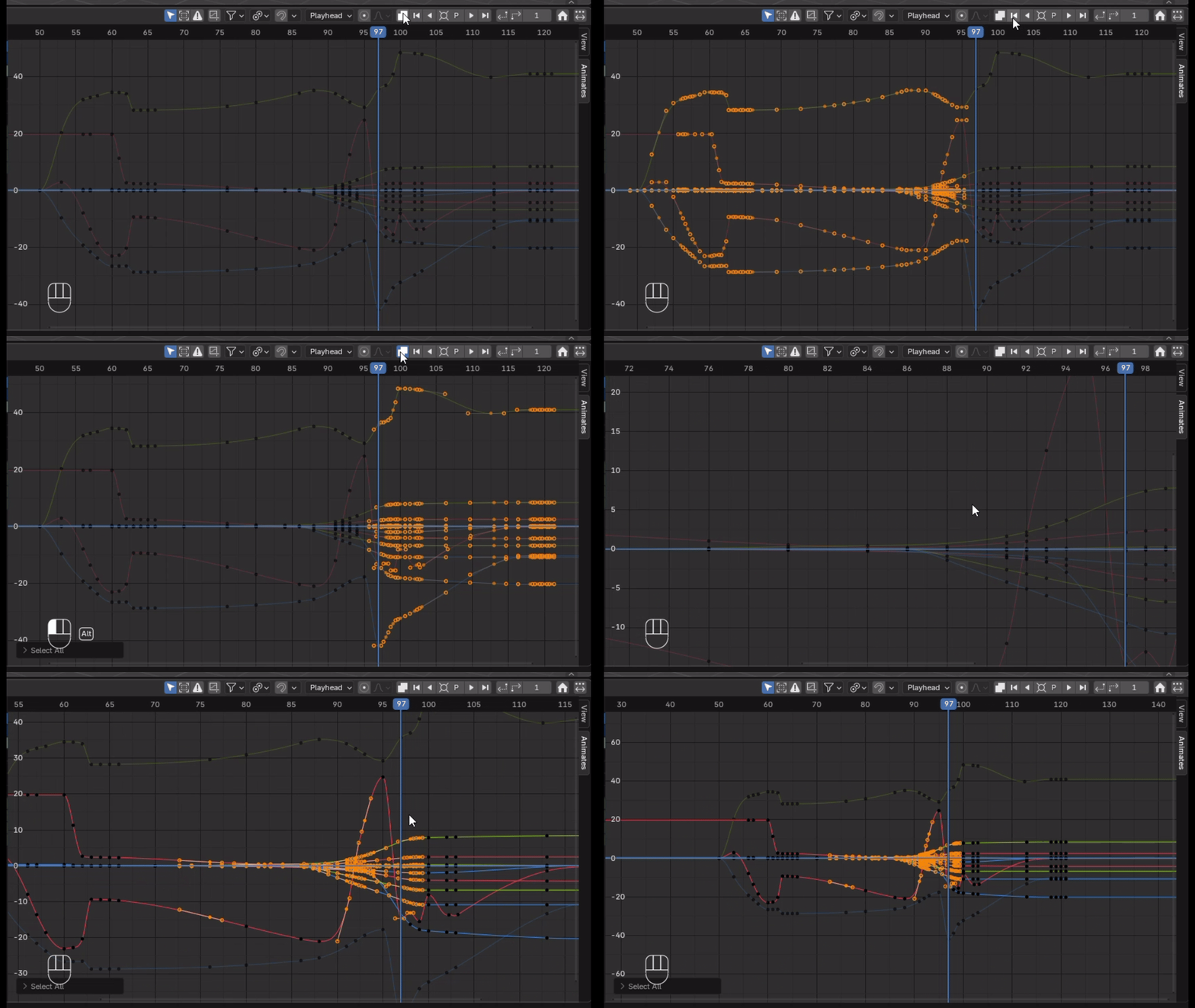
Playhead button - multiple clicks grows the selection, holding Cntrl shrinks the selection. Next Keys go to the next key column, holding Shift also, adds to the selection. Select All Left & Right selects all keys in those directions away from the playhead (does not include the playhead keys), obviously, Shift also naturally adds to selection and Cntrl subtracts.
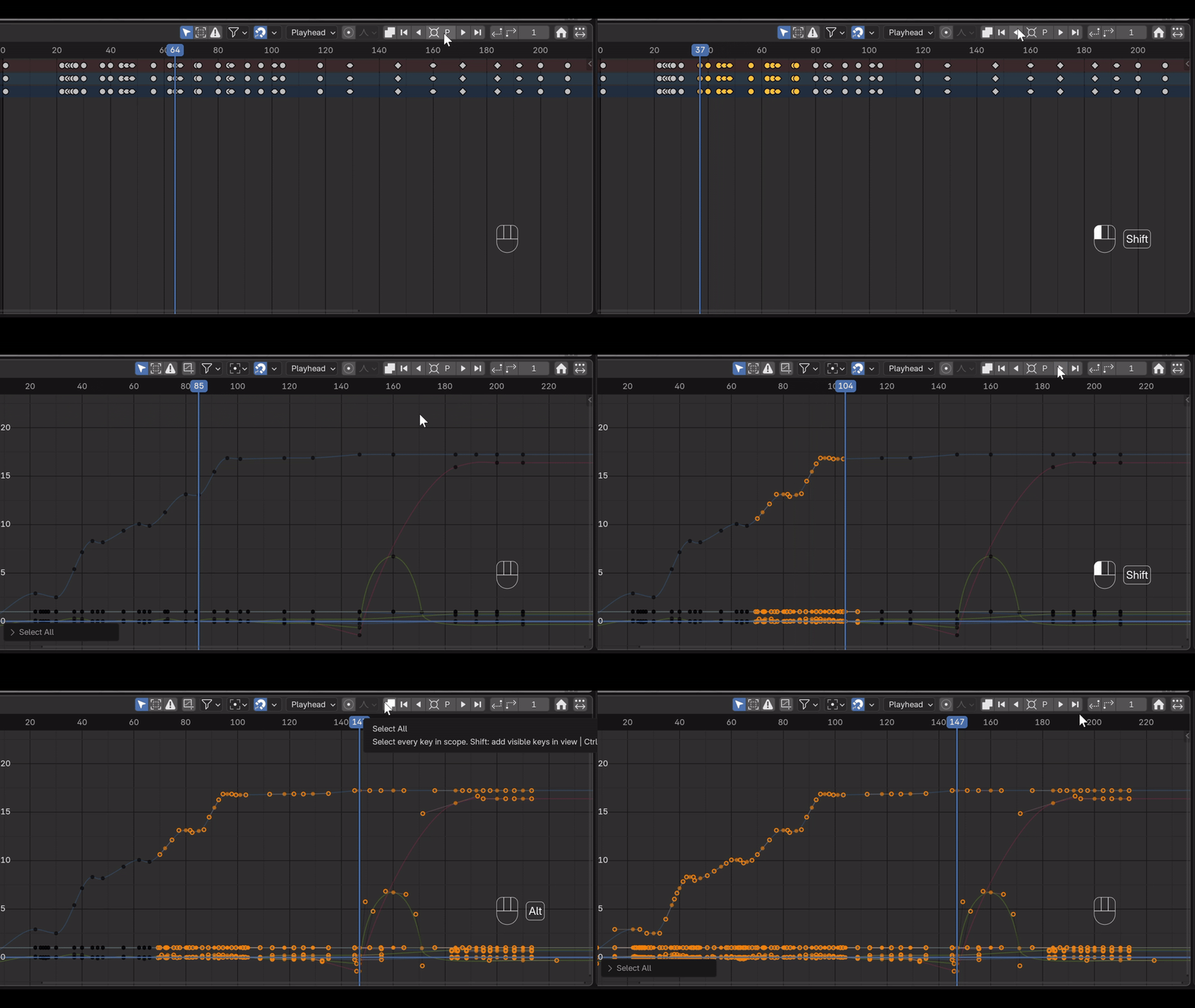
Holding Alt & All Left/Right snaps the selected keys to the playhead. Frame All button (home) and select all on screen by using the Shift & Select All button. Nudge by determined frame numbers.
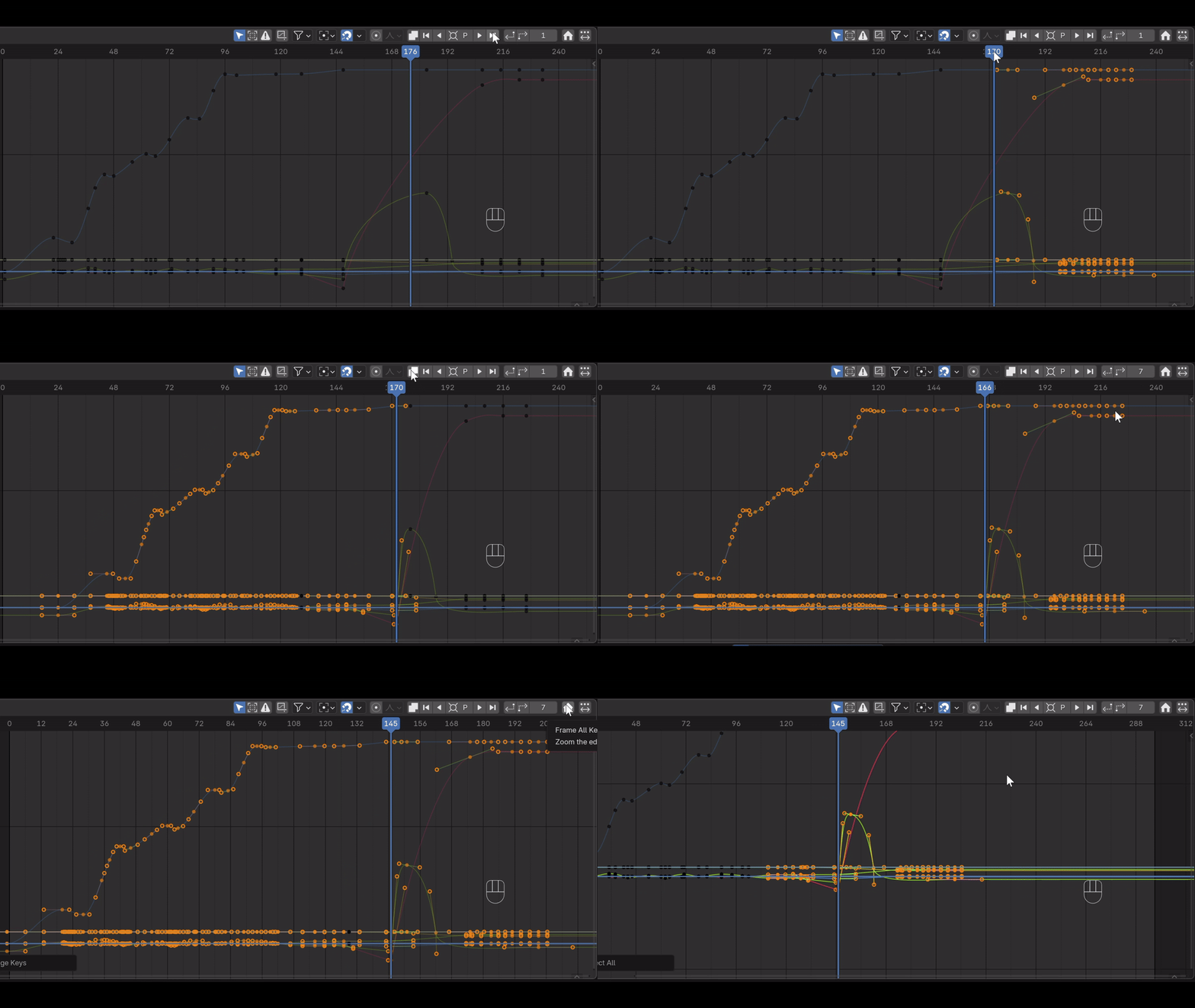
Select All @ Cntrl inverts the selection. Shift and Select All captures all the keys visible in the window.
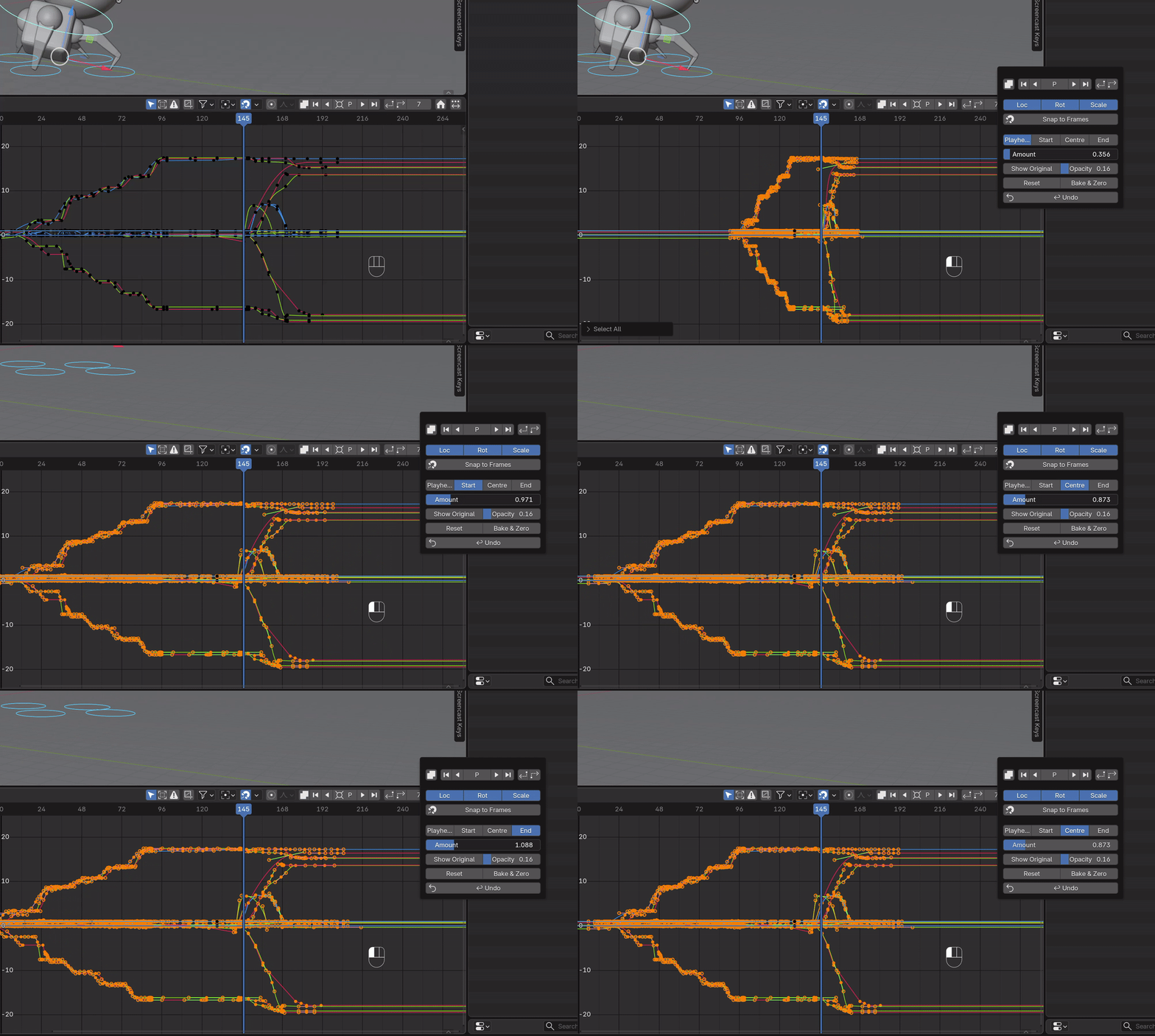
Retimer Tool
Retime quickly and easily around set pivot points of Playhead, Start, Center or End of currently selected keys. Amount slider determines the amount (funnily enough), simultaneously holding Shift slows and smooths the operation for accuracy.
Retime across all editors - works in the Graph Editor, Dope Sheet and the Timeline.
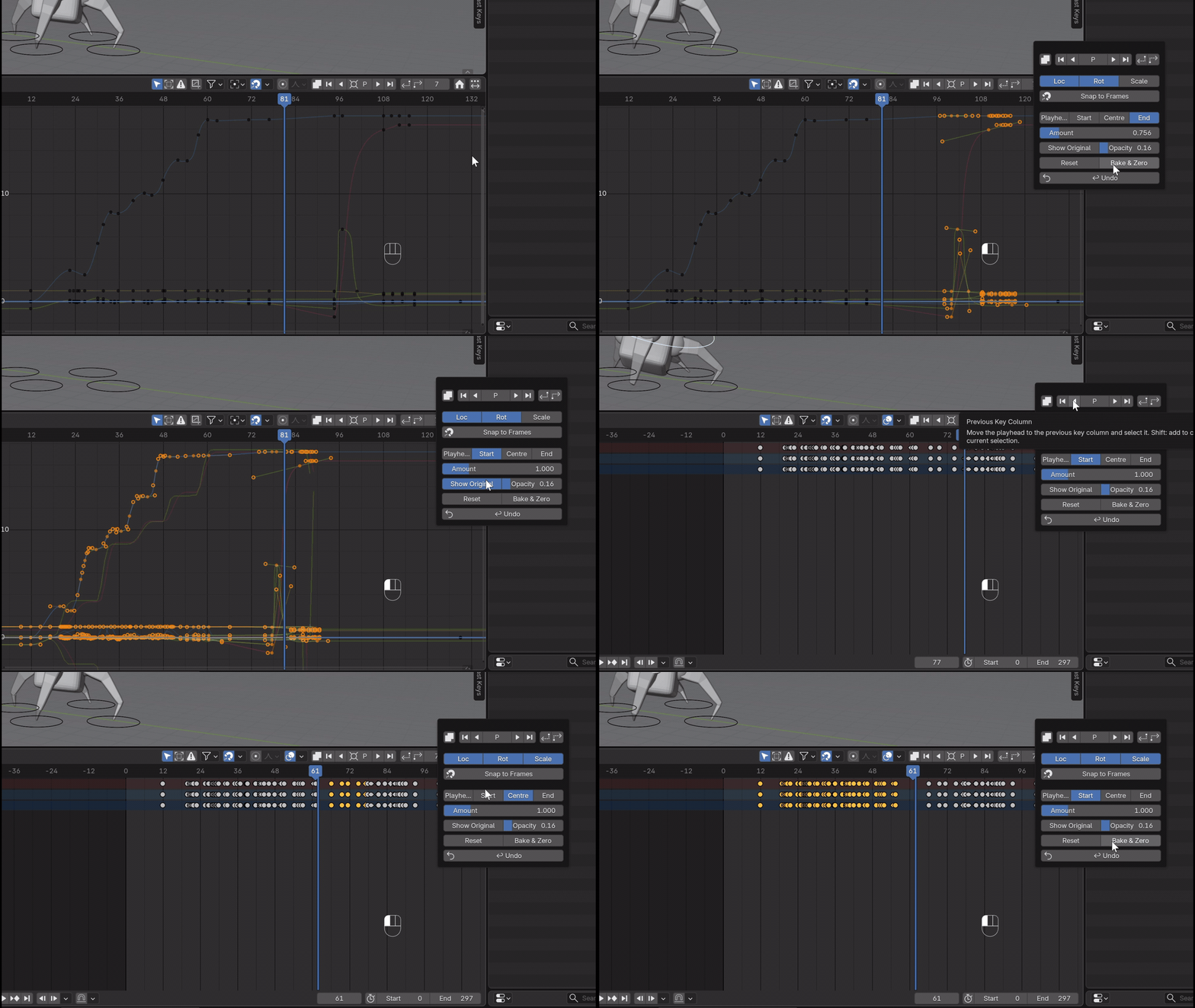
Extra Buttons
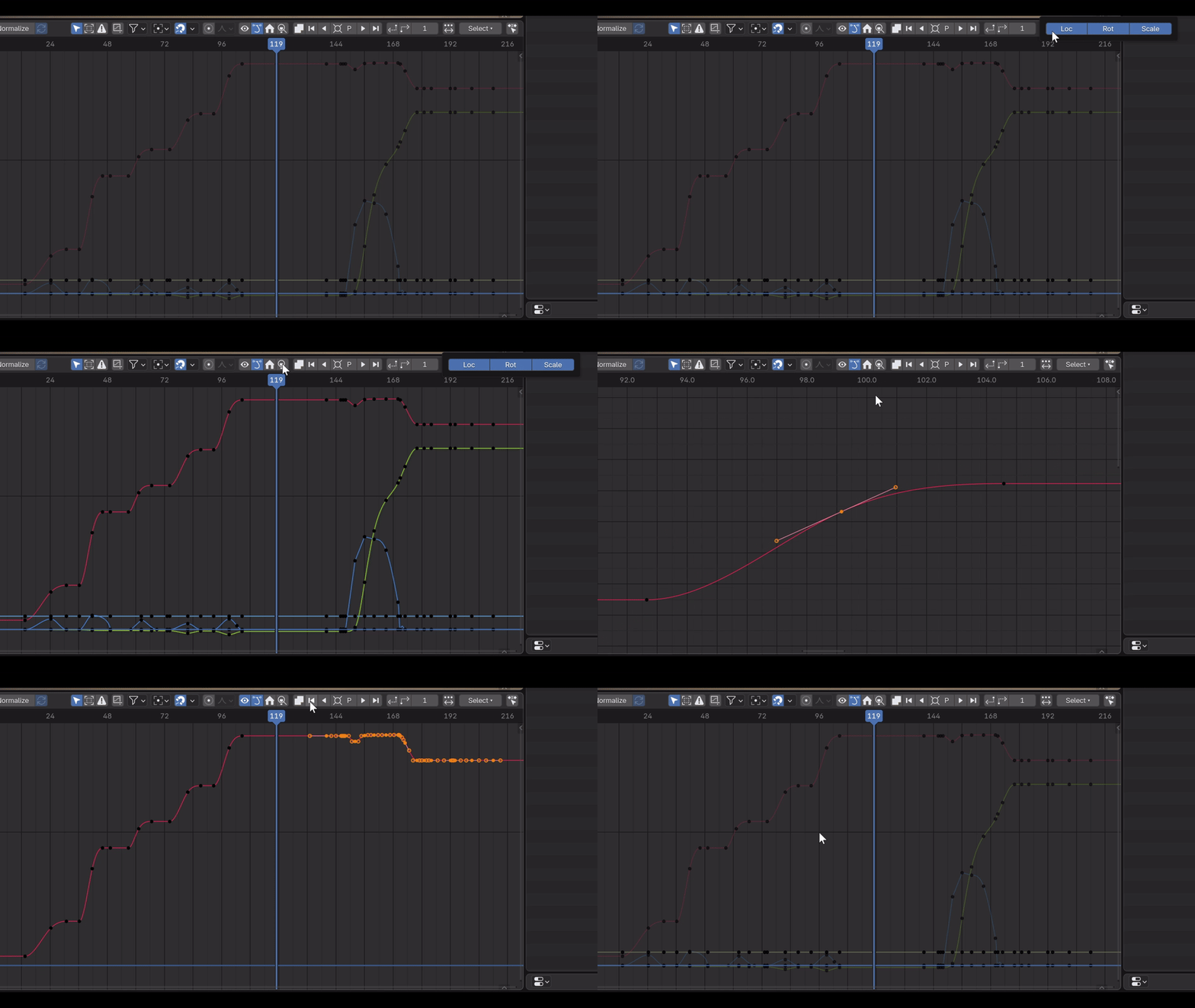
A series of toggles that facilitate a stronger and swifter workflow - Graph Editor and Dope Sheet toggle. FCurve visibility toggles across Loc, Rot and Scale. Frame Selected button. Frame All and Curve Isolation toggle.
Have questions about this product?
Login to message
| Blender Extension Compatible | Yes |
| Downloads | 200+ |
| Published | 6 months ago |
| Blender Version | 4.0 |
| Extension Type | Add-on |
| Render Engine Used | Cycles, Eevee |
| License | GPL |
Discover more products like this
AnimationRetimingTool animation timing auto selection tools Playhead