Animation Baker : Armatures & Actions Merger
 JJArtworks


Overview
Video demo
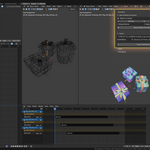
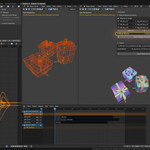
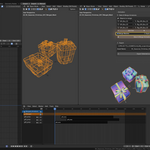
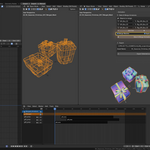
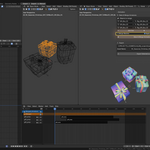
JJ Animation Tools - Animation Baker by JJArtworks is a Blender addon designed to simplify and automate the process of merging modular animations. It allows you to combine multiple armatures with their respective NLA animations into a single unified armature, while preserving animation integrity and intelligently managing bone prefixes to avoid naming conflicts.
Main Use Cases
Core Features
1. Bake & Merge System
Duplication
- Automatically creates copies of all armatures and meshes
- Applies transformations (location, rotation, scale) to copies
- Preserves original objects intact in their collections
Animation Baking
- Automatic baking of all active NLA tracks
- Intelligent detection of animation range (frame start/end)
- Generates one baked action per armature with complete keyframes
- Visual keying support for accurate results
Prefix System
- Automatically renames all bones with customizable prefix
- Updates FCurves to match new bone names
- Renames mesh vertex groups to maintain skinning
- Avoids naming conflicts during merge
Armature Merging
- Combines all armatures into a single unified armature
- Merges all baked actions into a single "Merged" action
- Intelligent FCurve copying without duplicates
- Preserves interpolation properties and keyframe handles
Mesh Management
- Option to merge all meshes into a single object
- Option to apply modifiers (except Armature) before merging
- Automatic reparenting to merged armature
- Armature modifier updates
Automatic Organization
- Creates a "MERGED" collection for results
- Automatic hiding of original collections
- Color coding to quickly identify merged collection
2. User Interface
Dynamic Object List
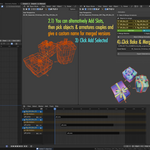
- Manual addition of empty slots
- "Add Selected" button to automatically add all selected meshes
- Automatic detection of parent armature
- Intelligent prefix generation based on object name
- Individual or global entry removal
Per-Slot Configuration
- Mesh: The mesh object to process
- Armature: Associated armature (automatically detected if parent)
- Prefix: Customizable prefix for bones (e.g., "Body", "Clothes", "Hair")
Processing Options
- Merge Meshes: Merges all meshes into one (enabled by default)
- Apply Modifiers: Applies non-Armature modifiers before merging
3. Integrated FBX Export
Export Configuration- Define export path
- Customizable asset name
FBX Export Settings
- Export selection only
- Scale: 1.0 with apply unit scale
- Axes: Forward -Z, Up Y (game engine standard)
- Animation baking with all bones
- Smooth type: FACE
- Armature deform bones only
- No export of NLA strips or multiple actions
User Guide
Workflow
Step 1: Preparation
1. Ensure your meshes are parented to their respective armatures
2. Configure your animations in the NLA tracks of each armature
3. Open the "JJArtworks" panel in the N-Panel (View3D > N > JJArtworks)
Step 2: List Configuration
1. Select all your meshes in the 3D view2. Click "Add Selected" (selection icon) in the panel
3. Verify that armatures have been correctly detected
4. Customize prefixes if necessary (recommended: short, descriptive names)
Prefix examples:
- "Body" for the main body
- "Shirt" for a shirt
- "Hair" for hair
- "Acc" for accessories
Step 3: Options Configuration
- Merge Meshes: Leave enabled if you want a single final mesh- Apply Modifiers: Enable if you have non-Armature modifiers to apply (Subdivision, Mirror, etc.)
Step 4: Bake & Merge
1. Click the "Bake & Merge Animations" button (REC icon)2. Wait for the process to complete (may take a few seconds depending on complexity)
3. A success message will appear at the top of the window
Step 5: Verification
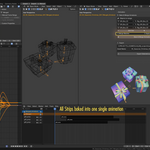
1. A "MERGED" collection has been created with your merged objects2. Original collections are hidden but still accessible
3. The "Merged_Armature" contains all prefixed bones
4. The "Merged" action contains all combined animations
Step 6: Export
1. Select the merged armature and its mesh(es)2. In the "Export" section of the panel:
- Define the export path
- Give your asset a name
3. Click "Export Selected as FBX"
Tips and Best Practices
Before Merging
✅ Consistent Naming
- Use clear and descriptive bone names in your original armatures
- Avoid special characters in bone names
✅ Animation Preparation
- Ensure all your NLA tracks are properly configured
- Disable (mute) tracks you don't want to bake
✅ Clean Structure
- Verify that each mesh is properly parented to its armature
- Ensure vertex groups match bone names
After Merging
✅ Verification
- Test the animation by playing the timeline
- Verify that all bones respond correctly
- Inspect skinning on the merged mesh
✅ Adjustments
- If necessary, you can edit the "Merged" action in the Action Editor
- Original objects are still available if you need to start over
Technical Information
Detailed Process
1. Duplication: Copy each armature and mesh without prefixing bones
2. Transform Application: Reset transformations on copies
3. Baking: Bake NLA tracks into individual actions
4. Prefixing: Add prefixes to bone names after baking
5. FCurve Update: Modify data_paths to match new names
6. Vertex Group Prefixing: Rename to maintain skinning
7. Armature Merging: Join all armatures into one
8. Merged Action Creation: Copy all FCurves into a single action
9. Mesh Processing: Apply modifiers and/or merge
10. Organization: Move to MERGED collection and hide originals
Known Limitations
- Requires at least 2 objects in the list to function
- Constraints are not preserved after baking
- Object parents (other than armature) are not maintained
- FBX export uses fixed parameters optimized for game engines
Compatibility
- Blender: 5.0.0 and later versions
- Operating Systems: Windows, macOS, Linux
- Export: Compatible with Unity, Unreal Engine, Godot and other FBX-supporting engines
Support and Updates
For any questions, suggestions or bug reports, contact JJArtworks ([email protected])
Version
Current version: 1.0.0
Changelog
1.0.0:
- Initial release with complete bake & merge system
- Multiple NLA tracks support
- Integrated FBX export with optimized settings
- Intuitive user interface with dynamic list management
JJ Animation Tools - Simplify your modular animation workflows between Blender and your game engine
-
$20
for freelancers, solo entrepreneurs or hobbyists
-
$36
for indie game or indie animation studio <10 people
-
$79
for game or animation studios >10 people
Have questions about this product?
Login to message
| Blender Extension Compatible | Yes |
| Published | 3 months ago |
| Blender Version | 5.0 |
| Extension Type | Add-on |
| Render Engine Used | Arnold, Blender-Internal, Blender-Game-Engine, Cycles, Eevee, Freestyle, Luxrender, Mental-Ray, Octane, Vray, Yafaray |
| License | GPL |
Discover more products like this
animations armatures bake armatures Multiple merge armatures Merge rig NLA armature animation bake rigs bake