 Colin M



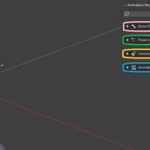
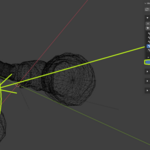
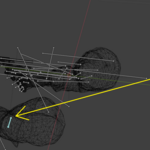
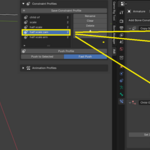
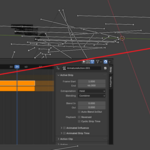
From top to bottom:
The Reset View button is like your home button: press it to release all selections and return to object mode. If you previously had bones hidden / focused these will be returned to view.
Bone Groups - You can quickly create bone groups with this module. Just as important, you can quickly select different groups of bones, including bones from different objects. With the Focus Group option turned on, all bones not part of the selected group are hidden – this feature allows you to instantly clean up a confusing scene view of your workspace. The Fast Select Group option allows you select groups just by clicking on them in the group list, which allows effortless switching (again, it will also switch instantly between objects that comprise bone groups).
Pose Library - This is essentially my alternative to the Blender pose library, much easier to use in my opinion (obviously). Use it by selecting the bones you want to pose in Pose Mode, and clicking Add Pose. Then for applying poses, there are some standard options: Push to Selected, which allows you to apply the pose only to selected bones; and Auto Keyframe. There is also a filter to apply poses only to position, rotation, or scale channels.
Constraint Profiles - I created this module from long experience of digging through lists of constraints continuously and turning them on/off repeatedly, wasting a significant amount of time. Simply set up any constraints the way you want them on any number of bones; when you are satisfied with a configuration, select all bones with the constraints you want and Save Constraint Profile. Then you can quickly apply the constraint profiles comprising an infinite number of bones; use Push to Selected to apply constraints only to selected bones; Fast Push to instantly apply profiles just by clicking on them from the list.
Animation Profiles - Similar to Constraint Profiles, this module allows you to save a specific configuration of exposed or hidden NLA tracks. This module is extremely useful for easily managing projects which contain many layered animations. To use, set up your NLA stack as desired (don't even need to select an object here). Then, select any amount of objects and click Save Animation Profile. Then deploy the profiles just as with the Constrain Profile.
Have questions about this product?
Login to message
| Dev Fund Contributor | |
| Published | 7 months ago |
| Blender Version | 4.0 - 4.4 |
| Extension Type | N/A |
| Render Engine Used | Cycles, Eevee |
| License | GPL |
