 RIGITOON STUDIOS


Overview
Animator’s Glove Suite is an interactive, native hand gesture modal operator for Blender. It allows animators, game developers, and VRChat avatar creators to quickly and intuitively create fluid hand gestures and complex animations directly in the 3D viewport.
key solutions for professional pipelines:
Blender Hand MOCAP Alternative: Go beyond standard motion capture by blending and puppeteering custom target poses using a visual node-based UI—all without needing specialized gloves or hardware.
AI Finger Tracking Blender Feature: Instantly capture, smooth, and apply hand and finger data derived from image-based AI pipelines directly onto your rig's keyframes—perfect for setting up custom VRChat asset gestures.
Blender Hand Pose Library Alternative: Instead of scrolling through text menus, quickly store, search, and visually blend your favorite hand shapes directly on the mesh in real-time.
Why You Need It
Intuitive Puppeteering: Move your mouse to blend character hands into custom gestures in real-time.
Streamlined Workflow: Stop struggling rotating bones and start animating with a node-based HUD.
-
Instant Feedback: View gesture labels and icons directly on your screen while you animate.
FULL TUTORIAL: https://youtu.be/BODvPUJb7pk
Core Features
🖐️ The Puppeteering Modal System
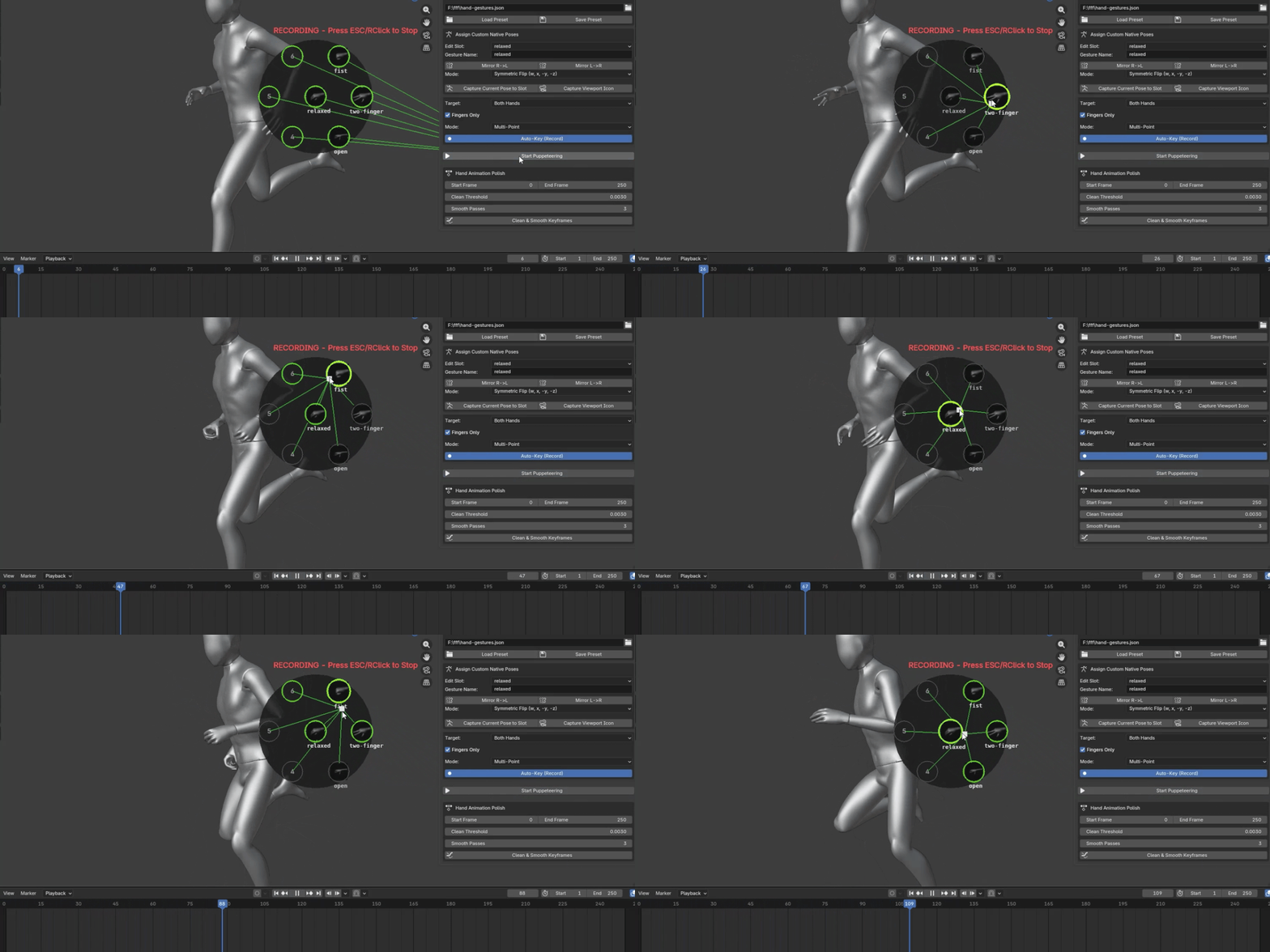
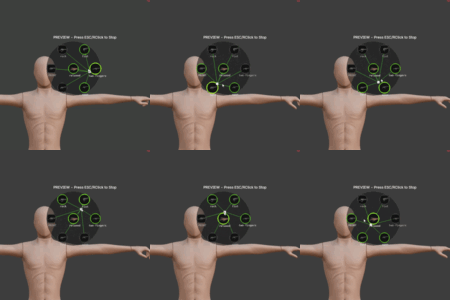
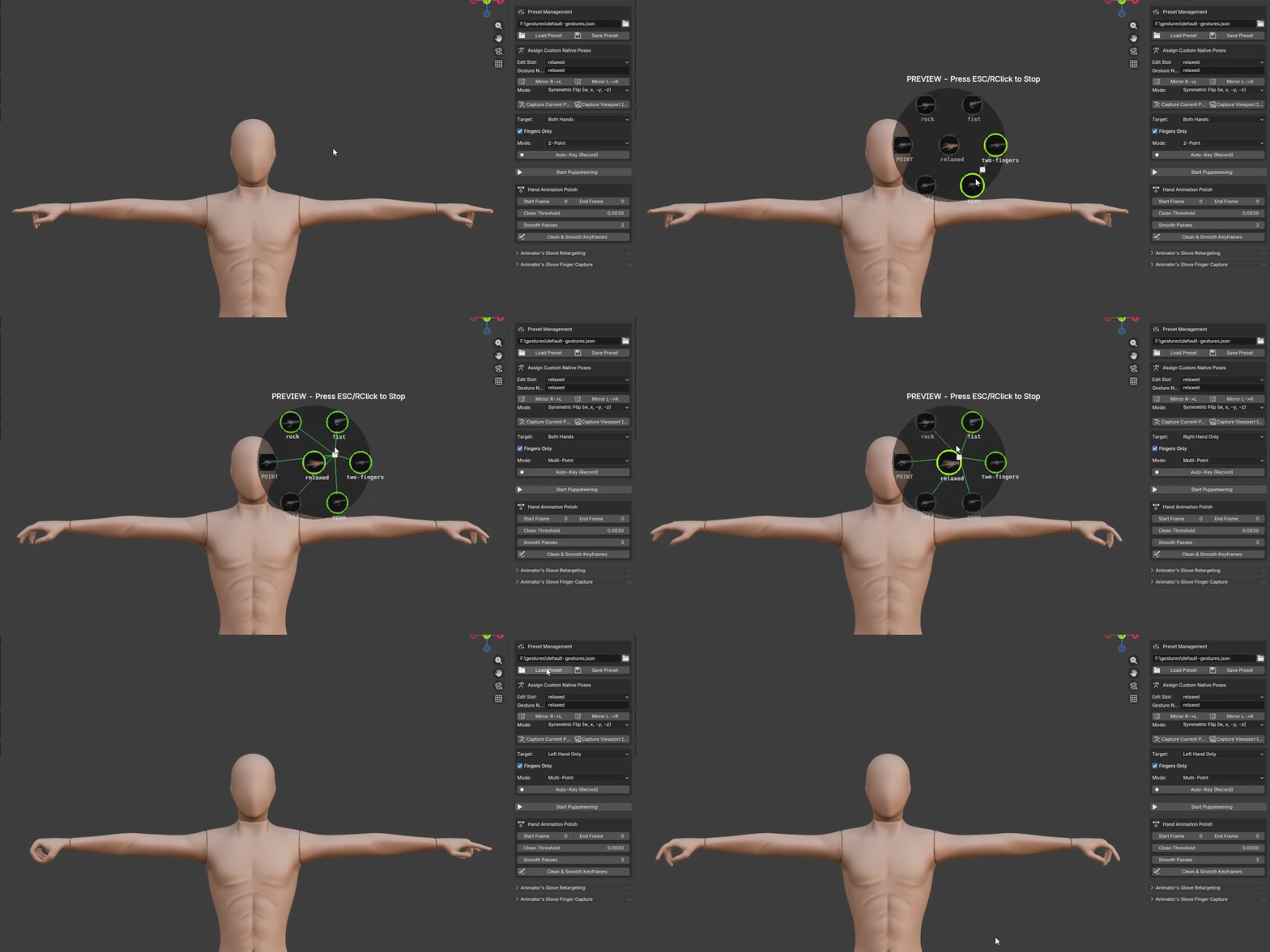
Dynamic Blending: Features a 7-node radial system (1 center, 6 outer) that intelligently blends poses based on cursor proximity.
Live Node Weights: Connecting lines provide visual feedback on pose influence—the closer your cursor, the stronger the effect.
Real-time Recording: Enable Auto-Key (Record) to drop keyframes automatically while you puppeteer, creating instant, fluid animation.
Capture Finger Poses : Automatically extract finger poses from images and apply them directly to your presets
🛠️ Preset & Pose Management
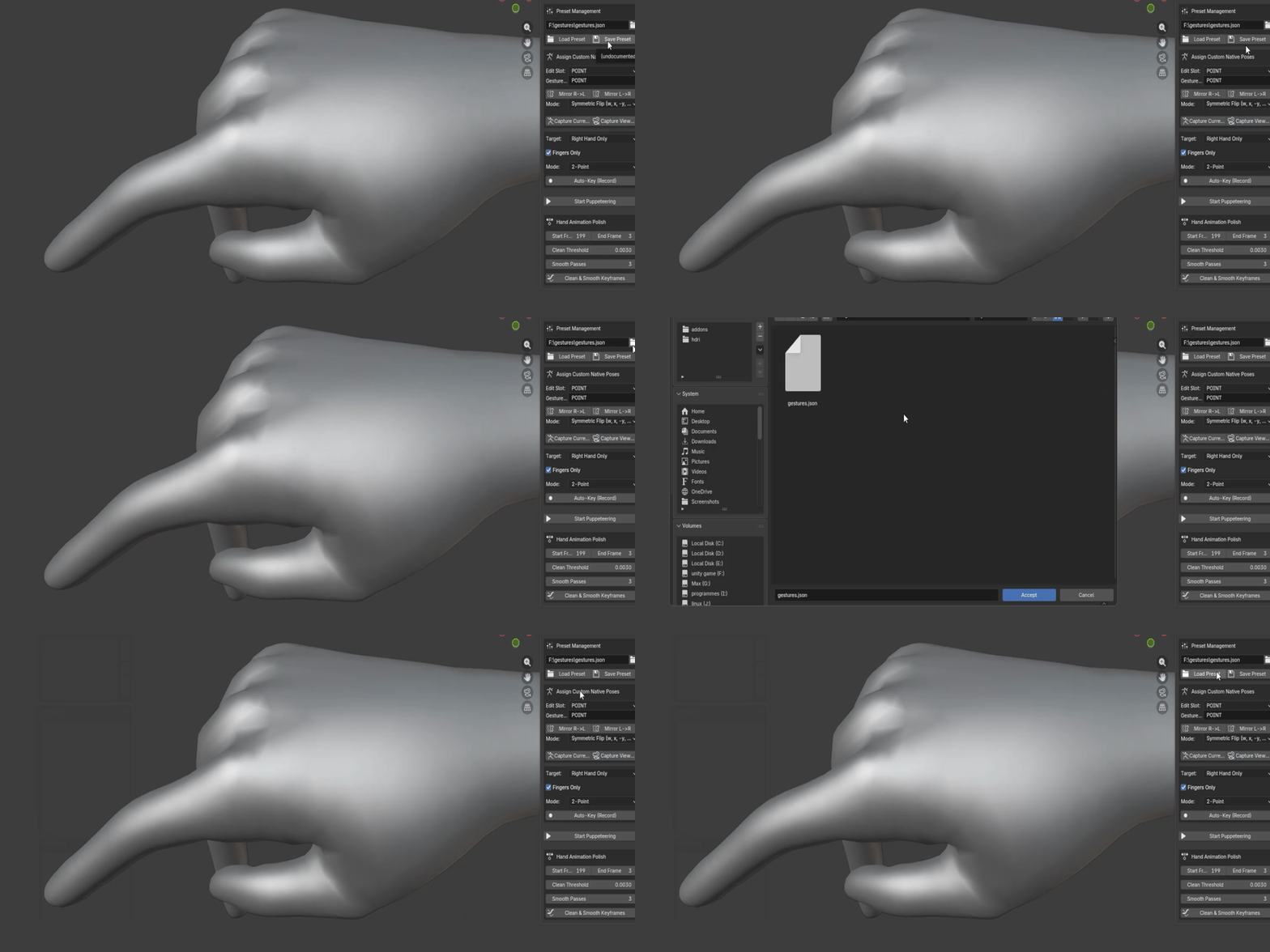
Custom Presets: Save and load your hand setups as
.jsonfiles for use across characters and scenes.Mirroring Tools: Symmetrically transfer poses (R ↔ L) with support for both parallel-axis rigging systems.
-
Capture System: Lock in rotation data from the viewport to a specific slot with one click..
✨ Advanced Animation Polish
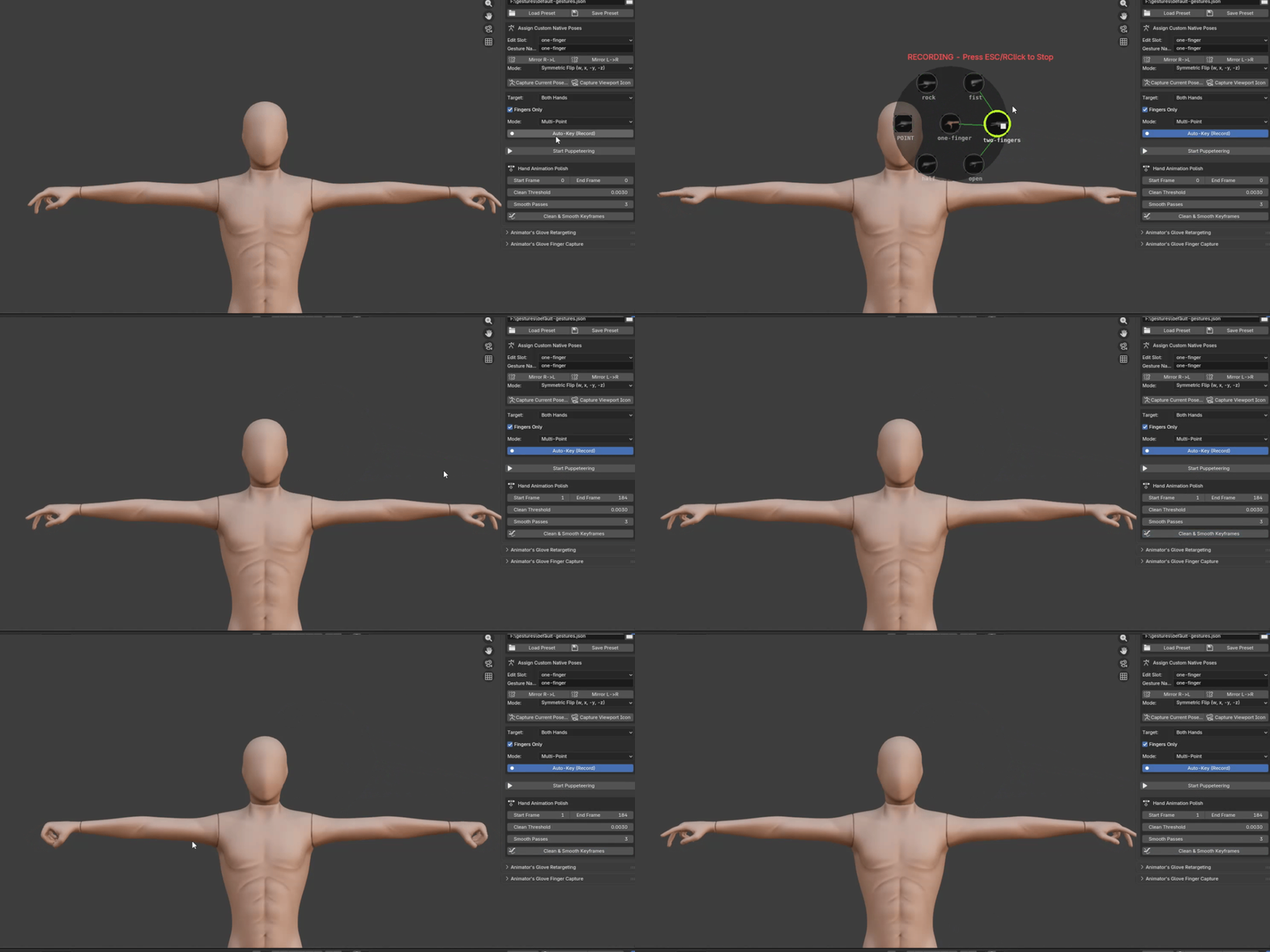
Keyframe Cleaning: Easily remove redundant keyframes with user-defined thresholds .
Auto-Smoothing: Run iterative smoothing passes to iron out jittery transitions without graph editing.
-
Targeted Control: Toggle "Fingers Only" mode to layer hand gestures without affecting other bones.
Quick Start Guide
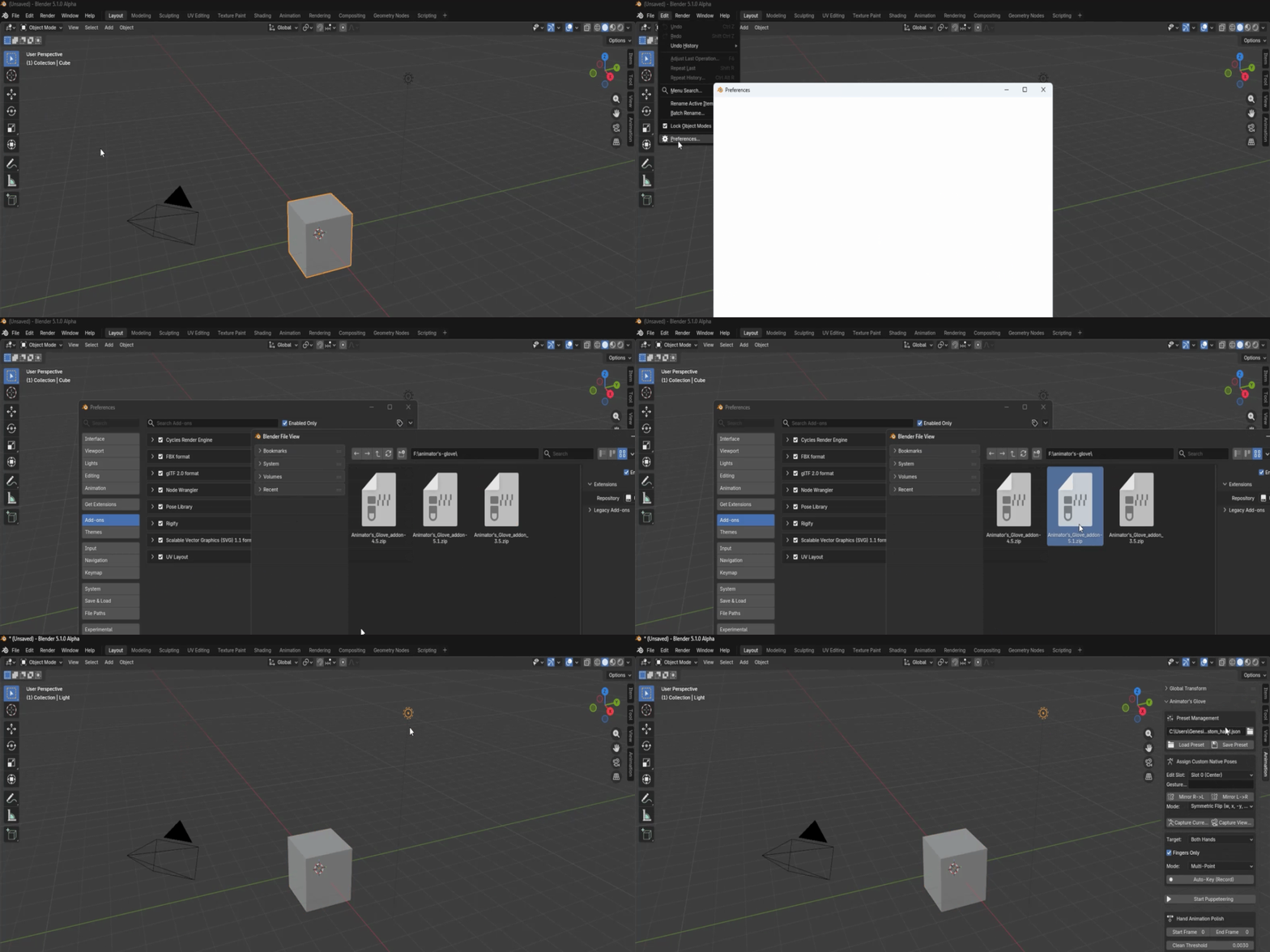
Install: Download the
.zipfile, navigate to Edit > Preferences > Add-ons, and click Install. Enable Animation: Animator's Glove.Setup: Select your character's Armature and enter Pose Mode.
Configure: Open the Animation tab in the N-panel. Load your hand presets or capture your own poses into the 7 available slots.
Puppeteer: Click Start Puppeteering. Glide your mouse to blend poses.
-
Confirm: Right-click or press ESC to lock in your gesture and exit the modal.
Extend Your Suite
Get more out of your workflow with the integrated add-on modules:
Animator's Glove Retargeting
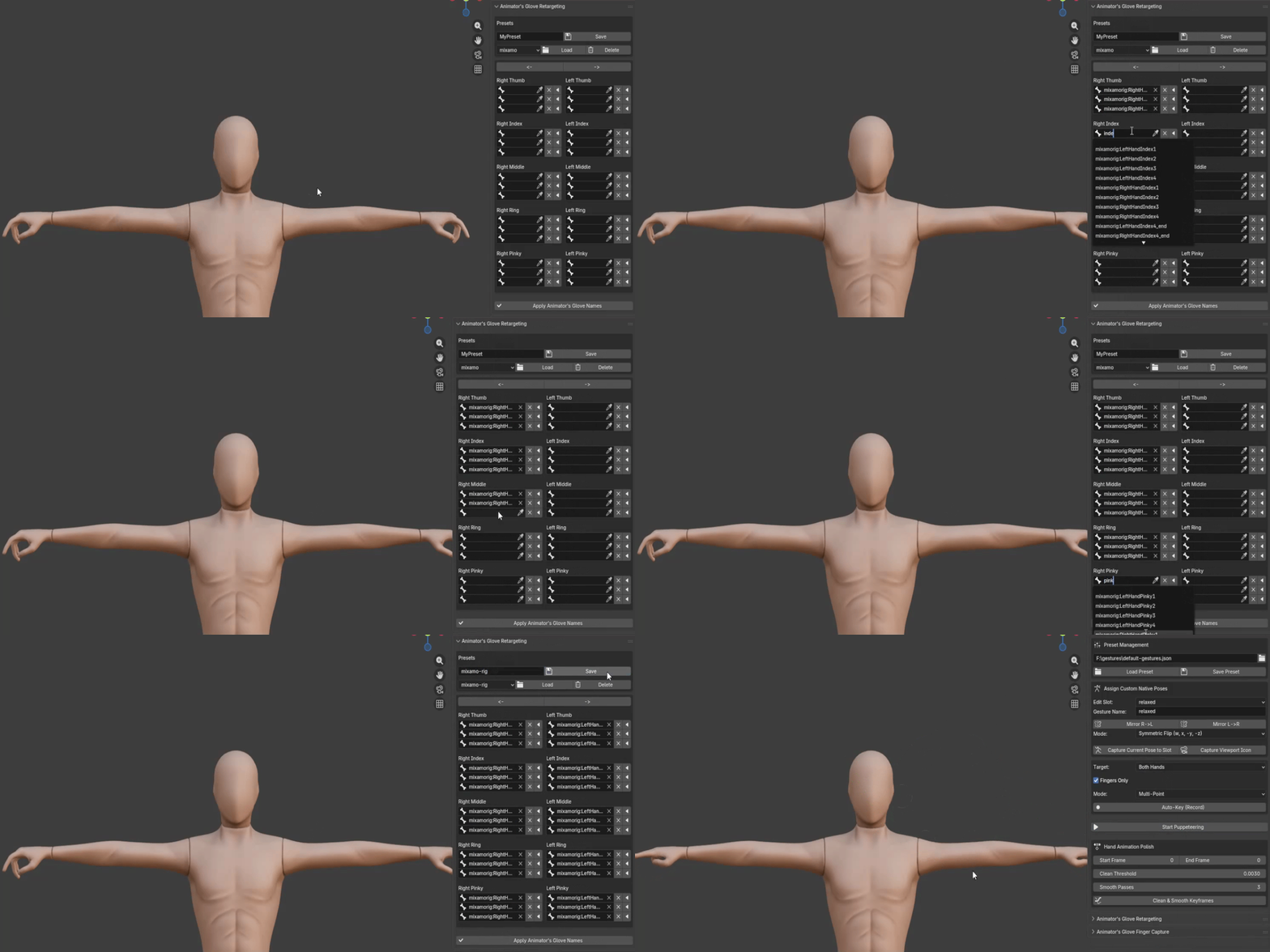
Animator's Glove Retargeting : Calibrate unique rig structures for seamless pose transfer.
Important note: Animator's Glove works by default with all standard rigs like Mixamo-Daz-Cascadeur etc , use Retargeting addon only on rigs with non standard bone namings
For more details about retargeting system check this : https://youtu.be/mQtE9lU80nQ
For more details about the addon check this : https://youtu.be/BwUMA7xGR4A
Finger Capture
Automatically extract finger poses from images and apply them directly to your presets.
Quick Start Guide
-
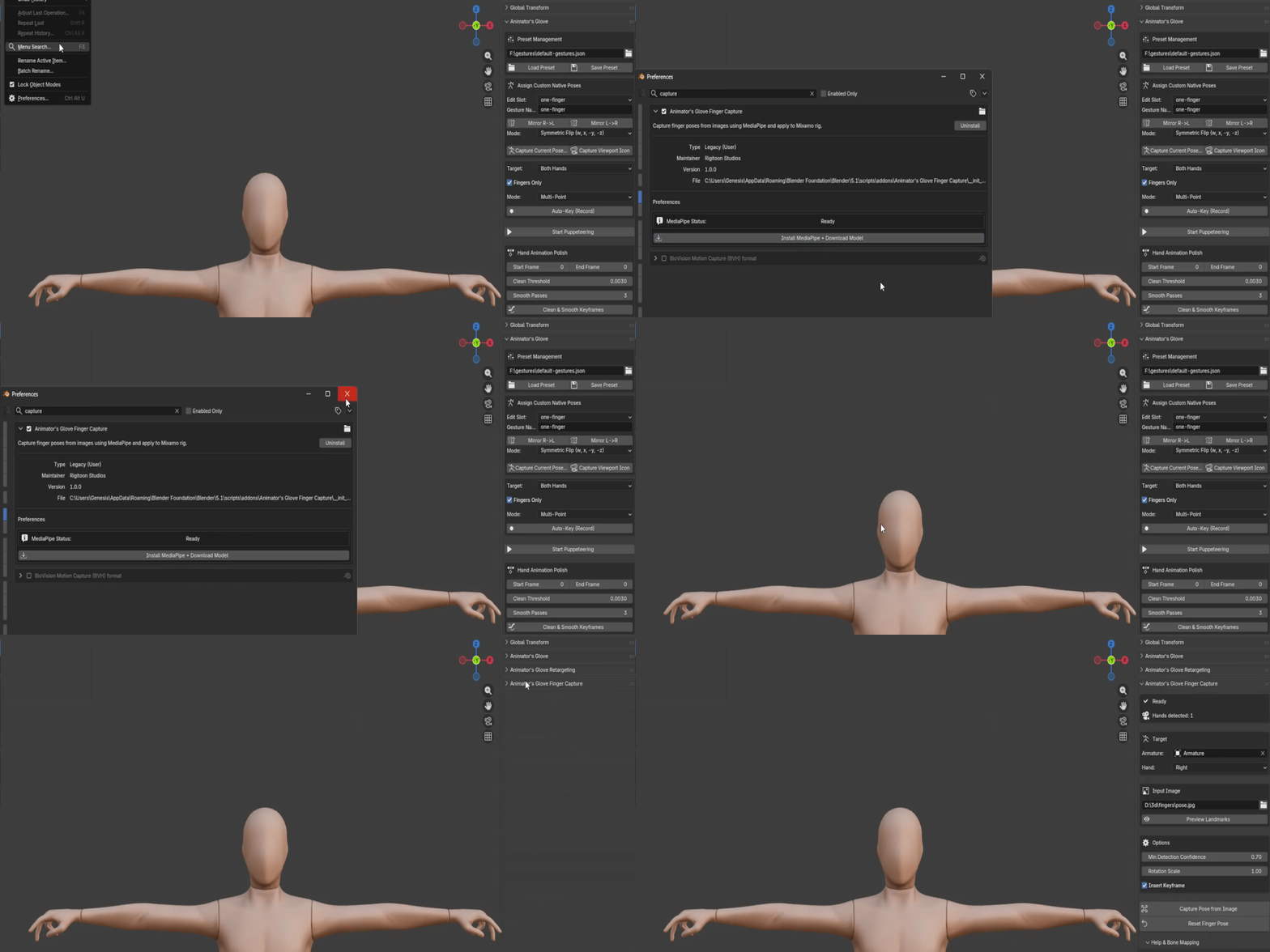
Install: Download the
.zipfile, navigate to Edit > Preferences > Add-ons, and click Install. Enable Animation: Animator's Glove Finger Capture. - Click install mediapipe+Download model
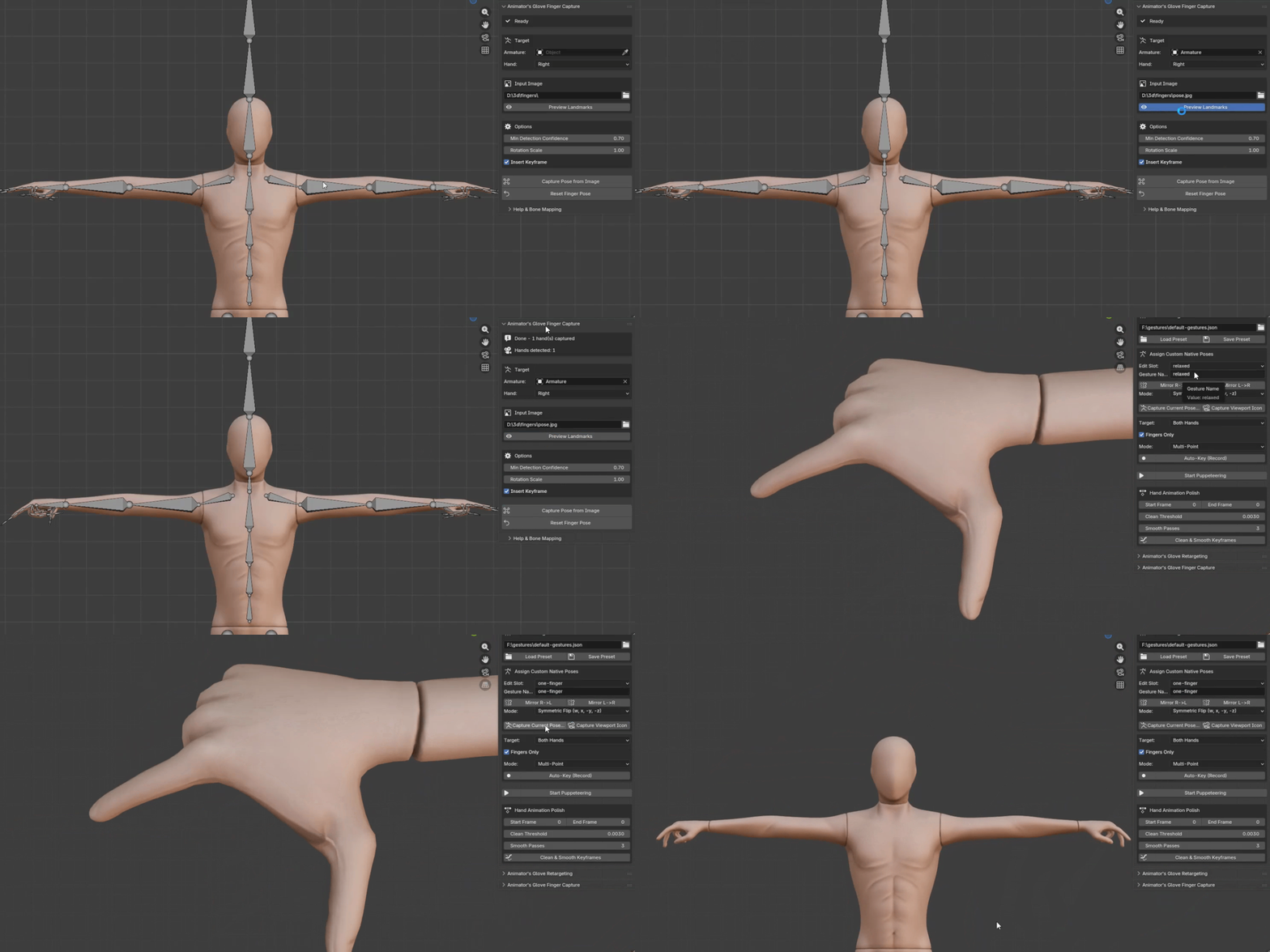
- Setup: Select your character's Armature and select Input image for the pose.
- Preview Landmark: An image with the finger pose detection will open .
- Min Detection Confidence: Lower the value to capture the pose if it didn't capture it with default value.
- capture pose from image : This will transfer the finger pose to the selected character hand
FULL TUTORIAL : https://youtu.be/uop17XMEBzk
Important Note : you will need a mixamo rig to use this feature then you can transfer the pose to a preset and use it with any rig system you want.