 DanilGOE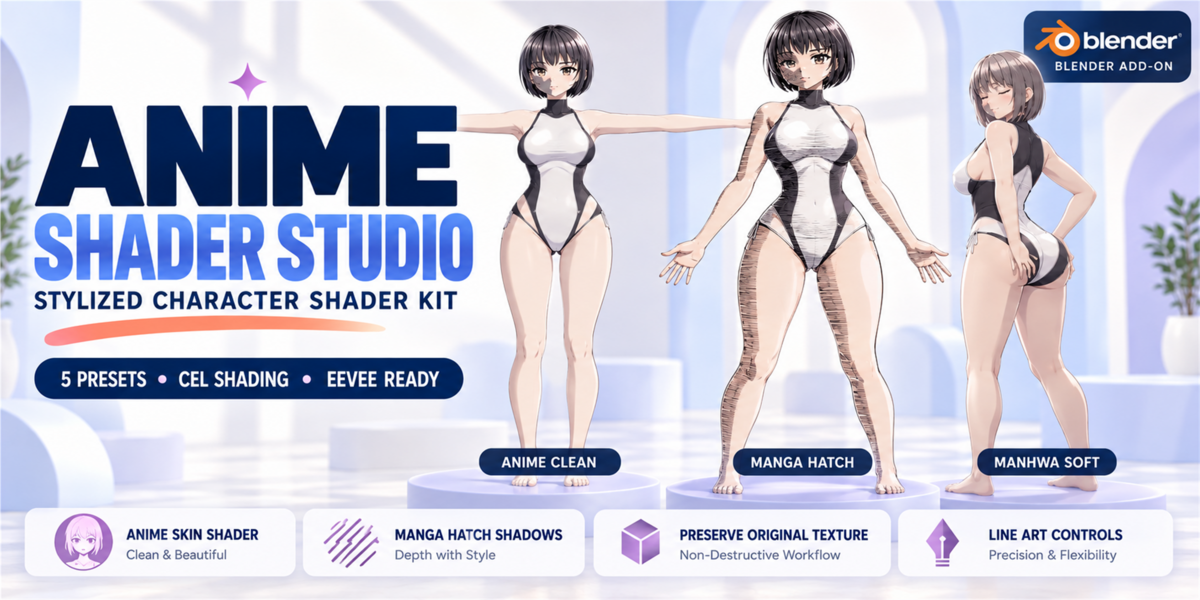


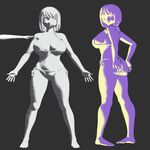
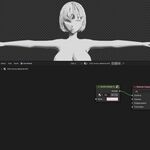
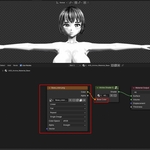
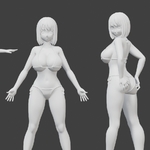
Anime Shader Studio is a stylized character shader toolkit for Blender 4.x, designed to help artists create anime, manga, visual novel, manhwa, and toon-style character renders directly inside Blender.
Instead of building complex shader node setups manually, Anime Shader Studio gives you a clean N-panel workflow with ready-to-use presets, cel shading controls, manga hatch shadows, shadow color adjustment, material edge controls, Freestyle line setup, and texture-preserving material workflow.
It is made for artists who want fast, attractive stylized renders for characters, game assets, marketplace previews, visual novels, animations, and promotional artwork.
The result: cleaner anime-style materials, faster look development, and more control over stylized character presentation.
★ Stylized Character Shader Workflow — Fast, Clean, and Artist-Friendly
With Anime Shader Studio, your most-used stylized shader controls are available in one Blender sidebar panel:
✔ Apply anime / manga shader presets in one click
✔ Create clean cel shading
✔ Add Unity TAM-style manga hatch shadows
✔ Control shadow depth, threshold, and softness
✔ Adjust custom shadow color
✔ Preserve original base color textures where possible
✔ Create black-and-white manga renders
✔ Build softer anime, VN, manhwa, or game-style looks
✔ Control material edge darkening
✔ Enable Freestyle render lines
✔ Apply the shader to active or selected objects
⚙️ Feature Overview
1 — Anime Skin Shader
Anime Shader Studio includes a clean stylized shader setup designed for character rendering.
✔ Smooth anime-style skin look
✔ Soft or sharp cel shading
✔ Adjustable shadow depth
✔ Adjustable shadow threshold
✔ Adjustable shadow softness
✔ Base color control
✔ Works well for character previews and promotional renders
2 — Cel Shading
Create toon-style lighting without manually building shader nodes.
✔ Cel Steps control
✔ Shadow Depth control
✔ Shadow Threshold control
✔ Shadow Softness control
✔ Eevee-ready workflow
✔ Great for anime, toon, VN, manhwa, and game-style renders
3 — Manga Hatch Shadows
The addon includes bundled TAM-style hatch textures for manga-inspired shading.
✔ Unity TAM hatch textures included
✔ Multiple hatch texture options
✔ Screen-space / Window hatch mode
✔ Hatch Scale control
✔ Hatch Strength control
✔ Texture Black Level control
✔ Texture White Level control
✔ Useful for manga ink, monochrome renders, and visual novel effects
4 — Shadow Color Control
Fine-tune the mood of your render with custom shadow color controls.
✔ Custom shadow color
✔ Shadow color strength control
✔ Warm anime shadows
✔ Cold grayscale shadows
✔ Soft manhwa-style shadows
✔ Dark manga ink shadows
5 — Preserve Original Texture
Anime Shader Studio is designed to work with existing character materials.
If your material already has a texture connected to the Principled BSDF Base Color input, the addon tries to preserve and reuse it inside the stylized shader setup.
✔ Non-destructive workflow
✔ Keeps original base color texture where possible
✔ Useful for existing characters
✔ Great for marketplace assets and preview renders
✔ Works with textured and non-textured materials
6 — Line Art Controls
Add extra stylized definition to your render.
✔ Material edge darkening
✔ Edge Strength control
✔ Edge Width control
✔ Freestyle render line setup
✔ Freestyle Thickness control
✔ Useful for manga, anime, toon, and stylized presentation
🔄 Typical Workflow
Step 1
Select your character or mesh object.
Step 2
Choose a preset: Anime Clean, Manga Ink, Genshin-like, VN Render, or Manhwa Soft.
Step 3
Click Apply Active or create a new Anime Shader material.
Step 4
Adjust shadow depth, threshold, softness, and shadow color.
Step 5
Choose a TAM hatch texture and tune hatch strength.
Step 6
Adjust monochrome amount and material edge controls.
Step 7
Enable Freestyle render lines if you want stronger final line art.
📋 Compatibility
Blender Version: 4.0 and above
Recommended Renderer: Eevee
Viewport: Material Preview recommended
OS: Windows, macOS, Linux
Dependencies: No external tools required
Interface: Blender 4.x N-panel workflow
🎯 Best For
- Anime character renders
- Manga-style character previews
- Visual novel characters
- Manhwa / webtoon-style renders
- Stylized game characters
- Marketplace preview renders
- Blender character asset presentation
- Toon shading experiments
- Fast look development
- Promotional artwork
-
$19.99
For 1 individual user. Includes all features and content.
-
$29.99
For 1 user working for a business or client. Includes all features and content.
-
$79.96
For up to 10 users in one studio or company. Includes all features and content.
Have questions about this product?
Login to message
Discover more products like this
toon shader manga hatch blender addon visual novel manga #Anime & Manga anime shader Manga shader manga girls anime manga character shader cel shader Anime Shader Studio