 Skava
Skava


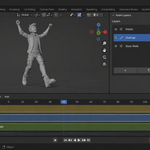
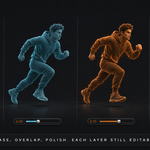
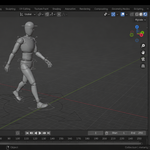
Download the zip and do not unpack it. In Blender open Edit > Preferences > Add-ons, click the drop-down arrow in the top-right corner and choose Install from Disk, then pick the zip. Tick the checkbox next to AnimLayer. Press N in the 3D Viewport and open the Anim Layers tab.
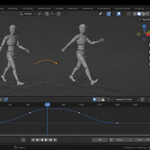
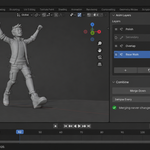
Select your rig or object with some animation, open the Anim Layers tab and press Start Layering: your current action becomes the bottom layer, unchanged. Press Add for an empty layer on top, pose and key as usual, and press Finish Editing when the pass is done. Each layer has a mode (Additive, Override or Combine), a weight from 0 to 1, and solo, mute and lock toggles.
You never calculate offsets: while editing a layer, the value you set is the value you see. The layer stores the difference from the layers beneath, so turning its weight down moves the pose smoothly back to the base.
Yes. Layers are standard NLA tracks and the weight is the strip's own influence curve, so the animation plays in Blender without the add-on installed. Existing NLA tracks show up in the layer list too; a track that holds several strips is listed but not managed as a layer.
Layer From Pose turns the pose change you just made into a new additive layer keyed at the current frame. Mirror Layer flips a pass left to right on a symmetric rig whose bones use the usual side suffixes (.L / .R, _L / _R). Copy To Rig puts the layer on another rig, matching bones by name and naming in the report anything the other rig does not have. Limit To Range and Fade In And Out confine a layer to part of the timeline without deleting keys. Merge Down and Flatten All bake layers together. An Override layer is not merged down, because it hides the layers beneath it channel by channel and no single action reproduces the pair exactly; flatten the stack instead, or set the layer to Additive.
It works on the animation stored on the object itself: armature bones and the transforms of any object, camera or light. Animation stored on object data, such as shape keys or a light's energy, is not part of the layer stack.
No. The add-on contains no network code; everything runs locally. It is pure Python with no compiled binaries.
Blender 4.2 LTS and later. The documentation lists tests on Blender 5.2.
Yes. The add-on is licensed under the GNU GPL v3; the full text is in LICENSE.txt inside the zip. The license covers the add-on code; what you create with it is yours.
Have questions about this product?
Login to message
| Published | about 2 months ago |
| Blender Version | 4.2 - 5.2 |
| Extension Type | N/A |
| Render Engine Used | Arnold, Blender-Internal, Blender-Game-Engine, Cycles, Eevee, Freestyle, Luxrender, Mental-Ray, Octane, Vray, Yafaray |
| License | GPL |
Discover more products like this
animation layers non-destructive character animation animation polish pass layers Additive mocap overlap NLA keyframe Workflow