 Tal Hershko


Animtoolbox is an addon with a set of tools and workflows for animation such as
Temp Controls, Editable motion path, Retime markers, Copy Paste Matrices, Temp Pivot and more.
A complete new documentation (with ongoing updates) is now available
Support is available also at Animtoolbox Discord channel
Recently updated to version 0.3.5 available also via the auto updater in the addon preferences.
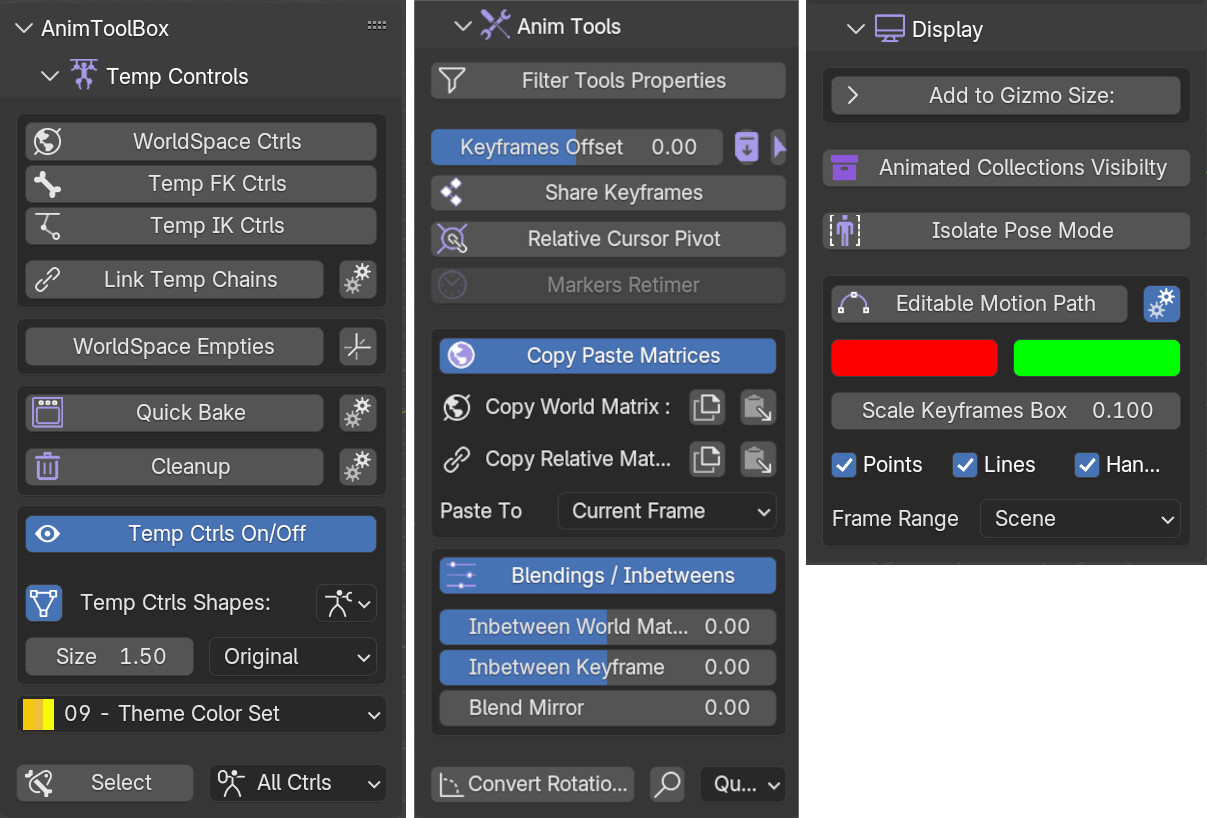
AnimToolbox features three categories: Temp Controls, Anim Tools, and Display Tools.
New UI available in the viewport using hotkey U. Can select category, use ctrl for extra operator options, or right click for operator settings.

Temp Ctrls Templates
Rig and Retarget in one click! Temp ctrls can be now used as a complete modular rigging system.
It is now possible to save and load Temp Ctrl setups. There are also built in templates for armatures such as Mixamo, Unreal, HumanIK and more.

New Aim Manipulators Available from the toolbar

EDITABLE MOTION PATH 
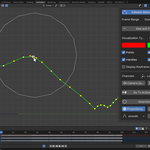
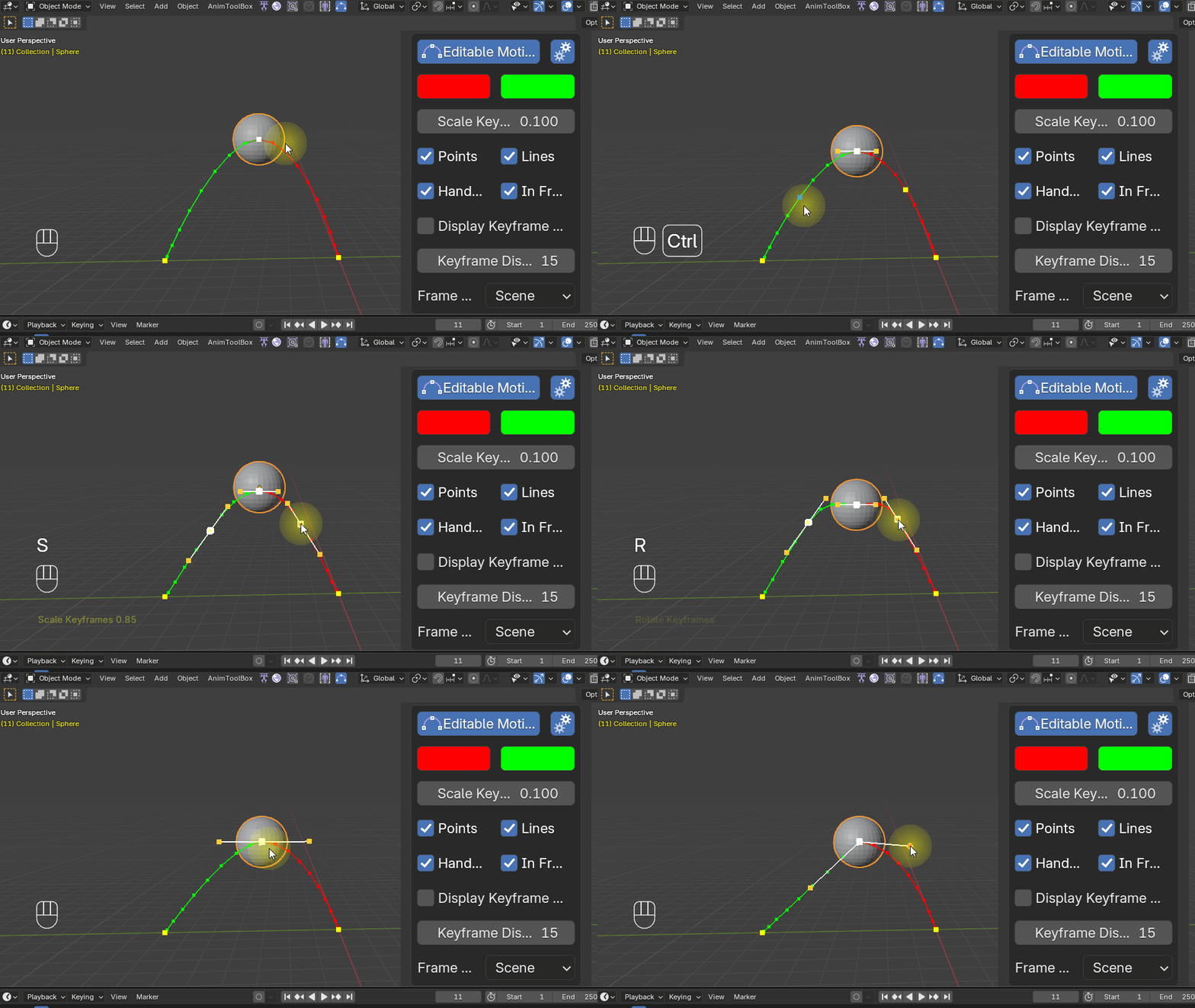
Edit animation curves directly in the viewport. move the keyframes or their Bezier handles. It's also possible to add and remove keyframes to the path. It's available from the Display Tools or the Quick Menu on the top bar.
New features - Proportional Editing, Smooth Brush, Selection brush and motion path for Rotation channels.

New Visualization Types such as velocity (to check spacing).

Editable motion path in Camera space and with a Cursor offset.

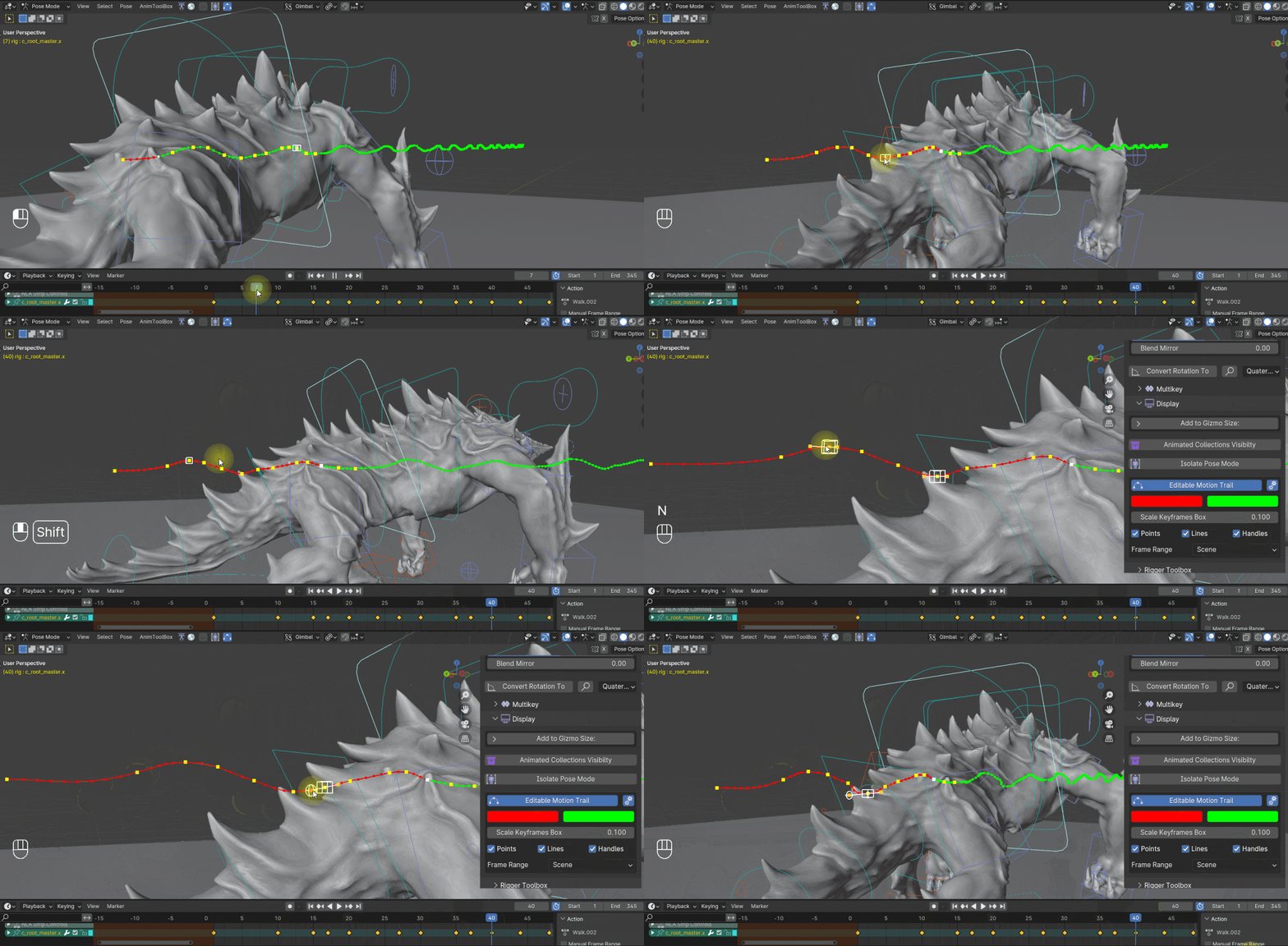
Available motion path hotkeys, are similar to Blender's hotkeys.
TEMP CONTROLS 
A modular rigging system designed for animators, Temp Controls allows you to create different chain setups and link or unlink them together. The animation is always baked back into the Temp Controls and eventually into the original rig or armature, with or without smartbake, which keeps original keyframe positions and recalculates the keyframe handles.
Each control can also have an extra child bone for extra control, or Root when using a different space then world space.
There are two types of World Space Controls 
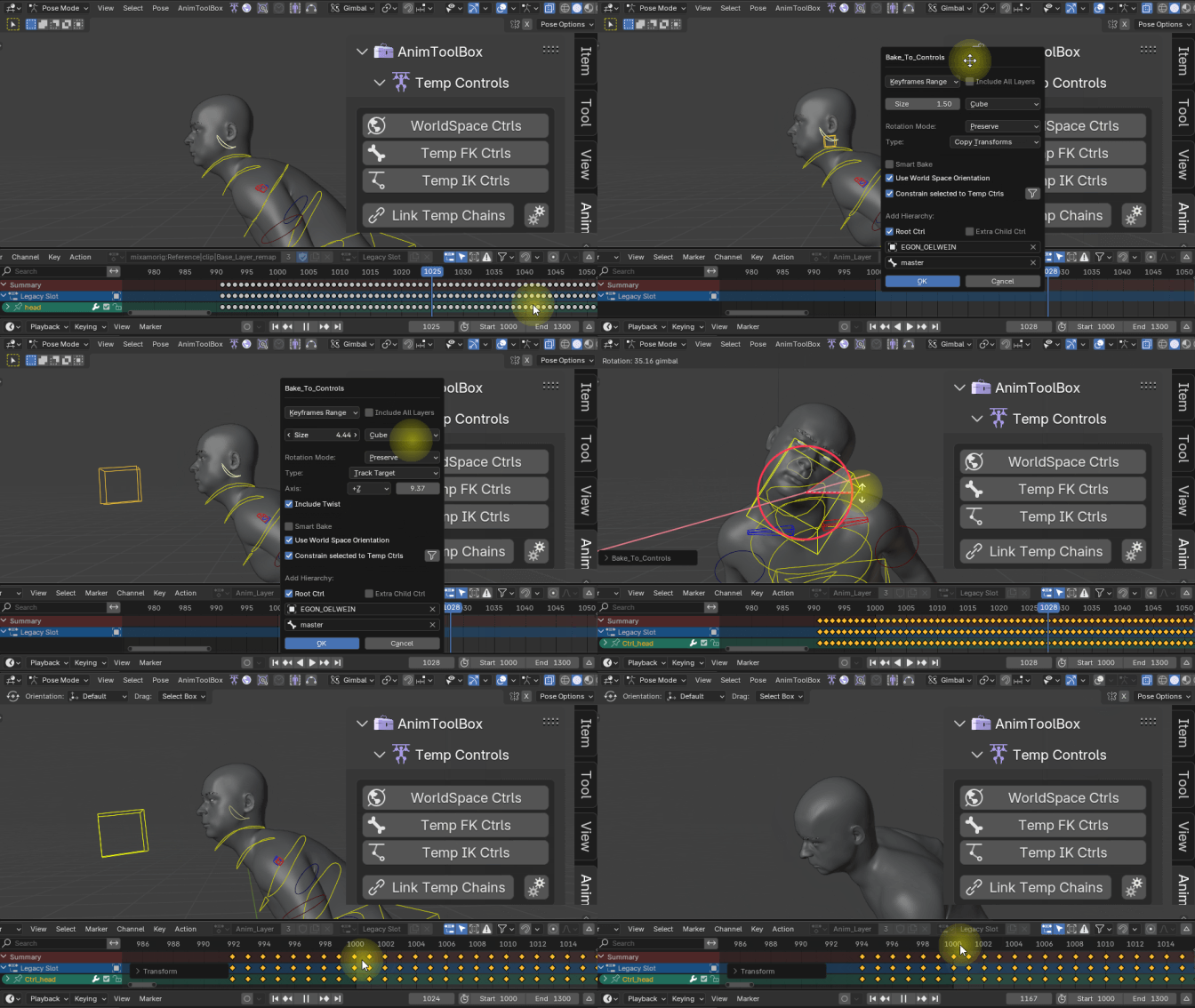
Track Target Ctrls
Creates a target ctrl in world space. It includes Axis, Offset and also Twist options. Twist is controlled using the Temp Control rotation on the twist axis.
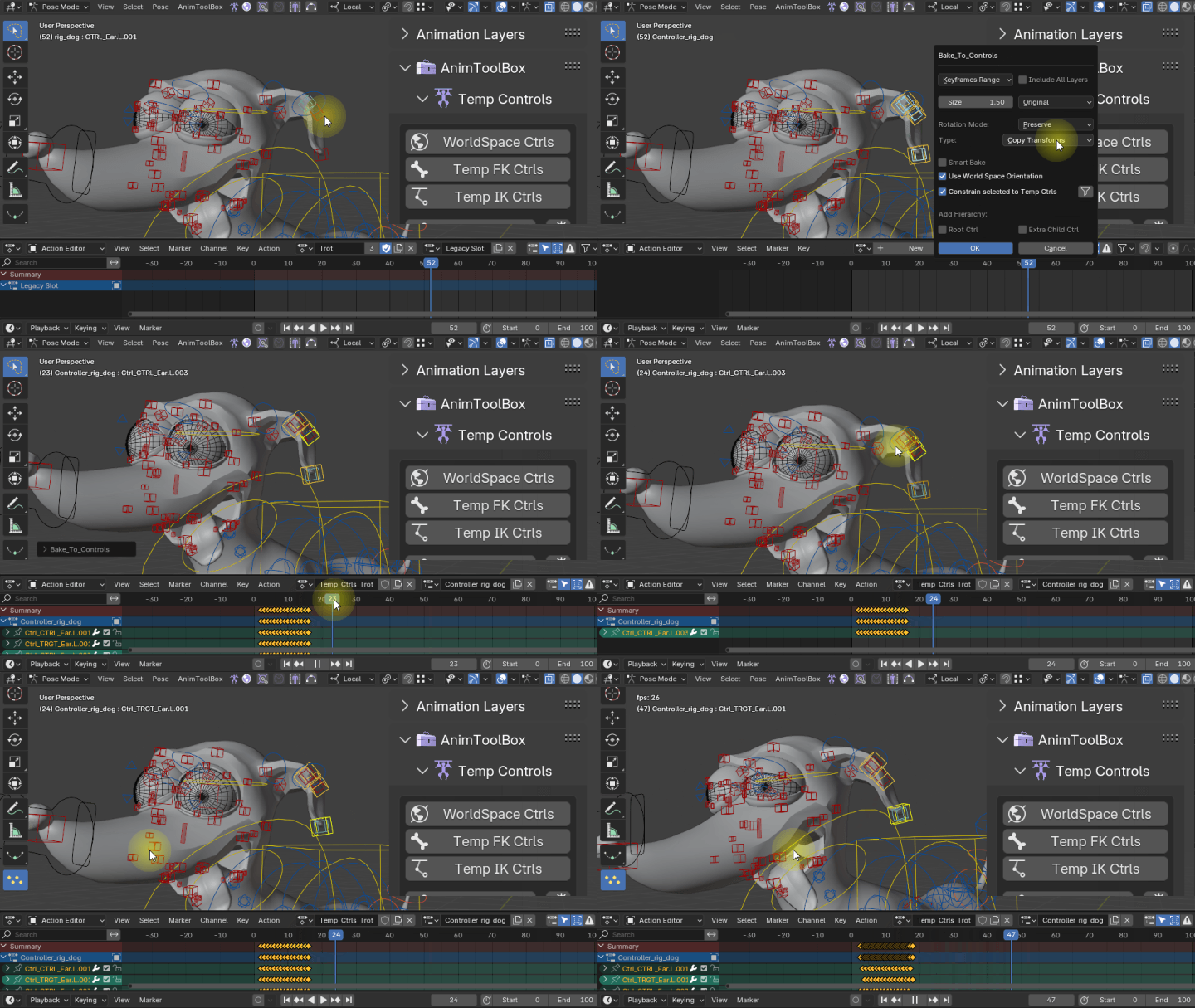
The following example shows how to use it to create a quick delay on the head.
Copy Transform Ctrls
Is the standard basic control copying all the transformations in world space.
The following example show how to use it for overlap motion on the ears.
WorldSpace Cursor Pivot Ctrl
Being Linked to Temp IK, and used as a secondary control and pivot for the IK Ctrl.

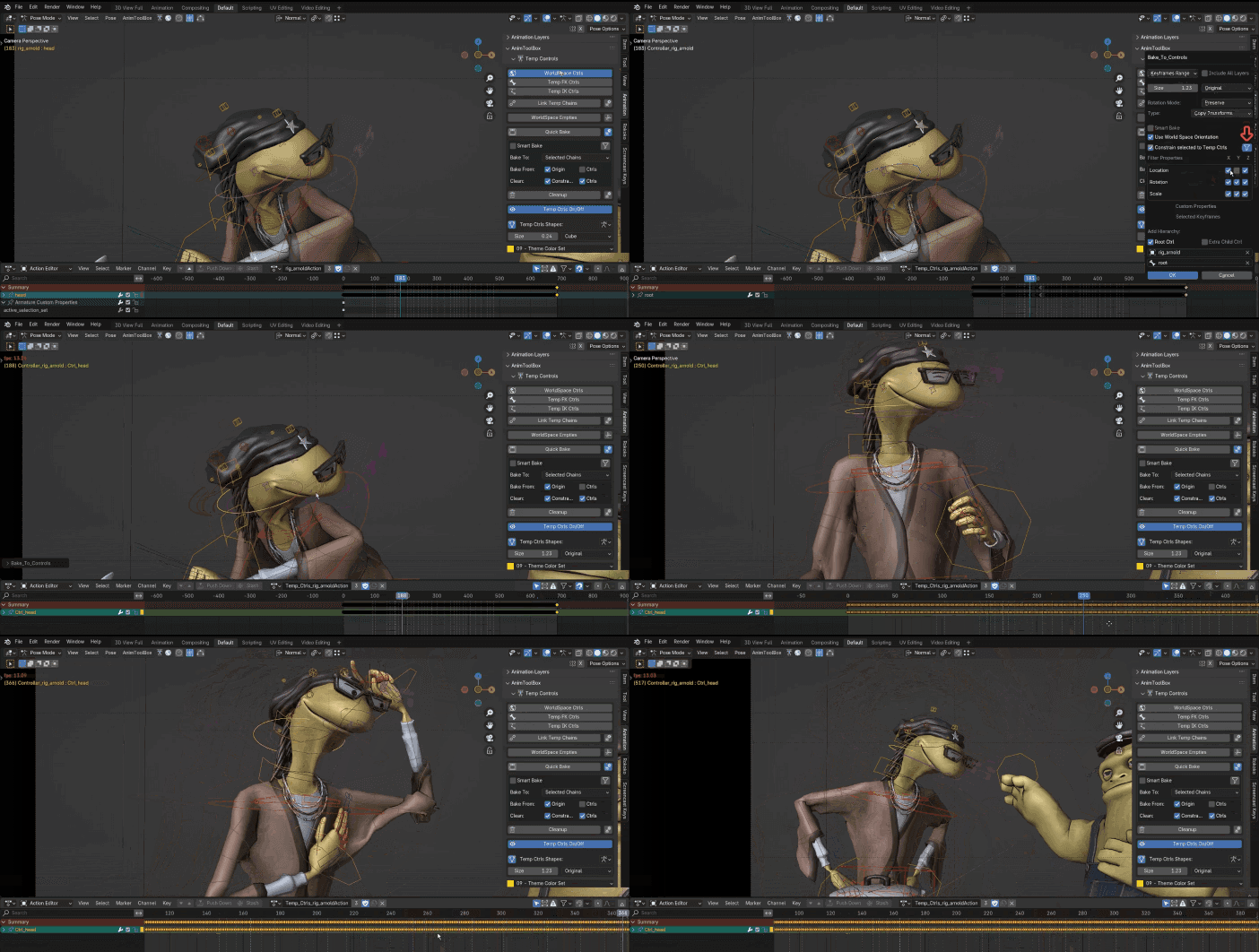
Pivots can be adjusted on any world space control, also after it was created using Adjust WS Pivots.

Filter  specific axes to control and delay only the up and down movement
Temp IK 
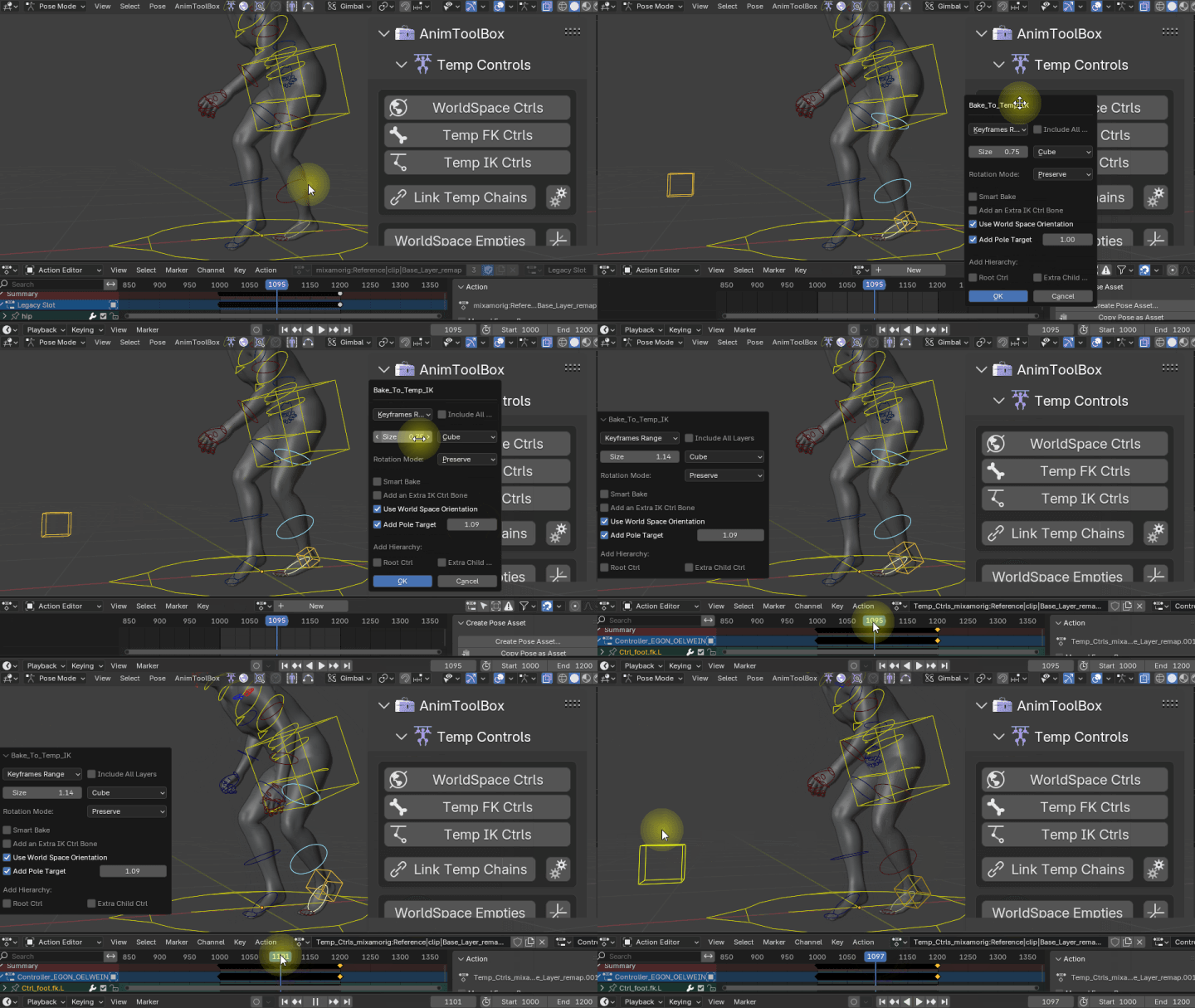
Creates a quick temporary IK from the selected FK controls. It's now possible to give an offset to the pole target ctrl.
Temp FK
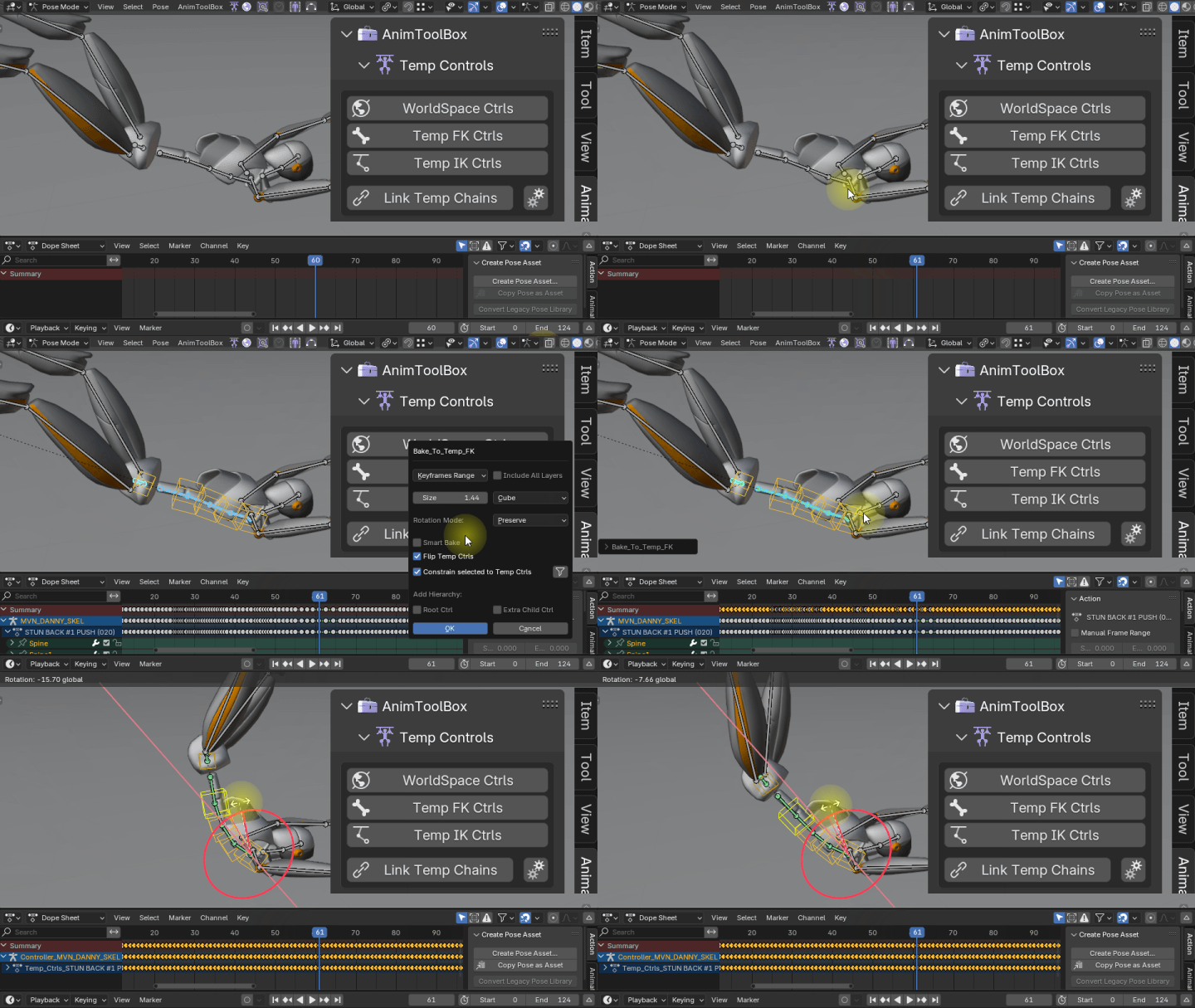
Creates FK chain based on a selection order. When selecting in a reversed order, the option to flip the bones will be turned on automatically.
Spline IK Temp Ctrls

Link Temp Chains
Link different chains to each other or unlink them. This eventually turns Temp Ctrls into a modular system.
The following Tutorial goes over the different controls and how to link them in more detail. It shows two different setups used to edit the legs of a motion capture.
Bake Temp Ctrls
bakes to the original rig, and removes all Temp Ctrls or only selected chains. can now use different frame ranges
Scene range, custom range and keyframe range which also works with smartbake.
It is also possible to include all layers in the smart bake. This is especially useful when baking into a new animation layer.
Cleanup
If you are not happy from the results you can always quickly remove temporary rig setup. Choose All to remove all rig setups, or selected to remove only selected chain, or relative to remove the rig setup realted to current selection.
Temp Ctrls Switch
Enable or disable the Temp Ctrls influence on the original rig.
Temp Ctrls Shapes
You can always change the shape and size of your Temp Ctrls. Also after they were created.
World Space Empties
Similar to world space controls but bakes animation into empties instead of a control rig.
Retime Markers 
Retime mocap or animation using Blender's native markers.
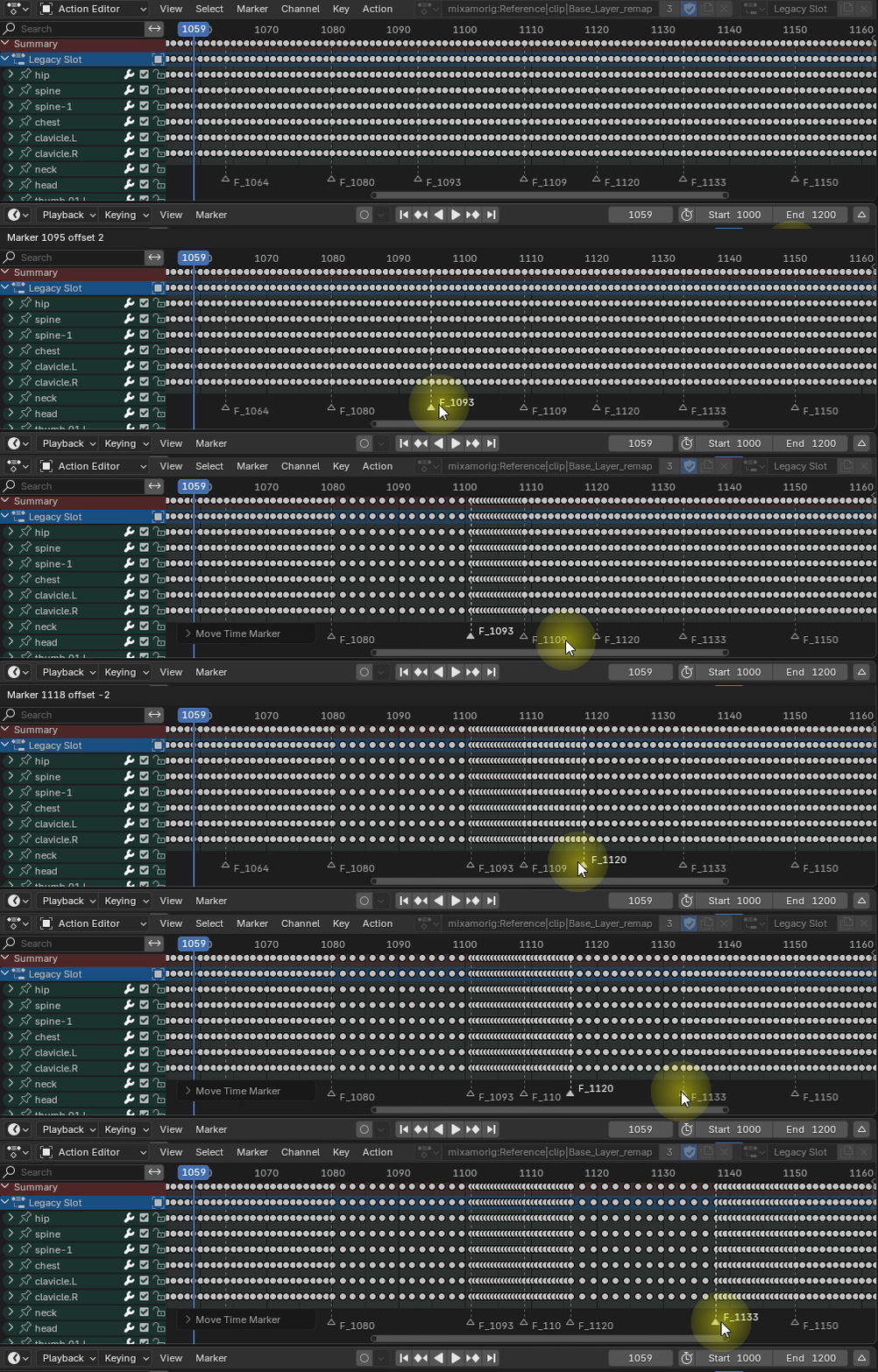
It is now working also with multiple objects, bones and layers/nla strips.
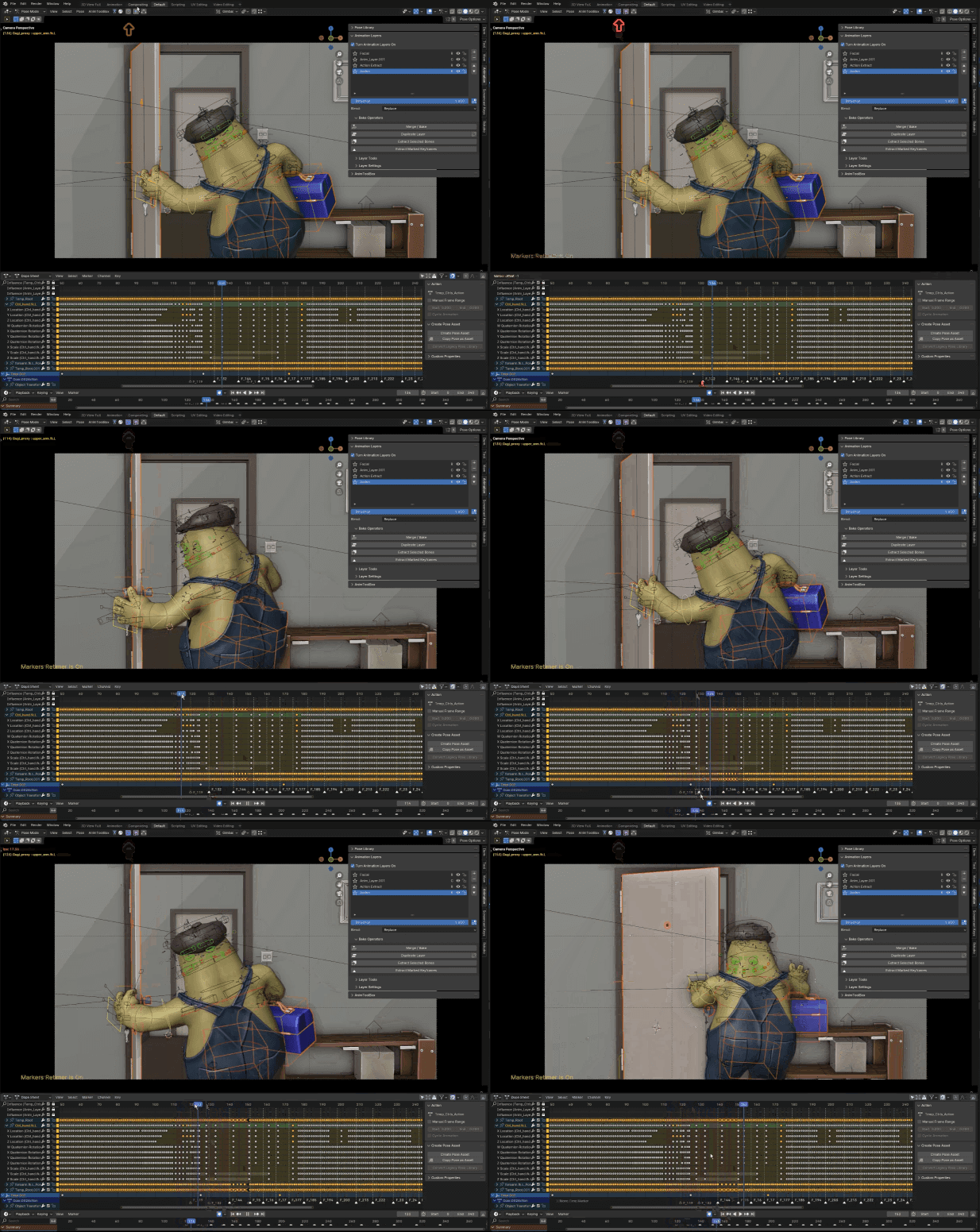
Relative Cursor Pivot 
The 3D cursor is moving relative to the selection, and is being utilized as a Temporary Pivot Point.
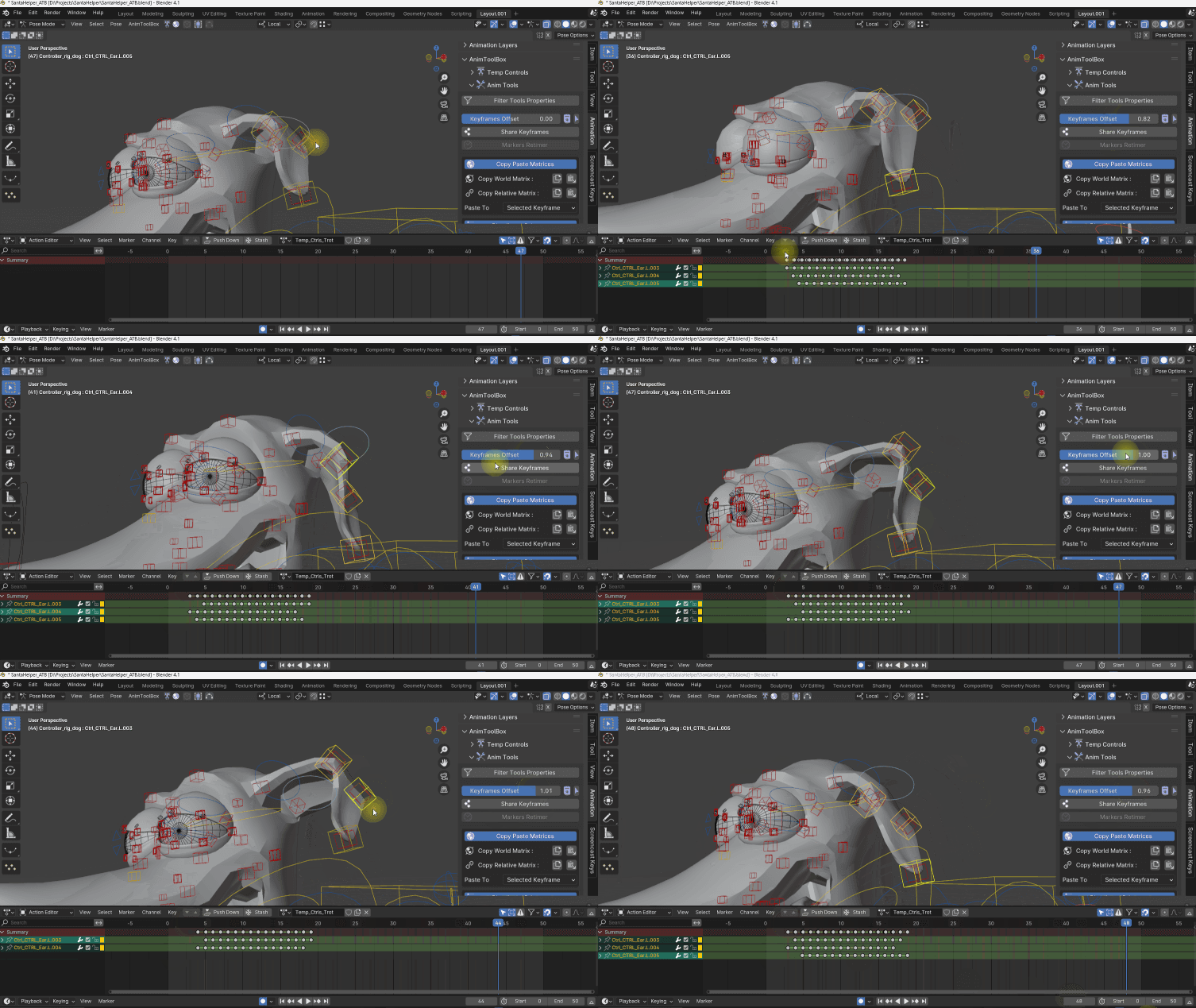
Keyframes Offset 
Offsets all the keyframes of the selected bones or objects. very useful together with World Space Ctrls. It is now using an interactive slider for a non-destructive workflow. available also from the toolbar.
Different offsets based on different selection orders.
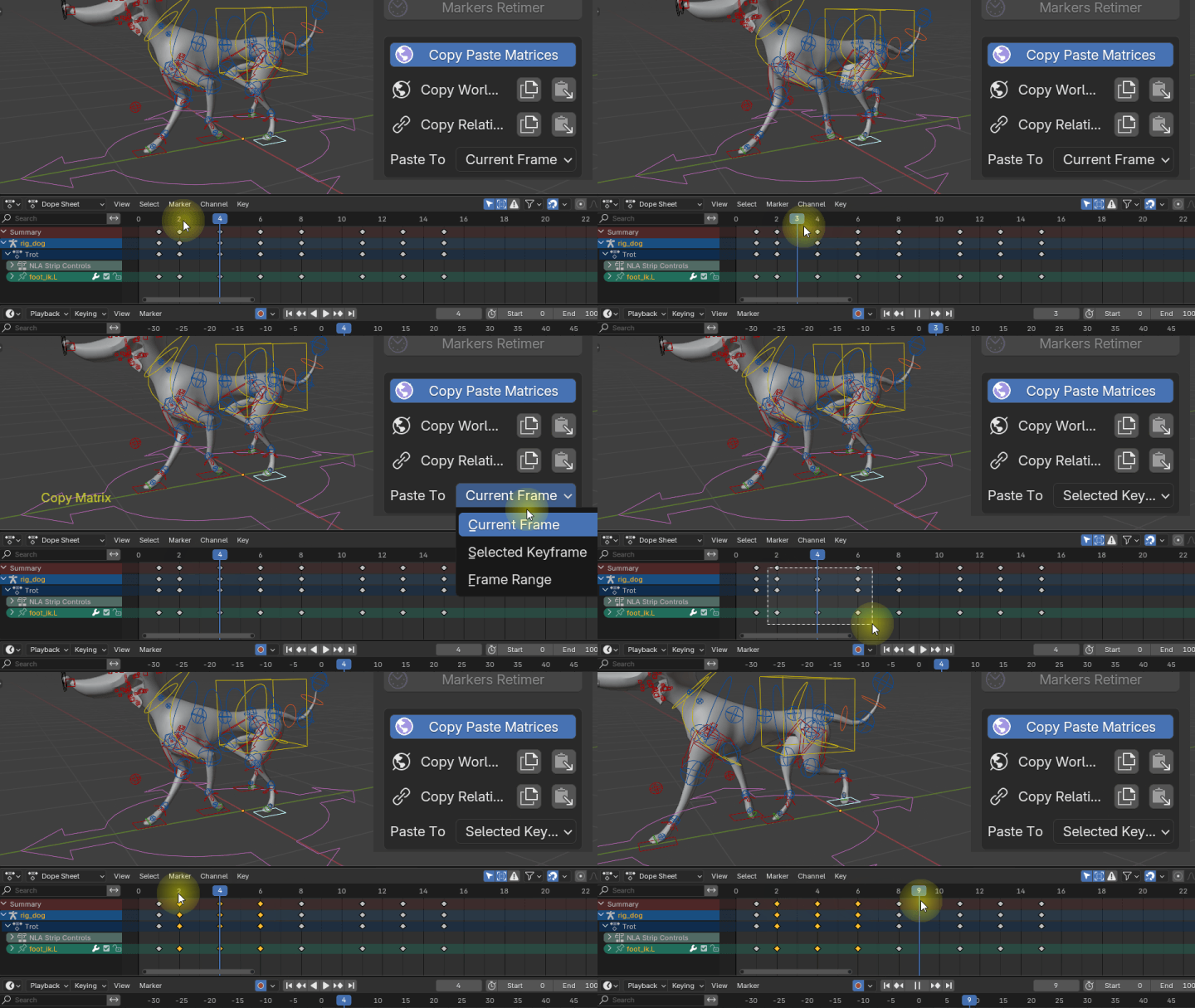
Copy World Matrix
Copy the world matrix of an object or a bone. It recalculates also child of constraints, so it will always go back to the same position in world space. Examples for Useful cases:
- Fix sliding legs for cyclic animation that move with a root bone
- When switching between different setups, and things start to jump around like child of constraints.
- align object with bones
Copy Relative Matrix
Works only with two multiple selected bones or objects. Copy the distance between the selected object or bone to the active object/bone.
Copy Relative Matrix works also between objects and bones, you can use it instead of dealing with constraints, to attach an object at specific frames.
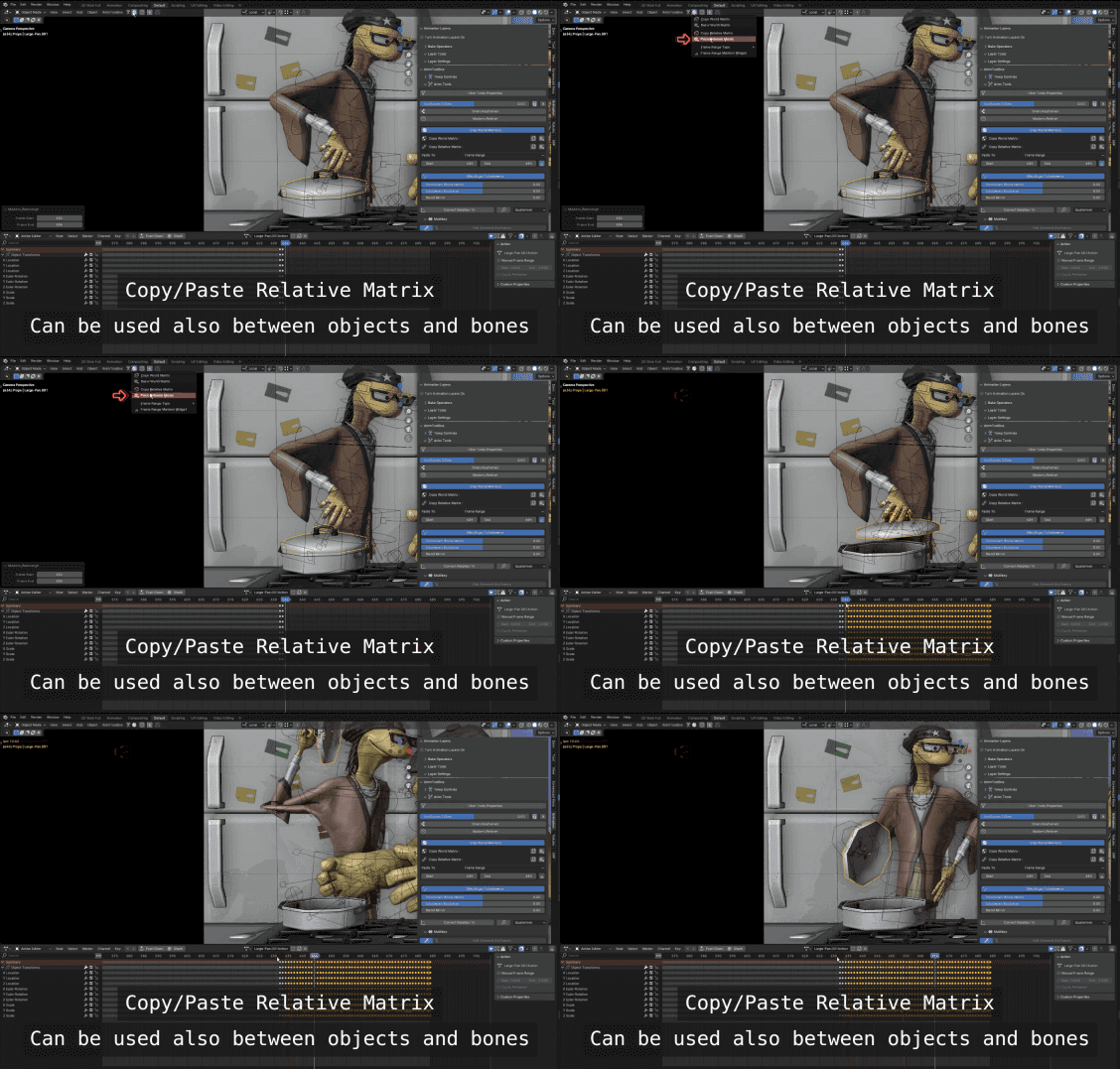
Paste Matrix - Pastes the matrix that was copied to the selected bone. It is possible to paste to the current frame, selected keyframes or a frame range. When using frame range it is possible to define the frame range easly with the markers widget.

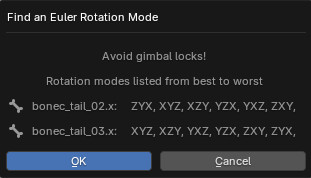
Convert Rotation Order
Converts the rotation order to a new rotation order, while keeping the animation as is. It includes also a recommender for rotation orders to avoid gimbal locks issues.
Sharekeys
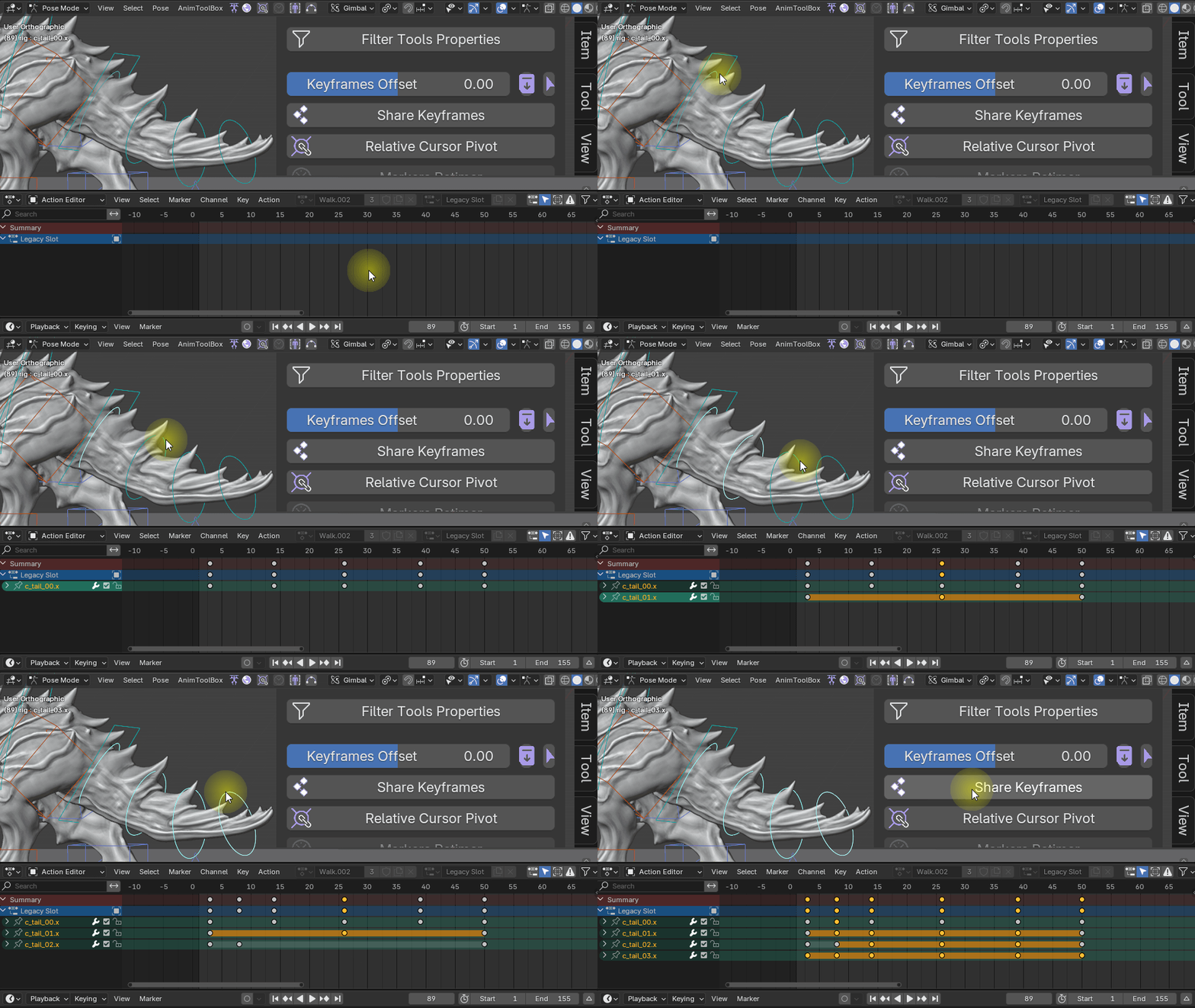
select multiple bones or objects, with keyframes on different frames in the timeline. press Sharekeys and keyframes will be added to all controls across the timeline, so now they share the same amount of keyframes at the same frames. This also can be usefull during blocking phase.
Isolate Pose Mode
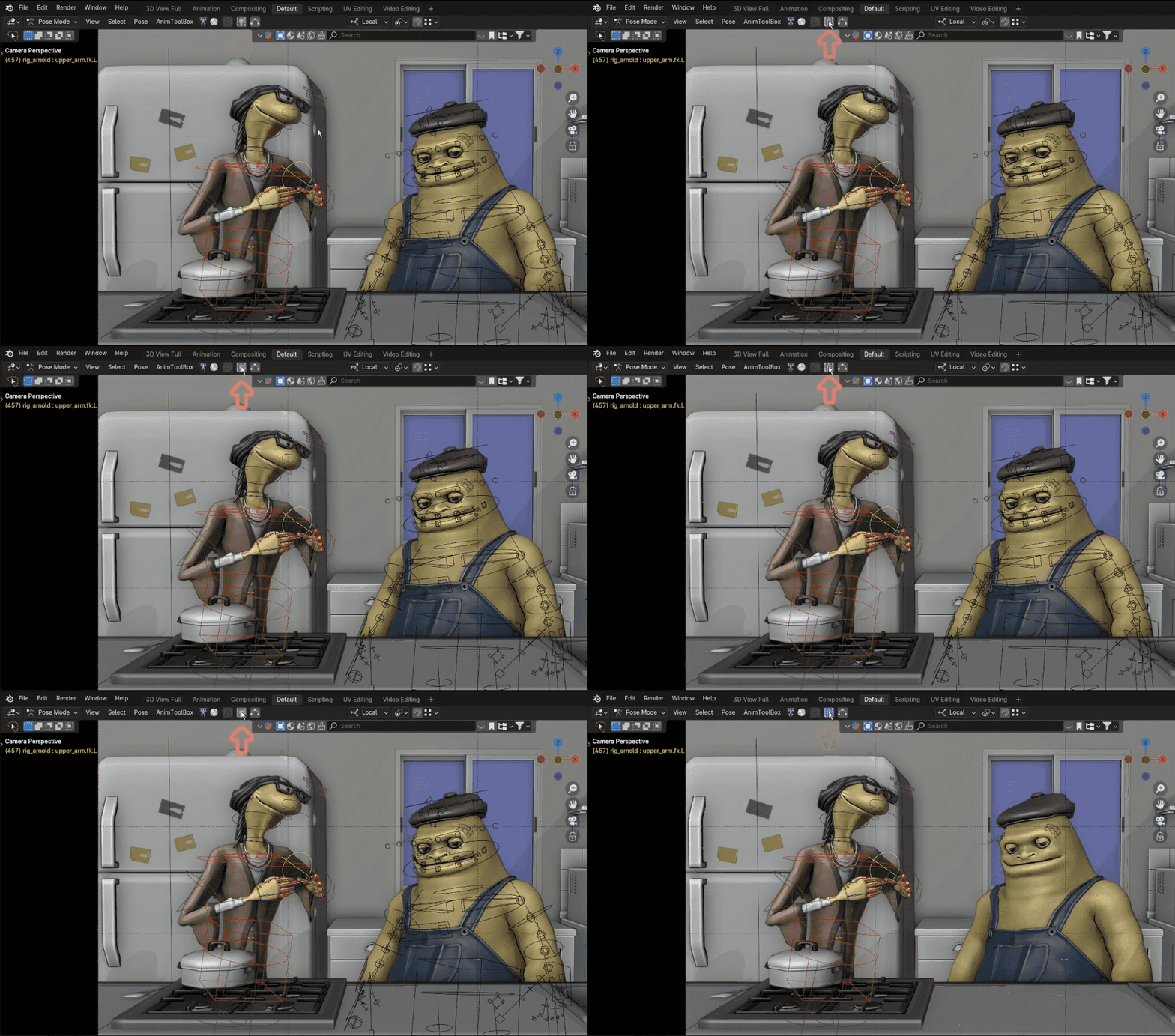
Isolated the Armature when going into posemode from other Armatures.
Hover Visible Bones
show only the ctrls where the mouse is currently hovering over.

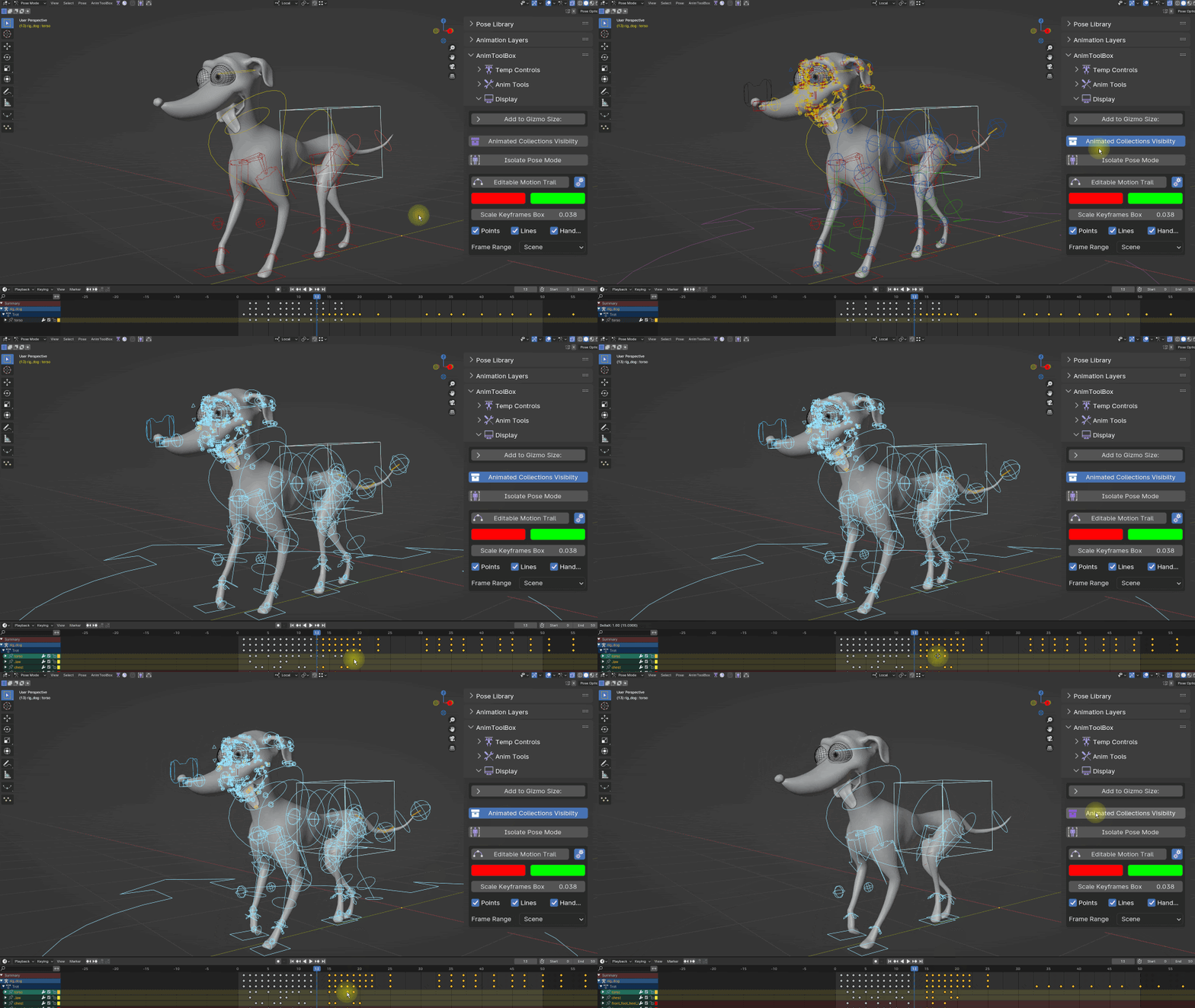
Animated Collection Visibility
Turns on and off all the collections with animated bones inside.
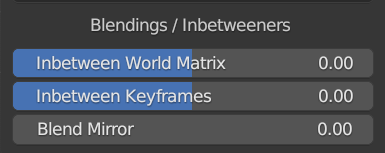
Blendings
Blend To Mirror
a slider for mirroring poses. Instead of using Blender's mirror pose, you can use this slider for mirroring but without having a complete symmetry.
Inbetween Keyframe - Based on Anim Layer's inbetweener. Adds a keyframe with an inbetween value, between two keyframes. Can work also within anim layers or nla tracks.
Inbetween World Matrix - This is similar to copy/paste world matrix but works as an in-betweener. Value of one is the the world matrix position of the next keyframe. Value of minus one is the world matrix position of the previous position. Entering a value over the limits will push the pose.
Frame range Marker widgets - adjusts the scene or bake frame range using Markers.

UI
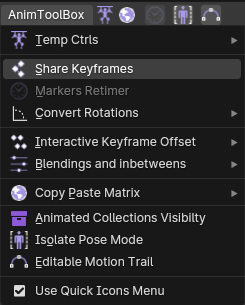
With new colored icons and was also added to the header menu. There's also an option for a quick icons menu.
Sidebar panel
RIGGERTOOLBOX
A set of tools for creating customized rigs. Current tools are still very experimental. It's added as a bonus tool that needs to be turned on in the preferences. It still works also with Blender 4 but not much maintained since I'm currently focusing on the Temp Ctrls, as a modular rigging system.
Add Chain Controls
Creates a chain of parent and stretch target controls for all the selected bones. can create also closed chains such as mouth loops. Can keep the hierarchy order within the bone controls.
Add Bbone widgets
automatically create controls for Bbones. These are not the built-in standard Blender Bbone controls, but rather controls that are working similiar to bezier handles. They are connected to the bbone properties through drivers.
Merge Rigs
join rigs together into the active rig. Removes duplicated bones and keep their hierarchy order and constraint connection. The duplicated common bones can be used as connection points between the two rigs.

