Apex Modeler Pro
 Team Blender



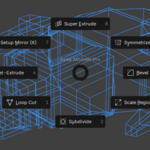
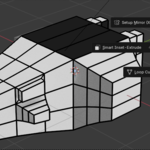


Q: Can I change the default shortcut?
A: Yes. You can find the shortcut under Edit > Preferences > Keymap. Search for "wm.call_menu_pie" with the name "VIEW3D_MT_apex_modeler_pie" or simply look for "Apex Modeler Pro" in the addon preferences.
Q: How do I call the Pie Menu?
A: The default global shortcut is Ctrl + . (Period). You must be in Edit Mode with at least one face selected for the modal tools to function correctly.
Q: Which versions of Blender are supported?
A: Apex Modeler Pro is specifically engineered for Blender 5.0.1 (Experimental) and subsequent versions. While it utilizes core BMesh logic that may function in older versions, we officially support and optimize for the architectural changes found in the 5.0+ branch.
$10
Have questions about this product?
Login to message
| Published | 4 months ago |
| Blender Version | 3.0 - 5.0 |
| Extension Type | N/A |
| Render Engine Used | Cycles, Eevee |
| License | GPL |
Discover more products like this
#b3d #Blender #3DModeling #Blender3D #BlenderAddon #GameDev #DigitalArt #CGI