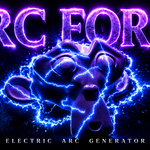
Arc Forge – Procedural Electric Arc Generator
 Voyde Procedural


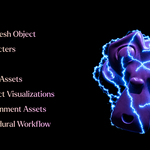
Arc Forge – Procedural Electric Arc Generator
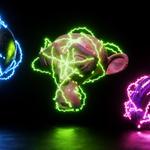
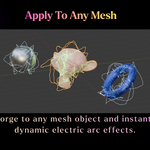
Arc Forge is a procedural Geometry Nodes asset for generating animated electric arcs around mesh objects in Blender.
Installation
- Open Blender.
- Append the included Arc Forge asset or open the provided .blend file.
- Select the object you want to use.
- Add the Arc Forge Geometry Nodes modifier.
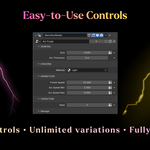
- Adjust the controls from the modifier panel.
Controls
General
- Size: Controls the overall scale of the electric arc system.
- Arc Thickness: Controls the thickness of the generated electric arcs.
Shading
- Material: Assigns the material used by the electric arcs.
Animation
- Flicker Speed: Controls how fast the arcs flicker, disappear, and reappear.
- Arc Speed Min: Sets the minimum movement speed for the arcs.
- Arc Speed Max: Sets the maximum movement speed for the arcs.
Variation
- Seed: Generates different random electric arc patterns.
Rendering Tips
- Use an emission material for bright electric effects.
- For bloom in Blender 5.x, use the Compositor Glare node with Fog Glow.
- Increase emission strength for stronger glow.
- Use Eevee for fast previews and Cycles for final renders.
Compatibility
Recommended for Blender 5.1+. The asset is fully procedural and non-destructive.
$4$3
Have questions about this product?
Login to message
| Published | 3 months ago |
| Blender Version | 4.0 - 5.2 |
| Render Engine Used | Cycles, Eevee |
| License | Royalty Free |
Discover more products like this
electric generator procedural vfx electric effect arc forge energy plasma effect geometry nodes geometry nodes asset energy effect electricity Procedural Animation plasma arc generator blender addon lightning generator blender Blender asset procedural animation electric-arc Lightning VFX sci fi