Arcane Select
 Pixonix Studio



Arcane Select
Select through mesh elements in Blender without X-Ray mode
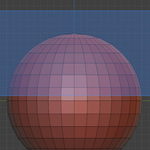
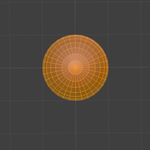
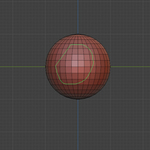
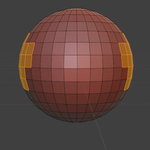
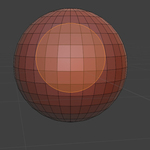
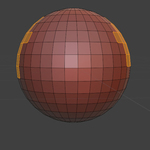
Arcane Select is a Blender add-on that allows you to select vertices, edges, and faces through solid meshes without enabling X-Ray mode. It provides three selection tools: Box, Lasso, and Circle selection with "select-through" functionality.
Features
- Box Select Through: Drag a rectangle to select mesh elements through the mesh
- Lasso Select Through: Draw a freeform lasso to select through the mesh
- Circle Select Through: Drag to define a circle to select through the mesh
- Backside Only: Option to only select elements whose normals point away from the view
- Precise Mode: More accurate segment-based tests for faces/edges (slower but more precise)
- Selection Actions: Set, Add, Subtract, or Toggle selection modes
- Temporary X-Ray: Optionally enable Viewport X-Ray during selection (restored automatically)
Installation
Blender 4.2+ (Extensions Platform)
- Download the add-on files
- In Blender, go to Edit > Preferences > Extensions
- Click Install from Disk and select the add-on folder
- Enable "Arcane Select" in the extensions list
Blender 4.0-4.1 (Legacy Add-ons)
- Download the add-on files
- In Blender, go to Edit > Preferences > Add-ons
- Click Install... and select the add-on folder
- Enable "Arcane Select" in the add-ons list
Usage
Panel Interface
After installation, you'll find the Arcane Select panel in the 3D Viewport:
- Press N to open the sidebar
- Navigate to the Arcane Select tab
- The panel appears when a mesh object is selected
Panel Controls
-
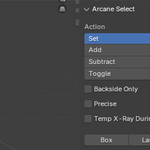
Action: Choose selection behavior
- Set: Replace current selection
- Add: Add to current selection
- Subtract: Remove from current selection
- Toggle: Toggle selection state
- Backside Only: Only select elements facing away from the view
- Precise: Use more accurate (but slower) selection tests
- Temp X-Ray During Selection: Temporarily enables viewport X-Ray while selecting, then restores the previous state
- Tool Buttons: Box, Lasso, Circle selection tools
Keyboard Shortcuts
When in Edit Mode with a mesh selected:
- Alt + Q: Box Select Through
- Alt + W: Lasso Select Through
- Alt + C: Circle Select Through
Tool Usage
- Box Select: Click and drag to create a rectangular selection area
- Lasso Select: Click and drag to draw a freeform selection shape
- Circle Select: Click and drag to define a circular selection area
All tools will select mesh elements (vertices, edges, faces) that fall within the selection area, even if they're hidden behind other geometry.
Requirements
- Blender 4.2.0 or higher (recommended)
- Blender 4.0+ (legacy installation method)
License
GPL-2.0-or-later
Copyright (c) 2025 Pixonix Studio (James Jeffries)
This program is free software: you can redistribute it and/or modify it under the terms of the GNU General Public License as published by the Free Software Foundation, either version 2 of the License, or (at your option) any later version.
See the LICENSE file for full license terms.
Support
This add-on is compatible with Blender's GPL licensing and follows Blender extension development standards.
For issues or questions, please ensure you're using a supported Blender version and have followed the installation instructions correctly.
Have questions about this product?
Login to message
| Blender Extension Compatible | Yes |
| Dev Fund Contributor | |
| Published | about 1 year ago |
| Blender Version | 4.2 - 4.5 |
| Extension Type | Add-on |
| Render Engine Used | Arnold, Blender-Internal, Blender-Game-Engine, Cycles, Eevee, Freestyle, Luxrender, Mental-Ray, Octane, Vray, Yafaray |
| License | GPL |
Discover more products like this
edge selection easier-selection face selection Selection auto selection tools custom mask selection