 Edmond
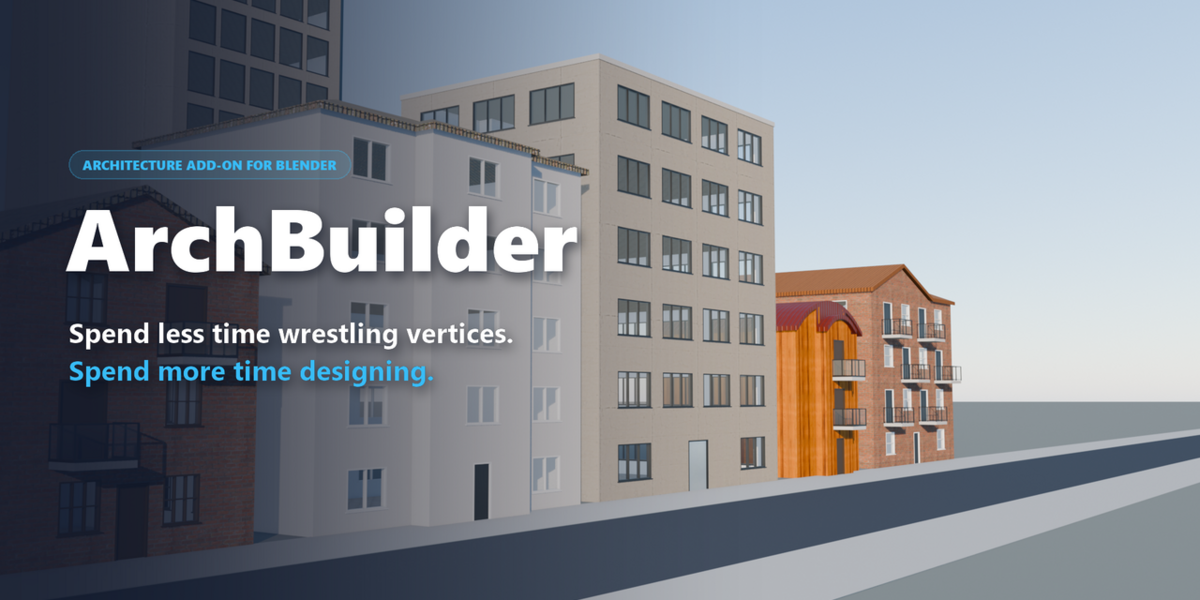
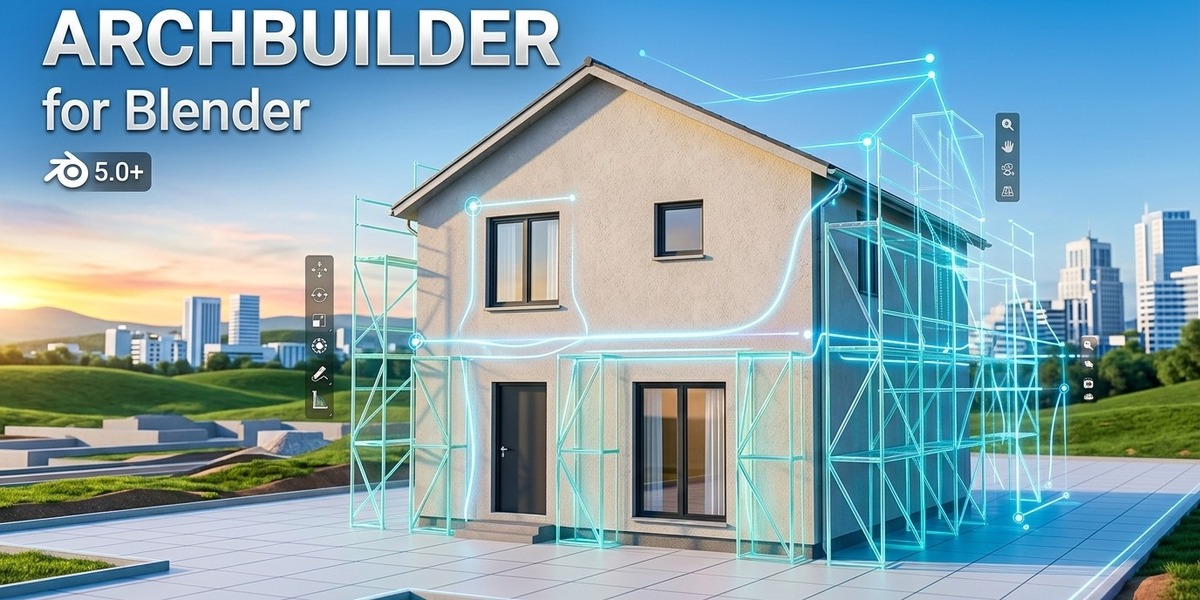
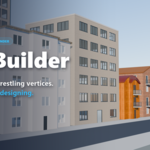
Spend Less Time Wrestling Vertices.
Spend More Time Designing.
Generate a whole building in one click, or draw your own: walls, storeys, doors, windows, roofs, stairs, railings, pillars and cutouts, all live in the viewport. Everything stays editable, and everything comes with materials.
Why we built ArchBuilder
We love building worlds in Blender but dreaded starting from scratch. Extruding walls, cutting window holes, working out stair risers and fighting boolean glitches used up most of our energy before the fun part began. ArchBuilder takes care of that groundwork, so you start from a finished building and spend your time on the design.
One Click. A Whole Building.
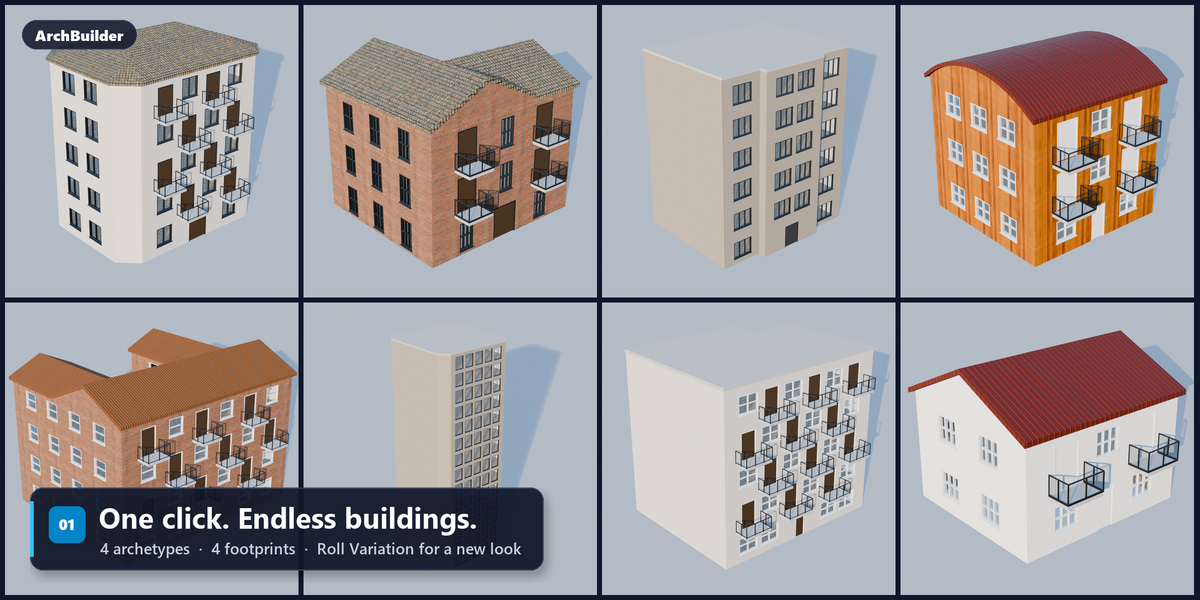
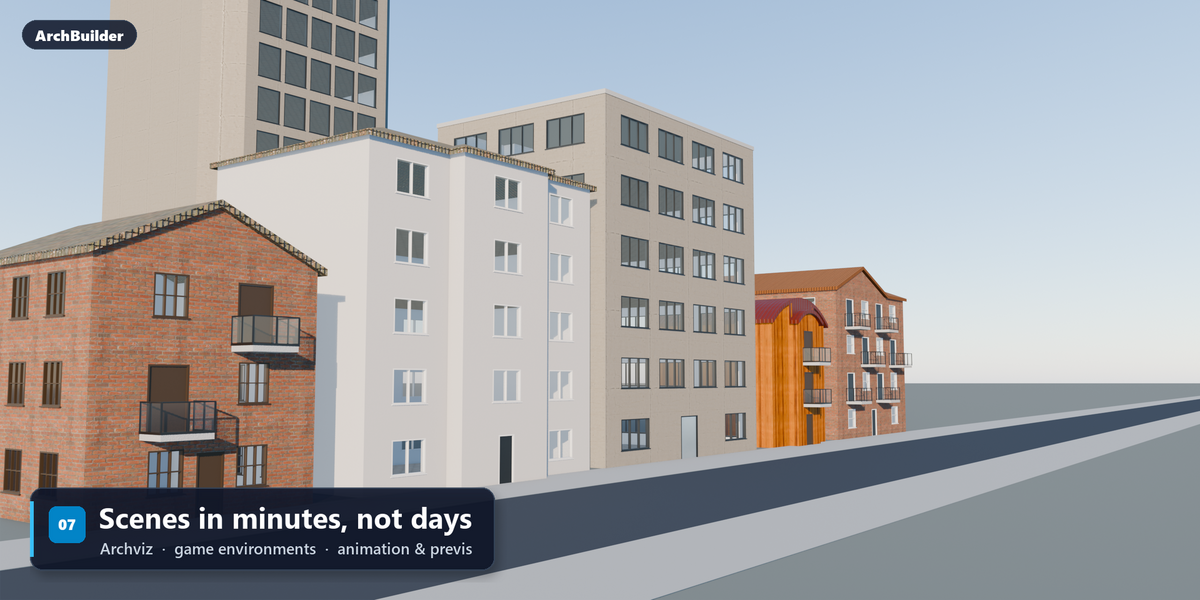
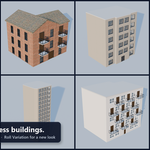
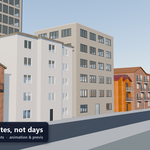
Pick a type and a footprint, then press Generate to get a finished building: walls, floors, windows, doors, balconies and a roof. Press Roll Variation for a different one.
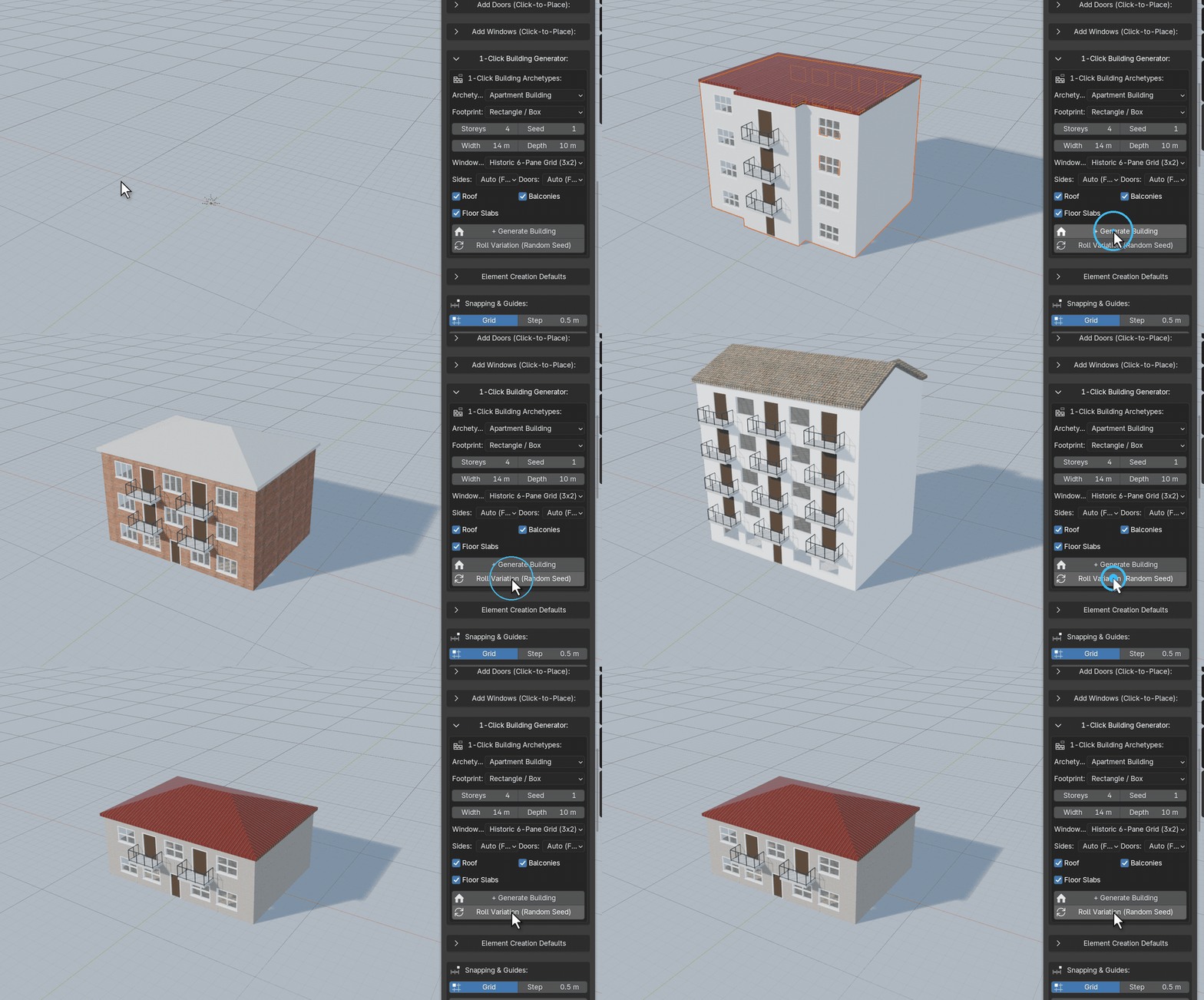
- 4 building types: townhouse, apartment, office block and high-rise, each with its own storey heights, windows, materials and roofs.
- 4 footprints: rectangle, L-shaped, U-shaped courtyard and chamfered stepped tower.
- Roll Variation keeps your choices: set the number of storeys, doors or window sides and those stay put. Only settings left on Auto are re-rolled.
Draw Walls, Get a Building
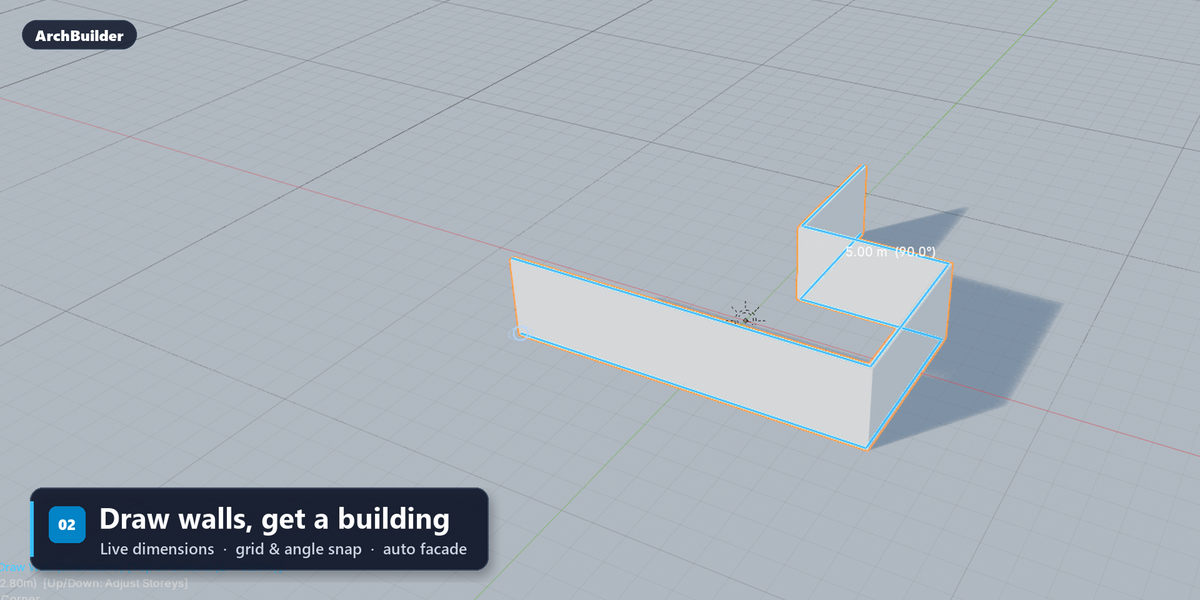
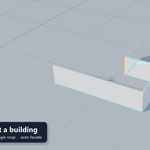
Click to place corners, either freehand or over a reference plan. Walls are mitred as you go, with live dimensions shown on screen. Close the room and it gets a floor slab and, if you like, a complete facade.
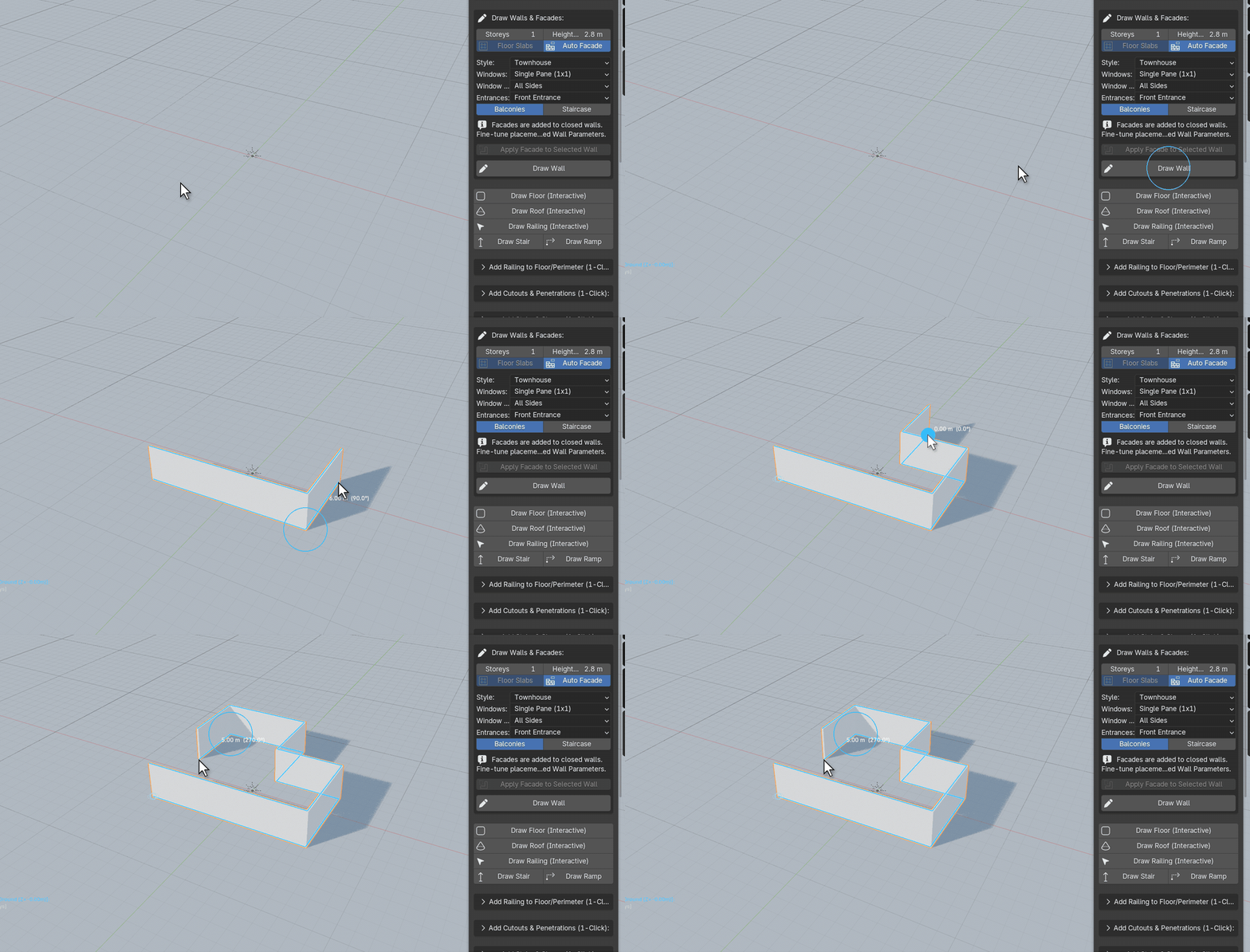
- Precise: grid snapping, angle snapping and Shift for straight lines, with wall length and angle shown as you draw.
- Auto Facade: windows, doors and balconies are placed on the walls automatically in townhouse, apartment, office or high-rise style.
- Clean meshes: walls are solid, closed geometry, so openings cut cleanly and exports stay clean.
Multi-Storey in One Key
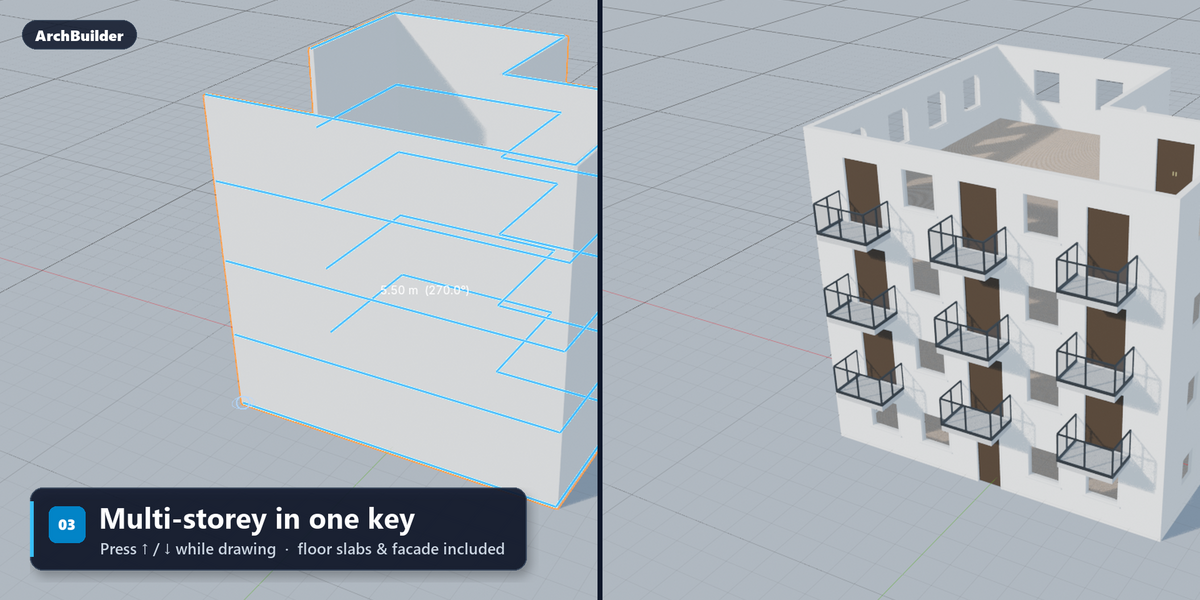
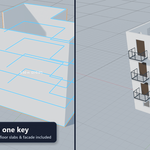
While drawing, press ↑ or ↓ to add or remove storeys. Floor slabs and the facade are added on every level.
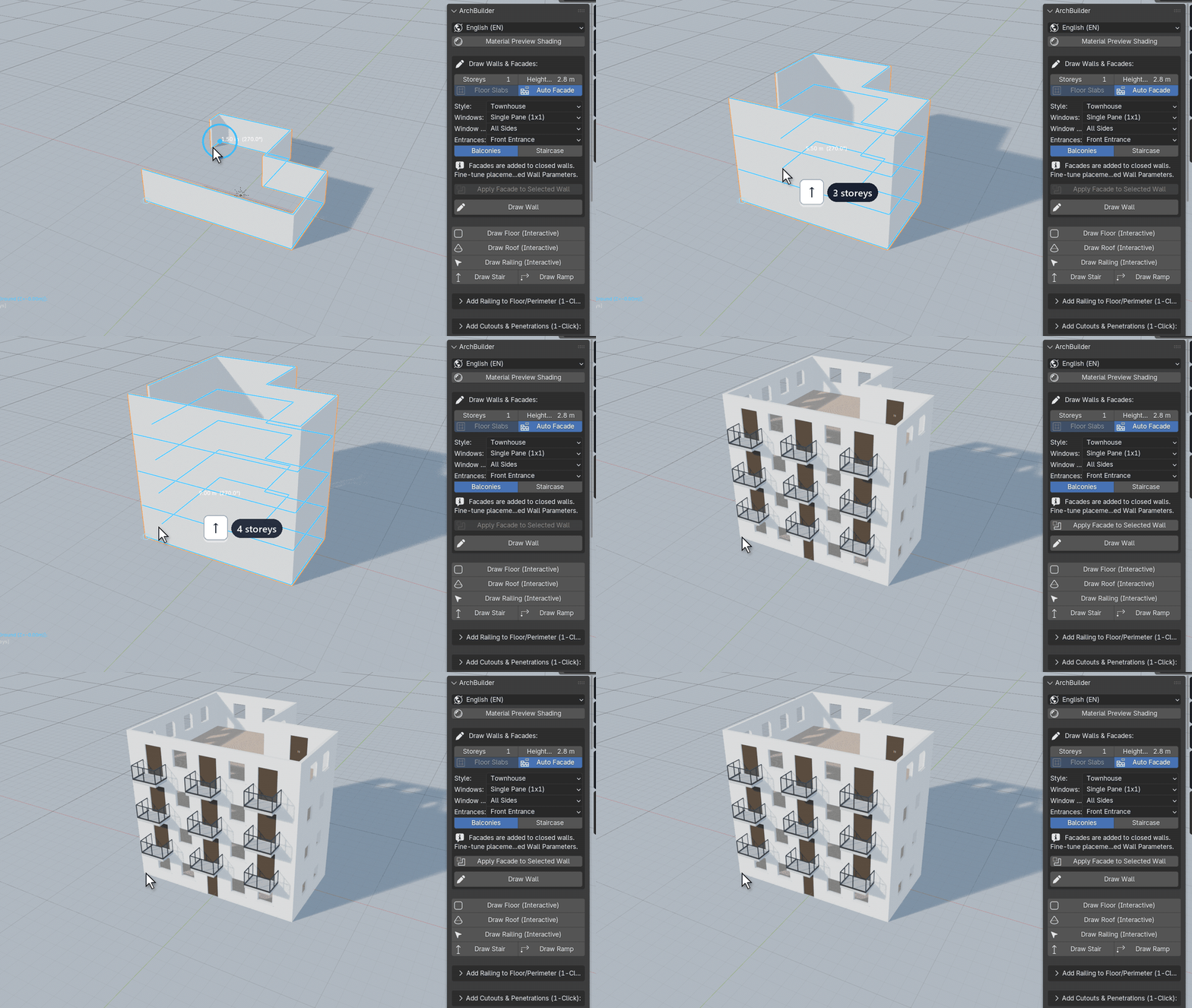
- Floor slabs on every level: each floor is its own clean slab.
- Change it later: adjust the storey count, storey height or wall thickness and the whole building updates.
- Pick any floor: when placing doors, windows or balconies, hover over a floor or press ↑ / ↓ to switch floors.
Doors & Windows, Click to Place
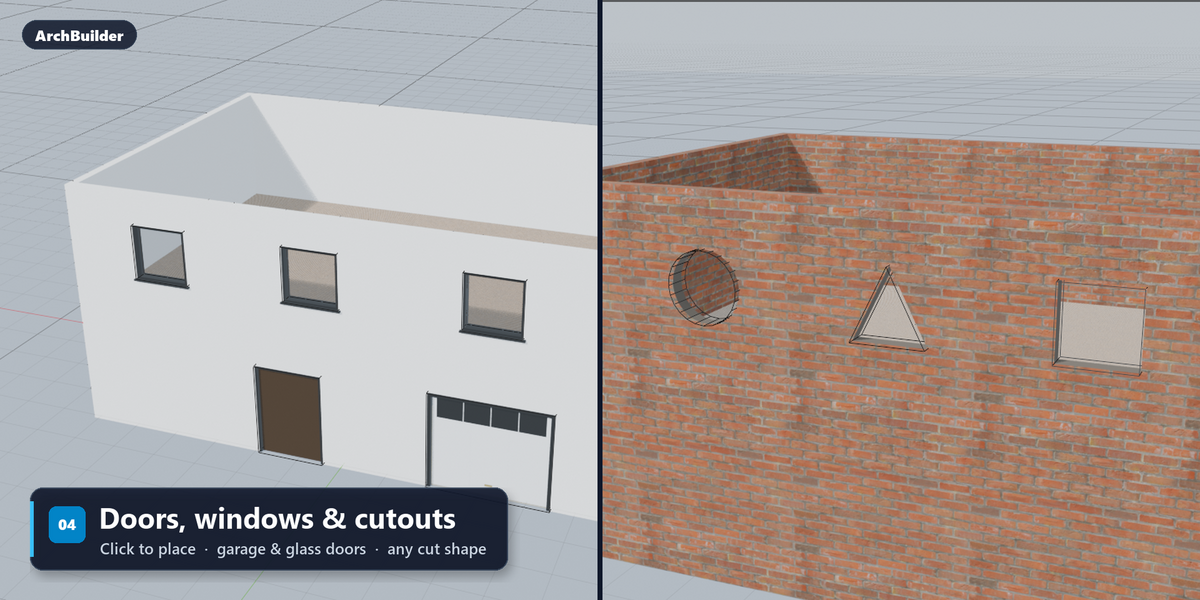
Hover over any wall, on any floor, and click. The opening is cut cleanly and the frame, glass and sill are added, with no boolean cleanup.
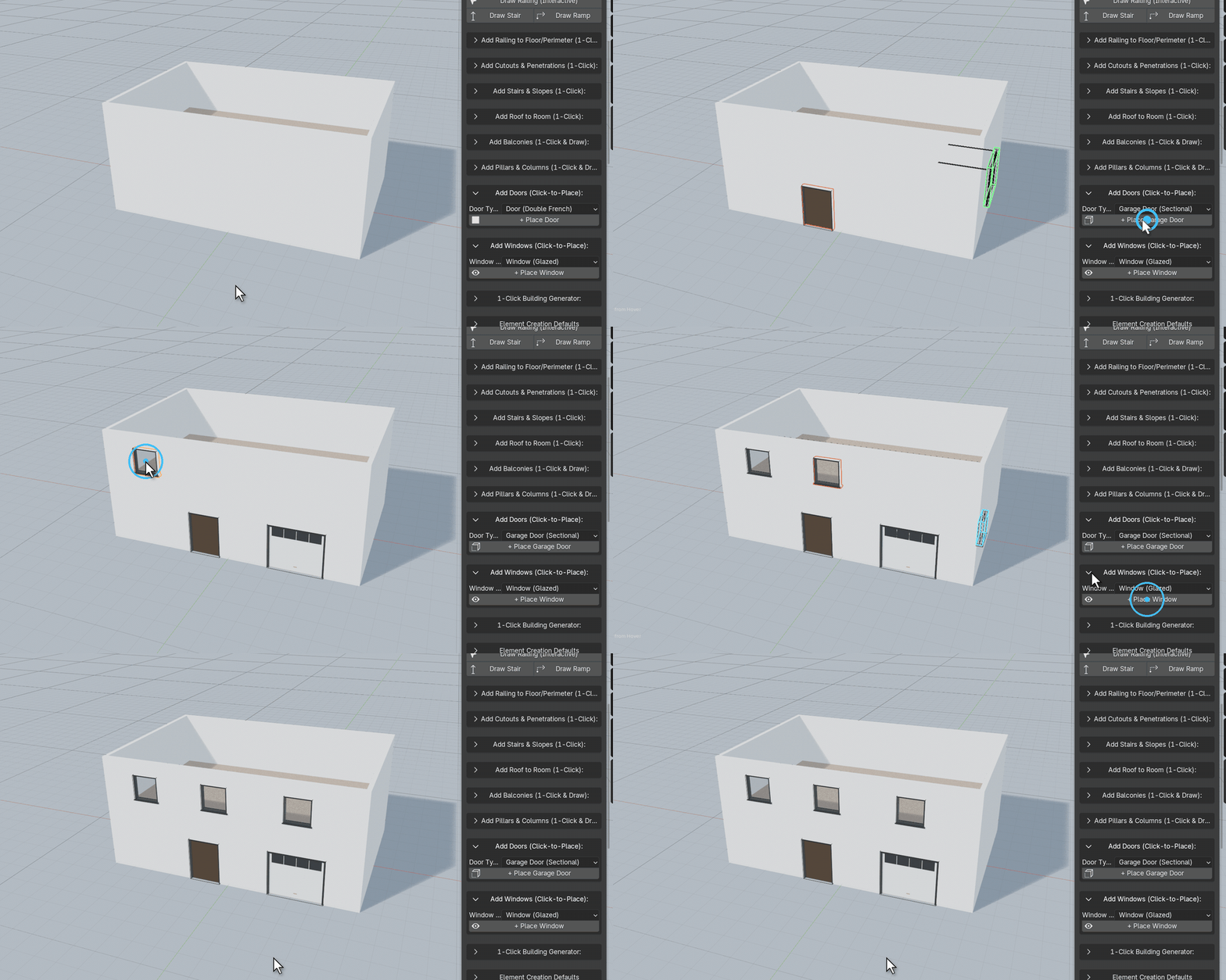
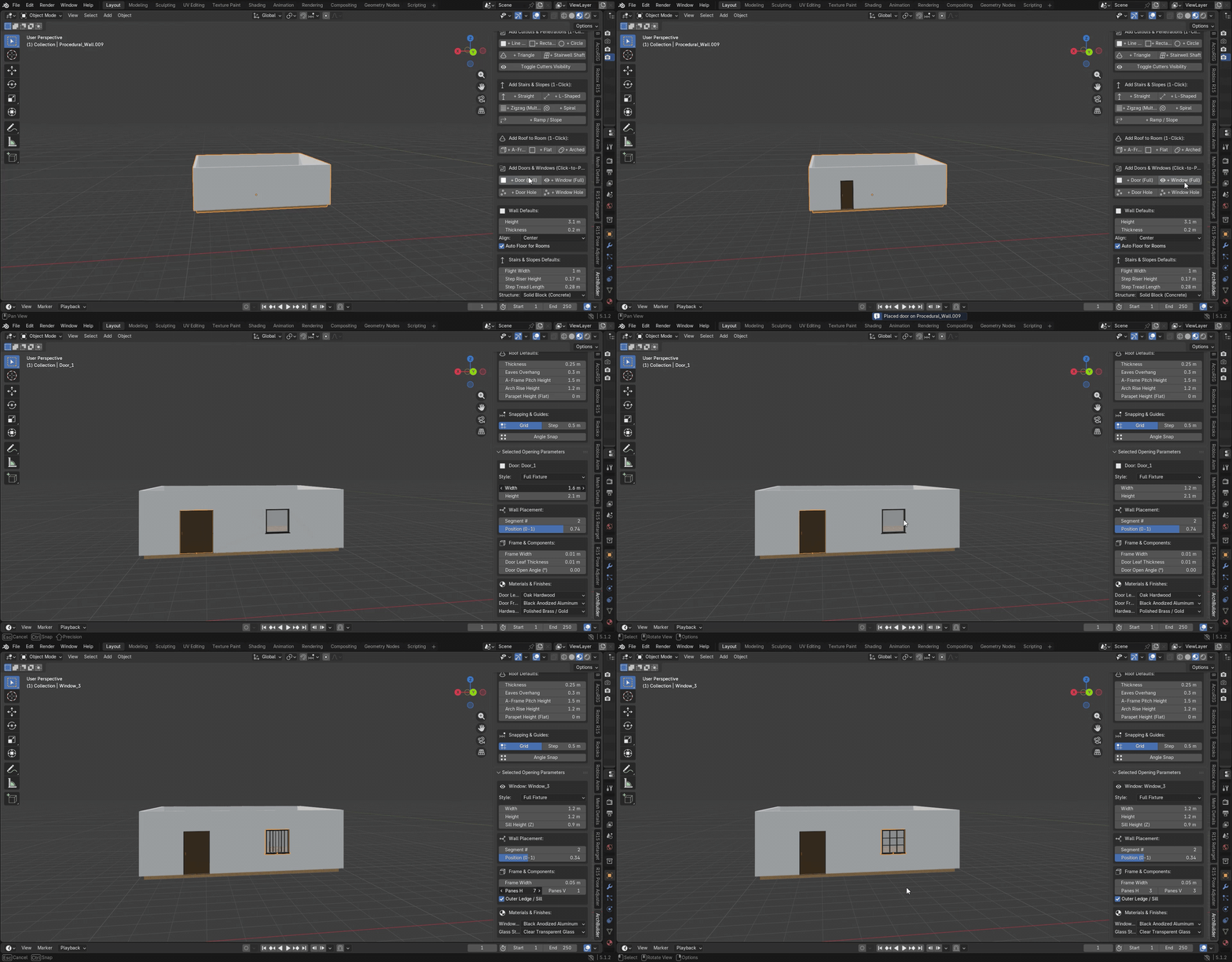
- Doors: single, double, full-height glass and sectional garage doors, with an adjustable swing angle.
- Windows: single pane, split, 2×2 and 3×2 grids, transom and panoramic styles, with clear or frosted glass.
- Use your own assets: place a full fixture, just the frame, or a clean hole.
Balconies, Click to Place
Hover over a wall on any floor and click. The balcony attaches to the outside face with its slab, railing and supports. Press 1–4 while placing to change the shape.
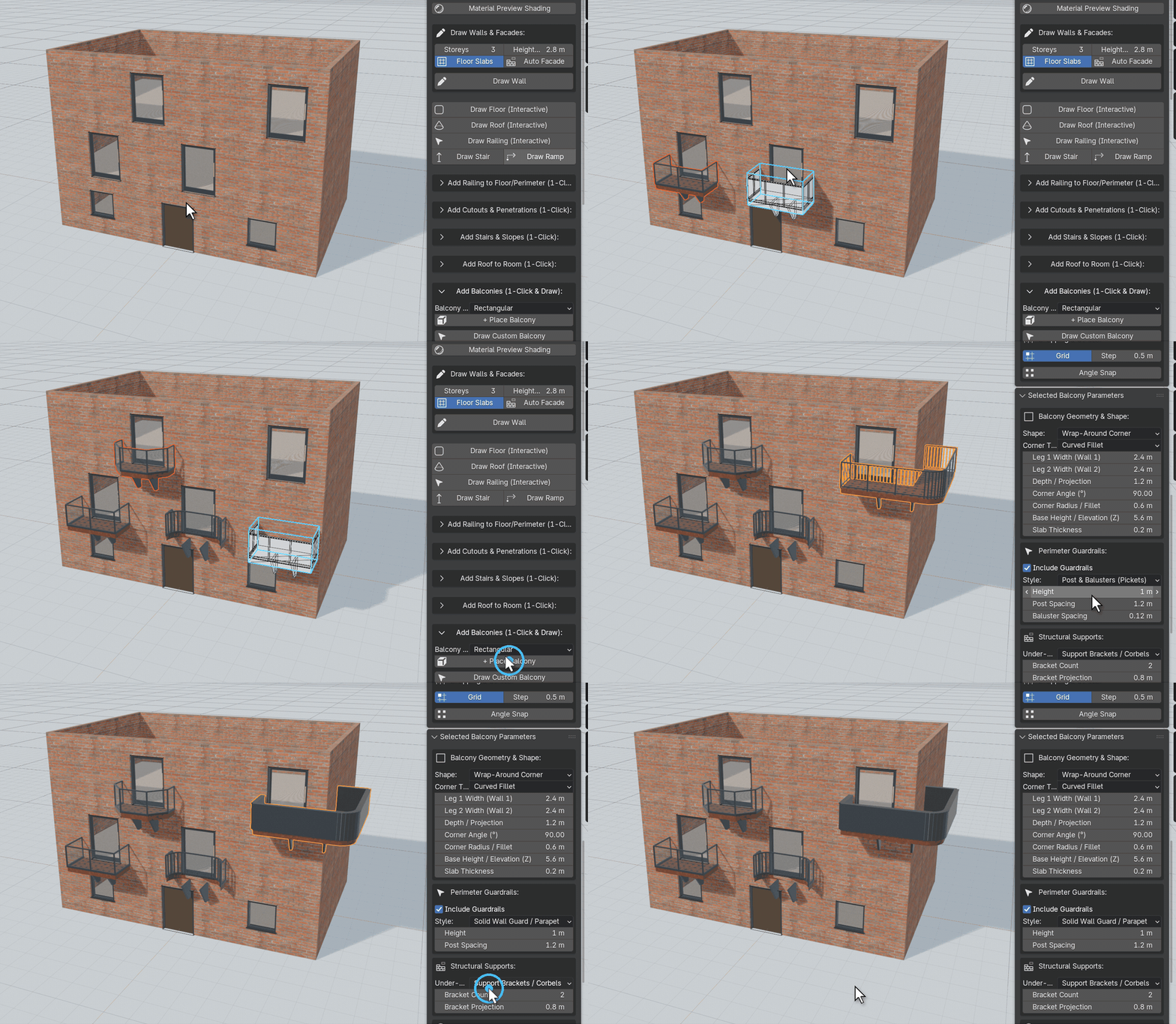
- 4 shapes: rectangular, curved bow, chamfered, and wrap-around corner balconies that turn the corner of a building.
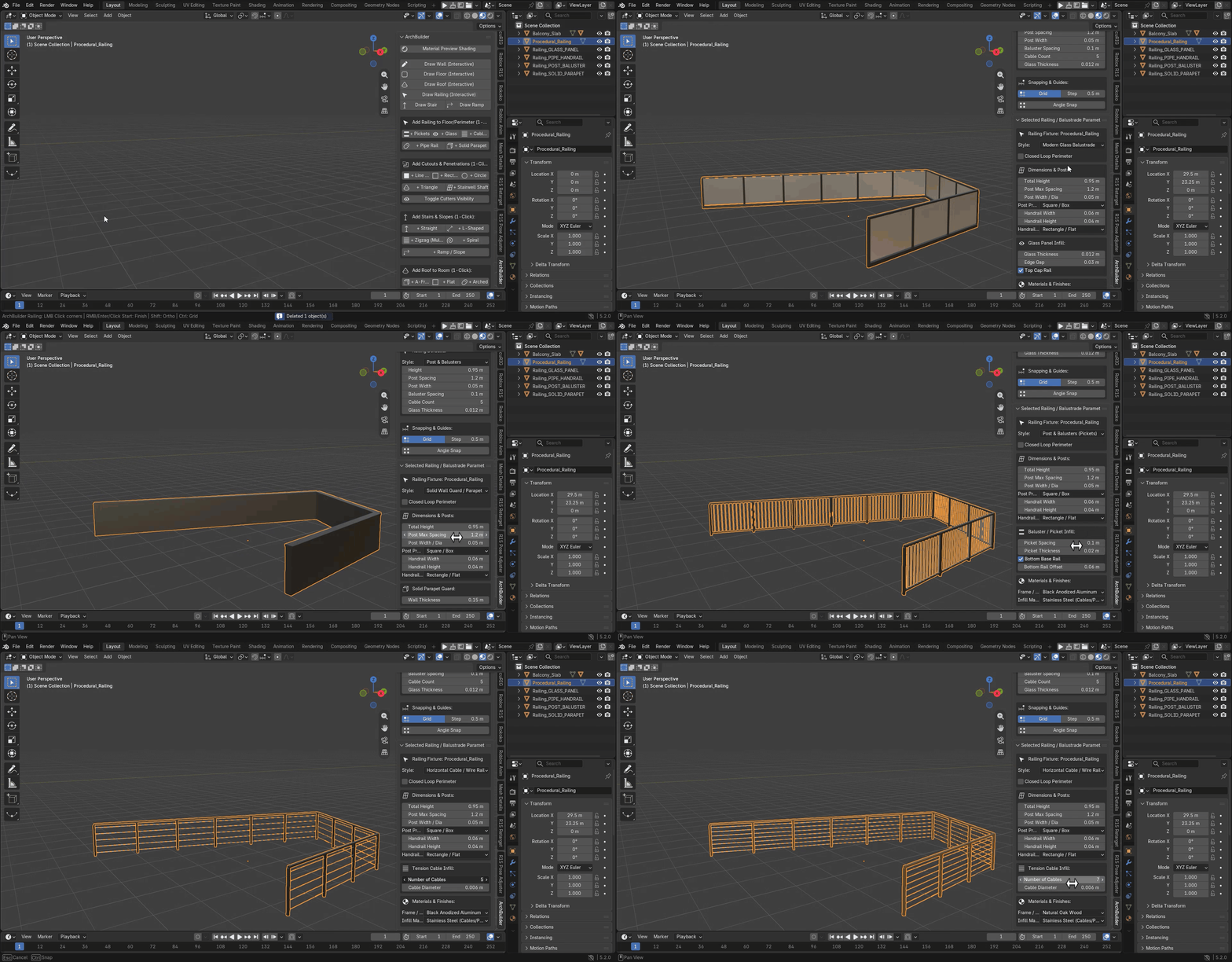
- 5 railing styles: glass, pickets, horizontal cable, industrial pipe or a solid parapet, switchable at any time.
- Supports & finishes: cantilevered, on brackets, on ground columns or hung from tie-rods, with their own slab and railing materials. Or draw a balcony of any outline.
Roofs That Fit Any Footprint
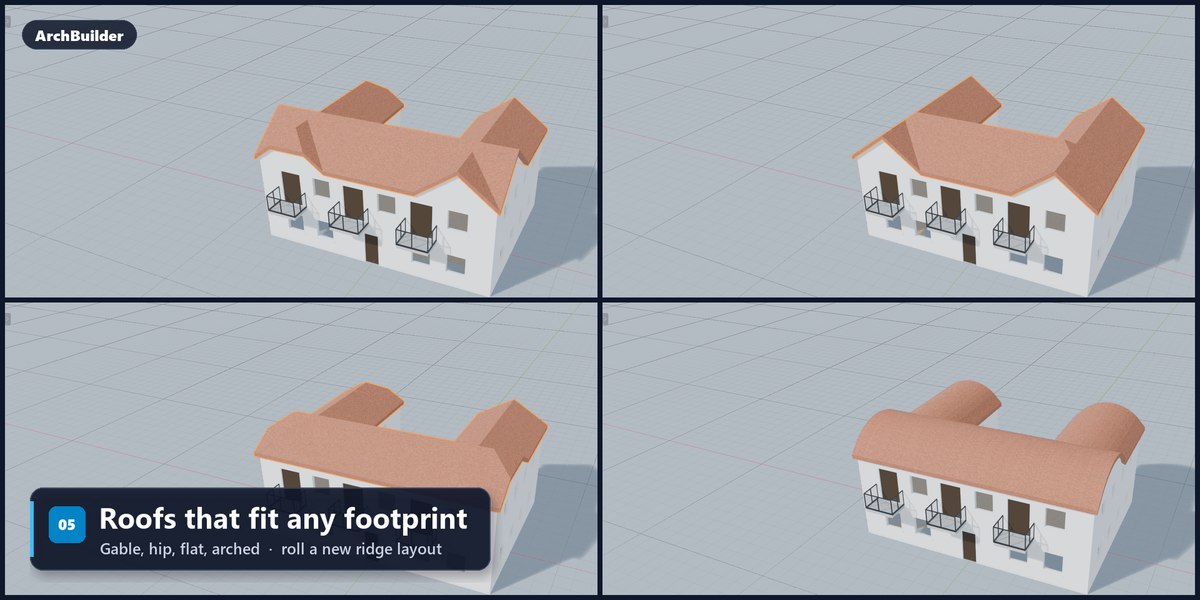
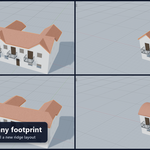
Add a roof to any room with one click, including L, T and U shapes, bays and chamfered corners. Ridges and valleys meet correctly. Press Roll for a different ridge layout.
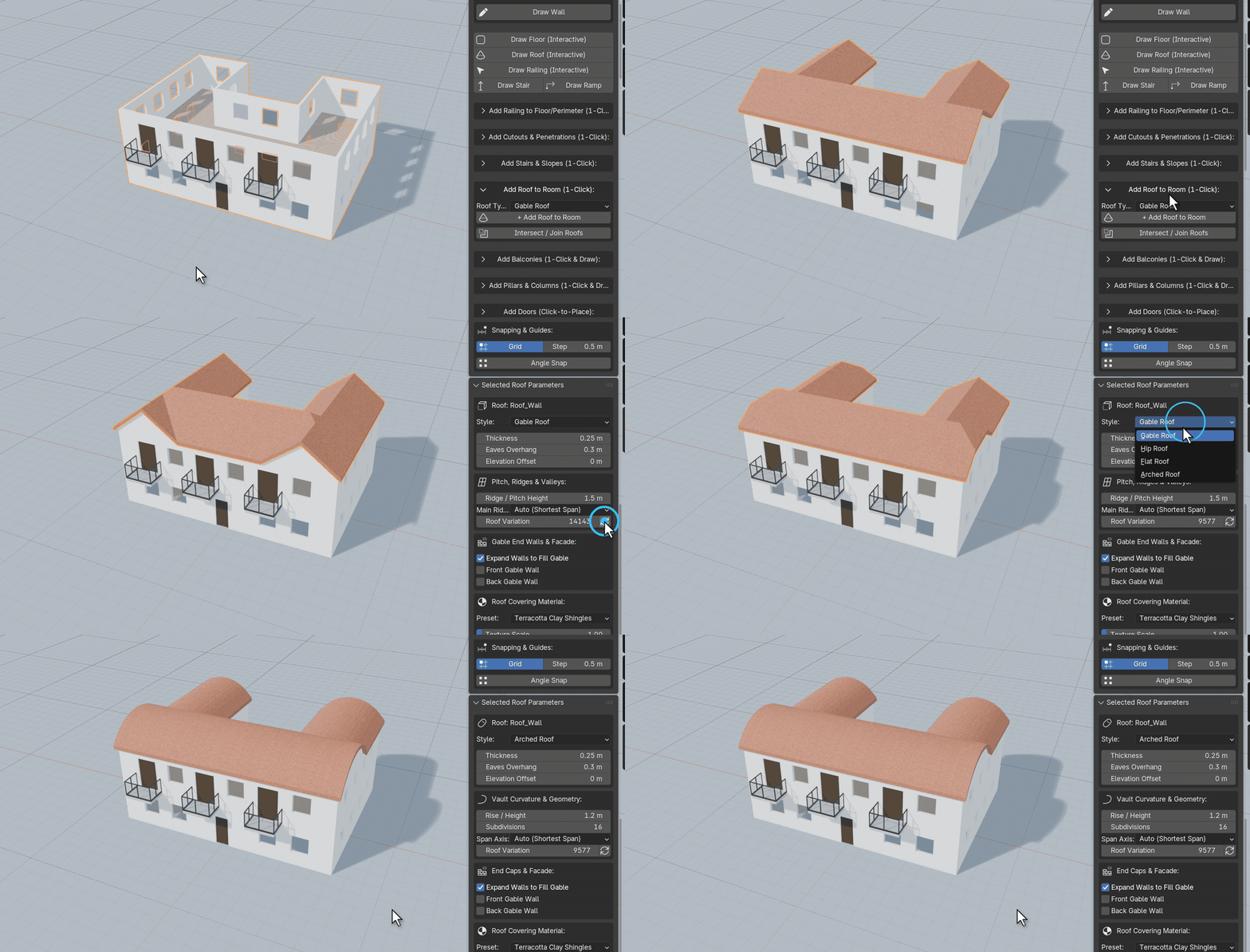
- 4 styles: gable, hip, flat with optional parapet, and arched barrel vaults, where intersecting wings form groin vaults.
- Walls follow the roof: gable walls can extend up to meet the roof, with no gaps.
- Finishes: clay tiles, slate, standing-seam and corrugated metal, cedar shingles, or concrete.
Pillars & Colonnades
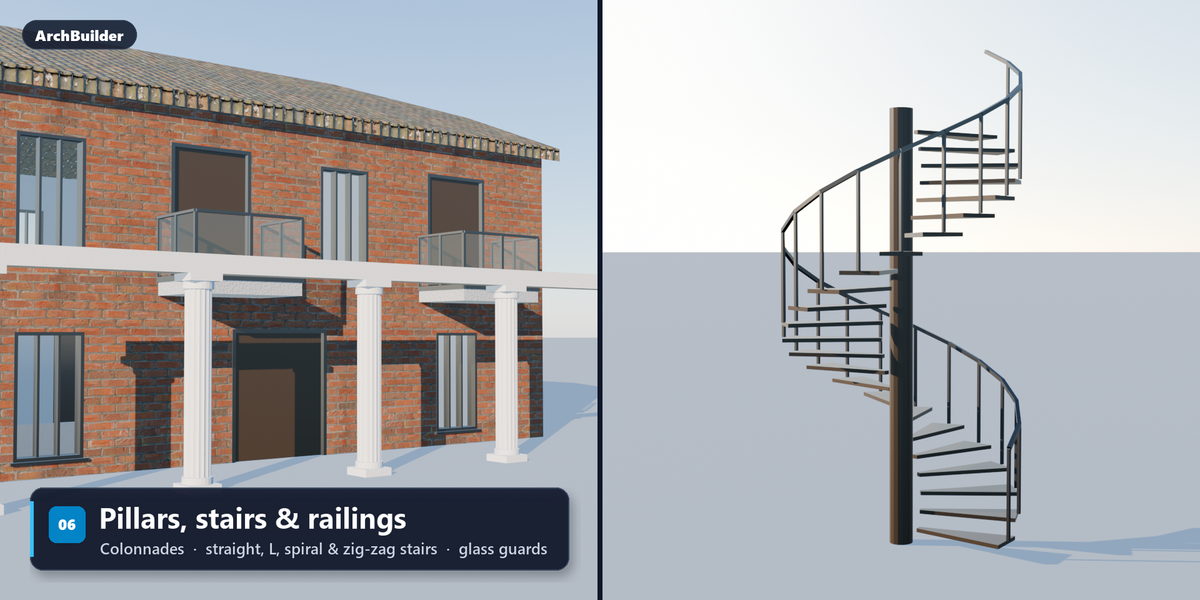
Click once for a single column, or drag out a whole colonnade. While dragging, press 1–5 to switch the column style and + / − to add or remove columns. Change the style again at any time from the panel.
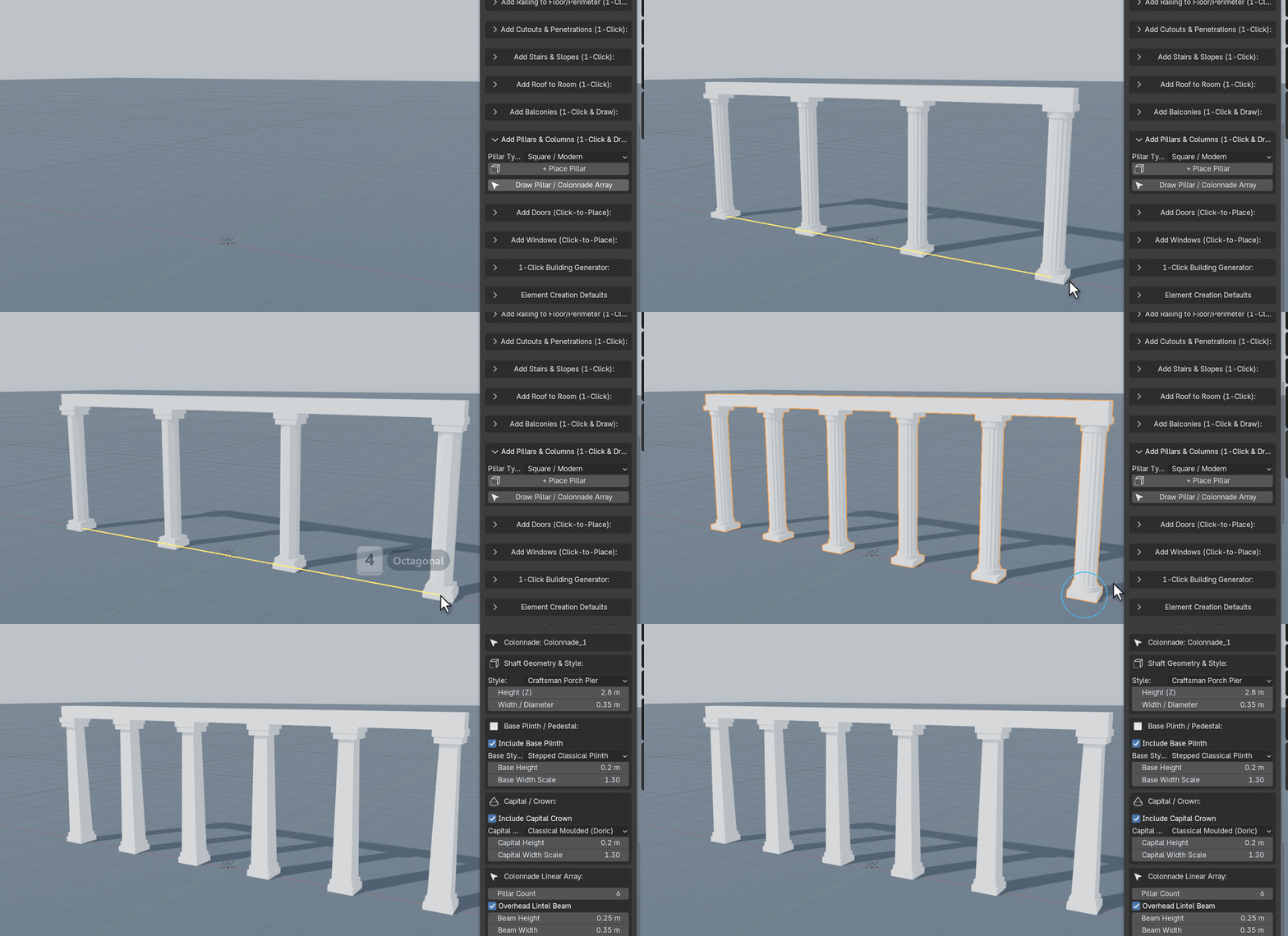
- 6 column types: square, round Tuscan, fluted Doric, octagonal, steel I-beam and Craftsman porch pier.
- Classical details: base, capital, taper and fluting, all adjustable.
- Colonnades: up to 24 columns with an optional beam across the top.
Cut Any Shape
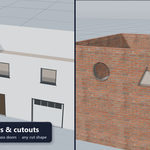
Click to cut portholes, skylights, stair openings or feature windows through walls, floors and ceilings. Move a cutter and the opening moves with it.
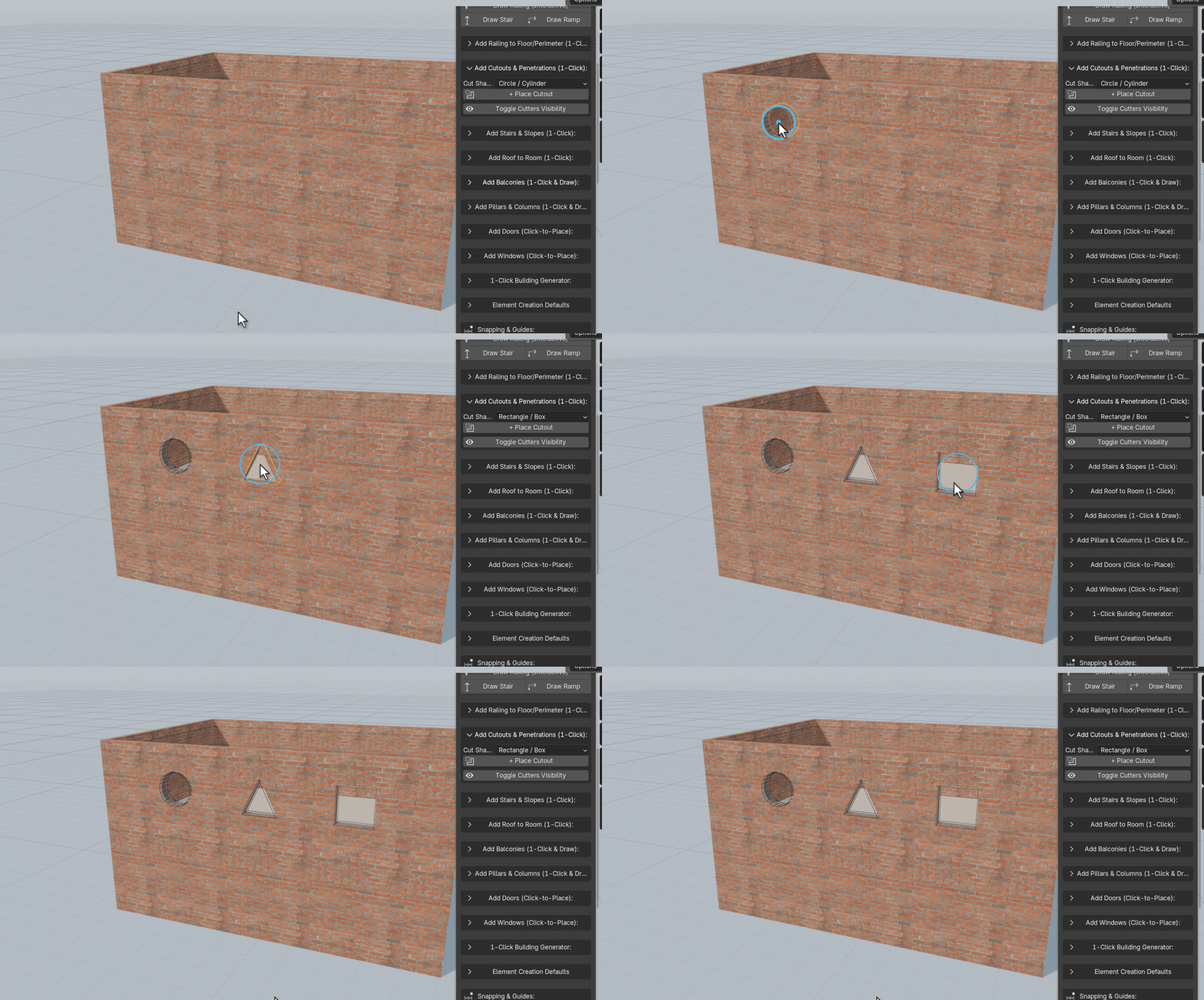
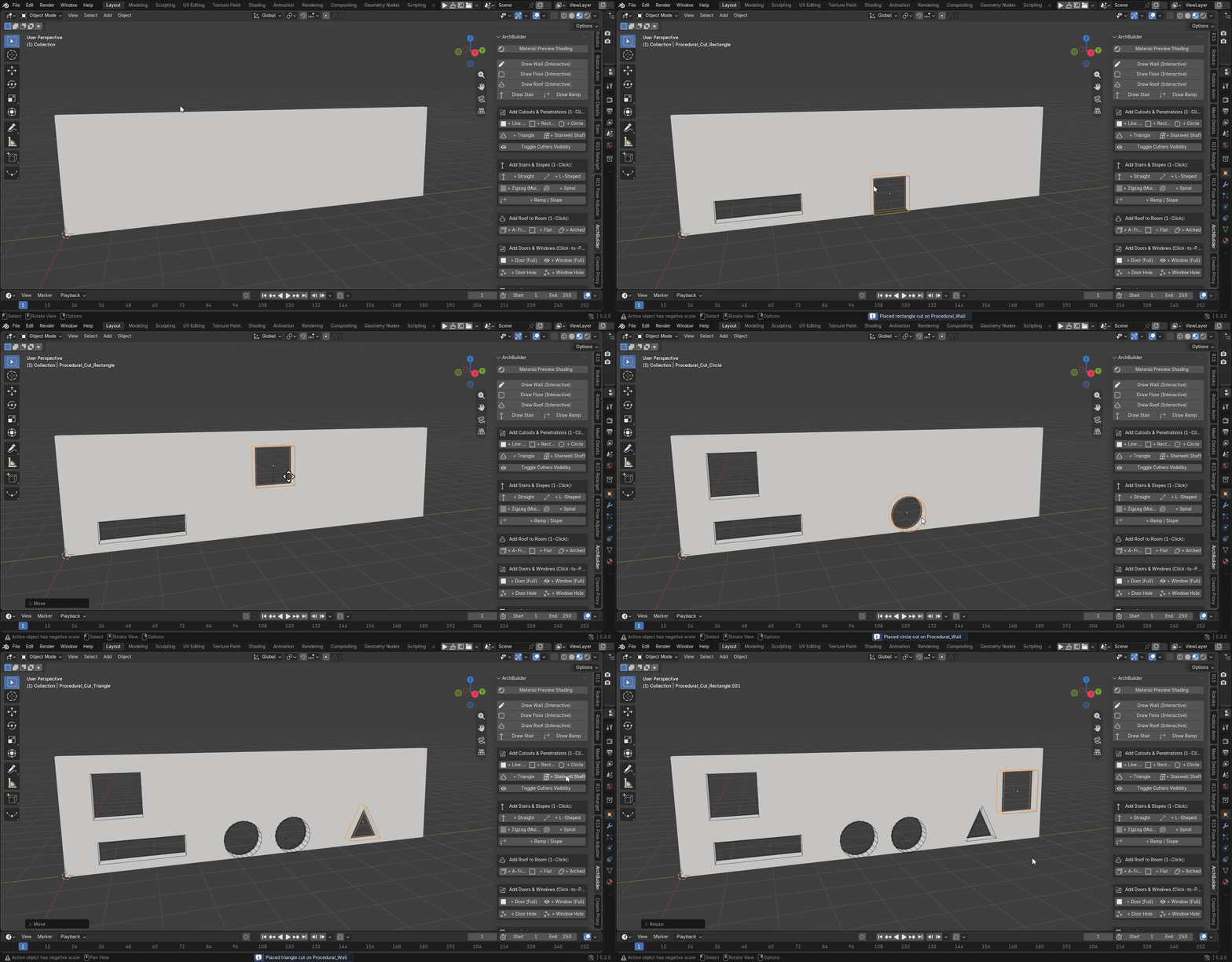
- Shapes: circle, rectangle, triangle, straight slot, or any polygon you draw.
- Through or pocket: cut all the way through, or recess to a set depth.
- Bake when ready: cuts stay editable until you choose Apply & Finalize, which bakes them into a plain mesh ready for export to Unreal, Unity or Godot.
Stairs, Ramps & Railings
Drag to place a stair. Set a riser height or a total rise and ArchBuilder works out the steps. Change the type, structure or railing and it rebuilds instantly.
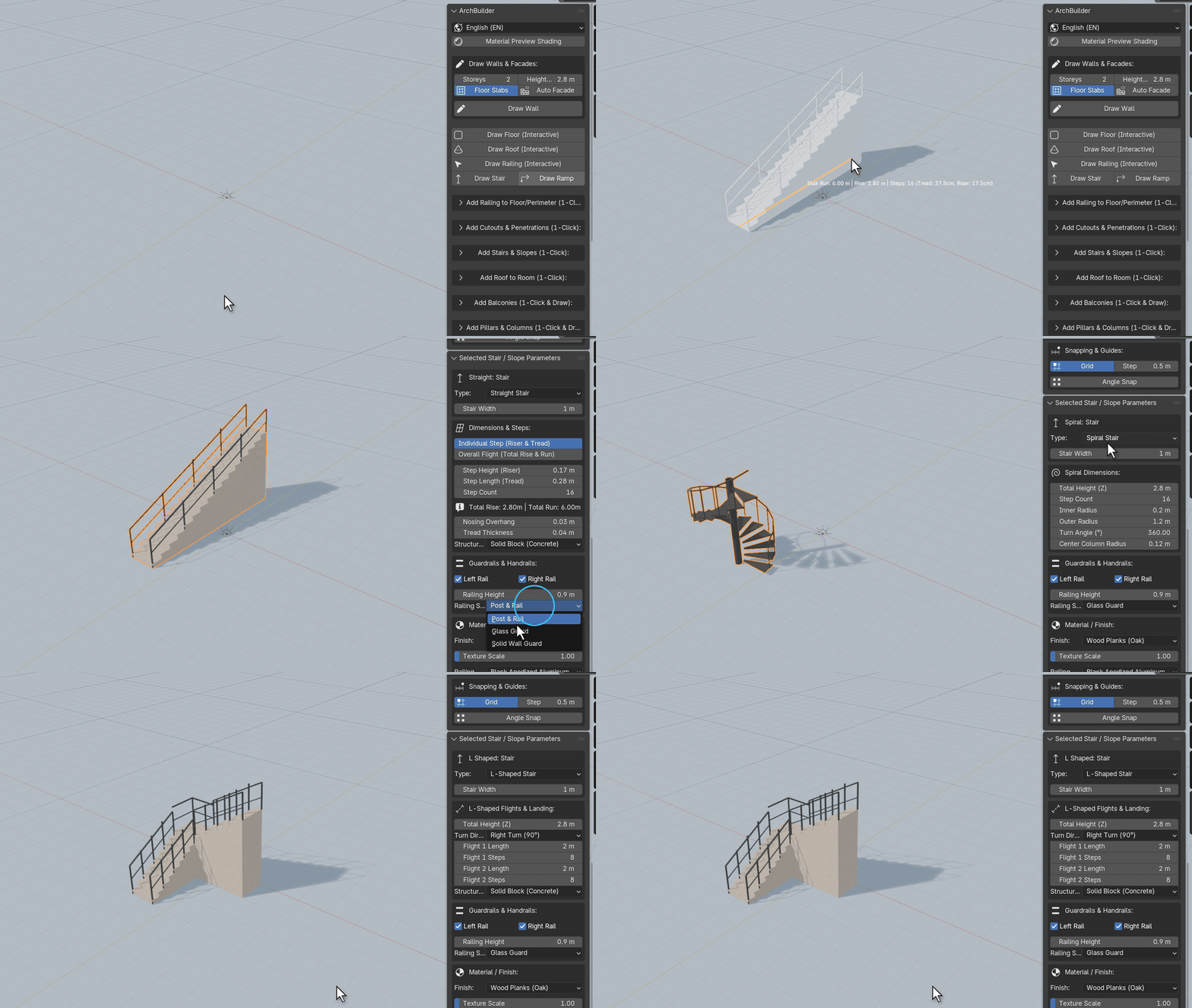
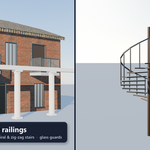
- Types: straight, L-shaped with landing, spiral, zig-zag multi-storey and ramps with curbs.
- Structure: solid block, sawtooth, floating treads or stringer beams.
- Railings anywhere: glass guard, post-and-rail or solid wall on stairs. Add a railing around any floor or balcony edge in one click, in glass, cable, pipe, picket or parapet style.
Materials Built In
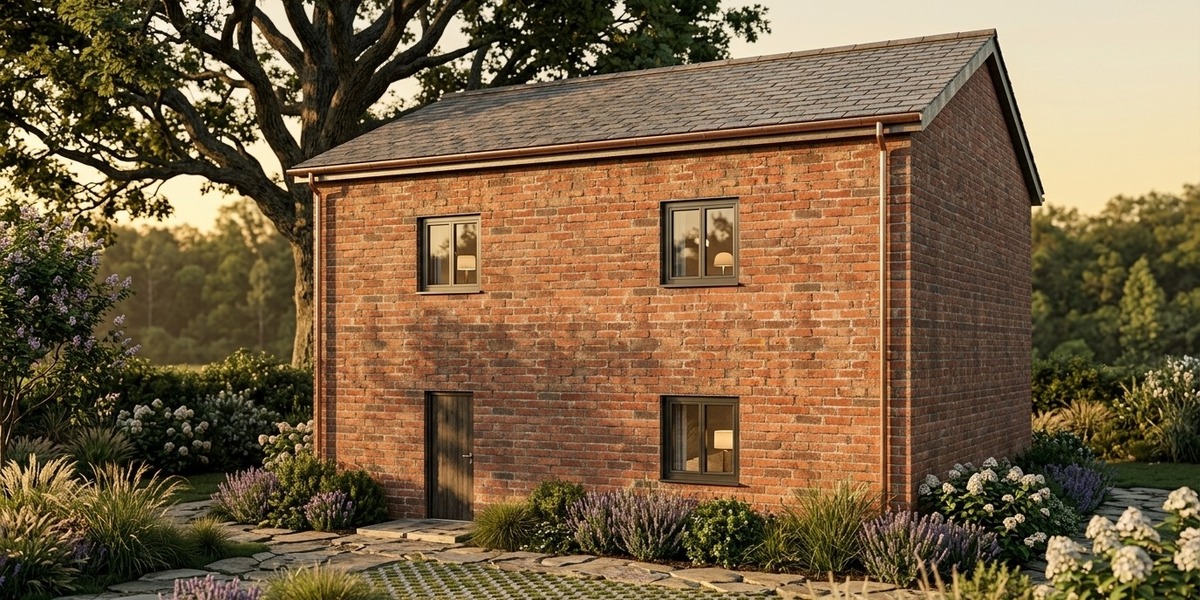
Everything you build is already textured. Select a building and change its wall or roof finish from a dropdown, and the whole building updates.
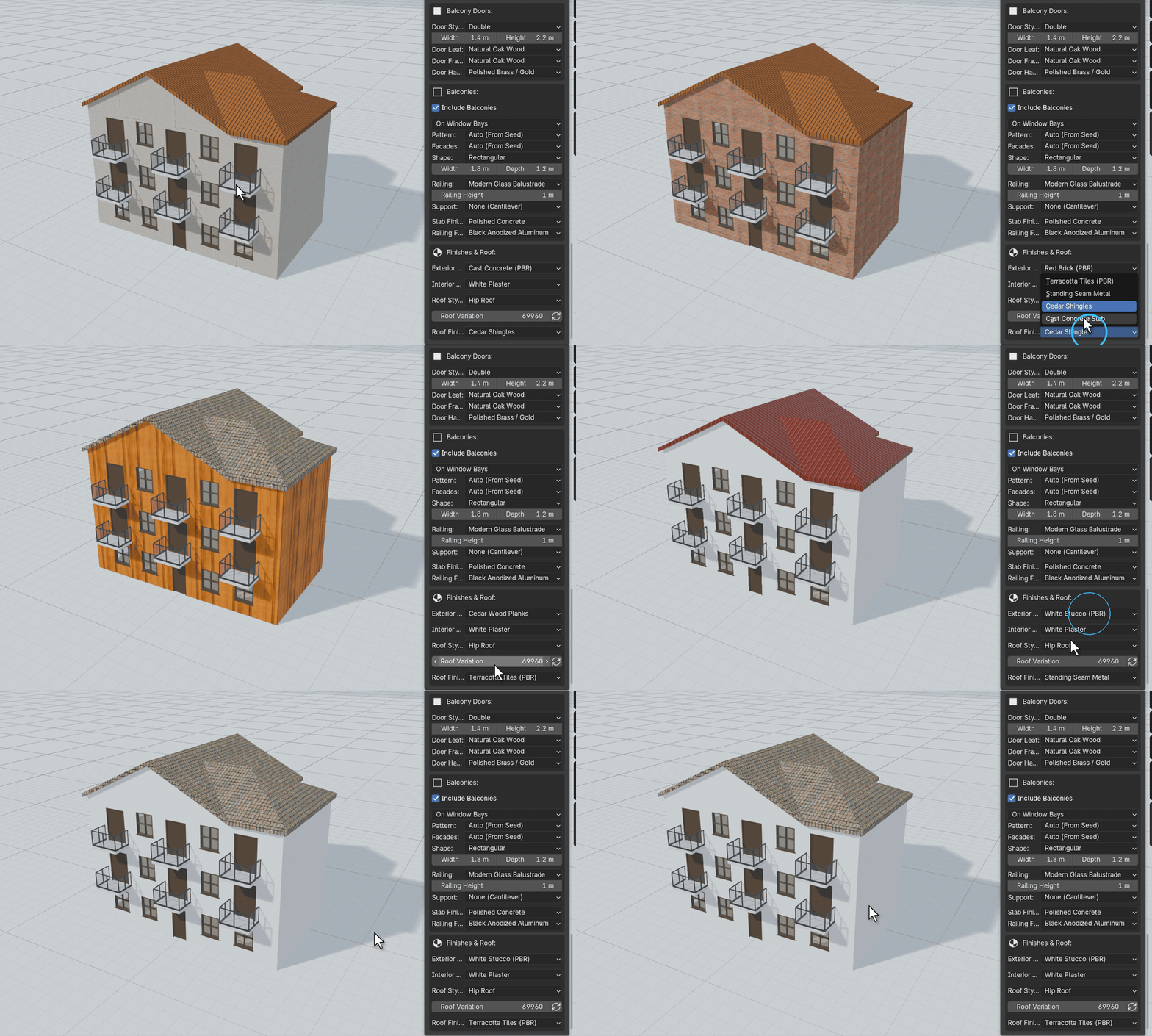
- PBR library: brick, stucco, concrete, damaged plaster, cedar and weathered timber, oak and walnut, marble and terracotta tiles, metal and glass.
- Every part has its own finish: exterior and interior walls, floors, roof, window and door frames, door hardware, balcony slabs and railings.
- Standard nodes: works in Cycles and EEVEE. Swap textures or plug in your own shaders.
Speaks Your Language
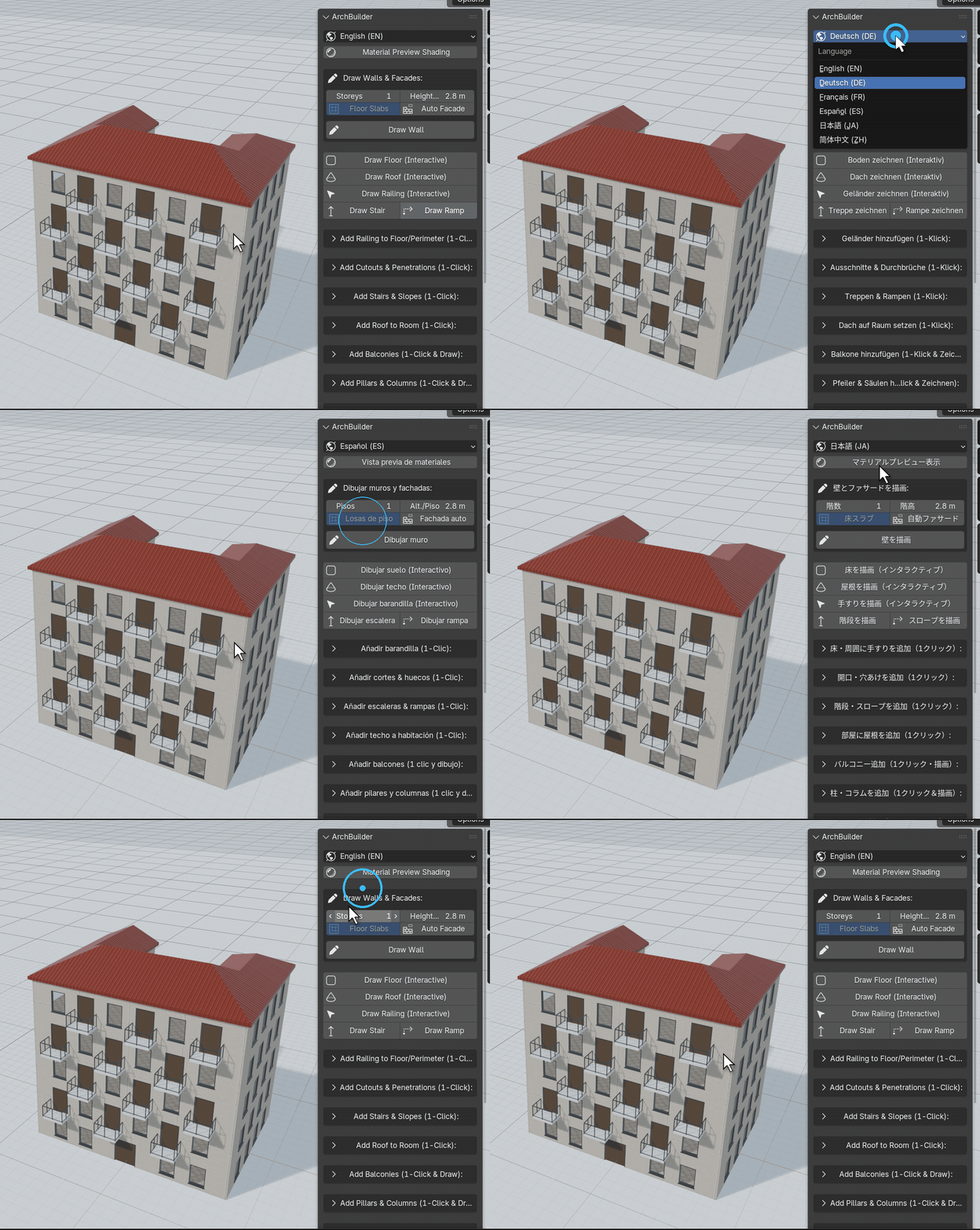
Switch the interface language from the top of the panel, with no restart. Buttons, settings and the on-screen drawing guides are all translated.
Export for Roblox
One button writes an FBX made for Roblox Studio's 3D Importer. Select a building, press Export for Roblox, then import the file in Studio.
- Sized in studs: the building comes in at the right scale with Studio's default import settings.
- One mesh per finish: parts are joined by material and kept under Roblox's 20,000-triangle limit per mesh.
- Textures included: colour, roughness, metalness and normal maps are embedded as PNG. Glass is exported with transparency, or can be left out for open window holes.
Also included
- Draw floors, roofs, balconies and railings by clicking out any outline.
- Selected Building panel: edit storeys, windows, doors, balconies, roof and finishes of a generated building at any time.
- Wall alignment: draw on the centre line, the inside face or the outside face.
- Material Preview button at the top of the panel to check materials quickly.
Specifications & Compatibility
| Blender | 4.2 LTS and newer, including 5.x |
| Platforms | Windows, macOS (Intel & Apple Silicon), Linux |
| Render engines | Cycles, EEVEE & Material Preview |
| Languages | English, Deutsch, Français, Español, 日本語, 简体中文, 繁體中文, 한국어, Italiano, Português (Brasil), Русский, Polski |
| Package | Blender extension (arch_builder.zip), installed via drag-and-drop or Install from Disk
|
Take Back Your Time. Create More.
Let ArchBuilder handle the architectural groundwork, so you can spend your hours designing instead of modelling.

