Archiform
 Abbos Mirzaev



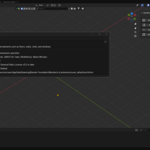
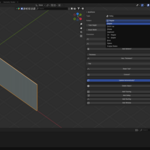
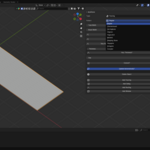
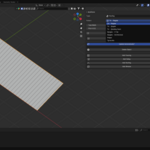
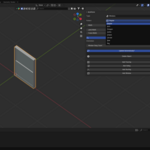
4. How to Use
-
Install the Addon
- Go to Edit > Preferences > Add-ons > Install
- Select the downloaded
archiform_addon.zip - Enable the addon.
-
Open the N-Panel
- Press
Nin the 3D Viewport - Go to the ArchiForm tab
- Press
-
Add Elements
- Choose Flooring, Siding, Roofing, or Window
- Adjust parameters in the panel
5. Use Cases
- Interior visualizations
- Residential building concepts
- Quick 3D architectural sketches
- Game level prototyping
- Teaching architecture in 3D
6. Why ArchiForm?
| Feature | ArchiForm | Manual Modeling |
|---|---|---|
| Quick Setup | ✅ | ❌ |
| Parametric Controls | ✅ | ❌ |
| Blender Integration | ✅ | ❌ |
| Time Efficient | ✅ | ❌ |
7. Credits
Original Addon: JARCH Vis
Link: https://github.com/BlendingJake/JARCH-Vis
Link: https://github.com/BlendingJake/JARCH-Vis/releases
Modified By:Abbos Mirzaev
License: GPL 3.0
Platform: Blender 2.8+
Tutorial From Author: https://youtu.be/C0U44GKgTvs?si=szUtK--z5puuHsBM
Discover more products like this
parametricdesign RoofGenerator #ArchitectureDesign ProceduralModeling WallGenerator WindowGenerator ArchViz FastModeling floorgenerator