 ramazan sarı



Architectural Visualization Bundle – 5 Blender Addons
A practical Blender add-on bundle for architectural visualization, interior design, and environment scene-building workflows.
This bundle includes 5 Blender tools designed to help speed up common ArchViz tasks such as floor generation, cable and pipe details, lighting setup, bookshelf filling, and simple render lighting presets.
Bundle Includes
1. Pro Floor Generator
Create floor pattern layouts inside Blender for interior and architectural visualization scenes. Useful for parquet, tile, plank, herringbone-style, and grid-based floor setups.
2. Cable & Pipe Generator
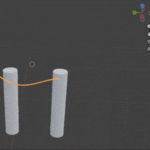
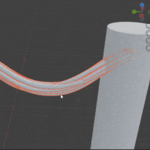
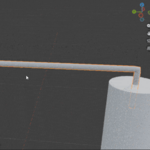
Create cable, pipe, and conduit-style routing details for industrial, sci-fi, hard-surface, factory, and architectural scenes.
3. IES Light Architect Pro
A lighting workflow tool for architectural visualization scenes. Helps organize and speed up interior lighting setup inside Blender.
4. Bookshelf Filler
A helper add-on for filling bookshelf areas faster during interior scene creation. Useful for archviz rooms, libraries, offices, and staged interior scenes.
5. Simple Light Presets
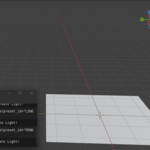
A small lighting preset tool for quickly adding simple studio, product, or dramatic lighting setups to Blender scenes.
Why Use This Bundle?
- Useful for architectural visualization and interior design scenes
- Combines 5 small workflow tools in one package
- Helps reduce repetitive manual setup work
- Includes tools for floors, lighting, cables/pipes, bookshelf filling, and render lighting presets
- Designed for practical Blender scene-building workflows
Installation
This is a bundle package. Do not install the main bundle ZIP directly into Blender.
After purchase, extract the main bundle ZIP file. Inside, you will find the individual add-on ZIP files. Install each add-on ZIP separately through Blender:
Edit > Preferences > Add-ons > Install
Compatibility
Tested with Blender 4.2 up to Blender 5.0.
AI Usage Disclosure
This bundle was created through an AI-assisted but human-led development process.
AI tools were used to support parts of development, including code suggestions, debugging ideas, workflow planning, and documentation drafting. The final Blender workflows, tool behavior, UI decisions, testing, bug fixing, packaging, documentation, and product preparation were reviewed and completed manually by the creator.
This product is not fully AI-generated. The final result reflects manual revisions, Blender testing, and human-led product design decisions.
Support
If you have an issue or question, please contact me through Superhive messages.
