 Digital DiLeo




ARKit Magic: The Ultimate Facial Rigging Workflow for Blender
Stop wasting hours manually linking drivers. Rig once, sync everything.
Facial rigging with ARKit should be seamless, but in Blender, managing shapekeys across multiple objects—like eyes, teeth, hair, and clothing—often becomes a technical nightmare. ARKit Magic turns that complexity into a one-click workflow, allowing you to focus on the art of animation rather than the math of drivers.
Why ARKit Magic?
In standard workflows, if you have a character with separate meshes for the head, tongue, and eyelashes, you have to manually set up drivers for every single shapekey on every single object.
ARKit Magic changes the game:
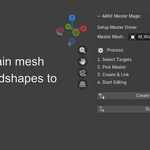
Master Mesh System: Designate a main mesh as your "driver source."
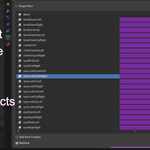
One-Click Linking: Instantly link any secondary object to your Master Mesh via automated drivers.
Synchronized Motion: Animate a Master Mesh blend shape, and every linked object follows perfectly.
Key Features
🪄 Instant Driver Automation
No more copying and pasting data paths. Simply select your secondary objects, pick your Master Mesh, and let the plugin handle the technical setup. It supports all 52 standard ARKit blendshapes.
⏱️ Specialized Edit Mode
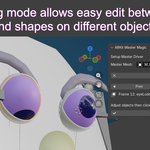
Editing shapekeys is usually a hunt-and-peck process in the properties panel. Our Edit Mode transforms your timeline into a visual editor.
See each blendshape represented on the timeline.
Quickly jump between shapes to make adjustments.
Compare movements frame-by-frame for frame-perfect facial expressions.
🔗 Multi-Object Support
Perfect for complex avatars, VTubers, and cinematic characters. Whether it’s hair following a brow-raise or glasses reacting to a cheek-puff, ARKit Magic keeps your rig unified.
How it Works
Prepare: Set up your 52 ARKit shapekeys on your Master Mesh.
Connect: Use the ARKit Magic panel to link your teeth, eyes, or accessories.
Edit: Enter Edit Mode to refine your shapes across the timeline.
Animate: Keyframe your Master Mesh (or use a face-cap app like Live Link Face) and watch your entire character come to life.
What’s Included?
The ARKit Magic Blender Add-on (.zip)
Lifetime Updates
Compatibility: Blender 5.0+
