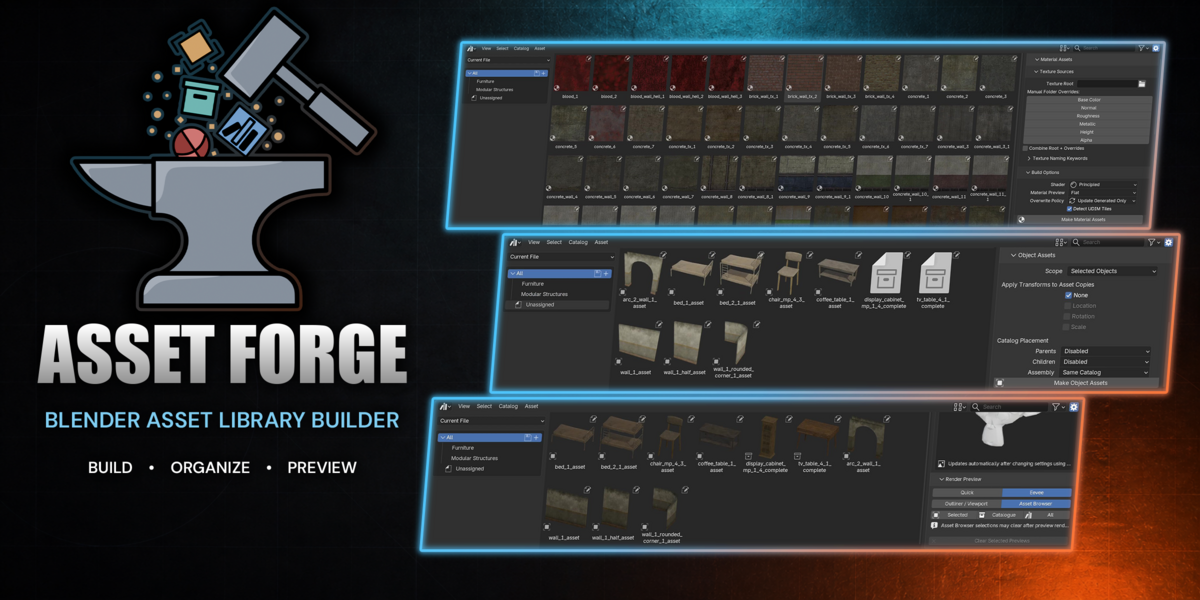
Asset Forge
Build material assets from texture folders, create object assets, render custom previews, and dry run everything first — all from the Asset Browser sidebar.
Blender 5.0+ Asset Browser PBR Textures GPL-3.0
| Material assets Build PBR material assets from texture folders with a single click. Scans for common map types with customizable naming keywords, sets up shader graphs, lets you choose the generated material preview shape, and registers everything as assets. Supports UDIMs, overwrite policies, and manual map overrides. | Object assets Create generated asset copies from selected objects, collections, or your entire file in one action, with optional transform baking, automatic catalog writing, and hierarchy placement controls. |
| Preview renders Render custom asset thumbnails with configurable camera, lighting, and background settings. Inspect the setup before committing, then batch render in Quick or Eevee mode. | Dry run & reports Preview what every action will do before applying. Results appear in a report panel with expandable details and issue summaries. |
Material Assets
One-click material generation from texture folders. Fast, accurate, and non-destructive.
Auto-Detection — Recursively scans your texture root and matches maps by common PBR naming conventions. No renaming needed. Required maps are inferred automatically from what is detected.
Manual Overrides — Enable per-map folder overrides to point any map type at a different directory. Use Combine Root + Overrides to merge requirements from both sources, or let overrides fully replace.
Custom Keywords — Customize the naming keywords used to detect each map type, plus shared folder tails like "maps" and "textures" — so even non-standard texture packs are recognized.
Shader Choice — Builds either a Principled BSDF or Diffuse material graph depending on your needs.
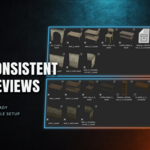
Material Preview — Pick the generated material thumbnail shape: Flat, Sphere, Cube, or Shaderball.
UDIM Support — Tile sets numbered 1001, 1002, 1003, and beyond are detected and grouped automatically.
Safe by Default — Overwrite policies protect your hand-made materials. The add-on will not touch what you built unless you tell it to.
Object Assets
Create and catalogue generated object assets with a single click.
Flexible Scope — Create asset copies from selected objects, a whole collection, or the entire file — one action.
Transform Baking — Optionally bake location, rotation, and scale into generated asset copies without modifying the source objects.
Auto Catalogs — Asset catalogs are written automatically. Just save your .blend first.
Hierarchy Controls — Configure how parents, immediate child export roots, and assemblies are placed in the catalog structure — same catalog, subcatalog, or top-level paths.
Preview Renders
Custom asset thumbnails with full control over camera and lighting.
Full Control — Camera projection, padding, lighting type (Sun, Area, Point, or HDRI), and background — all configurable. Optional transparent background for setup previews.
Automatic Setup Preview — Camera, lighting, mesh, size, padding, and background changes refresh the setup preview automatically after a brief pause.
Quick or Eevee — Fast Workbench-based preview or a full Eevee render with cancel support — your call.
Batch Rendering — Render previews for selected assets (from Outliner or Asset Browser), a collection or catalogue, or everything at once.
Dry Run & Reports
Preview before you apply. Every action in Asset Forge supports dry run.
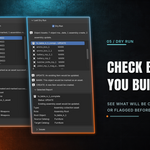
Dry Run — Run any material build, object asset creation, or preview render in dry-run mode to see exactly what will be created, skipped, or overwritten — without changing anything.
Report Panel — Results appear at the top of the Asset Forge panel after every action. Expand Selected Report or Issues for detailed breakdowns of what happened and why.
Texture Detection
The scanner recognizes common PBR suffixes for base color, normal, roughness, metallic, height, and alpha maps — so most texture packs work out of the box. Naming keywords and folder tails are fully customizable. Required maps are inferred automatically from what is detected in your texture root.
Requirements
Blender 5.0 or newer Saved .blend file
A saved file is needed for object asset catalogs and rendered preview output.
Installation
1 | Download the release .zip
|
2 | In Blender, open Edit → Preferences → Add-ons
|
3 | Click Install from Disk...
|
4 | Select the downloaded zip and enable Asset Forge
|
The add-on appears in the Asset Browser sidebar under the Asset Forge tab.
FAQ
Does it require a saved .blend file?
Yes — Blender needs a saved file to write asset catalogs and output rendered previews.
Can it work without normal maps?
Yes. Required maps are inferred from what is detected in your texture root — only base color is always required. If your folders do not contain normal maps, they will not be required.
Does it support UDIMs?
Yes. Tile sets numbered 1001, 1002, 1003 etc. are grouped automatically.
Will it overwrite my existing materials?
Only if you let it. The Update Generated Only policy keeps your hand-made materials safe.
Can I preview changes before applying?
Yes. Enable Dry Run before any action — material builds, object marking, or preview renders — to see exactly what will happen without changing anything.
Does it build complex shader graphs?
Not yet — it creates clean Principled BSDF or Diffuse setups from detected maps.
Updates
Asset Forge is actively developed with more features and improvements planned.
Support
Found a bug or have a feature suggestion? Reach out through the Superhive inbox or the Discord server — feedback helps shape future updates. For detailed usage guides, check the documentation.
Asset Forge is licensed under GPL-3.0-or-later
 StellArc