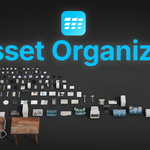
Asset Organizer — Grid Layout Tool for Blender
 Tivan Hajiloo


Installation
- Download the .zip file from your Superhive account
- Open Blender and go to Edit > Preferences > Add-ons
- Click Install, select the downloaded .zip file
- Enable the addon by checking the checkbox next to "Asset Organizer"
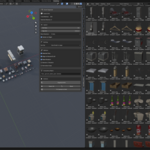
- The panel appears in the 3D Viewport sidebar under the "Asset Organizer" tab (press N to open the sidebar)
How to Use
- Import your asset pack into Blender (File > Import or drag and drop)
- Press N in the 3D Viewport to open the sidebar
- Click the Asset Organizer tab
- Configure your settings — columns per row, gap size, sort order
- Click Organize Grid
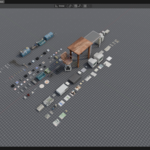
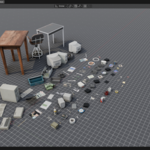
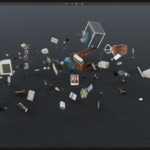
That's it. All mesh objects in your scene will be arranged into a clean grid.
Settings Reference
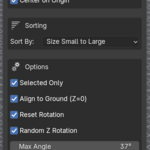
- Per Row — how many objects fit in each row before wrapping to the next
- Gap — spacing between objects in meters
- Row Direction — whether rows run along the X or Y axis
- Sort By — vertex count, name, or bounding box size (ascending or descending)
- Selected Only — only organize currently selected objects, leave everything else untouched
- Align to Ground — moves each object so its actual mesh bottom sits at Z=0
- Reset Rotation — sets all object rotations to zero so everything stands upright
- Random Z Rotation — applies a subtle random rotation on the Z axis for a natural look
- Normalize Scale — scales all objects to a uniform size for easy comparison
- Exclude by Name — comma-separated keywords; any object whose name contains these words will be skipped
- Center on Origin — centers the entire grid layout around world origin
Troubleshooting
- Objects going underground — make sure Align to Ground is enabled. The addon aligns to the actual mesh bottom, not the origin point.
- Linked assets not moving — linked assets are read-only in Blender. Go to Object > Relations > Make Local before organizing.
- Floor/ground moving with everything else — add "floor" or "ground" to the Exclude Names field.
Have questions about this product?
Login to message
| Blender Extension Compatible | Yes |
| Sales | 10+ |
| Published | 6 months ago |
| Blender Version | 3.0 - 5.1 |
| Extension Type | Add-on |
| Render Engine Used | Cycles, Eevee |
| License | GPL |
Discover more products like this
grid layout productivity presentation scene organizer kitbash asset management layout tool utility Workflow object-sorting asset organizer object placement