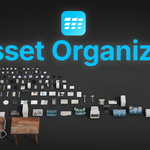
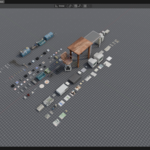
Asset Organizer — Grid Layout Tool for Blender
 Tivan Hajiloo


Can I undo the organization after running it?
Yes. Full undo support — just press Ctrl+Z and everything goes back to where it was.
Will it move my floor or base plane?
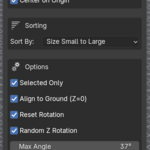
Not if you don't want it to. Type any keyword like "floor", "ground", or "plane" in the Exclude Names field and those objects will be skipped entirely.
Does it work on all mesh objects or only specific types?
It works on any mesh object in your scene. Non-mesh objects like lights, cameras, and empties are automatically ignored. You can also use the Exclude by Name field to skip specific objects like floors or ground planes.
Will it work with linked assets or only appended ones?
The addon works with appended (local) mesh objects. If your assets are linked, use Object > Relations > Make Local first to make them editable, then run the organizer.
Which versions of Blender does this work with?
Asset Organizer works with Blender 3.0 and above, including Blender 4.x and 5.x. It uses only native Blender Python API with no external dependencies.
Have questions about this product?
Login to message
| Blender Extension Compatible | Yes |
| Sales | 10+ |
| Published | 6 months ago |
| Blender Version | 3.0 - 5.1 |
| Extension Type | Add-on |
| Render Engine Used | Cycles, Eevee |
| License | GPL |
Discover more products like this
grid layout presentation asset management layout tool kitbash scene organizer object-sorting productivity Workflow asset organizer object placement utility