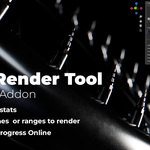
Ast Render Tool – Automated Frame Rendering Add-on for Blender
 Aliaksandr Tserashkou


Installation
Download the ZIP file from Blender Market.
Open Blender → Edit → Preferences → Add-ons
Click Install and select the ZIP.
Enable AST Render Tool in the add-on list.
The panel will appear in the 3D Viewport → Sidebar (N) → AST Render Tool.
How to Use
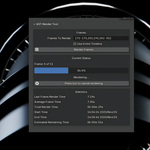
Open the AST Render Tool panel in the Sidebar.
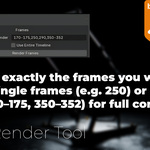
Enter the frames or frame ranges you want to render.
Example: 170–175, 250, 290, 350–352
(Optional) Enable Use Entire Timeline to ignore manual input.
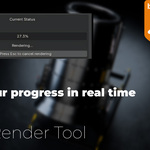
Click Render Frames to start rendering.
The add-on will automatically render only the frames you listed.
Supported Frame Inputs
Single frames: 250
Multiple frames: 250, 290, 310
Frame ranges: 170–175
Mixed input: 170–175, 250, 290, 350–352
Discover more products like this
blender addon animation utility sequences automation frame rendering Render render tool Cycles rendering eevee Workflow