 Aliaksandr Tserashkou
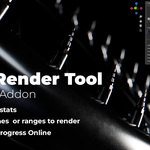
AST Render Tool is a lightweight Blender add-on for rendering only the frames you actually need.
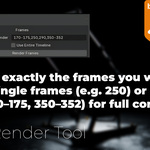
Instead of rendering the full animation or manually starting separate renders, simply enter individual frames, ranges, or both:
1, 10, 25-40, 75
You can also render the entire timeline with a custom Step value.
Key Features:
+ Render individual frames and custom frame ranges;
+ Render the entire timeline with adjustable Step;
+ Works with Cycles and Eevee;
+ Supports existing Blender Compositor File Output nodes;
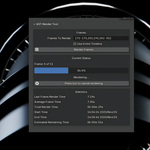
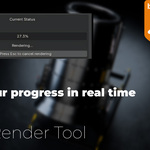
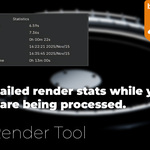
+ Progress, frame time, average time and ETA display;
+ Clean and simple Sidebar interface;
+ No external dependencies;
+ No additional setup required.
How It Works:
1. Install the ZIP:
Edit → Preferences → Extensions → Install from Disk
2. Open:
3D View → Sidebar → AST Render Tool
3. Enter frames, for example:
1, 10, 25-40, 75
or enable Entire Timeline.
4. Click Render Frames.
AST Render Tool uses your existing Blender render, output and Compositor settings and handles the selected frames automatically.
Compatibility:
Blender 5.2+
Tested with Blender 5.2
Ast Render Tool – Automated Frame Rendering Add-on for Blender


Discover more products like this
frame rendering eevee utility Workflow render tool automation sequences Render Cycles blender addon rendering animation