Atlas Bake
 John Deligiannis


Why do I get “Active/selected source must be a mesh” when selecting multiple meshes?
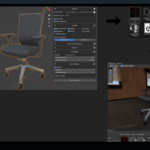
This has been improved in the latest version. Atlas Bake now supports selecting and baking multiple mesh objects in one task. Each bake runs through the new task system, with its own Task Name, output subfolder, progress tracking, and saved results. Just make sure all selected objects are valid mesh objects. Note: when Bake to Target / High→Low baking is enabled, only one source mesh is allowed.
Can I bake multiple meshes, and will the exported FBX still include the armature?
Yes. Atlas Bake now supports multi-mesh baking, so you can select multiple mesh objects and bake them in a single job. Each mesh gets its own textures, UV pass, and material setup. When Export FBX is enabled, you can also choose to include: Armature / skeleton & weights, Shape, keys / blend shapes and Animations / NLA actions.
Where are my baked textures and exports saved?
Use the Output directory in Atlas Bake’s panel.
- Paths starting with
//are relative to your .blend (e.g.,//atlas_bake_packs/). - If the .blend is unsaved, Atlas Bake resolves to a safe temporary location and shows the raw string in the UI so you can adjust it.
- Each job creates a worker folder for logs and intermediates; final textures and exports go to the output directory.
Normals look inverted
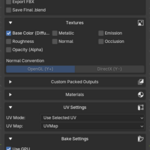
Check the Normal Convention: OpenGL (Y+) vs DirectX (Y−). Try toggling Flip Normal Y if your target engine uses the opposite convention.
UVs overlap after Smart UV.
Increase UV Island Margin and/or Bake Margin (px). For tight assets, consider MANUAL UVs or limit Smart UV to specific materials via the whitelist.
Is my open .blend modified during the bake?
No. Baking runs in a background headless Blender subprocess on a temporary copy of your scene. Your open file stays responsive and unmodified.
The background subprocess crashed or the progress bar is stuck. What should I do?
Atlas Bake runs the bake in a headless Blender subprocess so your open file remains safe. If that worker crashes, the UI may appear to be “stuck on Baking…”.
Quick recovery:
Quick recovery:
- Click Cancel Bake. This drops a
cancel.flaginto the worker folder and the UI should clear within a few seconds. - If the UI still looks stuck, press Cancel Bake again, then toggle the panel (collapse/expand) or switch tabs to force a refresh.
- Open the Worker folder path shown in the panel (if displayed) and delete the temporary worker directory to clean up.
- As a last resort, save your .blend and restart Blender (your open scene was never modified by the worker.)
The bake feels slow or lags. How can I speed it up?
Baking performance depends on scene complexity, texture size, and device setup.
- Use GPU: In Preferences → System, enable your GPU (CUDA/OptiX/Metal). In Atlas Bake, enable Use GPU.
- Lower samples for scalar maps: BaseColor/Normal might need more samples in some pipelines, but Metallic/Roughness/AO usually look identical at 1–4 samples.
- Reduce texture size: Try 2K instead of 4K while iterating.
- Limit included materials/objects: Bake only what you need.
- Apply Scale/Rotation on high/low before high→low baking to avoid projection re-tries.
- Disable heavy modifiers (or use a duplicate export mesh) to reduce geometry the worker has to process.
- Close other heavy apps to free VRAM/RAM.
What texture formats are exported?
Currently Atlas Bake exports PNG (lossless, RGBA). This is a solid default for engines and DCC tools.
Recommended color spaces in Blender:
Recommended color spaces in Blender:
- sRGB: Base Color (albedo).
- Non-Color: Metallic, Roughness, AO, Opacity, packed channels, Normal maps.
What export formats are supported?
Atlas Bake currently exports FBX and a baked .blend copy of the result.
- FBX: Engine-ready (Unity/Unreal friendly). Textures are written to your output folder; materials are set up to reference those files.
- .blend: A saved baked scene you can re-open and tweak.
Where can I find logs if something goes wrong?
Open the worker folder path (shown during a bake, if available). You’ll find
logs.text. These logs capture device selection, UV unwrap, image saves, and exporter output. It's the fastest way to spot missing textures or GPU memory errors.How do I cancel a bake safely?
Click Cancel Bake. Atlas Bake writes a
cancel.flag to the worker folder and stops the job cleanly without touching your open scene. If you’ve mapped Esc to call the same operator, pressing Esc will do the same. Once canceled, the status changes to “Cancel requested…” and the UI clears when the worker exits.
$9
Have questions about this product?
Login to message
| Blender Extension Compatible | Yes |
| Sales | 30+ |
| Published | about 1 year ago |
| Blender Version | 4.2 - 5.0 |
| Extension Type | Add-on |
| Render Engine Used | Cycles |
| License | GPL |
Discover more products like this
material-baking Unreal Engine fbx unity game engine high poly to low poly bake normals Cycles baking texture-baking Channel Packing baking settings bake atlas-bake