 jkdesign




Atomic – Advanced Visual Effects in Blender
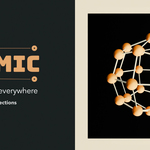
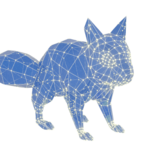
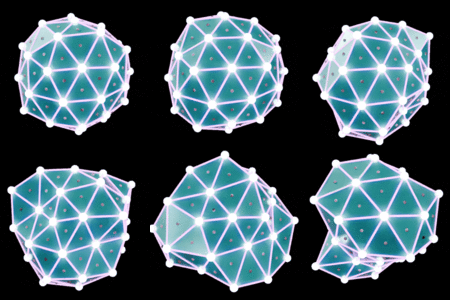
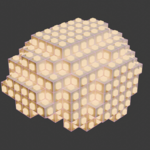
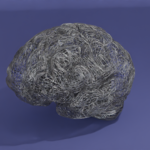
Atomic is a powerful plugin for Blender that lets you create stunning visual effects using points, lines, and animated deformations on objects or collections. Inspired by Plexus, it's ideal for abstract visuals, technical animations, and motion design.
Installation
- Download the Atomic plugin (.zip).
- In Blender, go to Edit > Preferences > Add-ons.
- Click Install…, select the .zip file, and enable the plugin.
- Access it in the N Panel > Atomic under the 3D Viewport.
Key Features
1. Point Generation
- Generate points on the surface or vertices of objects or collections.
- Density: Control point count.
- Distribution: Uniform or normal-based.
2. Line Connections
- Connect points with dynamic lines to create networks.
- Max Distance: Maximum line length.
- Connections per Point: Limit per point.
- Randomization: Adds variation.
3. Deformations
- Animate or distort points and lines for abstract results.
- Amplitude: Strength of deformation.
- Frequency: Level of detail.
- Animation: Animate over time.
4. Collection Support
- Apply effects across multiple objects via collections.
- Perfect for complex or layered scenes.
How to Use Atomic
- Select an Object or Collection: Choose in the scene or Outliner.
- Open Atomic Panel: Press N and go to the Atomic tab.
- Adjust Settings: Customize point, line, and deformation options.
- Apply: Click Apply Atomic to generate the effect.
Use Cases
- Technical Visualizations: Sci-fi networks or data effects.
- Abstract Art: Animated points and wireframes.
- Motion Design: Perfect for dynamic intros and title sequences.
Advanced Settings
- Color Based on Distance: Gradient coloring for lines and points.
- Glow (Emission): Adjust Line Object or Particles Dots Material emissive glow effects.
FAQ
- Compatible with Eevee and Cycles? Yes, fully supported.
- Animatable? All parameters can be keyframed in Blender.
Support
For help or questions, feel free to send us a message.
