 jkdesign





Atomic Plugin for Blender
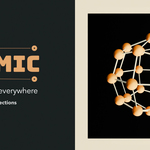
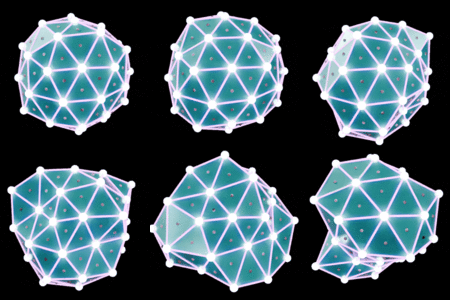
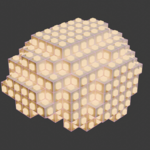
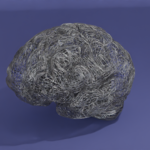
Atomic is a plugin for Blender designed to create complex visual effects such as points, lines, and deformations on selected objects or collections. Inspired by Plexus, it’s perfect for generating abstract effects, technical animations, or artistic visuals.
Installation
- Download the Atomic plugin (.zip file).
- In Blender, go to Edit > Preferences > Add-ons.
- Click Install…, select the .zip file, and enable the plugin.
- Find it under N Panel > Atomic in the 3D Viewport.
Key Features
1. Point Generation
- Adds points or particles to the surface or vertices of selected objects or collections.
- Density: Controls how many points are generated.
- Distribution: Uniform or normal-based options.
2. Line Connections
- Connects points with lines to form dynamic networks.
- Connections per Point: Limits how many links per point.
- Randomization: Adds organic variation.
3. Deformations
- Applies animated distortions for abstract or organic effects.
- Amplitude: Controls deformation strength.
- Frequency: Sets complexity of shapes.
- Animation: Enables motion over time.
4. Collection Support
- Apply Atomic effects to entire collections, linking multiple objects together.
- Ideal for large or layered scenes.
How to Use Atomic
- Select an Object or Collection: Choose in the 3D View or Outliner.
- Open Atomic Panel: Press N and go to the Atomic tab.
- Adjust the Settings: Tune points, lines, and deformation parameters.
- Apply the Effect: Click Apply Atomic to generate visuals.
Use Cases
- Technical Visualizations: Build connection networks or sci-fi structures.
- Abstract Art: Animate points and lines for generative visuals.
- Motion Design: Great for intros, transitions, and title animations.
Advanced Settings
- Color Based on Distance: Gradient coloring by proximity.
- Glow Effect (Emission): Add realistic glow to lines and points.
- Texture Control: Use textures to modulate placement and motion.
FAQ
- Lines not showing? Check Max Distance and point count.
- Is it compatible with Eevee and Cycles? Yes, fully supported.
- Can I animate the settings? Absolutely, all parameters are keyframe-ready.
Support
If you have questions or encounter issues, send a mail for help.
-
$15
Personnal usage (1 seat - no commercial usage). You can update later to Pro Licence later by paying only the difference.
-
$20
Commercial usage (1 seat)
-
$80
Commercial usage (5 seats)
-
$120
Personnal usage
Have questions about this product?
Login to message
| Blender Extension Compatible | Yes |
| Published | about 1 year ago |
| Blender Version | 4.4 |
| Extension Type | Add-on |
| Render Engine Used | Cycles, Eevee |
| License | GPL |

Discover more products like this
videocopilot breakdown aftereffects geometry node plexus for blender VFX Compositing plexus FX