Audio2Blender Extension + Sp1
 Tommaso Malaisi


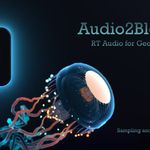
Audio2Blender 0.3.1 (Extension)
⚠️ Privacy & Device Access Disclaimer
By using Audio2Blender, you grant permission for the extension to access audio input devices connected to your computer (e.g. microphones, sound cards, virtual devices). No data is collected, stored, or transmitted. Audio2Blender does not connect to the internet, send data externally, or access any files on your system. All processing happens locally inside Blender, on your machine and in real time.
© 2025 Tommaso Malaisi — Licensed under GNU GPL v3 or later.
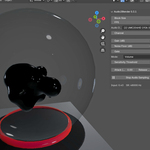
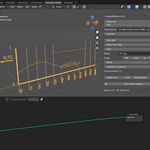
Audio2Blender brings real-time audio analysis into Blender, enabling direct use of live audio data inside Geometry Nodes. With this extension, you can analyze both overall volume and frequency spectrum (linear or logarithmic bands) to drive any node parameter or animation directly with sound — ideal for sound-reactive visuals, generative art, or interactive installations.
✨ Features
- Real-time audio sampling using sounddevice.
- Volume analysis (RMS level mapped to 0–1).
- FFT spectrum analysis (linear or logarithmic bands).
- Adjustable number of bands, gain, noise floor, and gating.
- Per-band smoothing with attack and release times.
- Precision/deadband control to reduce unnecessary updates.
- Automatic creation of scene objects and attributes (
Volume/FFT). - Integrated Blender UI panel under Sidebar → Audio2Blender.
🧩 Requirements
Blender 4.2 or newer
-
Python dependencies:
-
sounddevice(bundled in the extension) -
numpy(included with Blender)
-
⚙️ Note: All required packages are provided as pre-built wheels inside the audio2bl_modules package. No internet connection is required.
🧤 Installation
Step 1 — Install the Modules
- Open Blender.
-
Drag and drop
audio2bl_modules.zipdirectly into the Blender window, or install it via Edit → Preferences → Get Extensions → Install from Disk. - Confirm installation.
Step 2 — Install Audio2Blender
- Once
audio2bl_modulesis installed, repeat the same process foraudio2blender.zip. - Enable the extension if not automatically activated.
- Restart Blender if prompted.
🥏 macOS Users
On macOS, Blender must be launched with administrator privileges for Audio2Blender to access audio input devices correctly.
Open Terminal.
-
Type the following command and press Enter:
 /Applications/Blender.app/Contents/MacOS/Blender
-
If you use a specific version (e.g. Blender 4.5), include the version number in quotes:
"/Applications/Blender 4.5.app/Contents/MacOS/Blender"
Once Blender is open from Terminal, install the extensions as described above.
💡 You must launch Blender this way each time you want to use Audio2Blender.
🔊 Usage
- Open 3D Viewport → Sidebar → Audio2Blender.
- Select your input device and channel.
- Choose an analysis mode (Volume / FFT Linear / FFT Log).
- Adjust Gain, Floor, Gate, Smoothing, and Precision as desired.
- Press Start Audio Sampling.
Objects will automatically appear in your scene:
-
Volume→ a single float attributevolume. -
FFT→ a point cloud with one vertex per band, attributefft.
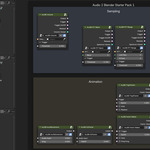
You can use these attributes directly in Geometry Nodes or modifiers to drive animations, shaders, or physics with sound.
❌ Uninstall
- Go to Edit → Preferences → Get Extensions → Audio2Blender.
- Open the dropdown menu in the top-right corner.
- Select Uninstall.
If you wish to completely remove dependencies, also uninstall audio2bl_modules.
⚖️ License
This extension is licensed under the GNU General Public License v3 or later (GPL-3.0-or-later). See the included LICENSE file for details.
📄 Third-Party Licenses
Audio2Blender includes or depends on the following open-source components:
python-sounddevice © 2015–2025 Matthias Geier — MIT License See
SOUNDDEVICE_LICENSE.txtPortAudio © 1999–2011 Ross Bencina, Phil Burk — MIT License See
PORTAUDIO_LICENSE.txtcffi © 2013–2024 The PyPy Project — MIT No Attribution (MIT-0) See
CFFI_LICENSE.txtpycparser © 2008–2022 Eli Bendersky — BSD 3-Clause License See
PYCARSER_LICENSE.txt
© 2025 Tommaso Malaisi — Licensed under GNU GPL v3 or later.
Have questions about this product?
Login to message
| Blender Extension Compatible | Yes |
| Sales | 10+ |
| Dev Fund Contributor | |
| Published | 11 months ago |
| Blender Version | 4.2 - 5.0 |
| Extension Type | Add-on |
| Render Engine Used | Eevee |
| License | GPL |

Discover more products like this
Interactive animation Interaction interactive audiovisual geometry nodes audio realtime visual