Auto Lighting — Quick Lights (One-Click Lighting Add-On)
 Ahui Studio


Auto Lighting — Quick Lights (Documentation)
Version: v1.6.5
Blender: 4.0 – 4.5
Render Engines: Eevee & Cycles
License: GPL-2.0-or-later
What this add-on does
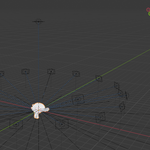
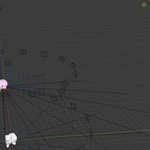
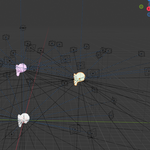
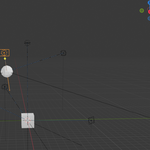
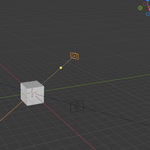
Quick Lights creates a surround lighting rig around the active object with one click.
You can change the Light Count and the Light Distance (radius) in real time. All lights automatically Track To the target.
Includes quick controls for World / Background (HDRI or solid color) and a Cleanup button.
Installation
-
Edit > Preferences > Add-ons > Install… -
Select the ZIP:
Auto_Lighting_Quick_Lights_v1.6.5_store.zip -
Enable Auto Lighting — Quick Lights.
-
Open the panel in the 3D Viewport > Sidebar (press N) > Auto Lighting > Quick Lights.
If you installed from a single
.py, the steps are the same — just choose the.pyfile in step 2.
Quick Start
-
Select the object you want to light (the active object becomes the target).
-
Click Create Quick Lights.
-
Adjust:
-
Light Count – number of lights in the ring.
-
Light Distance – radius from the target.
-
-
(Optional) Set World / Background (solid color or HDRI) for the scene.
-
Render in Eevee or Cycles.
Main Controls
-
Create / Update Rig
Generates or updates a ring of area/point lights (depending on your version) around the active object. Lights auto-align and Track To the target. -
Light Count
How many lights are placed in the ring. Useful ranges: 6–16 for most product shots. -
Light Distance
Distance from the target object to the lights (the ring radius). Increase for large models, decrease for small props. -
Top / Key (optional if present)
Adds a top light or key accent. Helps with specular highlights. -
World / Background
Quick access to World settings. You can keep a solid color background or switch to an HDRI to add ambient light. -
Cleanup
Removes the Quick Lights rig from the scene (non-destructive to your model).
Names of some controls may differ slightly by minor version; the workflow stays the same: Create → Tweak Count/Distance → Set World → Render.
Tips
-
Start with Light Distance ≈ 1–2× the bounding-box size of your model; then fine-tune.
-
Lower Count for strong contrast; raise Count for soft, even product-style lighting.
-
If you use HDRI, keep its strength modest so the ring lights still define the shape.
-
In Eevee, enabling Bloom and Soft Shadows often looks great on glossy objects.
Compatibility & Notes
-
Works with any selectable object (mesh, curve, text, etc.).
-
The rig uses standard Blender lights and constraints; you can edit or animate them after creation.
-
If the target changes, simply select the new object and click Create / Update Rig again.
Uninstall
Edit > Preferences > Add-ons → search Quick Lights → disable or Remove.
Changelog (short)
-
v1.6.5: Initial Superhive release. One-click surround rig, live Count & Distance, Track To, World/Background controls, cleanup.
Support
If something doesn’t work as expected, please include your Blender version, OS, and a short description (or screenshot) when contacting us.
Have questions about this product?
Login to message
| Dev Fund Contributor | |
| Published | about 1 year ago |
| Blender Version | 4.0 - 4.5 |
| Extension Type | N/A |
| License | GPL |

Discover more products like this
track to surround lighting world-background Cycles blender addon quick lights auto lighting eevee hdri Lighting light rig