Auto-PBR V1.1.1
 CelladorProject


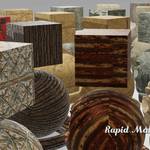
Prerequisites Checklist
Before starting, ensure you have:
- [ ] Blender `5.0.0` installed
- [ ] ComfyUI running locally
- [ ] Flux 2 Klein model installed in ComfyUI
- [ ] Auto-PBR Texture custom nodes installed in ComfyUI
- [ ] Cellador-Tools custom save node installed in ComfyUI
---
Required Custom Nodes
Auto-PBR requires two custom node suites for ComfyUI:
Auto-PBR Texture Nodes
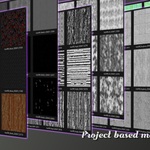
Provides all texture processing nodes including height, normal, AO, metallic, albedo extraction, and channel packing.
- Included zip file.
**Repository:** https://github.com/Kizvi/Auto-PBR_Textures-Tileable/blob/main/custom_nodes/Auto-PBR-Textures.zip
**Installation:**
```bash
cd ComfyUI/custom_nodes
- Place unzipped folder in the custom nodes folder
```
Cellador-Tools
Provides the custom save node used for outputting textures.
- Included zip file.
**Repository:** https://github.com/Kizvi/Auto-PBR_Textures-Tileable/blob/main/custom_nodes/Cellador-Tools.zip
**Installation:**
```bash
cd ComfyUI/custom_nodes
- Place unzipped folder in the custom nodes folder
```
---
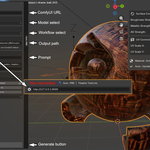
Step 1: Open Auto-PBR Panel
1. Open Blender
2. Change to **Image Editor** or **Shader Editor**
3. Press `N` to open sidebar
4. Click **Auto-PBR** tab
---
Step 2: Test Connection
1. Look for **Connection** section
2. Verify URL: `http://127.0.0.1:8188`
3. A successful connection with show a check mark to the left of the URL
**If offline:**
- Start ComfyUI: `python main.py` in ComfyUI folder
- Check URL matches your ComfyUI port
---
Step 3: Enter First Prompt
In the **Prompts** section:
```
Prompt: weathered brick wall
```
Leave other prompts at defaults.
---
Step 4: Generate
1. Click **Generate** button
2. Wait 30-60 seconds (Performance based on hardware)
3. Check output folder for the different texture maps
---
Step 5: Apply Material
1. Before generation select your 3D object
2. Click **Generate**
3. Adjust UV scale if needed in the `Material Controls`
---
Default Parameters
| Parameter | Value | Notes |
|-----------|-------|-------|
| Resolution | 1024 | Good balance |
| Steps | 20 | Standard quality |
| CFG | 5.0 | Balanced prompt adherence |
| Inner Radius | 0.85 | Good for most |
| Outer Radius | 1.0 | Standard |
| Scatter | 1.0 | Hides patterns |
---
$34.99
Have questions about this product?
Login to message
| Dev Fund Contributor | |
| Published | 4 months ago |
| Blender Version | 5.0 - 5.1 |
| Extension Type | N/A |
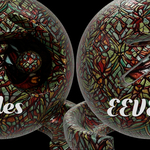
| Render Engine Used | Cycles, Eevee |
| License | Mit |
Discover more products like this
PBR texture maps ai advanced shaders materials shading texture-generation