 Studio156


Installation
Open Blender.
Go to Edit → Preferences → Add-ons.
Click Install from Disk.
Select the addon ZIP file.
Enable the addon.
Open Blender.
Go to Edit → Preferences → Add-ons.
Click Install from Disk.
Select the addon ZIP file.
Enable the addon.
The addon is now ready to use.
Standard Edition
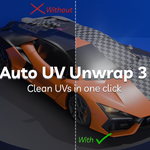
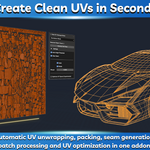
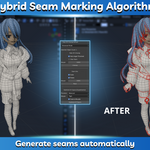
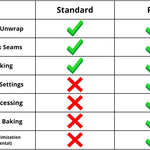
Real-time UV tools are available through Blender's UV workflow menus. Use Auto UV Unwrap to automatically prepare UVs with minimal manual setup.
Pro Edition
The advanced panel is located in the Image Editor N-Panel.
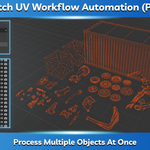
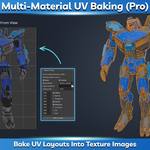
From there you can access: • Batch UV Unwrap & Pack • UV Space Optimizer • Multi-Material UV Baking • Advanced workflow settings
Have questions about this product?
Login to message
| Sales | 100+ |
| Published | over 1 year ago |
| Blender Version | 3.0 - 5.2 |
| Extension Type | N/A |
| Render Engine Used | Cycles, Eevee |
| License | GPL |
Discover more products like this
baking albedo map uv packing UV Unwrap clean uv maps uv pack automatic uv unwrap Auto UV Mapping auto-uv uv uv-unwarpping auto unwrap