 blenderVfxMaster


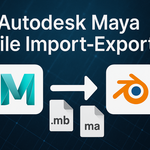



Autodesk Maya File Import-Export (.mb .ma)
mayapy.exe) in the background to convert .mb / .ma files. Without Maya installed, the plugin cannot function and refunds will not be issued for "Maya not installed" reasons. Currently Windows only.🧩 Overview
This powerful and user-friendly plugin streamlines the workflow between Blender and Autodesk Maya, allowing you to directly import and export .mb and .ma files within the Blender interface—without manually launching Maya (Maya must still be installed locally; see the warning above).
It leverages Maya's Python environment (mayapy.exe) in the background to read and convert Maya-native assets. As such, a local installation of Autodesk Maya is required, but Maya itself does not need to be opened during the process.

🎯 Supported Asset Types
-
3D Models: High-fidelity geometry and UV transfer with smooth cross-platform compatibility.
-
Animation: Supports both rigged and keyframe-based animations.
-
Materials: Transfers standard materials via FBX; complex Maya shader networks may need manual adjustment.
-
Character Assets: Includes rigged meshes, skeletons, and skinning data for further editing and rendering in Blender (via FBX conversion).
-
Cameras & Lights: Basic camera parameters and light setups are preserved.


⚙️ System Requirements & Setup
-
Operating System: Windows
-
Required Software: Blender 3.0+ and Autodesk Maya 2018 or newer (must be installed)
-
Setup: In the plugin preferences, specify the path to Maya's Python interpreter (
mayapy.exe) -
Non-Intrusive: Maya does not need to be opened—conversion happens entirely in the background.

💡 Who It's For
Ideal for artists, animators, and studios working in both Maya and Blender, this plugin:
-
Reduces tedious export/import steps
-
Maintains fidelity across formats
-
Preserves the integrity of creative assets during transfer
💝 Community Contribution
We proudly donate a portion of this plugin's proceeds each month to the Blender Foundation, supporting the future of open-source 3D creation. Your purchase helps fuel innovation in the creative community.
🔎 Key Differences from Other DCC Bridges
-
Maya Installation Required: Unlike C4D workflows that can bypass installation, this plugin relies on
mayapy.exefor native file access, so Maya must be installed. -
Windows-Only (for now): Current implementation includes hardcoded Windows paths (e.g.,
C:\\Program Files\\Autodesk\\Maya2025\\...). For macOS/Linux support, cross-platform path detection or manual config is required. -
Realistic Phrasing: Rather than calling it "revolutionary," we emphasize practical simplification due to its dependency on external software.