 Domenas




Installation
- Download the ZIP file.
- Open Blender.
- Go to Edit → Preferences → Add-ons.
- Install the downloaded ZIP file.
- Enable Automatic Exploded Assembly.
- Open the Automatic Exploded Assembly panel in the 3D Viewport sidebar (N-panel).
Quick Start
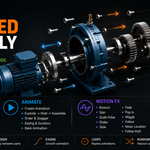
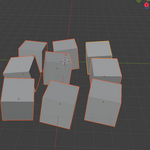
- Select the objects you want to use as assembly parts.
- Use Use Selected Parts to store them as the assembly.
- Choose the explosion direction and distance.
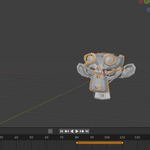
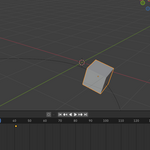
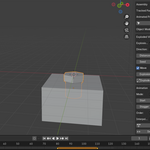
- Adjust Explosion Amount to preview the exploded view.
- Set the animation Start and End frames.
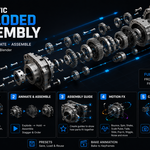
- Choose Explode, Assemble, or Explode → Hold → Assemble.
- Create the animation.
You can change the part order and stagger the animation when you want the components to move one after another.
Exploded View
The exploded view can be controlled using:
- Explosion direction
- Explosion distance
- Explosion center
- Rotation
- Scale
- Explosion Amount
Parts can be ordered by distance, axis position, object name, random order or a custom order.
Motion FX
Motion FX can be applied to selected parts.
Available effects:
- Bounce
- Spin
- Scale Pulse
- Shake
- Slide
- Fade
- Pop In
- Wiggle Rotation
- Follow Controller
- Noise Location
- Camera Shake
- Follow Path
For Follow Path, select a Curve path and use it to animate the selected part along that path.
Assembly Guide
The Assembly Guide lets you move through the assembly step by step using Previous and Next.
It can hide upcoming parts, highlight the current part and display part numbers and direction arrows.
Camera Tools
Use the camera controls to quickly set up Front, Side or Top views, adjust camera distance or use the Follow option.
Presets
Save commonly used explosion and animation settings as presets and reuse them in the current Blender scene.
Bake Animation
Use Bake Animation when you want to convert the generated animation into regular Blender keyframes for further editing.
Compatibility
Requires Blender 4.2 or newer.
Have questions about this product?
Login to message
| Published | about 2 months ago |
| Blender Version | 4.2 - 4.5 |
| Extension Type | N/A |
| License | GPL |

Discover more products like this
animation exploded view assembly animation explode animation motion assembly product animation Motion FX mechanical animation technical animation