 CelladorProject


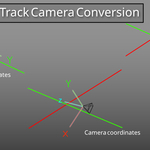
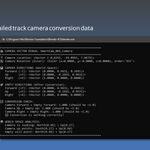
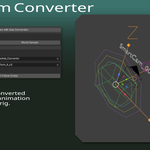
The SmartCam Orient Convertor is a specialized Blender addon designed to solve coordinate system mismatches when working with camera data from other DCC applications and rig control systems. This tool is essential for SmartCam Rig workflows where you need to transfer camera motion data between different coordinate systems while maintaining proper axis orientation.
## The Problem It Solves
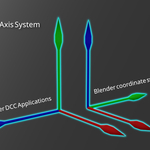
Different DCC applications use slightly different coordinate systems, typically rotated 90 degrees around the X-axis from each other. This creates a mismatch between the Y and Z axes:
- **Some DCC Applications**: Use Y-up coordinate systems
- **Blender**: Uses Z-up coordinate system
- **Result**: Y and Z axes are swapped between applications
When you simply constrain one camera to another camera imported into Blender, there are usually no obvious problems. However, when your camera has a **rig control system attached**, the axis mismatch becomes apparent - orientations can flip by 90 degrees, causing incorrect camera behavior.
### Coordinate System Differences
**DCC Application (Y-up system)**:
- **Up**: Points along the **Y axis**
- **Forward**: Points along the **Z axis**
- **Right**: Points along the **X axis**
**Blender (Z-up system)**:
- **Up**: Points along the **Z axis**
- **Forward**: Points along the **Y axis**
- **Right**: Points along the **X axis**
This 90-degree rotation around the X-axis causes issues when camera rig controls try to interpret orientation data, resulting in flipped or incorrect camera movements.