 antoine bagattini


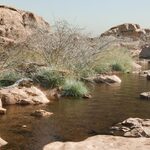
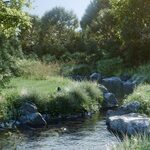
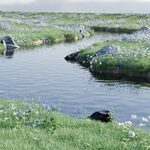
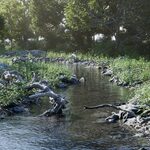





New in V2
• Foam
- Procedural foam for enhanced realism.

• Carving
- The river now carves naturally into your terrain.

• Scatter Friendly
- Fully compatible with existing scattering; instances are cleanly removed around the river.

• Demo shown with BagaPie Scatter.
• Scattering instances must be on the terrain, with the scatter modifier placed before the river modifier.
• For smoother results, disable your scatter modifier before drawing the river.
Latest BagaPie version needed ! ! ! (V11.0.6)
Just Draw it !
Choose a preset and draw your river directly in the viewport.

4 Environments
Includes 4 river presets, 1 default river for custom rivers, and 30+ ready-to-use assets.
40% OFF for BagaPie Assets owners - Code BAGAOFF


Fully Customizable
Edit river shape, scattering layers, and how assets are distributed.

Animated Water
River flows with surface animation.
No animation loop.
Foam is generated procedurally.

Camera Culling
Improve performances by rendering only what's visible.
Available for Terrain and Assets.

Create & Save Your Own Presets
Duplicate layers, customize behavior, and save them thanks to BagaPie GeoPack.
Use the "New River" preset to create brand new river.

Easily add new scatter layer by duplicating scatter node in the geometry nodes editor.
Once your river is ready, you can save it as a GeoPack for future reuse.
Here's the full process:
- Select a Pack - BagaRiver
- Name your preset (modifier)
- Go to the Usage tab
- Set Active object must be to
None - Set New object type to
Curve - Set Curve mode to
3D - Set Curve Projection to
Cursor
That’s it! Your river preset is ready to be reused anywhere!
For V2 :
- Select a Pack - BagaRiver
- Name your preset (modifier)
- Go to the Usage tab
- Set Active object must be to
Mesh - Enable Add Curve and switch to Draw mode
- Set Curve mode to
3D - Set Curve Projection to
Cursor

Saving river as new reusable modifier in seconds.
What You Need to Know
- Requires BagaPie – install via Blender > Preferences > Extensions.
- River Instances : Can avoid Object by proximity. Obj must be set individually in each leayer.
- Add rivers from V > BagaRiver menu.
- There is 2 variant of each presets : One for terrain blending into existing surface (Eg "Desert Incrust"), another for stand alone river.
- Vegetation is not animated.
- Require : BagaPie V11.0.6 minimum.
- For Cycles & EEVEE Only.
- For Blender 4.2 and newer.
- This setup might be HEAVY.
- Tips: Tweaking the seed is usually needed to get best results.
- Tips: Draw from top view.
- Royalty-free license: you can't resell or redistribute BagaRiver content (even modified).
(Except through Games, it's OK.)
Installation
-
Install BagaPie from the official Blender Extensions panel:
Blender > Preferences > Extensions > BagaPie - Open BagaPie inside Blender and go to the GeoPack section.
-
Install the file
BagaRiver.geopackinto your GeoPack library. - Once installed, press V > BagaRiver in the 3D view to start drawing rivers.
Already own BagaPie Assets (Lite or Full) ?
Use the code BAGAOFF at checkout to get 30% OFF BagaRiver!