 3Z Axis



📘 BakeFromEmpty
BakeFromEmpty is a powerful Blender add-on that simplifies the process of baking animations from an Empty object to a target model. Whether your model is connected (parented or constrained) or unconnected to the Empty, this tool ensures you can bake location, rotation, scale, and visibility with just a few clicks. It’s perfect for animators who need seamless animation transfer for export or further editing in other software.
🧭 Getting Started
Install the Add-on:
-
Go to Edit > Preferences > Add-ons.
-
Click Install... and select the .zip file for BakeFromEmpty.
-
Enable the checkbox next to BakeFromEmpty.
Access the Tool:
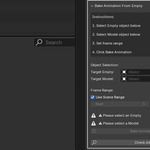
In the 3D Viewport, go to the Tool Shelf and find BakeFromEmpty in the tool panel.
🧼 Bake Options
🔹 Bake Animation
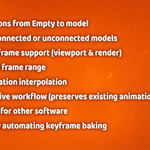
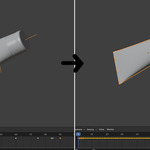
Transfers location, rotation, scale, and visibility keyframes from the Empty to the target model.
🔹 Works for Connected or Unconnected Models
BakeFromEmpty works whether the model is parented or constrained to the Empty, or if it's completely independent of it.
🔹 Visibility Keyframes
Automatically bakes visibility keyframes for both viewport and render settings.
🔹 Customizable Frame Range
Select a specific frame range for baking or use the scene's default range.
🔹 Smooth Interpolation
Ensures smooth transitions between keyframes for location, rotation, scale, and visibility.
🔹 Non-Destructive
Preserves existing animation data while adding baked keyframes without modifying previous work.
🔍 Exporting Your Animation
Once baked, you can export your model with its animation intact to other software such as Unity, Unreal, or any other 3D tool that supports baked animation data.
⚙️ Settings Summary
| Setting | Description |
|---|---|
| Bake Animation | Bake location, rotation, scale, and visibility |
| Frame Range | Define custom frame range or use the scene’s default |
| Visibility Keyframes | Bake visibility (viewport & render) |
| Interpolation | Ensure smooth keyframe transitions |
| Non-Destructive | Keep original animation while adding baked keyframes |
| Export Ready | Export the model with animation to other software |
🎯 Use Cases
-
Animation transfer for exporting to other software
-
Animation baking for static models or rigged characters
-
Export-ready models with baked animation for game engines or 3D applications
-
Simplifying animation workflows in complex scenes
💡 Tips & Best Practices
-
Use BakeFromEmpty when you need to transfer animation from a controller (Empty) to a static or rigged model.
-
Combine this tool with Visibility Keyframes for full control over model visibility during the animation process.
-
Always check the Frame Range to ensure you’re baking the correct section of your animation.
❓ Troubleshooting
Q: The baked animation doesn’t show in my exported model?
A: Ensure you have selected the correct frame range and that the model has valid keyframes baked.
Q: The model's visibility isn’t baking correctly?
A: Make sure the "Visibility" keyframe option is enabled and that the Empty object has the correct visibility settings.
🛠️ Version Compatibility
Blender 3.0+
Fully tested on Blender 3.x and 4.x
📫 Support
If you encounter any issues, have suggestions, or need assistance, feel free to contact us through Blender Market.
Have questions about this product?
Login to message
| Dev Fund Contributor | |
| Published | about 1 year ago |
| Blender Version | 3.0 - 4.5 |
| Extension Type | N/A |
| Render Engine Used | Cycles |
| License | GPL |

Discover more products like this
Animation Export 3D Animation Tools rigging 3D Model Animation animation Empty Object Bake Animation Blender Export blender animation Blender Add-on Blender Rigging