 Anvil Interactive Solutions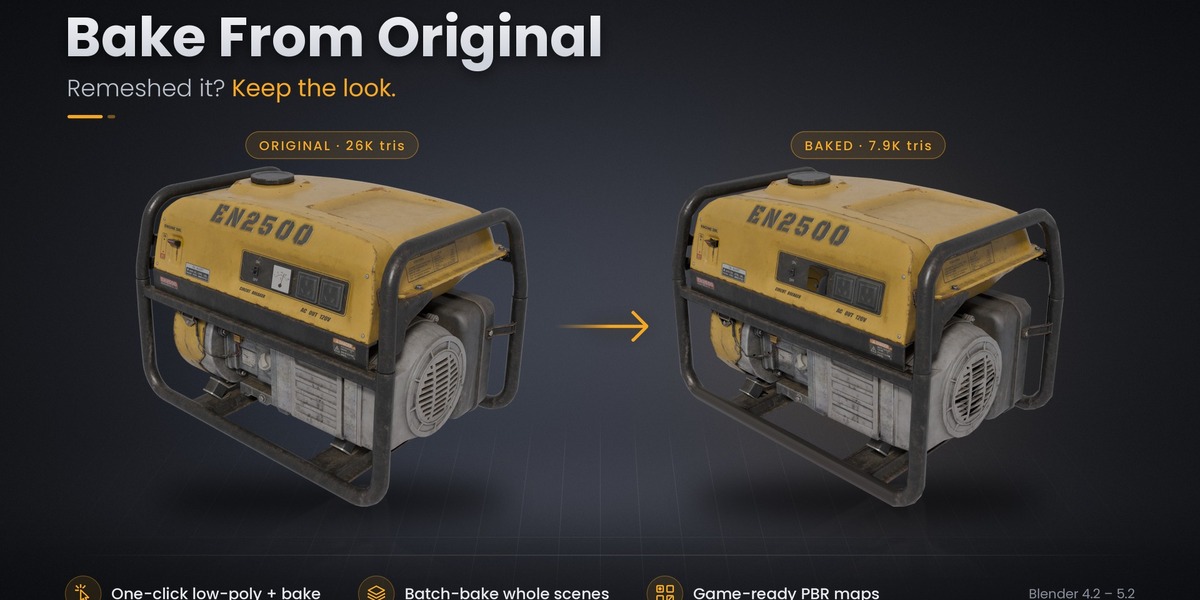
BAKE FROM ORIGINAL
Remeshed it?
Keep the look.
Turn your detailed model into a lightweight asset without rebuilding its materials by hand.
One-click low-poly + bake • Batch baking • Clean PBR materials
You have the model. You have the textures. You just need fewer polygons.
But decimation, remeshing and retopology can disrupt UVs or leave the new mesh without the original material detail. Getting the appearance back means preparing UVs, setting up a selected-to-active bake, adjusting projection distances, baking each map, saving images and connecting a new material.
Bake From Original brings that workflow into one place. Transfer your original model’s color, surface detail and material properties onto a lightweight target, with a new PBR material and image textures saved next to your .blend file.
Keep the detail. Lose the geometry.
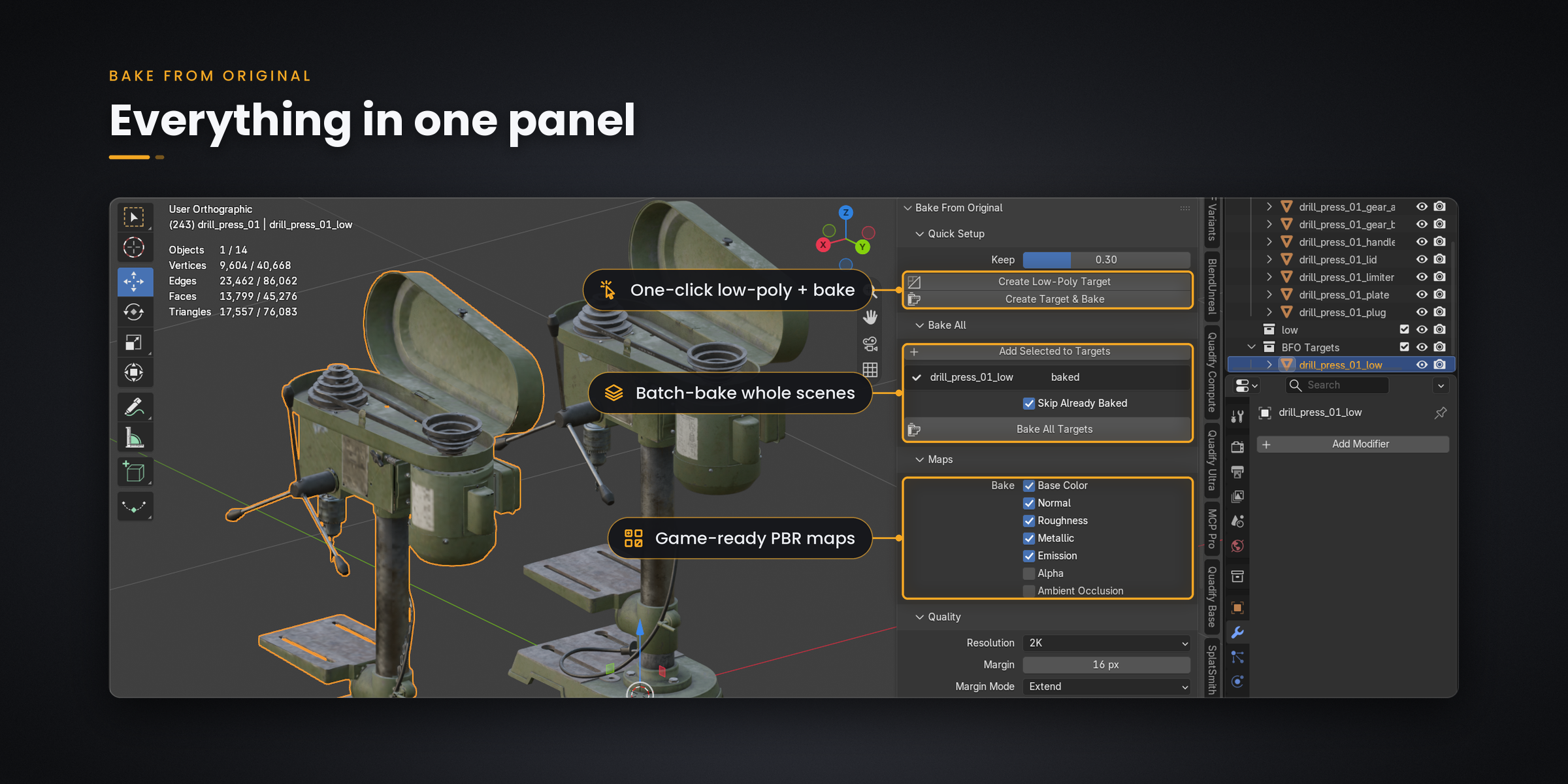
Create a reduced target and bake in one click, bring a low-poly from your favourite remesher, or process a collection of targets in one batch.
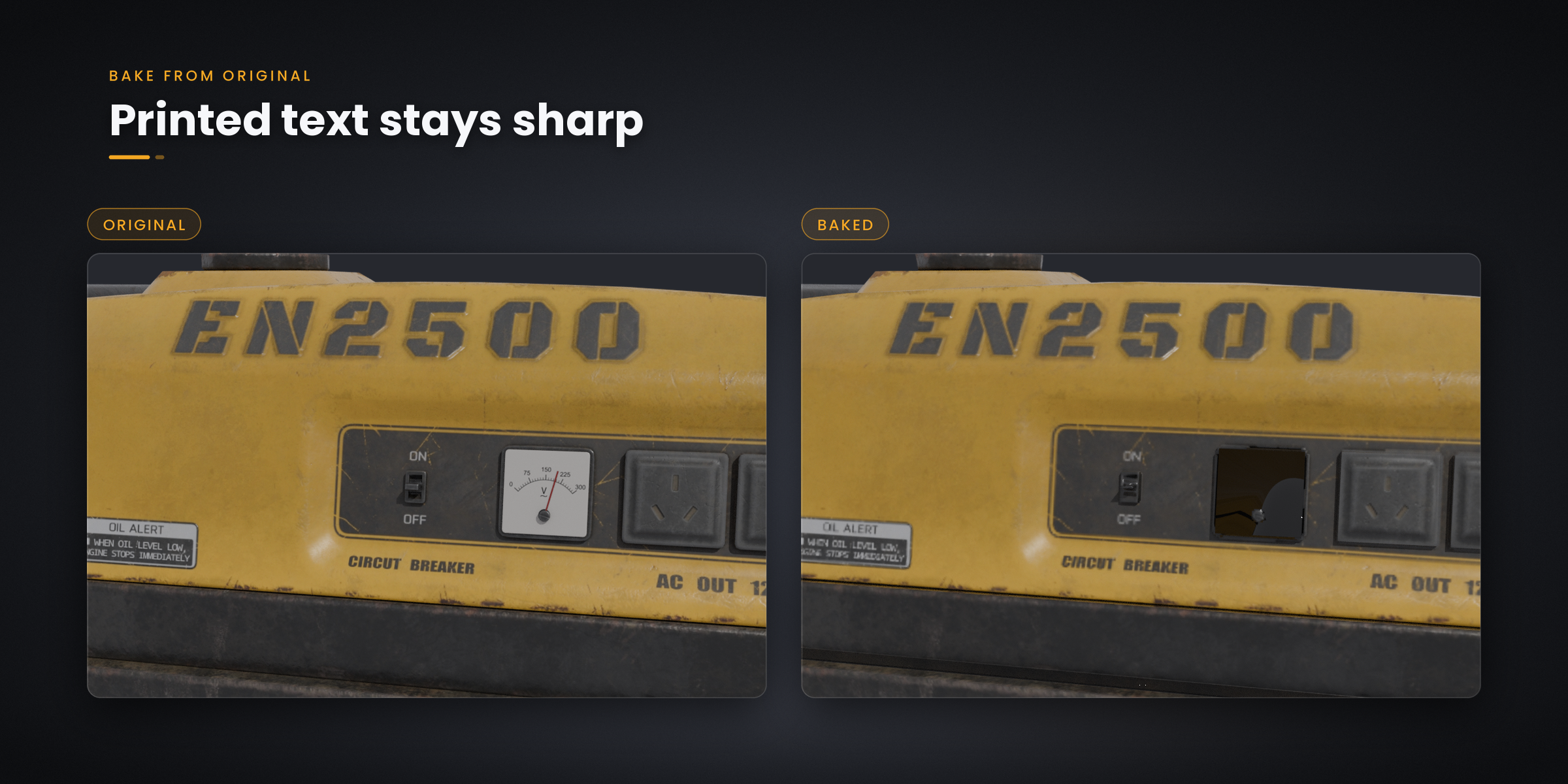
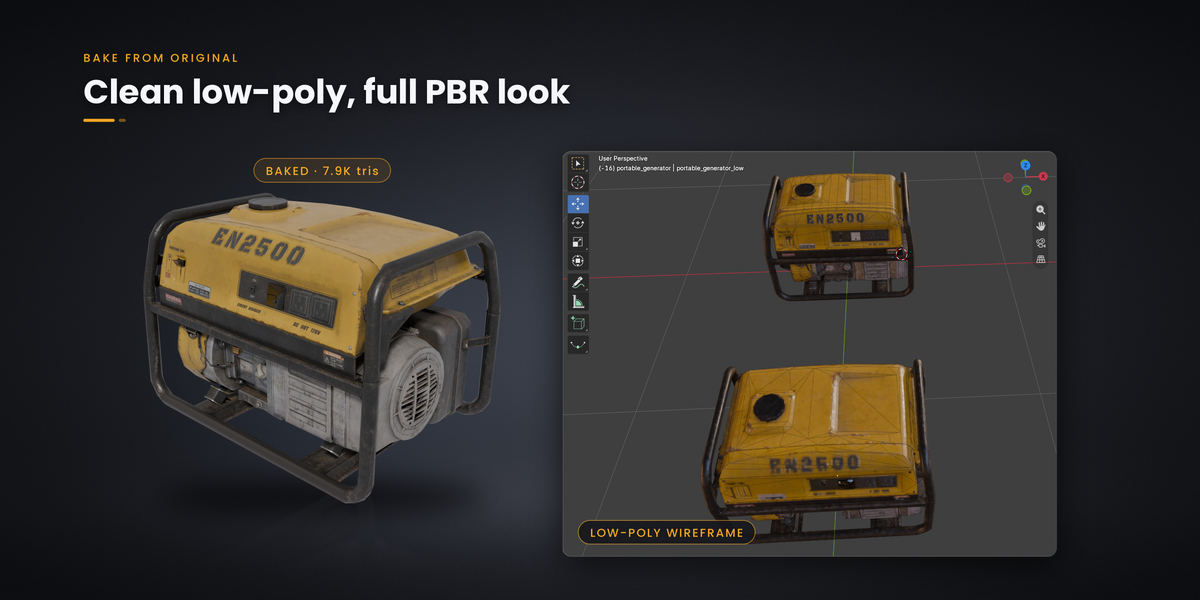
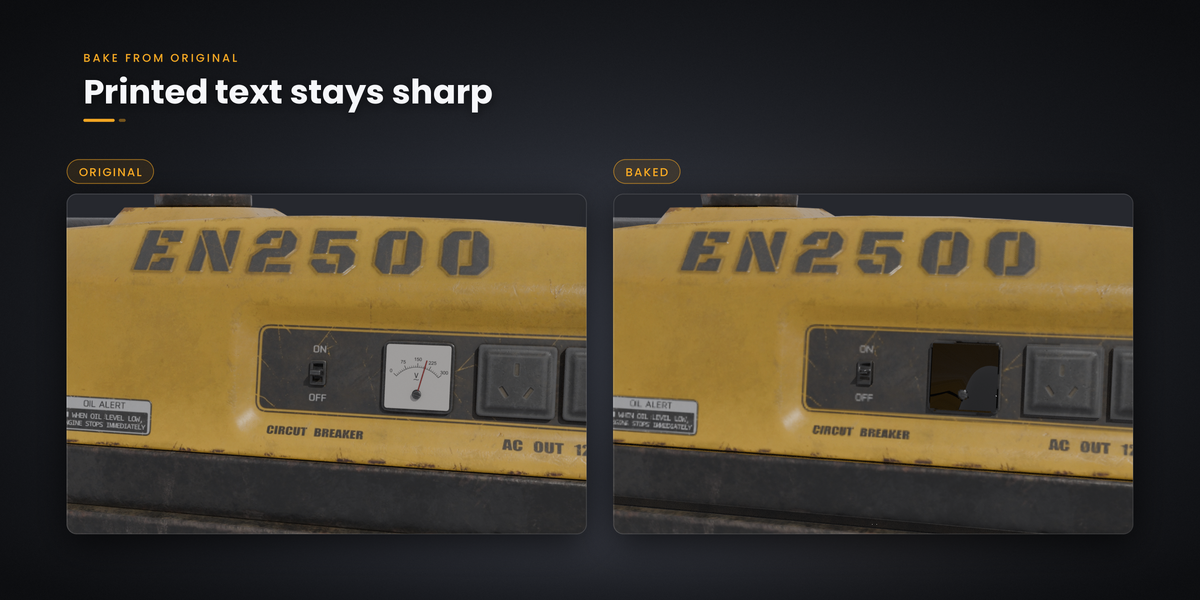
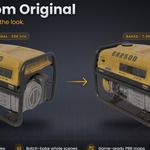
Actual generator test: 26,419 → 7,922 triangles. Approximately 70% fewer triangles, with the original appearance transferred to the lighter mesh.
Real models. Measurable reductions.
Printed labels, worn metal and multi-part construction make industrial assets a useful test. These examples show actual results from the add-on.
| Asset | Original | Baked result |
|---|---|---|
| Portable generator | 26,419 triangles | 7,922 triangles |
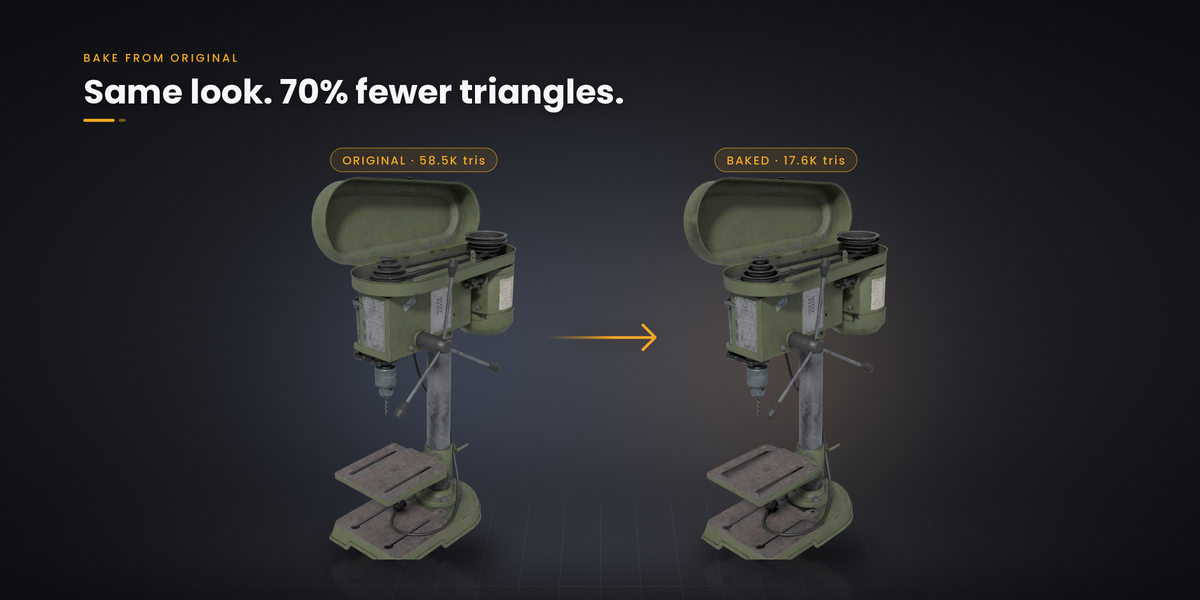
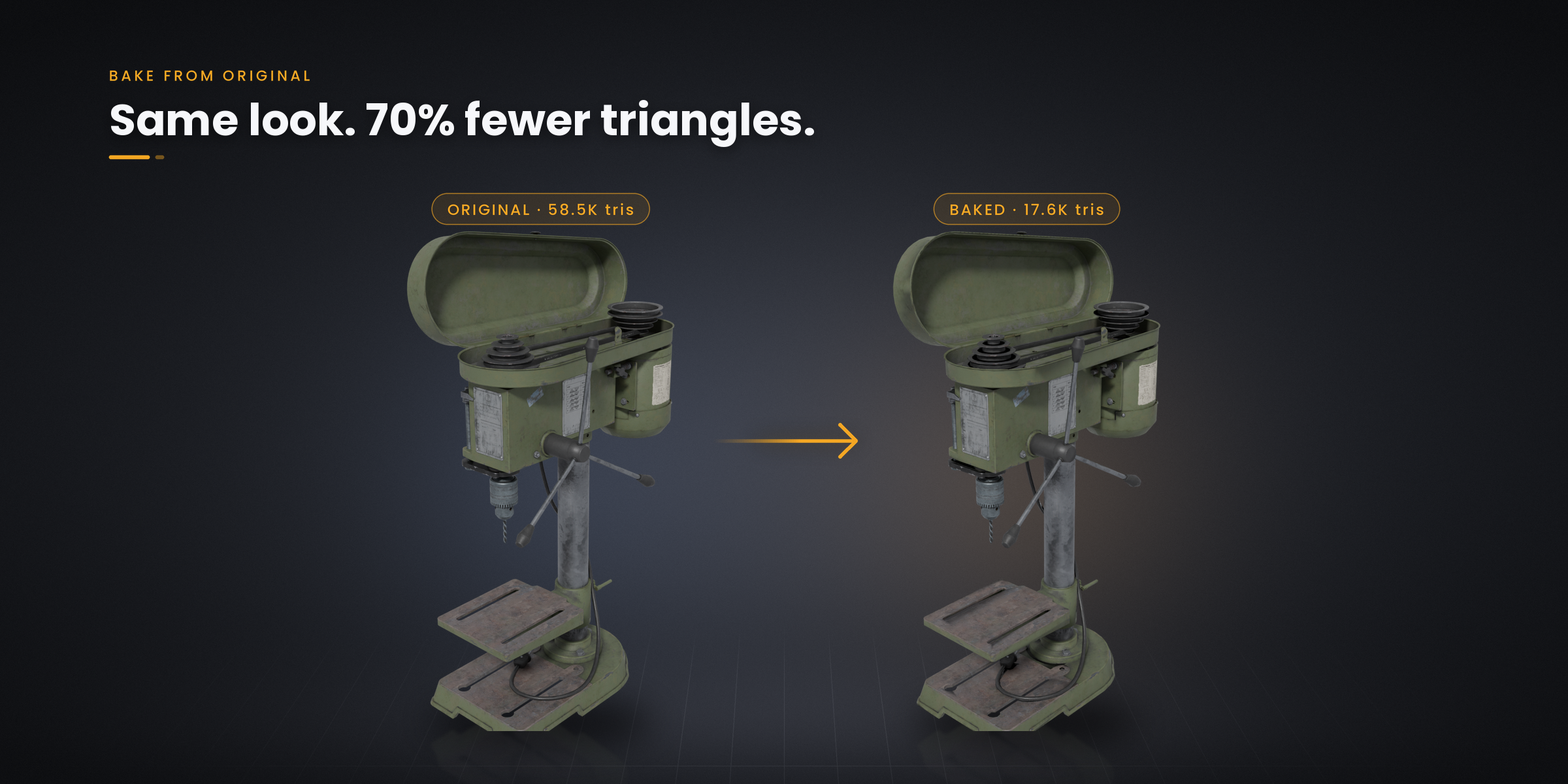
| Drill press | 58,526 triangles 13 separate parts | 17,557 triangles 1 mesh · 1 texture set |
- Portable generator: printed markings such as “EN2500” and “AC OUT 120V” remain readable in the baked example.
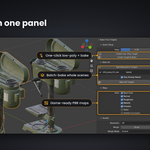
- Drill press: multiple source parts are consolidated into one lighter mesh with one texture set.
Results depend on the source model, target geometry, UV layout and bake settings. These examples demonstrate specific assets, not a guaranteed result for every model.
Three ways to get the job done
WORKFLOW 01
Create Target & Bake
From detailed source to textured low-poly in one operation.
Select your model, or just its root / parent, and click Create Target & Bake. The add-on copies it in place, joins the parts, reduces it toward your chosen triangle count and bakes the original appearance onto the result.
- Preserve suitable UVs: when the source has a clean UV layout, the target keeps it, helping retain texture placement and printed detail.
- Unwrap when needed: if a suitable layout is unavailable, new UVs are created automatically.
- Receive a finished material: generated textures are saved and connected to a new Principled BSDF shader.
Ideal for: quick prop optimization and multi-part asset consolidation.
WORKFLOW 02
Bring your own low-poly
Your topology. Your UVs. The original appearance.
Already prepared a target with Quadify, QuadriFlow, Instant Meshes or manual retopology? Select the original first, then your low-poly target, and click Bake.
Your target’s UVs are used as they are and are not changed unless you request it. Keep the layout you have already prepared and use Bake From Original to handle the material transfer.
Ideal for: custom topology, manually prepared assets and existing remeshing workflows.
WORKFLOW 03
Bake All
Prepare the targets. Review the matches. Run the batch.
Place your low-poly meshes in the BFO Targets collection. The add-on finds a matching original for each target and displays those matches in the panel before you start.
- Name matching: recognises patterns such as Car_low, Car_remesh and Car.001.
- Position and size matching: provides additional ways to associate targets with their sources.
- Internal alignment: targets placed beside their originals for comparison can bake correctly while the scene objects remain where you put them.
Review the queue, click Bake All, and let the add-on process the targets without repeating setup for every object.
Ideal for: prop kits, asset libraries and collections of prepared low-poly targets.
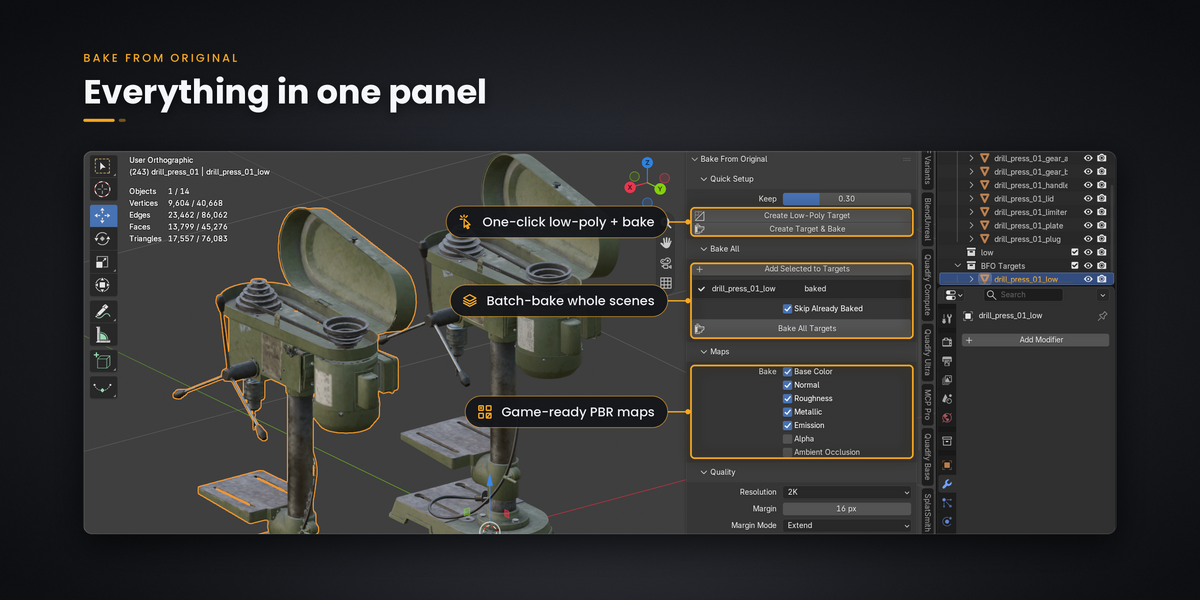
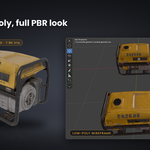
Quick Setup, source matching, batch processing and map controls in the Blender panel.
The PBR maps you need. Already connected.
Choose the channels your asset needs. Each map can be switched on or off, allowing the output to suit a simple prop or a more complete PBR material.
-
Base Color
Transfer the source’s surface colour into an image texture. -
Normal
Capture surface shading detail from the original on the lighter target. Normal maps represent detail without rebuilding the source geometry. -
Roughness
Transfer the variation between polished, worn, matte and rough areas. -
Metallic
Preserve the material information that distinguishes metallic surfaces from non-metallic ones. -
Emission
Include emissive surface information when your source material uses it. -
Alpha
Include transparency information where required by the asset. -
Ambient Occlusion
Generate an AO map for workflows that need it.
Metal should not bake black.
The base-colour workflow handles metallic materials without relying on a standard diffuse-colour bake that can return black on metal. That matters for machinery, tools, vehicles and industrial props.
Normal formats and packed textures
Choose OpenGL or DirectX normals to suit your destination workflow in Unity, Godot or Unreal. Optional ORM packing combines three material channels into one image:
Red: Ambient Occlusion • Green: Roughness • Blue: Metallic
Material setup is part of the bake
Bake From Original creates a new Principled BSDF material, connects the generated maps and sets the appropriate colour spaces. You receive saved image textures and a working Blender material instead of a folder of maps to wire by hand.
Engine import and material settings still depend on your project and its rendering workflow.
Simple to start. Adjustable when needed.
- 512 to 8K texture resolution: choose an output size that fits the asset’s detail requirements and texture budget.
- Adjustable bake margin: control padding around UV islands.
- Automatic ray distance: reduce the manual setup involved in source-to-target projection.
- Optional auto cage: use cage-based projection when your asset needs it.
- GPU or CPU: bake using the Cycles device available to your setup.
- One-click comparison: switch between the original and baked result to inspect the transfer.
- Remembered sources: select only the low-poly later to re-bake from its stored source association.
Built for multi-part assets
Nested GLB / FBX parts, multiple materials and modifiers are handled as part of the source workflow. Originals can also remain hidden while you prepare and inspect the target.
Useful feedback when something needs attention
Misaligned objects, broken UVs and missing source matches should lead to a clear next step. The add-on reports these problems with guidance on what to change, rather than leaving you to interpret a blank texture.
Your originals stay untouched
Bake work runs on temporary copies in a hidden scene, keeping the source available for comparison and future changes.
- Original objects and materials are not modified.
- Scene state is restored: render settings, selection and mode are returned to their prior state.
- Press Esc to cancel: cancelled or failed bakes are designed to leave the existing result intact.
- Output replacement waits for success: existing texture files are only replaced after the bake succeeds.
- Work offline: no internet access or external dependencies are required.
Where it fits in your workflow
- Game asset preparation: transfer appearance from sculpts, scans and CAD-style models to lighter targets.
- After remeshing: restore the visual appearance after voxel remesh, Quadify, QuadriFlow or Instant Meshes.
- Downloaded asset optimization: prepare assets from Sketchfab, Poly Haven and asset stores for your scene’s needs.
- Material consolidation: bring many source parts and materials into one target mesh and one texture set.
- Web, mobile and AR / VR: prepare lighter textured assets for workflows using glTF, three.js or model-viewer.
- LOD and prop-kit work: bake prepared lower-detail targets or process a collection of props.
Know the limits before you bake
It transfers appearance. Geometry still matters.
A normal map can represent surface shading detail, but it cannot restore a missing silhouette or rebuild geometry removed by an aggressive reduction. Keep enough geometry for the shapes your asset needs.
- Glass and see-through parts: projection records the first surface it hits. Details behind glass may bake as the glass surface rather than the objects behind it.
- Thin sheet metal: aggressive reduction can produce dark triangles. Keeping around 30% of the source triangle count is a starting recommendation, not a universal threshold. Inspect the result and increase the count when needed.
- Quick Setup uses Decimate: it reduces geometry; it does not generate quad retopology. For quad remeshing, prepare the target with your preferred tool, then use Bake or Bake All.
- UVs and resolution affect detail: fine lettering needs enough texture space. Choose your UV layout and output resolution around the detail you need to preserve.
Frequently asked questions
Do I need to create a low-poly first?
No. Create Target & Bake can make a reduced target for you. If you want specific topology or already have a prepared target, use Bake instead.
Will it overwrite my UV layout?
The bring-your-own-target workflow uses your UVs without changing them unless requested. Quick Setup keeps a suitable existing layout or creates new UVs when needed.
Do I still need the original model?
Yes. You need the source model and its appearance available to transfer. The add-on bakes from that source; it does not reconstruct missing texture information from nothing.
Can targets sit beside their originals?
Yes. The batch workflow handles alignment internally while keeping the scene objects in their current positions. Review the source matches in the panel before running the batch.
Can I change settings and bake again?
Yes. Source associations are remembered, so you can select the low-poly and re-bake without selecting the original again.
Where are the textures saved?
Generated image textures are saved next to your .blend file and connected to the new material. Keep those images with the asset when moving it to another project.
Requirements & compatibility
- Blender 4.2 LTS to 5.2. Installs as a Blender Extension.
- Cycles. Included with Blender and used for baking.
- Windows tested. macOS and Linux are expected to work but have not yet been tested.
What’s included
- Bake From Original Blender Extension .zip.
- README with quick-start instructions and troubleshooting.
- GPL-3.0-or-later licensing.
- Free updates for this version line.
Less geometry.
Keep the work you put into the look.
Create a target, bring your own, or bake a collection.
Bake From Original handles the transfer.