 Skava


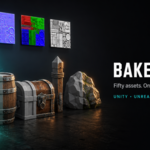
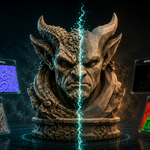
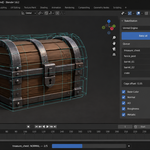
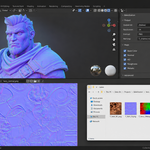
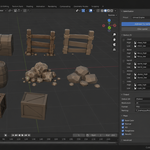
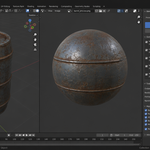
Download the zip and do not unpack it. In Blender open Edit > Preferences > Add-ons, click the drop-down arrow in the top-right corner and choose Install from Disk, then pick the zip. Tick the checkbox next to BakeStation. Press N in the 3D Viewport and open the BakeStation tab: it holds the BakeStation, Queue and Output panels.
Blender 4.2 LTS and newer. Baking is done by Cycles, so Cycles must be available; BakeStation does not change the Cycles device, it bakes on whatever device (CPU or GPU) is set in your Render Properties. Your render samples and bake settings are restored after a batch or a quick preview.
The engine preset in the main panel offers Unity URP/BiRP, Unity HDRP, Unreal Engine, Godot 4, glTF 2.0 and Generic / Custom. Each engine preset packs channels the way that engine expects (for example ORM for Unreal, the Mask map for Unity) and sets the normal map format; Generic / Custom writes every map as a separate file with no packing. Output format is PNG, TGA or EXR.
Yes. Auto-pair by name in the Queue panel matches names such as _high / _low, _hi / _lo, .hp / .lp and _hp / _lp and fills the queue in one click. The scan can be limited to the selected objects or the active collection.
Yes. Quick preview bakes the active queue item at 256 px with 4 samples, Base Color, Normal and AO only, which is enough to check the cage and the UVs before a full batch.
Yes. Turn on UDIM for a queue item and BakeStation detects which tiles its UVs occupy and writes one image per tile, named with the .1001., .1002. convention before the extension.
No. The add-on contains no network code; everything is baked and written locally to the output folder you choose.
Yes. The add-on is GPL-3.0 (full text in the LICENSE file inside the zip). The license covers the add-on code; the textures you bake are yours to use in any project. The full guide is in the Documentation & FAQ tab on this product page, and README.md inside the zip covers install, first run and uninstall.
Have questions about this product?
Login to message
| Published | 3 months ago |
| Blender Version | 3.2 - 5.2 |
| Extension Type | N/A |
| Render Engine Used | Cycles, Eevee |
| License | GPL |
Discover more products like this
naming template json preset normal map random ID ao channel pack material id auto-pair asset Game cage preview