 Vertex Wizards
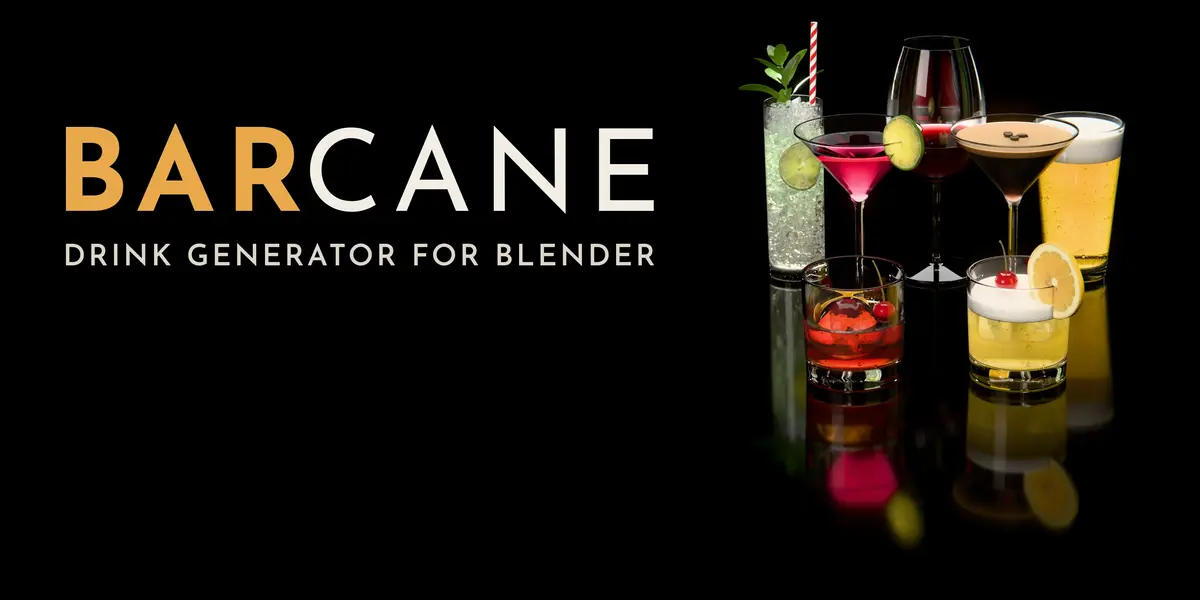
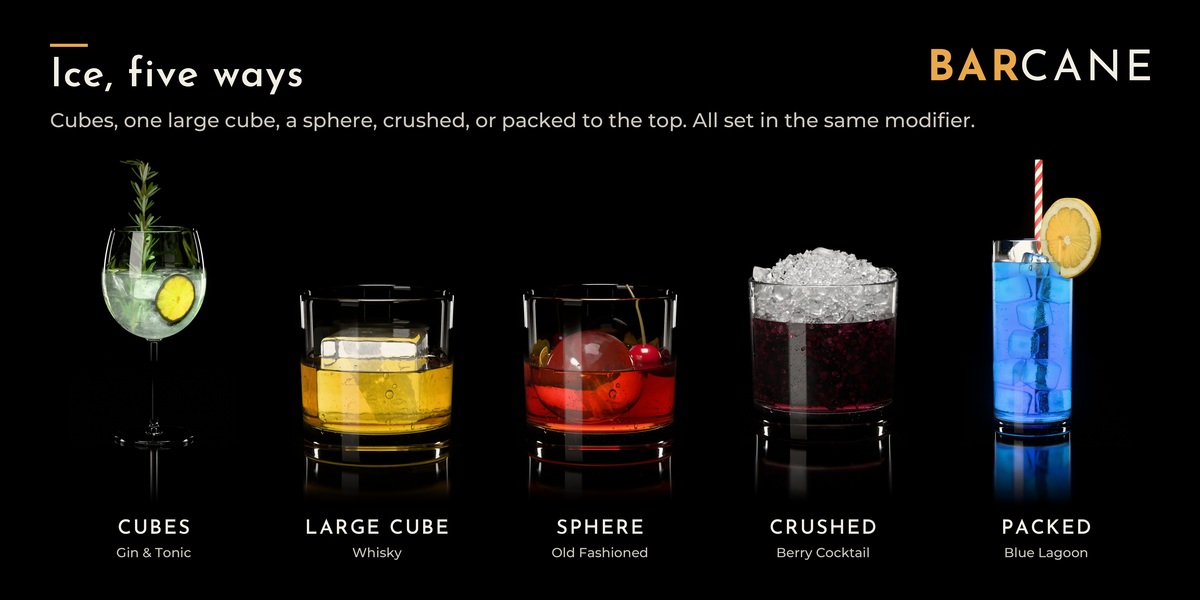
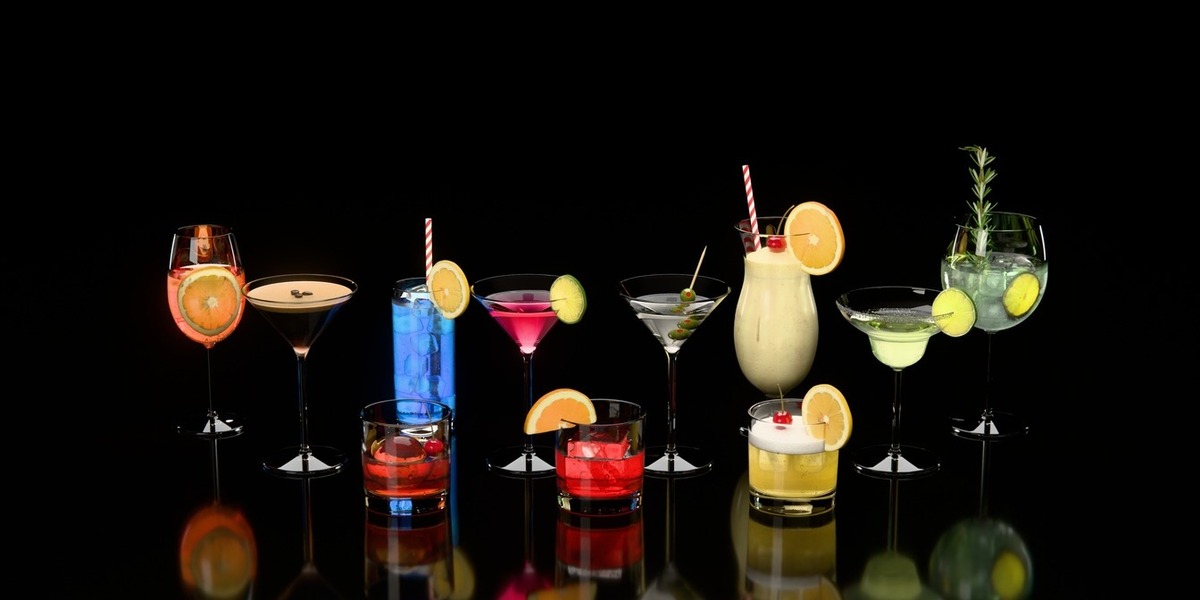
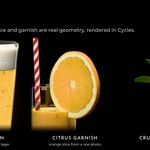
A believable drink takes longer to build than it should. The liquid has to sit exactly inside the glass, the ice must not poke through the walls, the surface needs a meniscus - and then there is condensation and garnish.
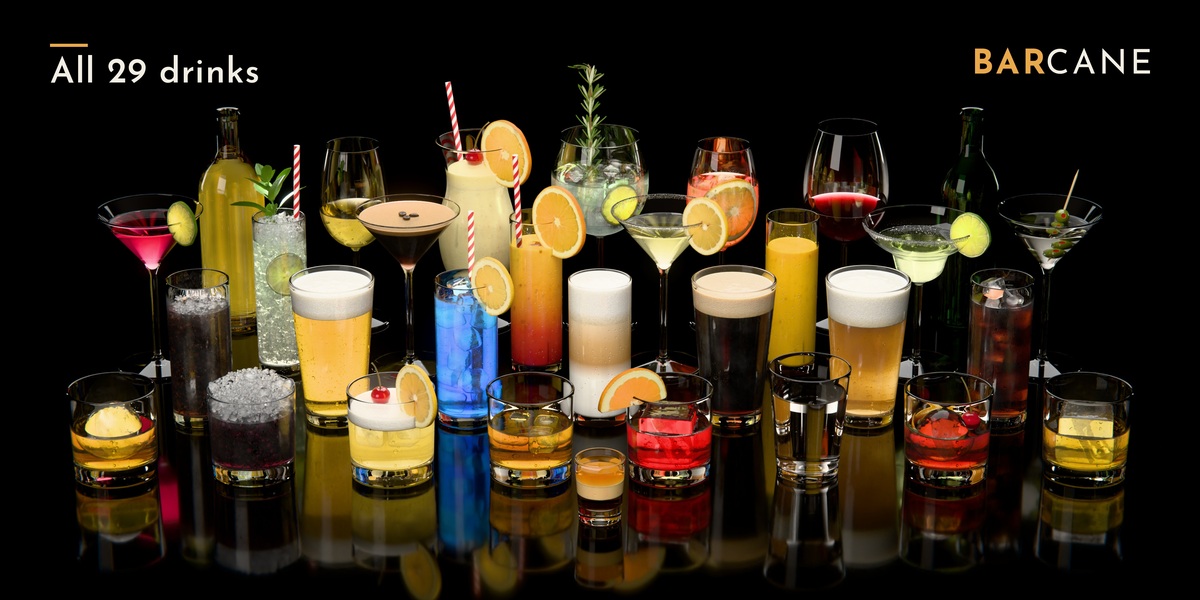
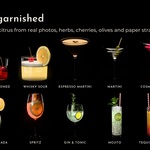
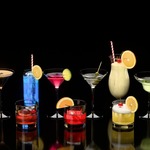
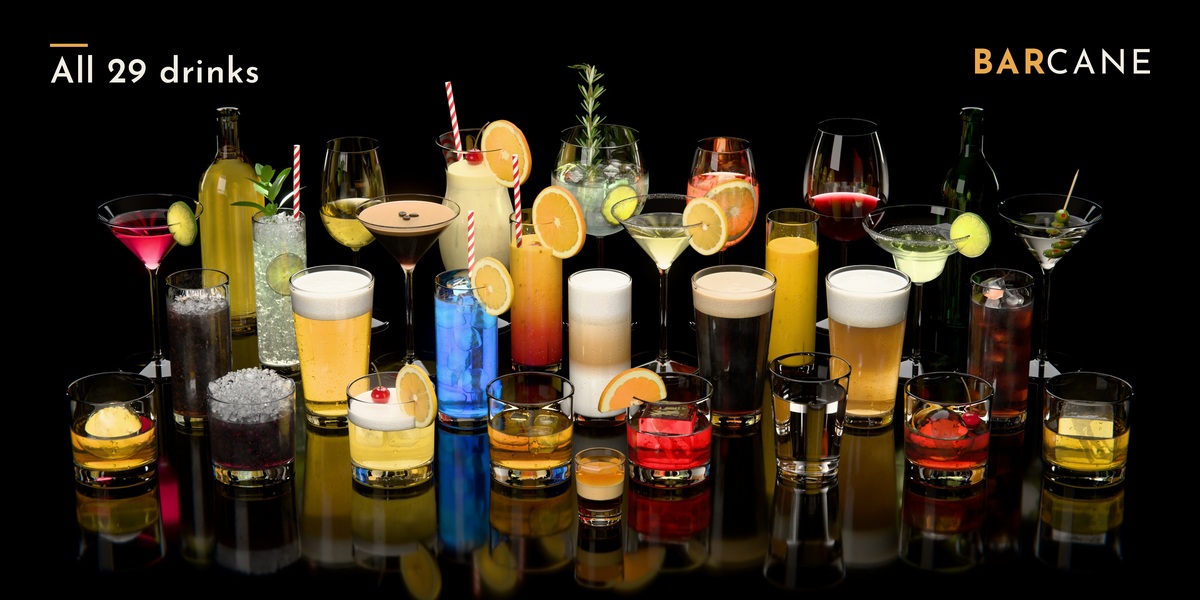
Barcane does this with one modifier. Pick a glass, set the fill level, choose the ice: the liquid follows the glass, even when it is tilted. Or skip the setup and drag in one of 29 finished drinks.
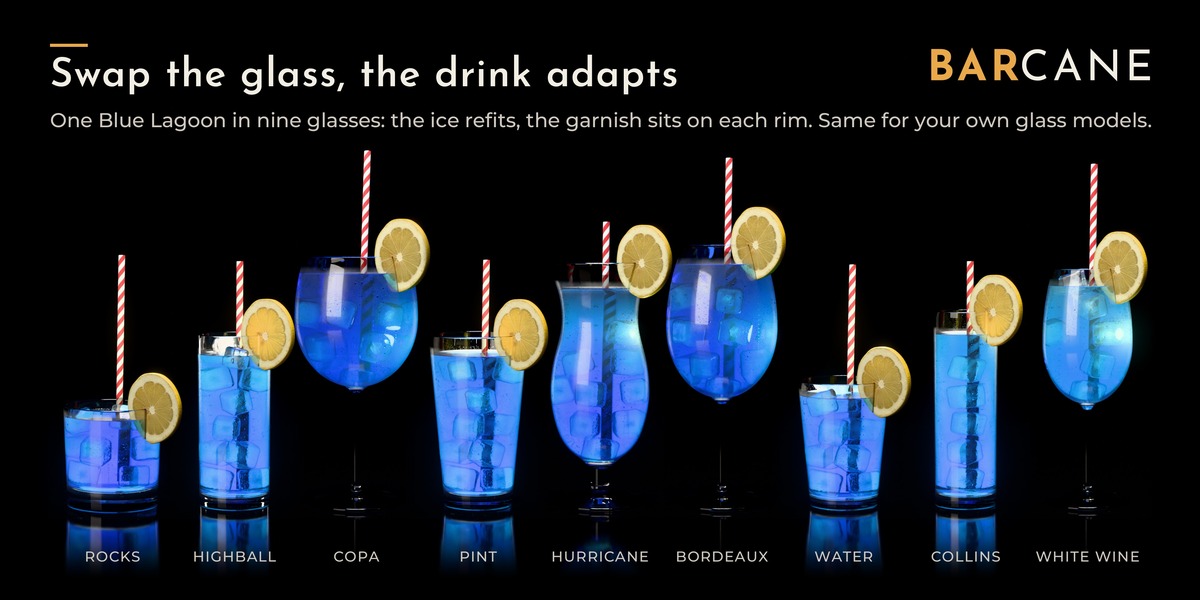
Your glass, filled
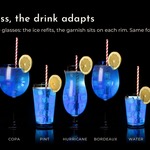
Pick a glass in the modifier and the liquid, ice and garnish fit themselves to it. Here the same Blue Lagoon and Mojito go through nine of the included glasses. Your own glass models work too, as long as they are open at the top, have a floor and are modelled at real-world size.
Fill level, foam and bubbles
Fill Level is a single value. Here it is keyframed and rendered frame by frame in Cycles: the foam stays on top and the bubbles keep rising. The surface has a meniscus and optional waves, and stays level when the glass is tilted.
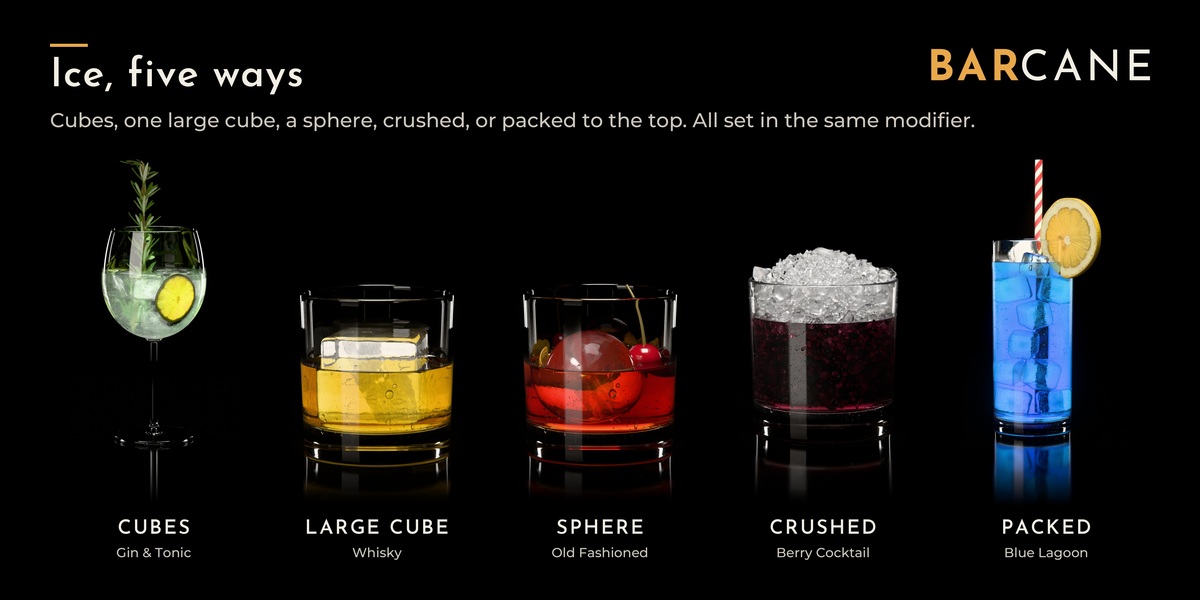
Ice
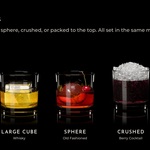
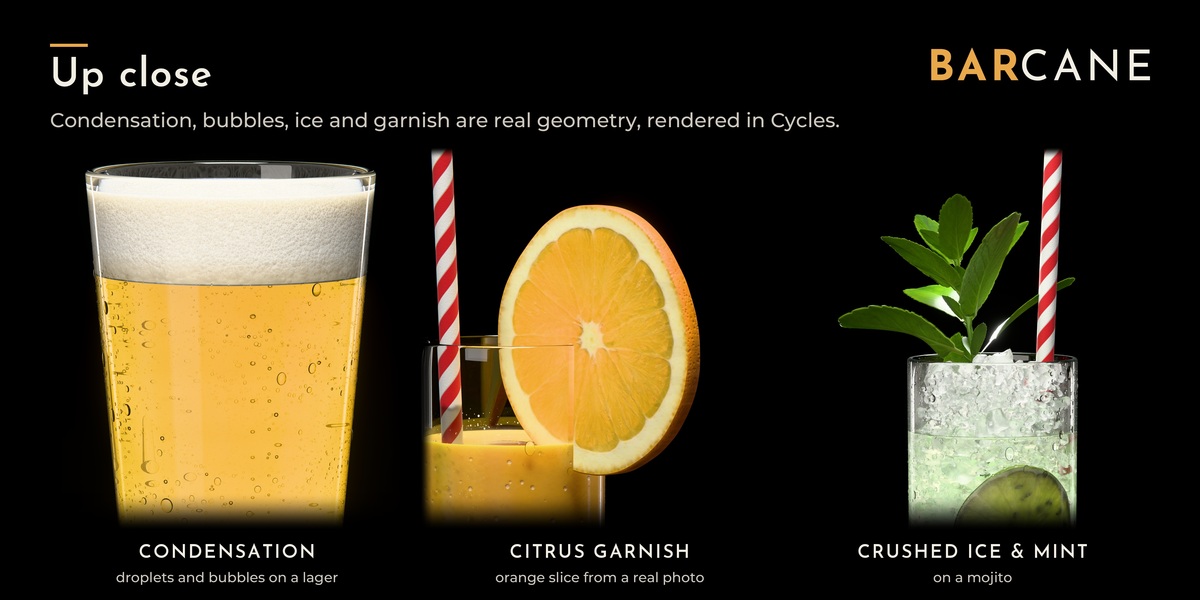
Cubes, one big cube, a sphere, crushed or packed ice, from clear to cloudy, with rounded edges and cracks. Cubes and spheres stay inside the glass and don't overlap.
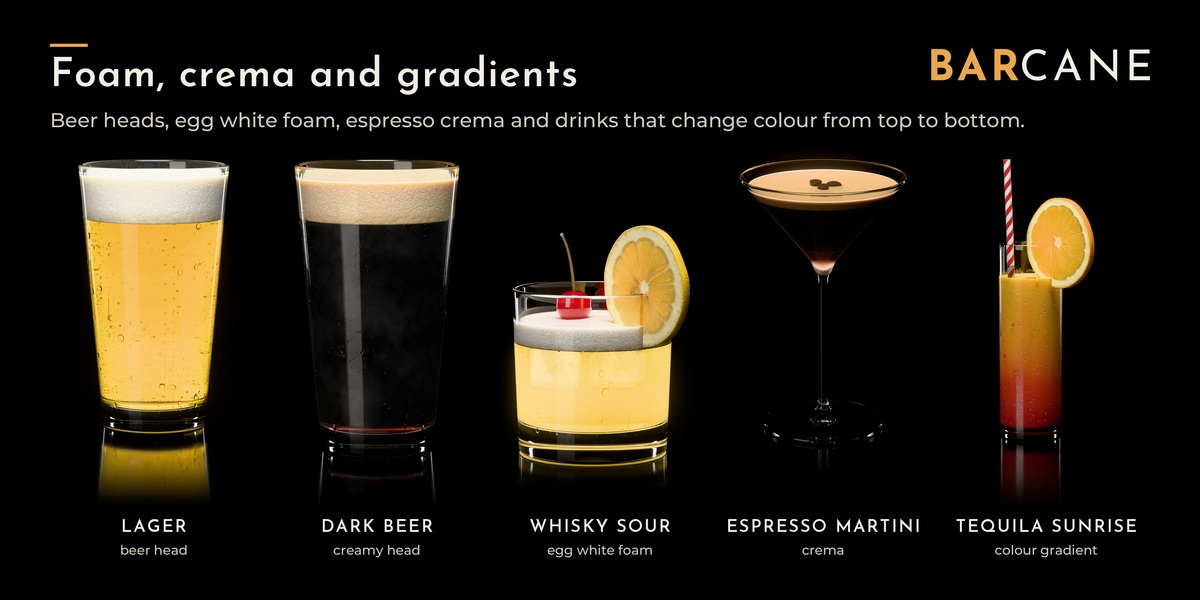
Foam and layers
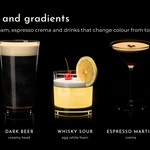
Beer head or milk foam that climbs the wall, and up to three liquid layers, e.g. for a layered shot. Soft gradients like a Tequila Sunrise work through a height attribute in the material.
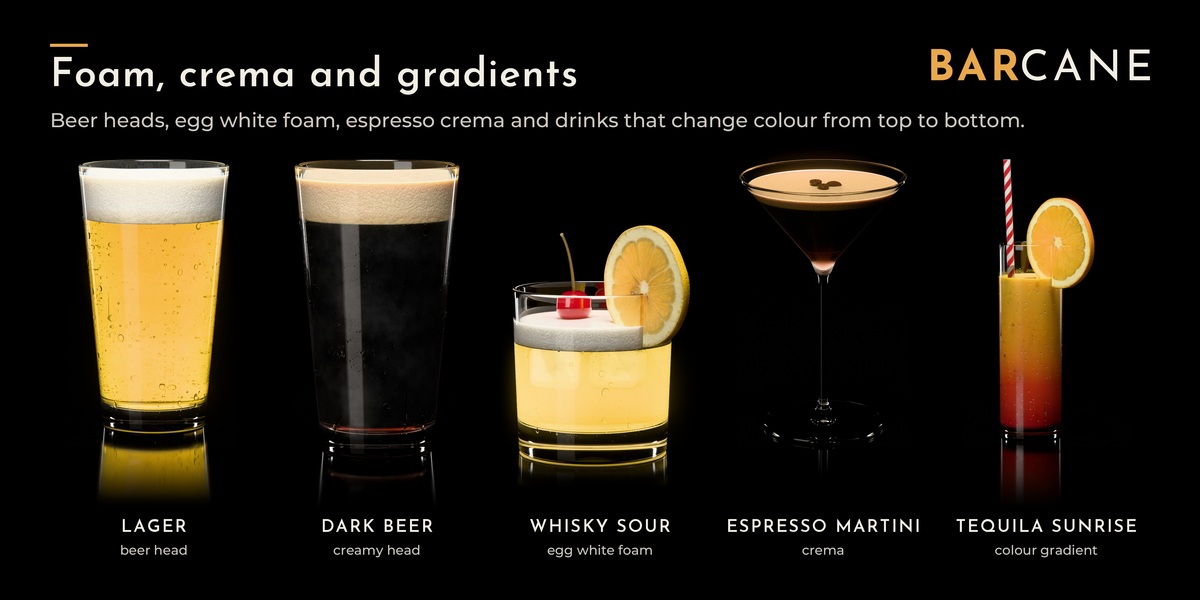
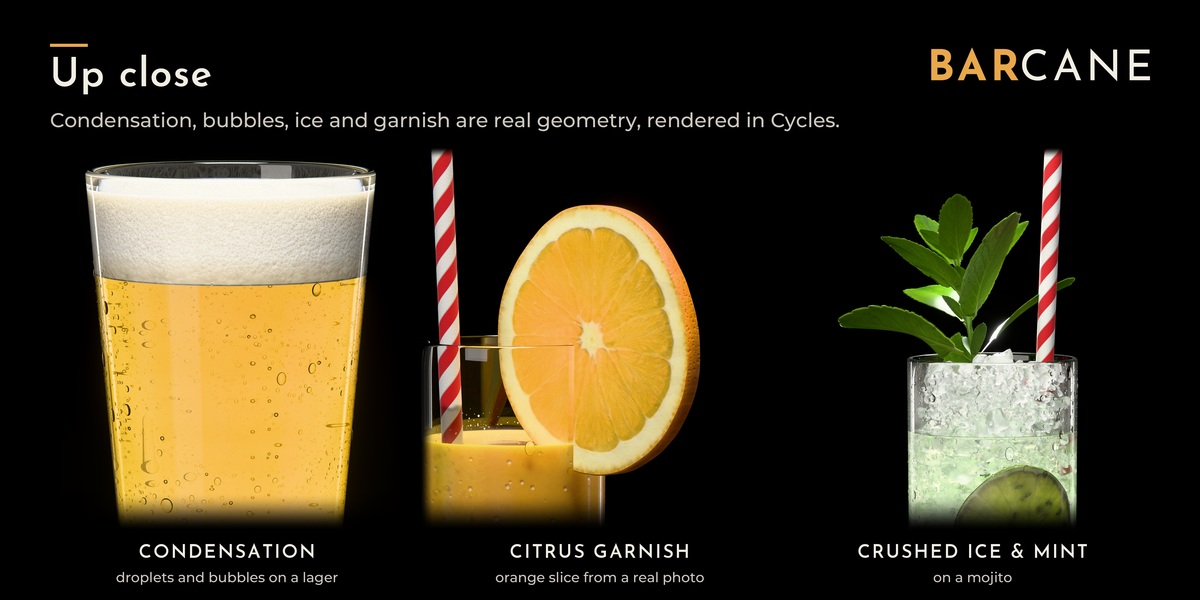
Condensation and garnish
Fine mist, droplets and drops that have run down and left a clear trail - only where the cold drink is behind the glass. Up to three garnish pieces per drink (on the rim, over the rim, in the drink, against the wall, leaning) and a salt, sugar or coloured-sugar rim, all around or only part of it.
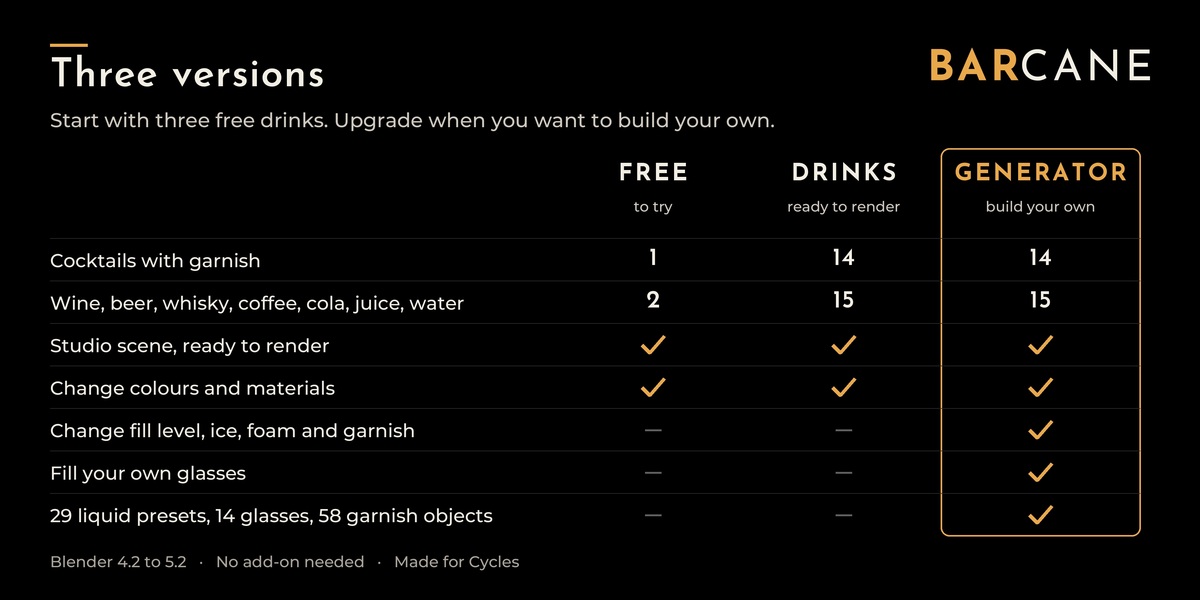
Three versions
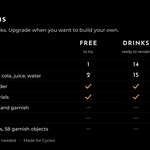
| Free | Drinks | Generator | |
|---|---|---|---|
| Finished drinks with glass | 3 | 29 | 29, live and editable |
| Generator modifier | – | – | yes |
| Fill your own glasses | – | – | yes |
| Liquid presets | – | – | 29 |
| Glasses as separate assets | – | – | 14 |
| Garnish objects | – | – | 58 |
| Download (ZIP) | 7.8 MB | 80.8 MB | 41.8 MB |
- Free: Espresso Martini, Whisky on the Rocks and Red Wine, ready to drag into your scene. A good way to check the look in your own setup.
- Drinks: all 29 drinks as finished assets. Materials stay adjustable; the shapes are fixed.
- Generator: the modifier itself, the 29 drinks as live setups you can change, the glasses and all garnish. Fills your own glass models.
What's included (Generator)
- The "Liquid" object with the Barcane Generator modifier
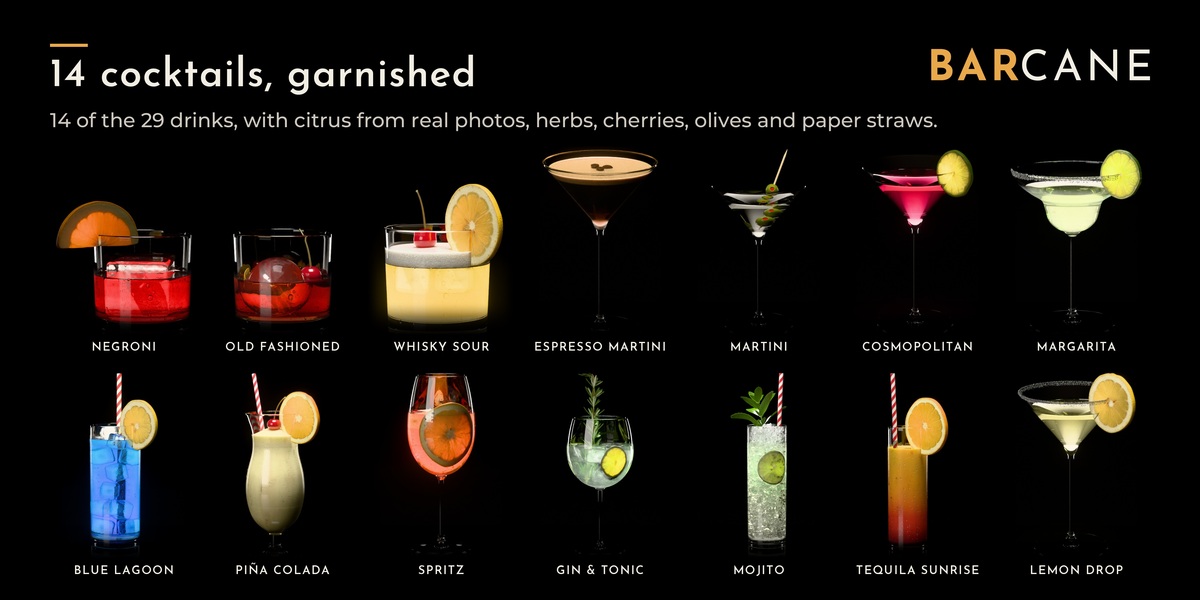
- 29 drinks, live: 14 cocktails with garnish and 15 drinks such as beer, wine, cola, latte macchiato and water
- 29 liquid presets (the liquid alone, sorted into Cocktails and Drinks)
- 14 glasses: rocks, highball, collins, martini, margarita, coupe, copa, hurricane, white wine, Bordeaux, pint, shot, water glass and a wine bottle
- 58 garnish objects: lemon, lime, orange and grapefruit as slices, half slices and zests; mint, basil, rosemary and thyme as leaves and sprigs; cucumber slices - all made from my own photos. Plus a procedural paper straw, olive pick, cocktail cherry and coffee beans.
- A studio demo scene that renders right away
How it works
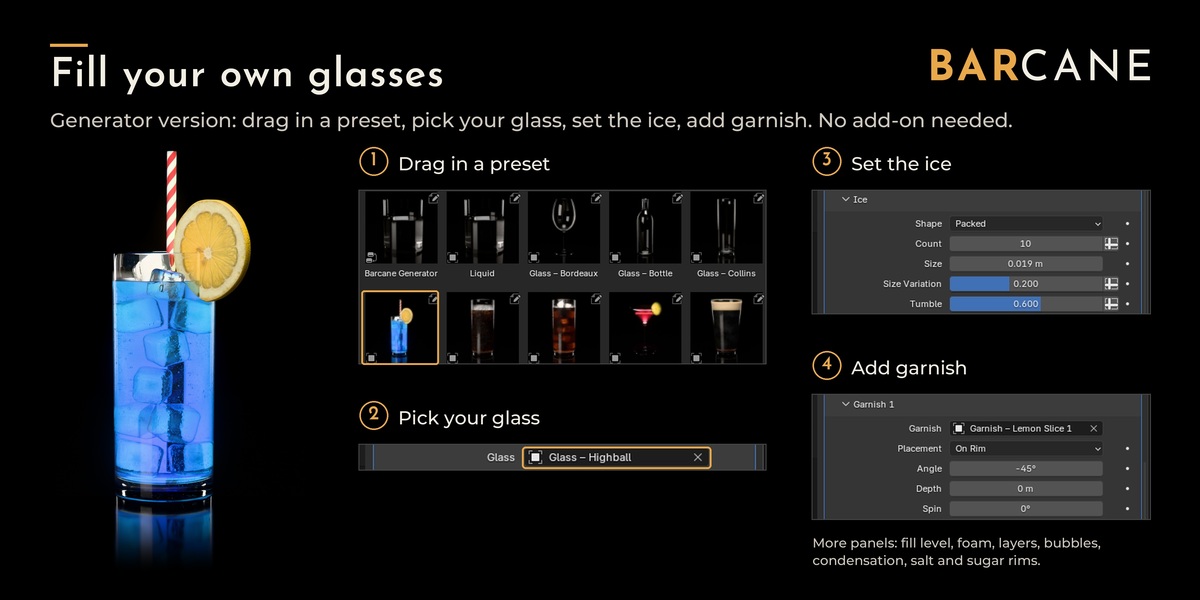
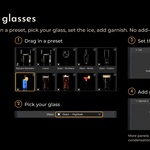
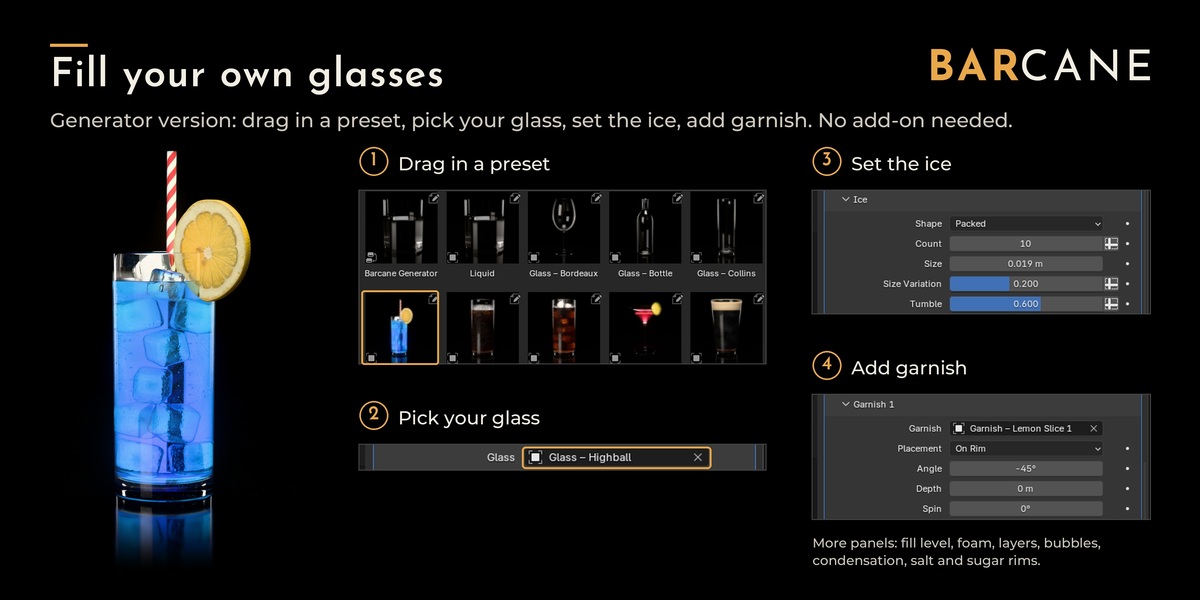
- Drag a glass into your scene, or use your own.
- Drag in "Liquid" or a preset and pick the glass in the modifier.
- Set fill level, ice, foam and garnish in the modifier panels.
With Free and Drinks it's even shorter: drag a drink from the Asset Browser into your scene and render.
Compatibility
- Tested with Blender 4.2 to 5.3. No add-on needed.
- Made for Cycles. EEVEE works as a rough preview.
Good to know
- You can absolutely break the generation if you put in unrealistic numbers and use other than real world sizes.
Your own glasses work if they are open at the top, have a floor and are modelled at real-world size. - Tilting works as long as the liquid can still cover the floor of the glass: a tumbler up to about 45°, tall glasses further.
- Crushed ice and foam need more light bounces than Blender's defaults. The demo scene has the right values; the README lists them.
- Blender 5.0 and newer: set the library's import method to "Append" before you drag anything in. The README walks you through it.
- Finished drinks arrive as one instance object. To edit one, untick "Instance" right after dropping it (F9).
- Drinks with crushed ice take a bit more memory and render time.
All renders on this page are made in Blender Cycles. Garnish textures are made from my own photos.
Support
Questions and bug reports: through this Superhive page.
License
Superhive Standard Royalty-Free License: use the drinks in personal and commercial work (renders, animations, product visuals, ads). Don't resell or share the files themselves.
Not allowed: using the files to train, fine-tune or test AI or machine-learning models, or adding them to datasets for that purpose. All rights to text and data mining are reserved (Section 44b German Copyright Act / Art. 4 EU Directive 2019/790).
