 Null Station


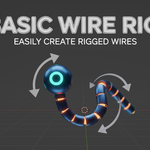
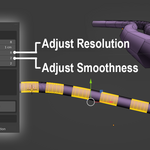
Basic Wire Rig is an addon for building simplified wire with bone-based rig for Game and Simple Animation projects with non-complex wire works.
Installation
1. Download the extension as a ZIP file
2. In Blender 4.2+, go to Edit > Preferences > Extensions
3. Click Install from Disk and select the ZIP file
4. Enable the Basic Wire Rig extension
5. The addon panel appears in 3D Viewport's N-panel under Basic Wire Rig tab
Quick Start
1. Create/Select Curve: Create a Bezier, NURBS, or Poly curve
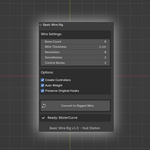
2. Open Panel: Press N in 3D Viewport, find Basic Wire Rig tab
3. Adjust Settings: Configure bone count (3-50), wire thickness, resolution
4. Convert: Click Convert to Rigged Wire
Controls Generated
Wire_End_Ctrl: Move to position wire end
Wire_Root_Ctrl: Rotate to control wire base
Wire_Mid_Ctrl_X: Control middle sections for detailed posing
Wire_Pole_Ctrl: Control bend direction and curvature
Settings Reference
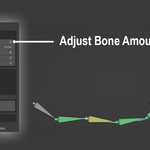
Bone Count: Number of bones (3-50, default 8)
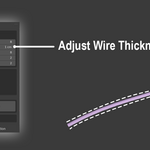
Wire Thickness: Mesh radius (0.001-1.0, default 0.01)
Resolution: Circular segments (3-32, default 8)
Smoothness: Extra loops for deformation (1-10, default 2)
Control Bones: Middle control count (1-5, default 2)
Tips
Use Bezier curves for smooth, natural wire shapes
Apply transforms before conversion for best results
Higher bone counts for complex animations, lower for simple wires
Generated rigs are export-friendly for game engines
Requirements
Blender 4.2.0 or later
Works with all curve types (Bezier, NURBS, Poly)