 Sonneblom Digitaal
Stop exporting parts one by one. Select a plate of parts (or a collection) and each becomes its own file, in mm, with modifiers applied, dropped onto the bed and centred, named the way you want. Your scene stays untouched.
Who it's for: Makers and print-farm or Etsy sellers who export plates of parts, kits or variants for slicing.
Key features
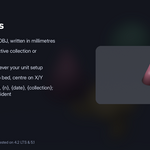
- STL (binary), 3MF and OBJ, written in millimetres
- Selected objects, the active collection or everything visible
- Correct mm scale whatever your unit setup
- Apply modifiers, drop to bed, centre on X/Y
- File names with {name}, {n}, {date}, {collection}; never overwrites by accident
How to use
- Press N in the 3D Viewport and open the Batch Export tab.
- Choose what to export (selected objects, the active collection or everything visible) and the format: STL, 3MF or OBJ.
- Set the folder and the file name pattern ({name}, {n}, {date}, {collection}).
- Leave Apply modifiers, Drop to bed and Centre on X/Y on for print-ready files, then click Export N object(s).
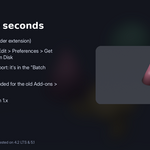
Compatibility: Blender 4.2 or newer. Tested on Blender 4.2 LTS and 5.1. Pure Python, nothing extra to install.
Good to know: One file per object (no merging). Exports geometry only: no colours, materials or UVs.
Support: Questions or a model that doesn't work? Message us through Superhive (Contact the creator) with what happened, and the model if you can, and we'll help. Free updates for version 1.x.