 Maso
Maso


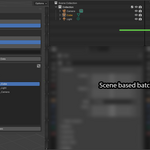
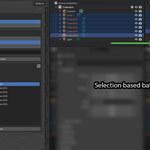
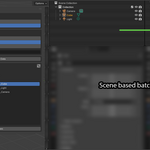
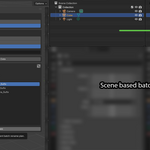
Batch Renamer Pro for Blender
Rename hundreds of Blender objects in seconds—with a safe, visual workflow that lets you preview every change before it's applied.
Batch Renamer Pro is a lightweight Blender add-on designed to make object renaming fast, predictable, and production-friendly. Whether you're cleaning up imported assets, preparing game-ready content, or organizing large scenes, Batch Renamer Pro helps you rename objects confidently without unexpected results.
Why You'll Love It
Renaming objects one by one quickly becomes a bottleneck in larger projects.
Batch Renamer Pro lets you:
Rename selected objects or your entire scene
Preview every change before applying it
Prevent naming mistakes with duplicate-name protection
Clean up imported assets in seconds
Keep naming conventions consistent across large projects
No guesswork. No surprises.
Features
Find & Replace
Quickly replace text across multiple object names.
Regex Support
Use powerful regular expressions for advanced renaming workflows.
Add Prefixes
Perfect for naming standards such as:
SM_BP_PROP_ENV_
Add Suffixes
Useful for production workflows including:
_LOD0_LOW_HIGH_COL_BAKED
Rename Selected Objects or Entire Scene
Work only on what you need, or process the whole scene at once.
Object Type Filtering
Filter scene-wide renames by object type:
Meshes
Lights
Cameras
Curves
Empties
Armatures
Others
Includes convenient All and None controls.
Live Rename Preview
See a complete before-and-after list before committing changes.
Duplicate Name Protection
Automatically resolves naming conflicts using Blender-style numbering:
ObjectObject.001Object.002
Optional Data Block Renaming
Rename associated data blocks alongside objects, including:
Meshes
Curves
Cameras
Lights
Other supported data types
Perfect For
Game development pipelines
Asset cleanup
Imported CAD or DCC files
Environment art workflows
Technical artists
Blender freelancers
Studio naming conventions
Installation
Download the ZIP file.
Open Blender.
Navigate to Edit → Preferences → Add-ons.
Click Install...
Select the downloaded ZIP file.
Enable Batch Renamer Pro.
Open the Batch Renamer tab in the 3D View sidebar.
Compatibility
Current Version: 1.1.0
Tested With: Blender 5.1
Changelog
Version 1.1.0
Added Scene Mode object type filters
Added All / None filter controls
Improved duplicate-name handling
Added Blender-style suffix previews (
.001,.002, etc.)
Included
Batch Renamer Pro Blender Add-on
Installation-ready ZIP package
Future updates for Version 1.x
Important Note
Batch Renamer Pro renames Blender objects and data blocks inside your scene. It does not rename files on disk.
