Batch Renamer I Octopus
 Maso
Maso


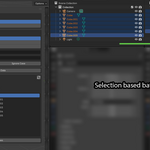
Batch Renamer Pro for Blender
Batch Renamer Pro is a focused object renaming add-on for Blender artists who need safe, fast batch renaming without guessing what will happen to their scene.
Rename selected objects or filter an entire scene by object type, preview every change in a before/after list, and apply the result only when it looks correct.
Overview
Batch Renamer Pro adds a simple renaming workflow to the 3D View sidebar. It is designed for common production cleanup tasks: naming imported assets, adding game-ready prefixes, appending LOD suffixes, replacing exporter clutter, and preparing organized scene objects before delivery.
The add-on does not use Blender's built-in Batch Rename dialog. It uses its own preview-focused workflow for object names, with optional object data renaming and duplicate-name protection.
Compatibility
- Current version: 1.1.0
- Tested with Blender 5.1
- Add-on category: Object
- Sidebar tab: Batch Renamer
- Author: Maso
Main Features
- Find / Replace object names
- Regex support for advanced replacement patterns
- Add Prefix mode
- Add Suffix mode
- Rename selected objects or the whole scene
- Scene object type filters
- All and None buttons for quickly enabling or disabling scene filters
- Live before/after preview
- Collapsible scrollable preview list
- Duplicate-name protection using Blender-style
.001suffixes - Optional object data renaming for meshes, curves, cameras, lights, and other data blocks
Scene Object Type Filters
When using Scene mode, Batch Renamer Pro lets you choose which object types should be included:
- Meshes
- Lights
- Cameras
- Curves
- Empties
- Armatures
- Others
The All button enables every object type. The None button disables every object type so you can quickly build a filtered set from scratch.
These filters only affect Scene mode. Select mode stays simple and renames the objects you have selected.
Rename Modes
Find / Replace
Use Find / Replace to replace matching text inside object names. This mode supports plain text matching, optional case-insensitive matching, and regex.
Example:
- Find:
Cube - Replace:
Crate - Result:
Cube_01becomesCrate_01
Regex
Enable Regex for advanced rename patterns.
Example:
- Find:
Cube_(\d+) - Replace:
Asset_\1 - Result:
Cube_01becomesAsset_01
Add Prefix
Use Add Prefix to add text before each object name.
Example:
- Prefix:
SM_ - Result:
BarrelbecomesSM_Barrel
Add Suffix
Use Add Suffix to add text after each object name.
Example:
- Suffix:
_LOD0 - Result:
BarrelbecomesBarrel_LOD0
Preview Workflow
Batch Renamer Pro shows a collapsible preview list with Before and After columns. This lets you inspect every affected object before applying the rename.
The preview updates when rename fields, selection scope, or scene filters are changed. If a target name would conflict with an existing object, the preview shows the adjusted Blender-style numbered name before you apply it.
Installation
- Download the add-on ZIP.
- Open Blender.
- Go to
Edit > Preferences > Add-ons. - Click
Install.... - Select the
BatchRenamerPro-1.1.0.zipfile. - Enable
Batch Renamer Pro. - Open the 3D View sidebar with
N. - Go to the
Batch Renamertab.
Quick Start
- Choose
SelectorScene. - If using Scene, choose which object types should be included.
- Choose a rename mode: Find / Replace, Add Prefix, or Add Suffix.
- Enter the rename text.
- Review the Before / After preview.
- Click
Apply Renames.
Common Workflows
Game Asset Prefixes
Use Add Prefix to add naming conventions such as SM_, BP_, PROP_, or ENV_.
LOD Naming
Use Add Suffix to append names like _LOD0, _LOD1, _LOW, _HIGH, or _COL.
Import Cleanup
Use Find / Replace to remove unwanted exporter text, replace generic names, or normalize naming across imported assets.
Scene-Wide Mesh Rename
Switch to Scene mode, press None, enable Meshes, then run your rename. This keeps lights, cameras, empties, and other scene helpers untouched.
Notes
- Batch Renamer Pro is designed for object renaming.
- It does not rename files on disk.
- It does not attempt to replace every data-block option in Blender's built-in Batch Rename tool.
- It focuses on a faster object-renaming workflow with preview, filters, and simple artist-facing controls.
Troubleshooting
I do not see the panel
Make sure the add-on is enabled in Edit > Preferences > Add-ons, then open the 3D View sidebar with N and look for the Batch Renamer tab.
The preview is empty
Check that your selected scope has matching objects. In Scene mode, make sure at least one object type filter is enabled.
Names are getting .001 added
That means the target name already exists or multiple objects would end up with the same name. The add-on shows the resolved Blender-style name in the preview before applying.
Regex replacement is not working
Check that Regex is enabled and that the pattern is valid. Invalid regex patterns are shown as preview errors instead of being applied.
Have questions about this product?
Login to message
| Published | 3 months ago |
| Blender Version | 5.0 - 5.1 |
| Extension Type | N/A |
| Render Engine Used | Cycles, Eevee |
| License | GPL |
