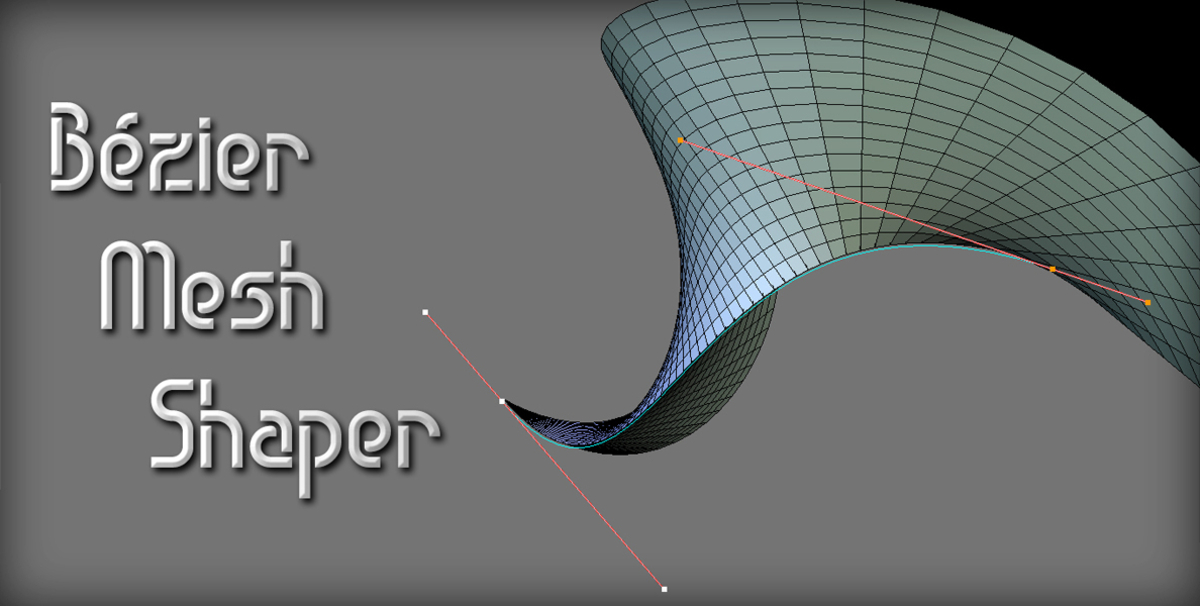
Bezier Mesh Shaper

RNavega in Addons


Item Rating

This item has an average rating of 5 from 20 ratings by the community.

90%
10%
0%
0%
0%

Purchase this item to leave a review!

  • Hiroshi Tsuruta
    2 months ago

    Seven years have passed since this add-on was first released, and it now supports a wide range of Blender versions, from 2.79 to 5.2. It’s rare to find such a wonderful add-on that is so “reasonably priced,” “thoughtful,” and “practical” for users !!
    I look forward to the developer’s continued support in the future !!!

  • Igor Verkhovodov
    4 months ago

    Easy to use, gave me good results when I made curvy fenders for my car model.

  • Enrique
    about 2 years ago

    The more you use this plugin, the more you'll see how versatile it is. A gem! Easy to use and works like a charm (Blender 4.2). Kudos to the developer who is actively listening to polish every aspect of the addon.

  • Tomas Hendrych
    over 2 years ago

    Its a really good addon, super usefull. I must appreciate Rafael's help with my problems. My version of Blender (3.6.8.) that I needed was not compatible with the addon, but Rafael helped me and solved it within a few days. Then he gave me more advice on how to use the addon for the best result and solved my problem. Don't wait and buy it!

  • Henrik Cederblad
    almost 3 years ago

    A very useful tool! Not the very least for profiles like nose shape etc.

  • Nirupam Saren
    almost 3 years ago

    great boost in work

  • alinehui
    about 3 years ago

    Super easy to use. Perfect for deforming hair cards/chunks.

  • blender49
    over 3 years ago

    This also works on lattices. It's a valuable add-on.

  • Annie
    over 3 years ago

    I initially did not understand how the product worked, but the developer reached out and resolved everything. (In case someone else needs it: make sure you have enough geometry to activate the add-on! It can be as simple as subdividing or adding some loop cuts.) Now that I know what I'm doing, the add-on works perfectly for my purposes.

    • Rafael Navega

      over 3 years ago

      Hi Annie,
      Please check this add-on's preferences in the Add-ons dialog of Blender. At the bottom of the preferences for this add-on, there's a confirmation setting for the Space key that sets if you want to confirm the tool using the Space key. This is on by default, so if you happen to use the Space key for viewport navigation then that's where the conflict could be, you'd need to turn that setting off so it won't confirm the tool when you try to navigate the viewport.
      For any other case I'd love to find a solution for you, can you send me a message with more details?
      You can reach me on my profile page (https://blendermarket.com/creators/rnavega), with the Contact Creator button. Customer satisfaction is our top priority.

  • Green Reader
    over 3 years ago

    The way this lets you use curves intuitively to adjust a mesh is wonderful. There are some things that can't be done without a lot of work any other way. It allows sharp, precise modelling at low polygon counts and requires no further optimization. And you can see exactly what's happening and play with things as long as you want before committing to the change.

    It is showing it's age a bit. At least for me, it's been a tad glitchy in 3.5 and I can't figure out why. Some things work out easily, some things stubbornly won't. If anything would encourage you to come back to this and do an update, please let me know what!

$15

Have questions about this product?
Login to message

Details
Sales 1800+
Rating
20 ratings
Dev Fund Contributor
Published over 7 years ago
Blender Version 2.79 - 5.2
Extension Type N/A
Render Engine Used Arnold, Blender-Internal, Blender-Game-Engine, Cycles, Eevee, Freestyle, Luxrender, Mental-Ray, Octane, Vray, Yafaray
License GPL
Discover more products like this

mesh tool bezier modeling deform curve